
DOWNLOAD THE APP


Customer Services
Copyright © 2025 Desertcart Holdings Limited
DOWNLOAD THE APP



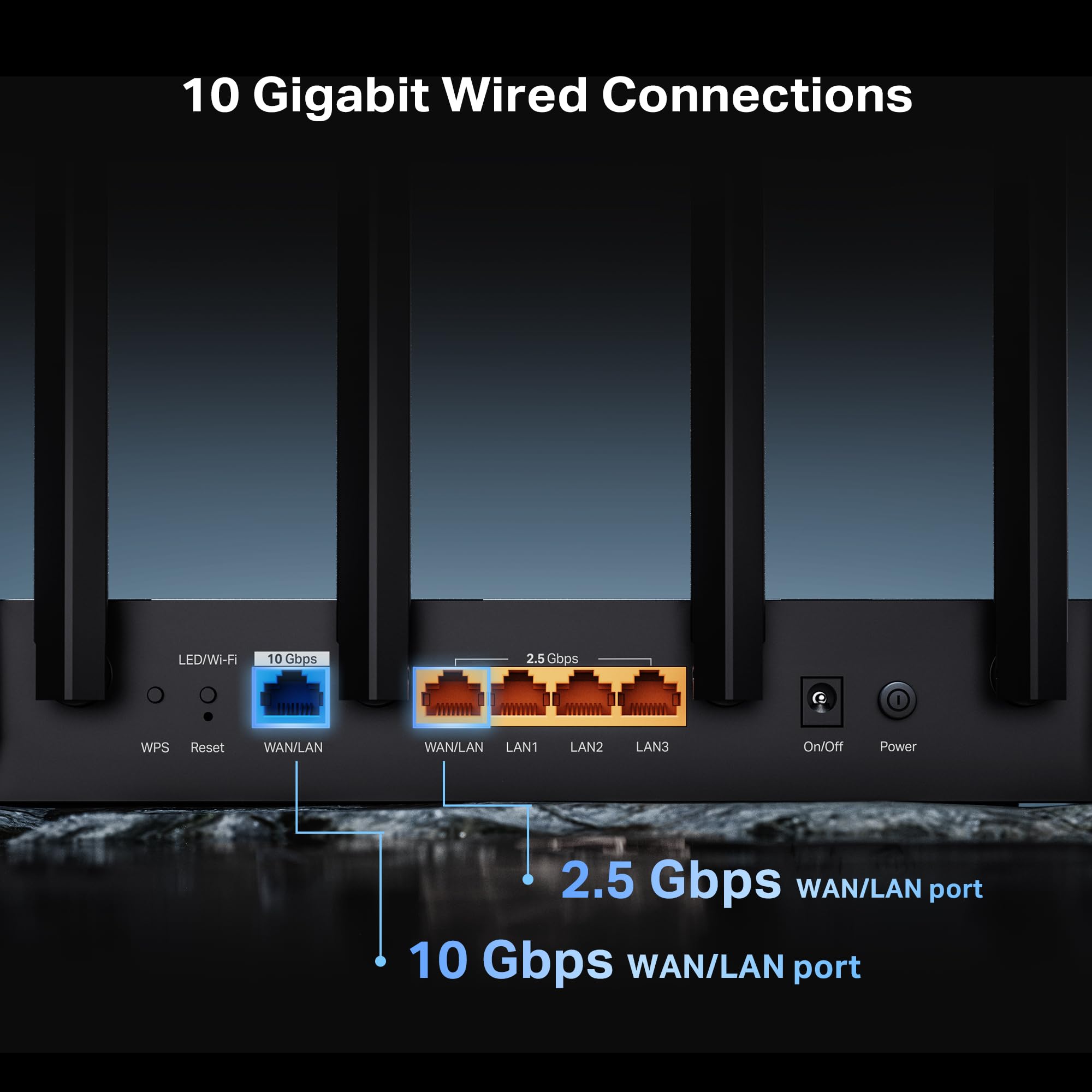


🚀 Elevate your home network to warp speed with TP-Link Archer BE600!
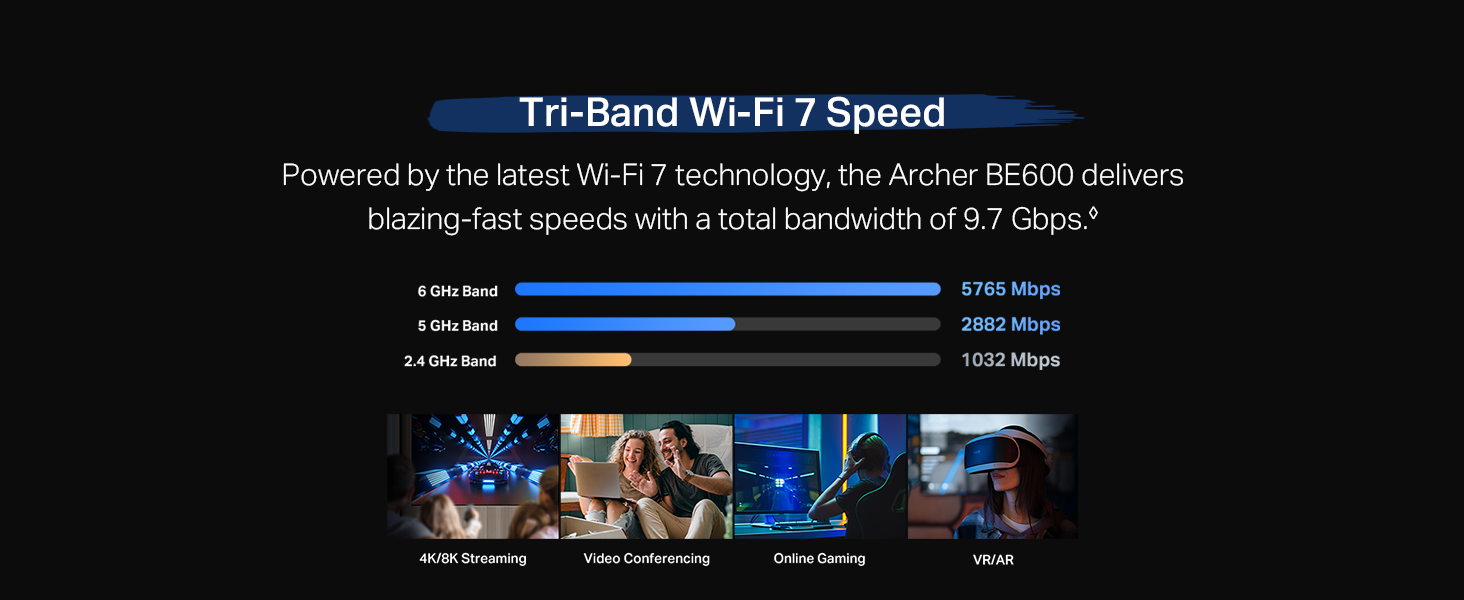
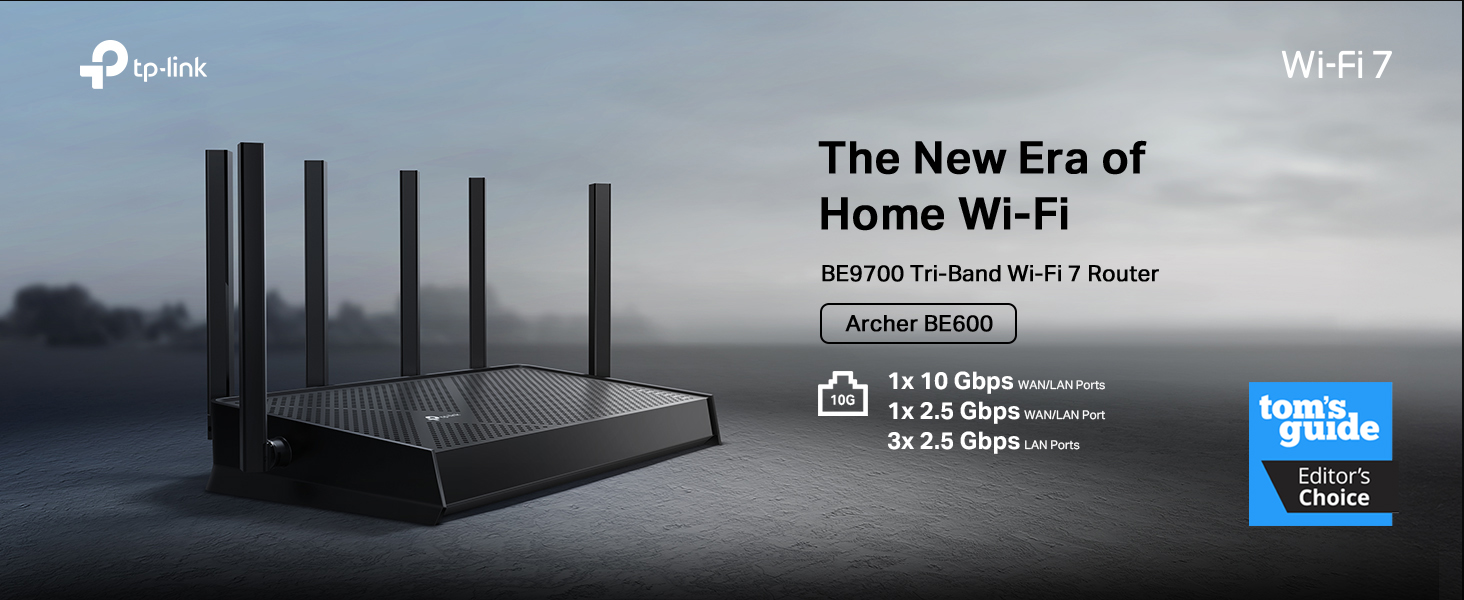
The TP-Link Archer BE600 is a cutting-edge Tri-Band WiFi 7 router delivering up to 9.7 Gbps total wireless speed, powered by a quad-core CPU and advanced features like Multi-Link Operation and 320 MHz channels. It supports multi-gigabit wired connections with a 10 Gbps WAN/LAN port plus multiple 2.5 Gbps ports, covering large homes up to 2,600 sq.ft and 120 devices. Enhanced by TP-Link HomeShield security and VPN support, it offers robust protection and parental controls. Easy to set up and manage via the Tether app, it’s designed for professionals and tech-savvy millennials seeking future-proof, ultra-fast, and secure home networking.





| ASIN | B0F76PQ2T8 |
| Best Sellers Rank | #18,707 in Computers ( See Top 100 in Computers ) #338 in Routers |
| Item model number | Archer BE600 |
| Manufacturer | TP-Link |
| Package Dimensions | 34.7 x 27 x 11.1 cm; 771.11 g |
T**S
Good signal with optional IoT network, well made, good value. Easy to use. Integrates with TPlink app which works well. Highly recommended for WiFi 7 on a budget. Note comes with US plug, so needs a UK plug separately
A**E
I recently upgraded my home network with the TP-Link Tri-Band BE9700 WiFi 7 router, and I am absolutely thrilled with the results. This router deserves a solid 5/5 rating for its exceptional performance, ease of setup, and impressive speed improvements. Setting up the BE9700 was a breeze. The intuitive TP-Link tether app guided me through the process step-by-step, and I had my new network up and running in a matter of minutes. It seamlessly integrated with my existing modem, and I encountered no hitches or complications. The most noticeable improvement has been the incredible boost in speed. I replaced an older WiFi 5 router, and the difference is truly remarkable. Even with my current devices, which are only compatible with WiFi 6, I am routinely experiencing 2x to 3x faster speeds in the same locations throughout my house. Downloads are quicker, streaming is smoother, and online gaming is virtually lag-free. It's clear that the BE9700 is optimized to deliver superior performance even to older generation devices, making it a worthwhile upgrade even if you don't yet have WiFi 7 compatible clients. I haven't had the chance to test it with a true WiFi 7 client yet, but based on its current performance, I have no doubt that it will deliver even more impressive speeds and a truly next-generation wireless experience. The tri-band technology ensures that there's plenty of bandwidth for all my devices, preventing congestion and maintaining consistent, high-speed connections. If you're looking to future-proof your home network and experience a significant leap in wireless performance, the TP-Link Tri-Band BE9700 WiFi 7 router is an outstanding choice.
L**Y
Works very well! I had the previous version of this model and I returned it to switch for this one when it came out. I feel like this design has a much better signal reach. I use it with the TP-Link wifi 7 expander and I have fast wifi all around my house!
C**E
Easy to set up and works great. The app is easy to use, though I wish the app and web interface were more aligned. While I haven't experienced connection issues, the family has occasionally complained. I personally set it up with different SSID per band to reduce noise. Devices that are further away or not high priority I move to 2G, 5G for medium range, and 6G for only a handful of high performance devices. This has worked well. I love the IOT feature. I can set up a separate SSID and lock down devices for IOT. Things that shouldn't directly be talking to other devices on the network like smart speakers and doorbell cameras. This also improves the connection for our regular devices. It gives lots of stats for devices, so I was able to find my smart garage opener was hogging a lot of bandwidth. It was super easy to set a speed limit, and it still works great. I wish I upgraded sooner!
J**T
Good but setup can be confusing, near impossible to go back to prior steps to fix.
Trustpilot
1 month ago
1 month ago