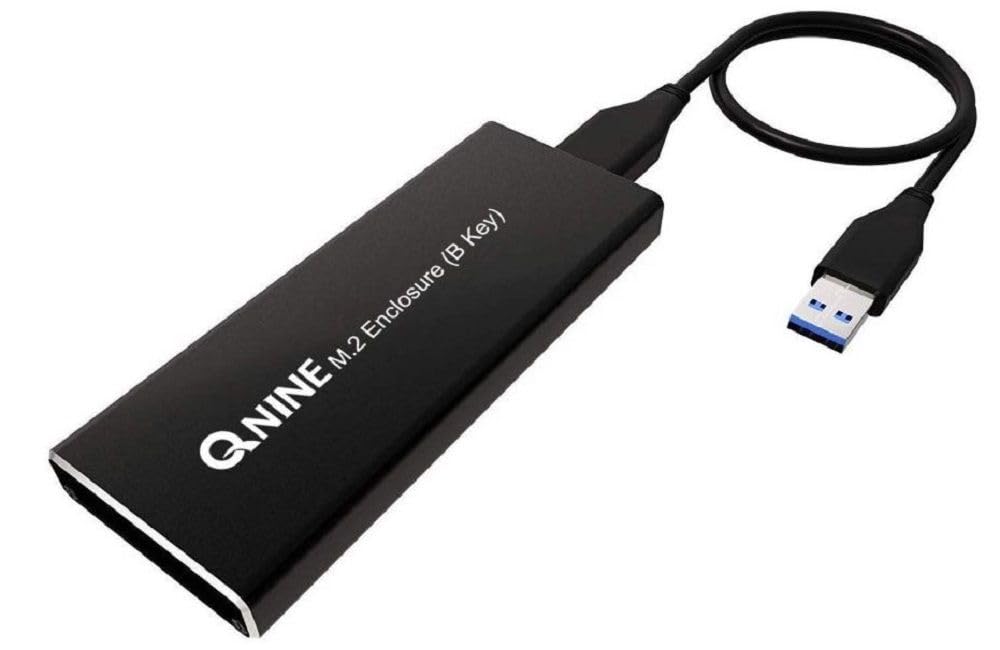
🚀 Unlock lightning-fast storage on the go—because your data deserves the best!
The QNINE M.2 Enclosure transforms your M.2 SATA (B Key) SSD into a high-speed external drive with USB 3.0 connectivity, delivering up to 5 Gbps transfer rates in a sleek, ultra-compact 1-inch cube. Perfect for professionals seeking portable, reliable storage with plug-and-play ease.


| Compatible Devices | Laptop |
| Max Number of Supported Devices | 1 |
| Data Transfer Rate | 5 Gigabits Per Second |
| Manufacturer | QNINE |
| UPC | 665570203383 |
| Item model number | SSD-M2-USB-BM-KEY-ENCLOS |
| Item Weight | 0.634 ounces |
| Product Dimensions | 1 x 1 x 1 inches |
| Item Dimensions LxWxH | 1 x 1 x 1 inches |
| ASIN | B07BK36KTH |
| Is Discontinued By Manufacturer | No |
| Date First Available | March 18, 2018 |
B**K
Not as slow as I initially thought!
I am updating my review because I decided to run CrystalDiskMark on this enclosure one more time before throwing it out, and the sequential read/write results were waaay better. I'm actually baffled because I have not changed a thing - same drive, enclosure, and usb port on the same computer. I've attached my updated test results and deleted the old ones. Below is my original review for posterity. Feel free to ignore it.Original Review:I bought a 1TB WD Blue M.2 SATA SSD hoping to upgrade my new laptop, which has a second M.2 slot. Unfortunately, the M.2 slots will not work with SATA drives. So I bought this QNINE M.2 enclosure thinking I could use the drive with my USB 3.1 ports. While it technically works, the read/write speeds are so slow that it's useless to me. I consistently get ~43MB read/write. I have other MUCH older SATA III (non-M.2) SSDs connected with super cheap USB adapters that are WAAAAAY faster than this enclosure. And I'm certain the brand new WD drive is not at fault as I tested it in a different laptop, and it's plenty fast (~500MB/s). I suppose I should return this enclosure, but it's hardly worth the trouble given the price. I'd love to hear if others are getting similar speeds. I also didn't understand why some reviewers complained about the mounting hardware for this enclosure - mine worked just like any other M.2 drive mount (insert at angle, screw down end - am I missing something here?)
M**E
Very Nice Metal Enclosure!
This is a very nice metal enclosure! The selling point for me was the two types of USB cables included. I use one cable with the type C end to connect to my new computer and I used the other cable when connecting to my older laptop. Installing the SSD drive was straight forward, however there are a lot of little screws. Two screwdrivers were provided, however the larger screwdriver fit the screws better - which is why I'm assuming they included it. There are multiple heat sink pads included. I wasn't sure which size I was supposed to use, but ended up using the mid-size one. It definitely keeps the enclosure from getting hot. When I first connected the enclosure to my computer, Windows did not respond. Apparently because my SSD drive was new, I had to go into Windows Disk Management and partition and format the drive first. Information on what to expect with a new drive would have been helpful and I have mentioned this to the vendor. Overall it's a good product and I would recommend to others.
V**R
It worked after seller helped me solve my problem
The drive I was trying to connect was the 500gb drive I took out of the laptop replacing it with a 1tb drive. My laptop would not recognize it because it has the same designation as the one in the laptop "C". I thought it was the Qnine M.2 Enclosure until the seller helped me address the issue.LikesSmall well built enclosureCame with screwdriver to fit only the very small screwsCame with Addition nuts "pem" to mount the driveDislikesIt has to be taken apart and has very small screws "easily lost".The body is two thin to even use a thermal pad on the chip to help keep it cool.The enclosure does not use a stander USB connection "specialty connector cable".Otherwise it works as expected and met my needs.
J**J
Works great
Upgraded the 128gb SSD (sata m2.0) in my lenovo y700 laptop with a crucial 500 HD sata M2.0.Threw the new one in this, ran the crucial cloning software on my laptop with this plugged in.Then switched the 500Gb drive I had in this with the 128GB on my laptop.Now I have an extra 128gb external drive and it facilitated the hdd clone that I needed.I've been using the new HDD for 3 weeks with no issues so it read everything fine for the cloning process.Just make sure you intend to use a SATA M2.0 drive and not the NVMI. the SATA drives are actually slower but if you're stuck using it (lenovo sucks...) this is what you need.
T**H
It might kill my Plextor M6G SSD!
I have several spare 120/128GB M.2 SSD and decide to get a USB 3.0 enclosure for them. I found this one with good review and want to give it a try. Installation is easy and I put my more-than-3-year-old Plextor PX-128M6G-2242 into the enclosure. Ran benchmark and the score was not too good and I believe it needs a secure erase to restore the performance. But Windows 10 told me the disk needs to be scanned and fixed before format. I executed scan and fix with tool of Windows. After that, I ran slow format again. The format stops at 98% and the disk disappeared inside windows tool. I took out the disk and found it was hot. Then I put it back and tried again. Oops. The blue LED on enclosure kept flashing and then became solid. Windows 10 won't be able to see the disk. I moved the SSD to an M.2 to SATA adapter and plugged it into SATA port. The computer won't boot with it. In other word, my SSD is dead. Since the SSD is out of warranty, I have no way to RMA it. At the same time, I don't want to take the risk to try my other M.2 SSD and decide to return it!
P**K
Worked well
Purchased this after my laptop died and only had the recovered ssd memory. This enclosure was everything I hoped. Decent packaging... easy to use. I was able to screw my ssd right in and had all my files available in less than 5 minutes from when I opened the box. The enclosure is nicely made, so I'm planning on keeping my SSD as an external drive indefinitely. The only thing I'd warn someone about if they do not play with electronics and they buy this to have a small Phillips screw driver. I have several computer screw drivers (eye glass screw driver probably would work also).
Trustpilot
1 week ago
1 day ago



