
🔥 Elevate your PC’s IQ with style and simplicity! 🖥️
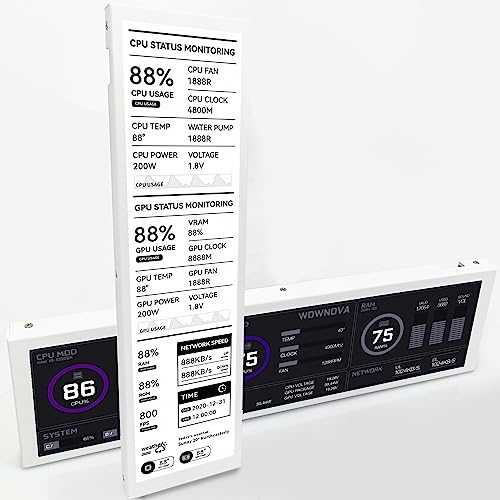
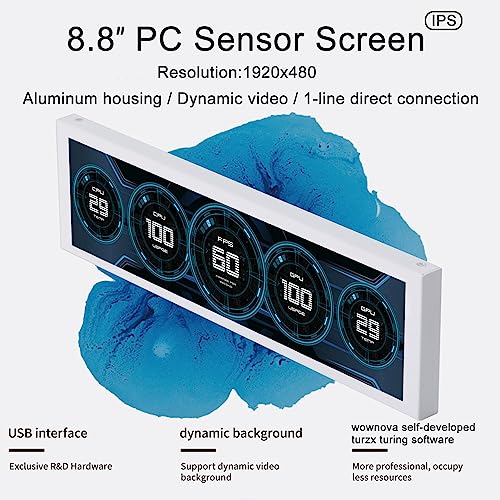
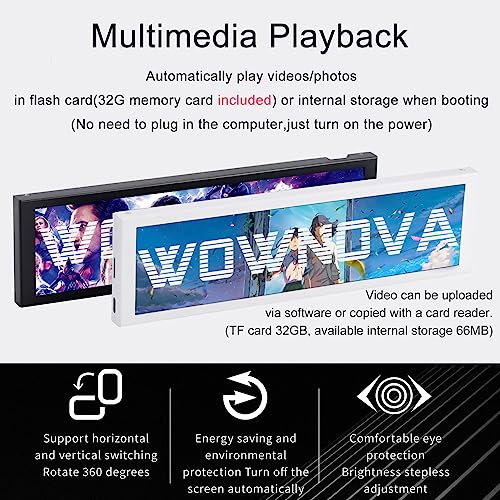
The WOWNOVA 8.8" Computer Temp Monitor is a sleek, ultra-wide IPS secondary display designed for effortless real-time monitoring of CPU, GPU, RAM, HDD, and FPS stats. Featuring a single USB-C or 9-pin cable connection, it eliminates clutter and simplifies installation inside your PC case. With dynamic video theme support and a user-friendly visual editor, it offers customizable aesthetics that keep your build both cool and captivating. Compatible with Windows 10/11, this flicker-free, energy-efficient monitor combines professional-grade functionality with eye-catching design, perfect for millennial managers who demand performance and style.


| ASIN | B0CBNCVVN5 |
| Actual viewing angle | 178 Degrees |
| Aspect Ratio | 16:9 |
| Batteries Included | No |
| Batteries Required | No |
| Best Sellers Rank | #1,636,578 in Electronics ( See Top 100 in Electronics ) #2,480 in Monitors (Computers & Accessories) |
| Brand | WOWNOVA |
| Colour Screen | Yes |
| Compatible Devices | Laptop, Desktop |
| Connector Type | USB |
| Country of Origin | China |
| Customer Reviews | 4.1 4.1 out of 5 stars (124) |
| Date First Available | 27 October 2023 |
| Device interface - primary | Touchscreen |
| Display Technology | LCD |
| Display Type | LCD |
| Hardware Interface | USB Type C |
| Image brightness | m2 |
| Image contrast ratio | 2000:1 |
| Item Dimensions LxWxH | 11 x 237 x 67 Millimeters |
| Item Weight | 430 g |
| Item model number | WOWNOVA 8.8 |
| Manufacturer | WOWNOVA |
| Model | WOWNOVA 8.8 |
| Model Name | WOWNOVA 8.8 |
| Mounting Type | Wall Mount |
| Product Dimensions | 1.14 x 23.7 x 6.71 cm; 430 g |
| Resolution | 1920 x 480 |
| Screen Resolution | 1920 x 480 |
| Special Features | Flicker-Free |
| Standing screen display size | 8.8 Inches |
| Total USB ports | 2 |
| Viewing Angle | 170 Degrees |
| Voltage | 5 Volts (DC) |
R**Y
ممتازة جداً وأضافت جمالية للـCase حق البي سي
C**Z
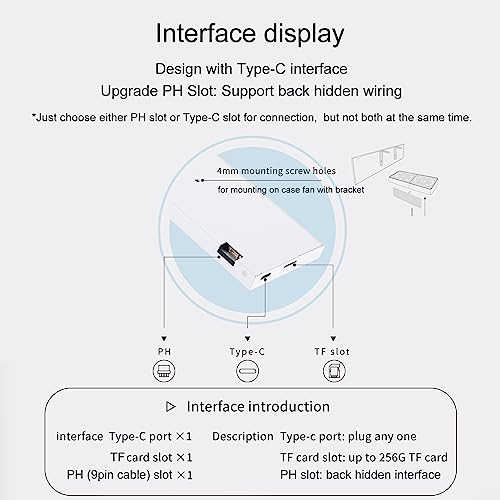
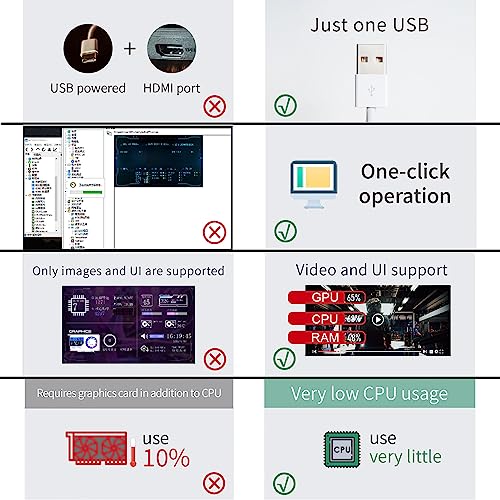
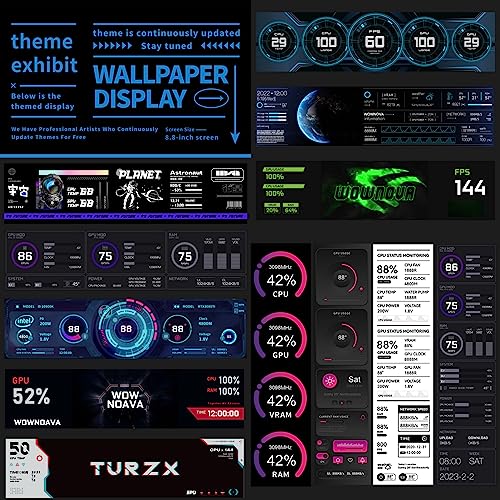
I was looking for a display that can be used inside a PC case for my new build. First I bought the Phanteks 5.5" HiRes IPS display and works great but it's an extended HDMI display that act as a monitor. You can display anything on it. There is nothing wrong with an extended display, but you need to understand the behavior. Mounting it was simple, either magnetic or directly to 120mm fans. However, after some days I've found that to display temps themes on it, either from AIDA64 or Rainmeter for example, you have to develop them or get a shared one that is optimal for the display resolution. This was tedious for me and I just wanted a display that was simple to operate and that work on its own. This is where the Wownova 8.8" display shines. Connection: There is no HDMI because this is an USB display. You connect just 1 cable, either the provided USB-C or a USB header cable that goes directly to one of available motherboard USB 2.0 headers. It doesn't get easier than this. Display: I got the 8.8" version because it suits better for my PC build, but any size/resolution from same brand model works the same, just different aspect ratio. The display is high quality with IPS, colors are bright and vibrant. Software: You download the specified software which is called Turzx to manage the display. It provides 20+ bundled themes either vertical or horizontal formats for the installed orientation. With the click of a single button, the desired theme pass to the display and it starts displaying real-time temps and other data. It doesn't get easier than this. The software also has a section to develop your custom theme and it's very simple unlike Rainmeter or AIDA64. The software is also free. Mounting: Mounting it was also simple, the included brackets allows you to hook it up to 120mm fans or any sized fans with 1 bracket. I installed with 1 bracket (in the middle) to one of my top 140mm fans with a radiator screw. It just takes a few minutes to do everything. You may spend more time deciding which theme to use from the software rather than installing the display to your PC build. Of course, because this is a "closed" USB display, software like AIDA64 or Rainmeter doesn't work with it. You need to use the Turzx software or any other collaboration software that works with this type of display. For me, the simplicity to display a fully working theme on it is worth more than the "DIY" method of using an extended type HDMI display. Highly recommended.
R**S
Muy buena resolución y fácil de instalar
A**R
screen cant be used as a seconed screen as looks damaged when in this mode
R**S
Es un buen producto pero aquí te explico por qué 3 estrellas… Empezamos con lo malo El software TURXZ con el que trabaja es una PORQUERÍA, muchas veces no abre (Tienes que cambiar un código para que abra y ni así, funciona), muchas veces, cuando está configurando tu plantilla se cierre automáticamente y tu plantilla se pierde, cuando le metes ciertas imágenes, se queda pensando eternamente y literal no puedes hacer nada (Aunque reinicies y apagues la PC), desinstalar la app tampoco soluciono el problema. Lo bueno Es increíble toda la información que puedes meterle, viene con plantillas ya creadas y tú puedes crear las tuyas, acepte desde imágenes, GIF y videos, no se detecta como 1 panatalla extra para tu gráfica, se conecta con un solo cable USB directo a la MoBo, una vez que le agarras la onda, es una maravilla
Trustpilot
1 month ago
1 week ago



