
🎬 Elevate your home theater with sound that surrounds and amazes!
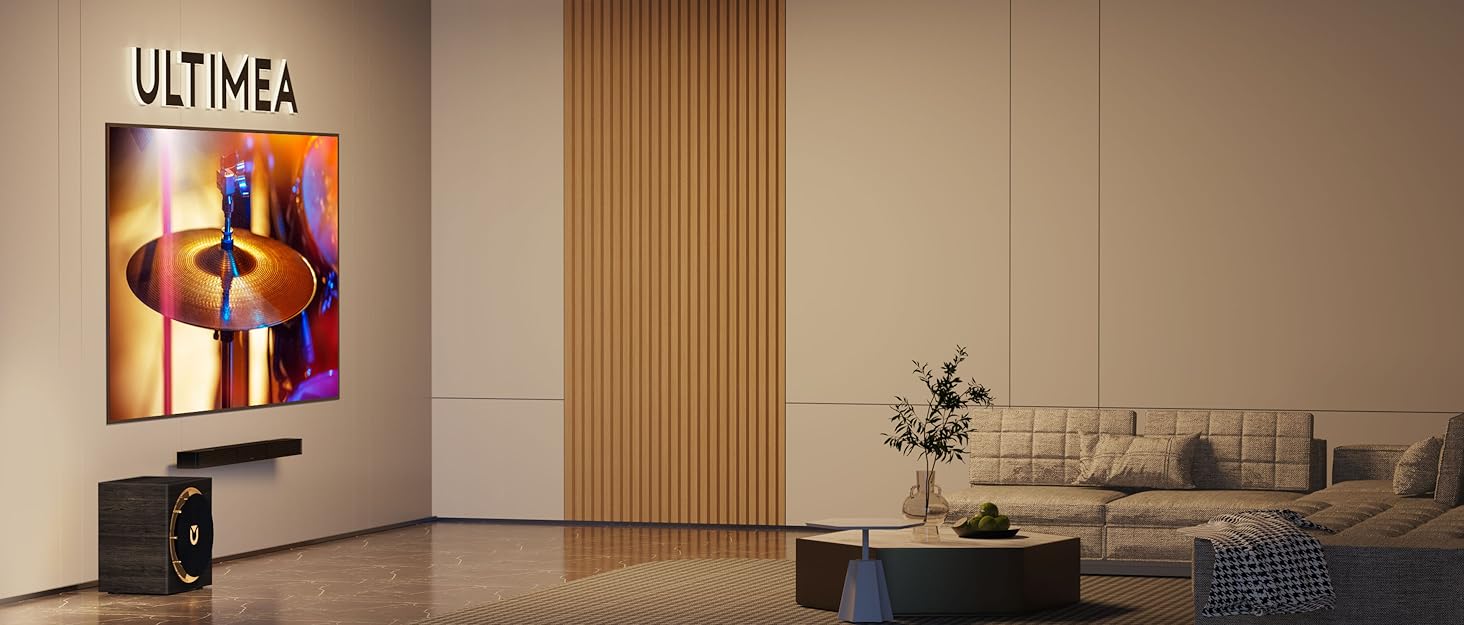
The ULTIMEA Poseidon D80 is a cutting-edge 7.1 channel soundbar system featuring Dolby Atmos for immersive 3D audio, powered by 8 drivers including a 6.5" wireless subwoofer. It supports 4K HDMI eARC for seamless connectivity and offers smart app control with 121 EQ presets and multiple sound modes. Designed for easy setup and versatile placement, it transforms any TV into a cinematic experience with rich, customizable surround sound.
























| ASIN | B0DCJ52YHL |
| Audio Driver Size | 6.5 Inches |
| Audio Driver Type | Dynamic Driver |
| Best Sellers Rank | #585 in Electronics ( See Top 100 in Electronics ) #1 in Surround Sound Systems |
| Color | black |
| Compatible Devices | Laptop, MP3 Player, Smartphone, Tablet, Television |
| Control Method | Remote |
| Customer Reviews | 4.5 4.5 out of 5 stars (2,038) |
| Date First Available | August 8, 2024 |
| Included Components | Power Adaptor, Subwoofer Power Cable, Stereo 3.5mm to RCA Audio Cable, Remote Control(Batteries are not included), User Manual, Soundbar, Subwoofer, 4x Wired Surround Speakers, Stereo RCA to RCA Cable(20 feet), HDMI Cable, Digital Optical Cable, Wall Mounted Kit, Wall Bracket, Mounting Screws |
| Indoor/Outdoor Usage | Indoor |
| Is Waterproof | False |
| Item Weight | 16.06 pounds |
| Item model number | U2620 Poseidon D80 |
| Manufacturer | ULTIMEA |
| Model Name | Poseidon D80 |
| Mounting Type | Wall Mount |
| Number of Items | 1 |
| Number of Power Levels | 5 |
| Power Source | Corded Electric |
| Product Dimensions | 3"D x 17"W x 3"H |
| Recommended Uses For Product | For Computers, For DVD Players, For Gaming Consoles, For Music Players, For Smartphones or Tablets, For Surround Sound Systems, For Televisions |
| Set Name | ULTIMEA Poseidon D80 Soundbar Set |
| Shape | rectangular prism |
| Signal-to-Noise Ratio | 102 dB |
| Speaker Size | 5.72 Centimeters |
| Speaker Type | Soundbar |
| Special Feature | Dolby Enabled |
| Specific Uses For Product | Gaming, Home Theatre, Party |
| Style | Poseidon D80 |
| Subwoofer Connectivity Technology | Wireless |
| Subwoofer Diameter | 5.25 Inches |
| Surround Sound Channel Configuration | 7.1 |
| Tweeter Diameter | 1 Inches |
| Warranty Type | Extended |
| Water Resistance Level | Not Water Resistant |
| Wireless Communication Technology | Bluetooth |
| Woofer Diameter | 6.5 Inches |
C**K
Good soundbar, and a great value.
I wanted to improve the audio quality on our 42" LG C3 OLED TV. Our TV's built-in speakers were OK, but I wanted something with a bit more volume and separation. I had considered getting a decent pair of active bookshelf speakers, but this sound bar cost considerably less than the speakers I was considering, and it seemed to have a lot of features at a low price. I was a bit skeptical, but the Ultimea Poseidon M60 got good reviews on Amazon and YouTube. Also, since it supported connection through eARC HDMI, I thought it would be simpler to set up and configure than bookshelf speakers. In fact, it only took about 5 minutes to set it up and get this soundbar working. The sound quality and separation are considerably better than the TV's internal speakers. My TV automatically detected the sound bar and configured it as the default audio. To test it, I viewed several Dolby Atmos and SurroundSound demos on YouTube and some action scenes from a few movies, and it does a great job for a relatively inexpensive unit. It synchronizes perfectly with the action. There are no delays or lag using eARC. (It probably won't magically fix bad English voiceovers on old Godzilla movies, though!) I haven't tried the smartphone app yet, but it doesn't really seem necessary since all the important controls are available through controls on the sound bar and on the remote. With the eARC HDMI connection, the TV remote pretty much does anything I would want. The sound bar automatically turns on and off with the TV, and the default sound quality is good for movies, voice, and music. Based on my initial tests, you wouldn't even need to fiddle with the controls at all unless you want to also use it as a Bluetooth speaker, or if you want to change the sound profile. I find the default configuration to be reasonably good for any scenario. It just works. (This was important to me, as my wife hates having to mess with a bunch of buttons just to watch a movie.) It may seem obvious, but it's best to center it under the TV. When I initially set it up, I temporarily placed it to the side to make it easier to connect the cables. I found that the surround sound effect is lost if you're seated just a few feet to the left or right of center.
C**7
Easy to set up, great sound, and a real bargain
My wife and I are seniors who sometimes have trouble hearing the dialogue while watching TV shows and movies. Some years ago we bought a device that boosted the dialogue as promised, but at the expense of the rest of the sound tracks. Music, especially was muted, which really dampened our enjoyment of movie musicals. Finally, it was apparent that we were ready for newer technology. Prior to making a purchase I read dozens of reviews, watched quite a few Youtube videos, and even used ChatGPT for advice and side by side comparisons of multiple products. After all that, factoring in our budget as well as the features, I settled on the Ultimea 5.1 Channel Surround Sound Bar with Subwoofer. It had so much more than I expected, and the price didn't bust the bank. Even for this old guy, assembly and setup were easy. I just put together the two speakers, plugged the subwoofer into it, plugged the HDMI cable into the ARC port of my television, plugged in the power pack, and I was ready to go. We have an older Sony Bravia television, and I did need to tweak a few settings in the AV area before I got any sound. That only took a minute to locate and adjust. Then I picked a movie online that had both songs and a lot of dialogue to really see if this sound bar could deliver what I was looking for. I was not disappointed. The dialogue came in crisp and easy to understand, and to be honest, was clearer than our previous sound bar system that was designed primarily to boost dialogue. Other things I liked were the fact that the subwoofer didn't overpower the room. I've had home theater systems and found I had to really turn down the subwoofers because the entire household could feel the bass when it came on. I wanted something a little more subtle, and that's what I got. Now I should mention that the Ultimea sound bar has plenty of power, 300 watts worth, but I don't need all of that, at least not unless I decide to throw a dance party. For watching TV it's perfect. Another thing I like is that it comes with lots of pre-sets, but also an equalizer that you can use to fine tune each preset according to your own tastes. While I was watching the movie to test it, I gave it a little more bass, and boosted the mid-range a little, and it was exactly what I wanted. I couldn't be more pleased. Because of the size of my TV's base, I had to elevate it the TV so the new soundbar didn't block the spot where the TV read the remote's signal. Ironically, I'm using the old dialogue enhancing console as a riser. My TV is on a narrow buffet, so in order to have room for the cables in the back of the ULTIMEA sound bar, I had to set it up a little to the right of the old console. However, that didn't affect the great sound produced by the new sound bar, so I'm happy. I did install the app, and plan on exploring all of the other capabilities of this device, including the Bluetooth. I'm going to play music from my phone, and I know from the documentation, I can pull up a visual equalizer if I want to tweak the sound even more. This may be the best keptt secret on Amazon in terms of getting the most "bang for your buck." It's a steal at a little over $120, considering the quality of the soundbar and subwoofer, and all of the technology packed into it, not to mention how easy it is to set up. I readily give it 5 stars for quality, ease of set up, bargain price, and performance.
J**L
Chulada, se escucha muy bn, y relación precio calidad esta excelente 👌 Lo recomiendo
C**A
Tiene muy buena relación calidad precio. Realmente me ha funcionado muy bien hasta el momento. Se escucha excelente. Espero me dure un tiempo considerable
J**L
Es un ganar-ganar entre calidad y precio. Fácil instalación, configuración automática entre smart TV y Xbox, sonido envolvente atmos o dtx claro y potente. Un producto excepcional! Is a win-win among price and quality. Easy installation, automatic setup between smart tv and Xbox, atmos or dtx surround sound, clear and strong. An outstanding system!
B**D
De momento súper bien buena calidad de sonido estupendo bajo actualizaré más adelante este fue para mí recamara compraré el Poséidon D80 para mi sala
A**L
Un equipo de audio que cumple y supera las espectativas Tras bastante tiempo evaluando muchas barras de sonido, teatros en casa, bafles, etc. Llegué con este, el cual para todas las posibilidades de audio y su potencia, está relativamente bien el precio. Es un equipo potente, pequeño y con muchas posibilidades gracias a su app y sus variadas conexiónes (HDMI, ARC, AUX, BT, OPT). Lo uso para escuchar musica mientras trabajo y ha salido muy buena, los puntos malos que le encontré fueron los siguientes. - Cuando estás usandola en modo Bluetooth, le cuesta trabajo a la aplicación detectar el equipo, por lo que tendrás que manejar sus ajustes antes de ponerla en ese modo, o usar el control remoto. - El equipo lo uso un 90% con mi pc por medio del cable optico, lo cual me permite un audio 5.1 y Dolby Surround como máximo, y si quiero tener un Dolby Atmos tengo que conectarlo al HDMI, lo cual me parece poco práctico, porque ese puerto lo uso para otras cosas y es el unico que tengo, después tendré que conseguir un adaptador de Displayport a HDMI si quiero usar de forma permanente la tecnología, lo cual lo lo veo posible porque no hay mucho contenido con esas funciones en las apps de streaming, así que dolby atmos en pc si es posible, pero usará un HDMI de tu pc, y en esta ultima tendrás una pantalla inexistente, que por desgracia en la computadora no podrás eliminar o suspender, lo unico que podrías hacer es reducir la resolución y hz en esa que se genera para que no te estorbe y no cause problemas en tu flujo de trabajo/juegos. Se perfectamente que el Dolby Atmos es mejor para que conectes el HDMI al receptor ARC de un televisor, pero yo no tengo TV, así que ese es mi comentario que tengo para este tema. - Cambio de audio habitual a Dolby Surround. Esto me pasó tanto en el punto anterior como ahora que solo uso el cable optico. Cuando estoy escuchando musica en Apple Music (esto incluso pasa en peliculas alojadas en mi pc donde use un reproductor como el VLC y ésta tenga una calidad BLURAY) Pasa bastante contenido con audio de calidad normal, para luego pasar al siguiente que cambia a un formato más pesado, tarda varios segundos en silencio la bocina, para lo cual ya pasaron varios segundos de la canción, aproximadamente unos 2, llega a ser molesto porque no todo el contenido es el mismo y muchas veces cambia en las sesiónes de musica, igualmente en peliculas o series de alta calidad y así mismo vuelve a mutearse las bocinas en lo que cambia entre audi normal, surround, atmos y de vuelta a normal sucesivamente. Asímismo cuando está en modo surround y atmos, no se puede controlar el audio desde la pc, debo controlarla desde el control remoto, lo cual me interrumpe en mi trabajo, y a veces es molesto porque suelo poner a un volumen alto el equipo de sonido para controlarlo 100% del tiempo desde mi pc, y cuando estoy con volumen bajo en la pc y se pone un contenido de alta calidad se sube el volumen drásticamente. Así que este equípo está pensado más para cinéfilos y personas que lo usarían para sesiónes multimedia, no es muy recomendable para uso casual por esos puntos. Cabe aclarar que eso solo sucedería con apps que hagan ese cambio de tecnologías de audio, como Tidal, Apple Music, Netflix, HBO Max, etc. Spotify y Youtube que tienen un estandar normal no suceden esos cambios en lo absoluto. - Y para terminar, a mi me pasó que me llegó el equipo ligeramente defectuoso, ya que el cable frontal derecho vino con falso, no me causó mucho problema porque las colgué en pared y no hay necesidad de moverlas más, pero para alguien que las use en un centro de entretenimiento, sean dias de limpieza y le toque la situación que yo, si sería incluso razón para pedir un reemplazo/devolucón, así que los encargados de la marca deberían tomar en cuenta más el tipo de protección que le dan a sus cables. En resumidas cuentas es un equipo potente, minimalista y bonito que combina con casi cualquier espacio (digo casi, porque su color gris como que no va, si sus equipos fueran de más contraste como blancos o negros y un solo color, sería completamente estupendos y se verían más modernos) un equipo que ya desde el volumen 50 suena bastante potente, y que te da la posibilidad de dar una ilusión de audio envolvente aunque lo que estés escuchando o viendo no lo sea, y ese es su botón de Xupmix. Sus distintos modos de ecualizador en el control y sus cientos de modos más en la app lo hacen que se adapte a cualquier gusto. Lo recomiendo ampliamente para cualquier persona que se quiera hacer su cine en casa sin invertir tanto, así como a las personas que quieran tener audio de fondo para trabajar y este sea envolvente. Y como dato extra, tenía pensado comprar las bocinas Logitech z790, pero este equipo sin lugar a dudas terminó superando por mucho.
Trustpilot
2 months ago
2 months ago



