


🎬 Own Your Frame, Command Your Zoom
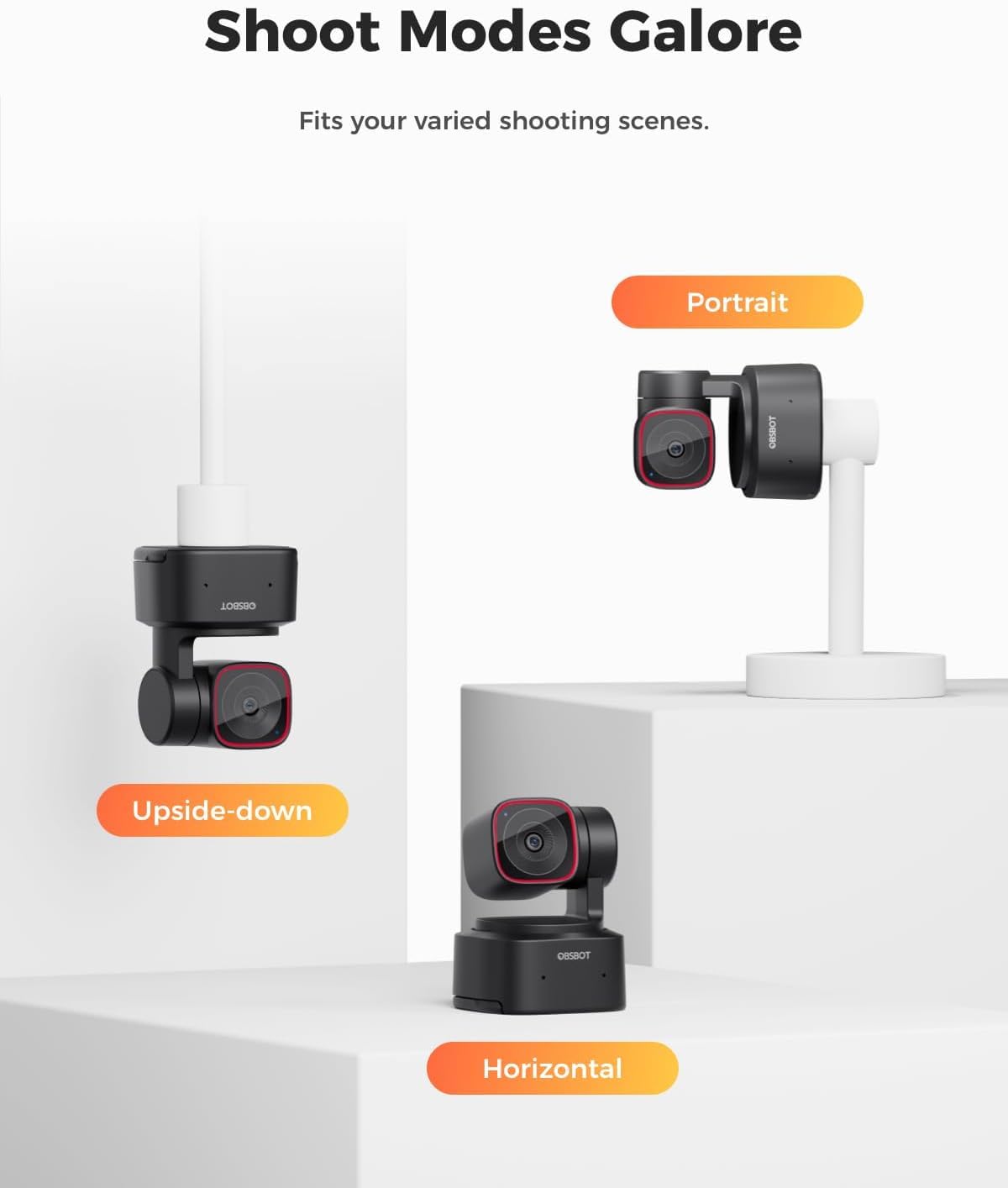
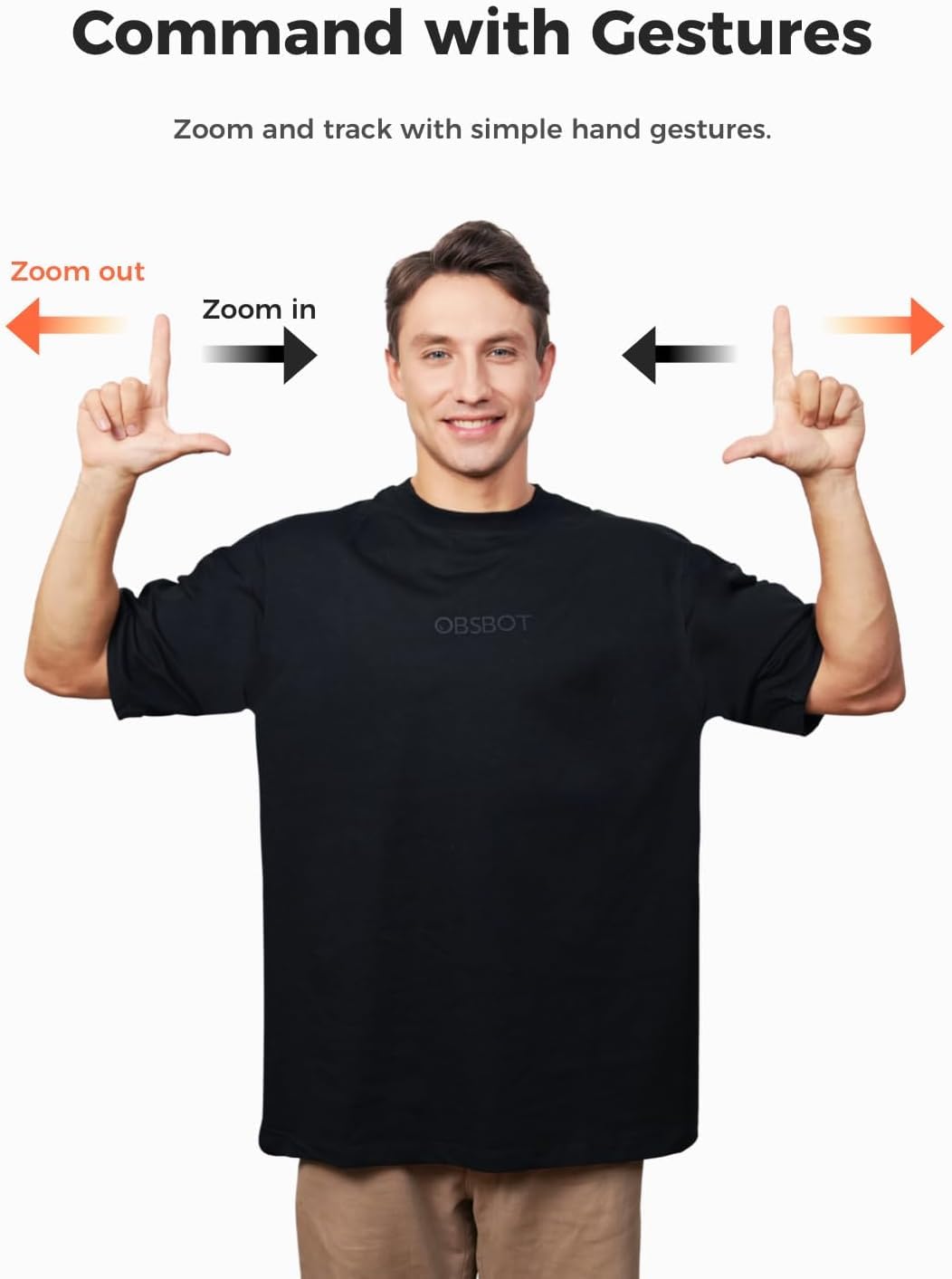
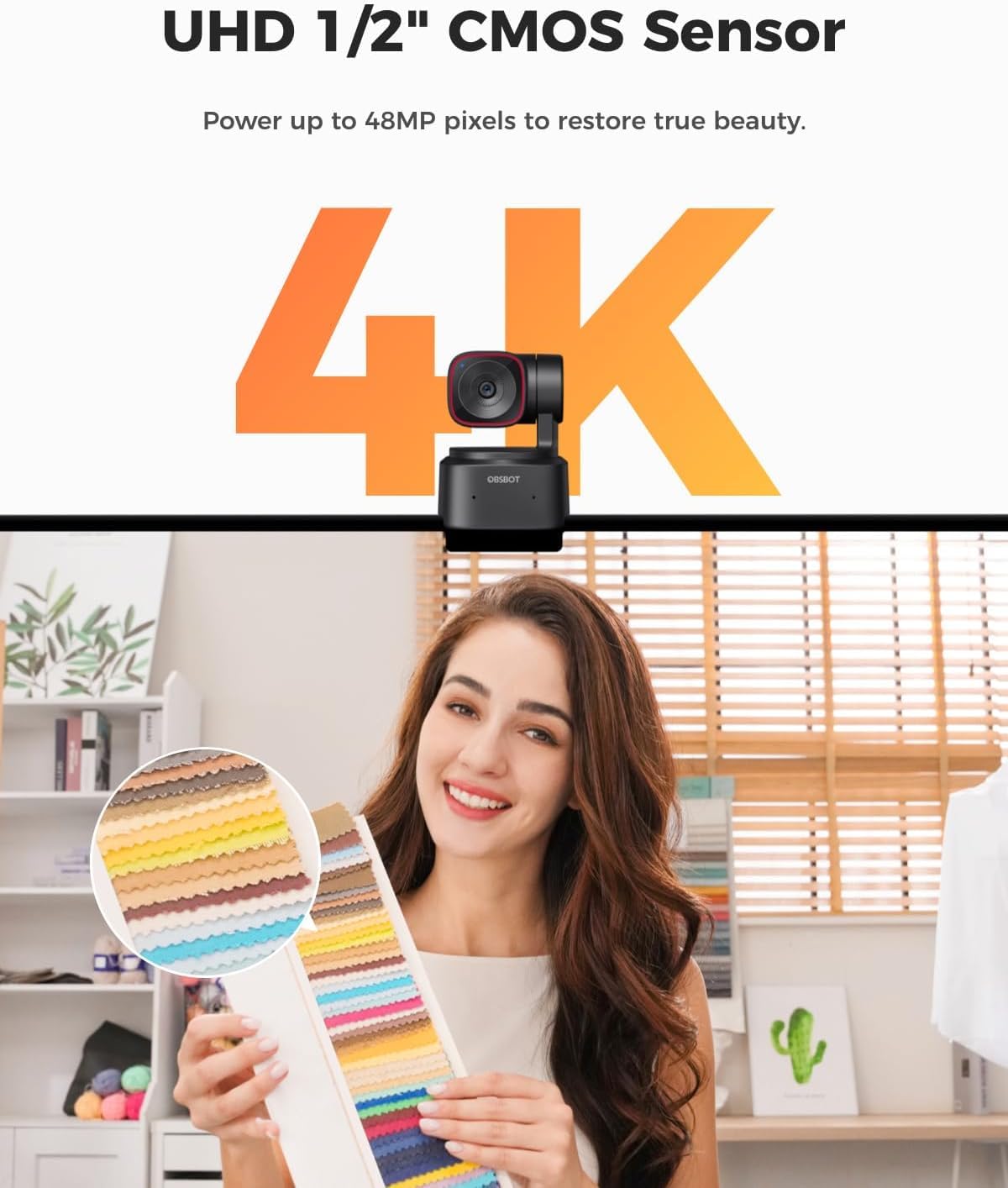
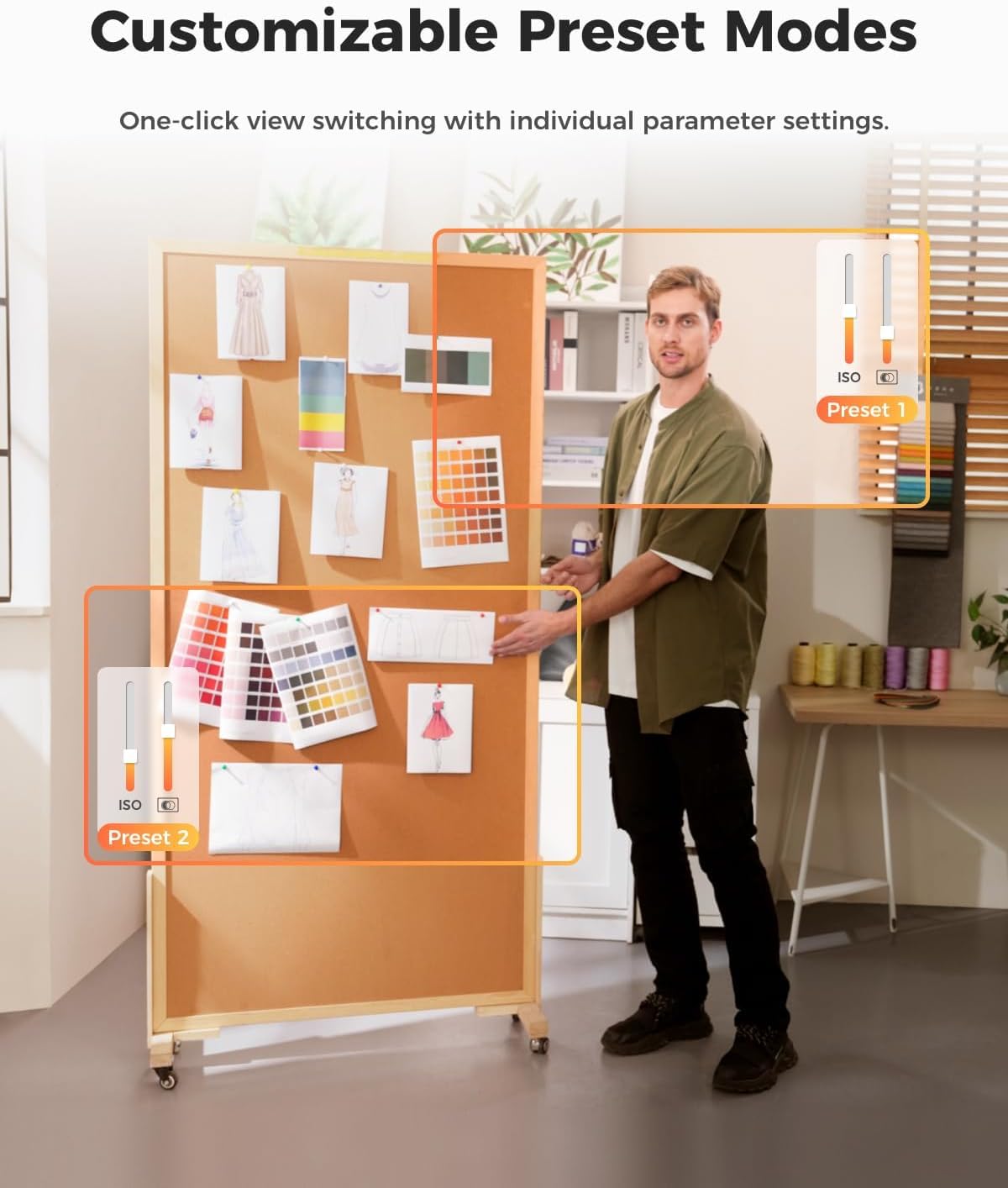
The OBSBOT Tiny 2 Lite is a cutting-edge AI-powered 4K UHD PTZ webcam featuring a 1/2" CMOS sensor, 4X digital zoom, and advanced AI auto-tracking with Gesture Control 2.0. Designed for professionals and creators, it offers customizable presets, superior low-light performance, and seamless integration with OBSBOT Center for enhanced control and productivity.


| ASIN | B0D81H5TM8 |
| Antenna Location | live streaming, gaming, meetings, online education, professional content creation, video conferencing, remote learning |
| Are Batteries Included | No |
| Best Sellers Rank | #149 in Webcams |
| Brand | OBSBOT |
| Built-In Media | W Mini Tripod |
| Camcorder Type | Webcam |
| Color | Black and Red |
| Compatible Devices | Computer, Laptop, Tablet |
| Connectivity Technology | USB |
| Customer Reviews | 4.5 out of 5 stars 761 Reviews |
| Digital Zoom | 4 x |
| Display Resolution Maximum | 4K UHD |
| Effective Video Resolution | 3840 Pixels |
| Exposure Control Type | Automatic |
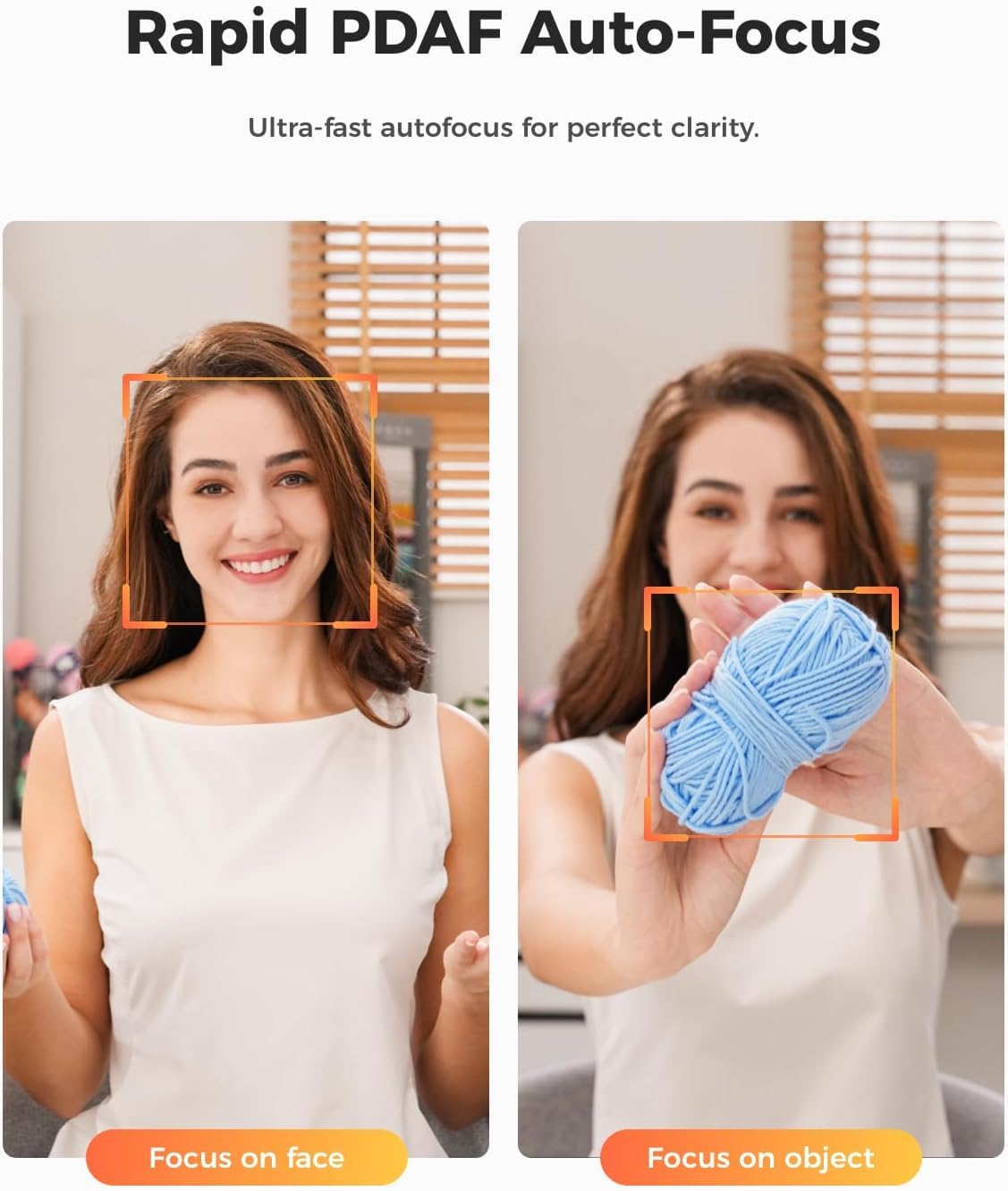
| Features | Auto-zoom AI tracking, Body part tracking: close-up tracking, upper body tracking, Gesture control 2.0: lens lock/unlock, zoom in/out, dynamic zoom in/out, Impressive 4K video quality, Preset modes: preset PTZ positions, AI tracking modes, autofocus, image settings |
| File Format | MP4 |
| Flash Memory Type | Does not support logs |
| Flash Memory Video Speed Class | V60 |
| Focus Type | Auto Focus |
| Form Factor | Compact |
| Has Image Stabilization | No |
| Image Aspect Ratio | 16:9 |
| Image Capture Speed | 30 fps |
| Item Weight | 0.4 Kilograms |
| Lens Type | Zoom |
| Manufacturer | OBSBOT |
| Maximum Aperture | 2.8 f |
| Maximum Focal Length | 4.5 Millimeters |
| Model Name | OBSBOT Tiny 2 Lite+Tripod |
| Model Number | OBSBOT Tiny 2 Lite+Tripod |
| Number of Speakers | 1 |
| Operating System | [Proprietary operating system specific to the manufacturer] |
| Photo Sensor Size | 1/2-inch |
| Photo Sensor Technology | CMOS |
| Sensor Type | CMOS |
| Shooting Modes | Automatic, Manual |
| Style Name | Tiny 2 lite combo |
| Supported Audio Format | AAC, PCM |
| Supported Image Format | JPEG |
| Video Capture Format | MP4 |
| Video Capture Resolution | 4K , 1080p |
| Video Resolution | 4K, 1080p |
| Water Resistance Level | Not Water Resistant |
| White Balance Settings | Auto |
| Zoom | Digital |
T**N
Great Picture/video and easy to set-up
I purchased the Obsbot Tiny 2 for use with my new Dell Laptop. I typically operate my laptop connected to a docking station with external monitor and keyboard. For this reason, my laptop lid is closed, and the integrated camera is not functional. The Obsbot Tiny 2 has been a great addition to my system. The camera worked as soon as I plugged it into my laptop. Set-up was very simple. After spending some time learning about all the options available, I quickly was able to use the Tiny 2 without issue. I especially enjoy the quality of the image and the high resolution under all environments. The remote control is easy to use and is very functional. I really like the three Preset buttons that will automatically aim and focus your camera to 3 different specific settings as programmed. Easy to program and works seamlessly. Another great feature is the ability to attach to a tripod and use when not near the monitor. The focus is always good, and the auto tracking works well. The documentation and instructions could be better. Overall, I would recommend this webcam for anyone looking for a quality product that works very well.
K**.
Great webcam for podcasting and class content
I'm really happy with the OBSBOT webcam. I got it because I was upgrading from an Insta360 Link 2 and specifically wanted something compatible with the Rodecaster Video because of its uncompressed video signal. It's been a great fit for podcasting and creating academic class content. The image quality is sharp and clean, and the AI tracking works smoothly without feeling distracting. I'm running it on an M5 MacBook Pro through a CalDigit TS4, alongside a Rodecaster Duo, PodMic, and Rodecaster Video, and everything integrates without issues. Overall, it's a noticeable upgrade from a standard webcam and delivers a more polished, professional look. Highly recommend it for creators and educators.
B**.
Not sure that you really need anything more than this for PC videos
It's almost hard to believe I can achieve this quality out of this little camera. Everything about this camera has exceeded my expectations, and I'd consider myself quite the quality snob. Of course, DSLRs and mirrorless camera setups produce superior quality, but when comparing the cost and complexity of such setup to this OBSBOT Tiny 2, it becomes really hard to justify. Pros: - Focusing has been razor-sharp and very quick in my experience - If you're producing live streams or YouTube videos and you're a single-person venture, this will simplify the workflow of getting your videos published. - The low light capability and quality are quite unreal (see photo) - The microphone isn't half bad, especially when you utilize the noise canceling. - The virtual camera feature allows you to do all of your customizations to the image that the camera produces while also sending that feed to Nvidia broadcast to get that stellar AI-driven background blur or replacement. (chef's kiss) - The PTZ features and motion tracking is as smooth as butter being cut with a hot knife. - The voice control features just work, and heavens to besty is it responsive. There is very little delay between giving a command and performing that command. - HDR is impressive and does not lead to a blurry or degraded image quality. - The magnetic monitor mount is very good. Cons: - When compared to the insta360 link, you're really missing that 3rd axis to do auto leveling AND... portrait mode (almost bought the insta360 link for this feature alone) - This thing gets hotter than the surface of the sun. Honestly, if this camera is any indication of where we are headed with webcams, $1000+ custom camera setups for use in recording and live streaming on a computer will be a thing of the past.
M**N
Great camera; not so great documentation
I like this camera a lot. The image quality is what I was hoping for when buying it. I'm giving it 4 stars instead of 5 because it has a learning curve. The documentation that comes with it is really light considering the multitude of adjustments that can be made. I can't just figure it all out on my own. For example, it comes with a remote control doesn't seem to work for me. I'm sure it's because I'm doing something wrong. Also, one day it just started zooming out and in on its own for no reason. Lastly, I think it has presets for certain scenarios such as video shoot vs Zoom meeting, but I can't figure out how to set them up. It would be great to have access to a full library of how-to videos to maximize the camera. I know it's capable of so much more than I'm doing with it.
M**T
Love it! May get another for my room.
Simple to setup. Follows commands, and got it on sale! Great choice for streaming. Strong quality. Zooms easy. Works very well. Stable on the monitor.
F**C
AI tracking Webcam. Much better than static webcam. Highly Recommend
AI motion tracking works well. However, don't expect the webcam to rotate as quickly as you move around especially if you are close to the webcam. Motion gestures for zoom in/out and focus lock works well, too. Image quality is excellent in good lighting, not as good under low light. However it's better than most usb webcams. Auto exposure and white balance are also very good. I took a star off because it's mac software that I had to download wouldn't work with MacOS Big Sur. I was getting 'Application not responding' message. I hope that the update will come out soon to fix the issue. I think there are more features that one can enable with the software. I was planning to use it with the school owned windows laptop for online teaching, and I was afraid that it might not work because I won't be able to install any software on the school owned device. However, the webcam worked without the software. The laptop recognized the webcam and I was able to use it for google meet session without a problem. I only used it for a day, but glad that I purchased it. __________________________________________________________________ update (12/27/20) Software update for MacOS Big Sur is released and can be downloaded from Remo website. It seems like the software can control multiple OBSBOT Tiny. It also let you adjust zoom anywhere from 1x to 2x. (With finger gesture, you can only toggle between 1x and 2x zoom). It also let you set gimbal positions and save presets.
M**O
GREAT!
I bought this product 7 days ago with shipping to Peru, and it arrived very quickly. However, I expected the tripod stand to be high-quality and from the OBSBOT brand, but they only sent me a generic one.
D**.
Flow with your videos
I camera works well and has a nice follow feature. A couple of things to point out is that this is designed for more windows applications so the features for Mac are more limited. There is a nice suite of advanced features for windows users and Mac get the basics. I talked to the company about this and didn't seem like they were plans to update for more Mac features. The camera has a nice quality picture. The gimbal is smooth moving with nice pan tilt features. As fas as the Zoom features it is nice, I have found myself using more of the app on this to provide more customized controls. You can raise your hand and make the "L" shape to get it to zoom in but be careful if you are on a call with others. I had one stop and ask if I had a question as it looked like I was raii=sing my hand. Then had another call where a person called me after thinking I was calling someone a loser. About 4 years ago I tested a similar camera that had the same features and stopped using it because of the fact people took the zoom feature sign wrong. I like the follow features on this as it does work smoothly. My rating is based on the fact I use a Mac so limited advanced features. Also a little thought about making the zoom sign something else so people don't confused or offended.
Trustpilot
2 months ago
3 weeks ago



