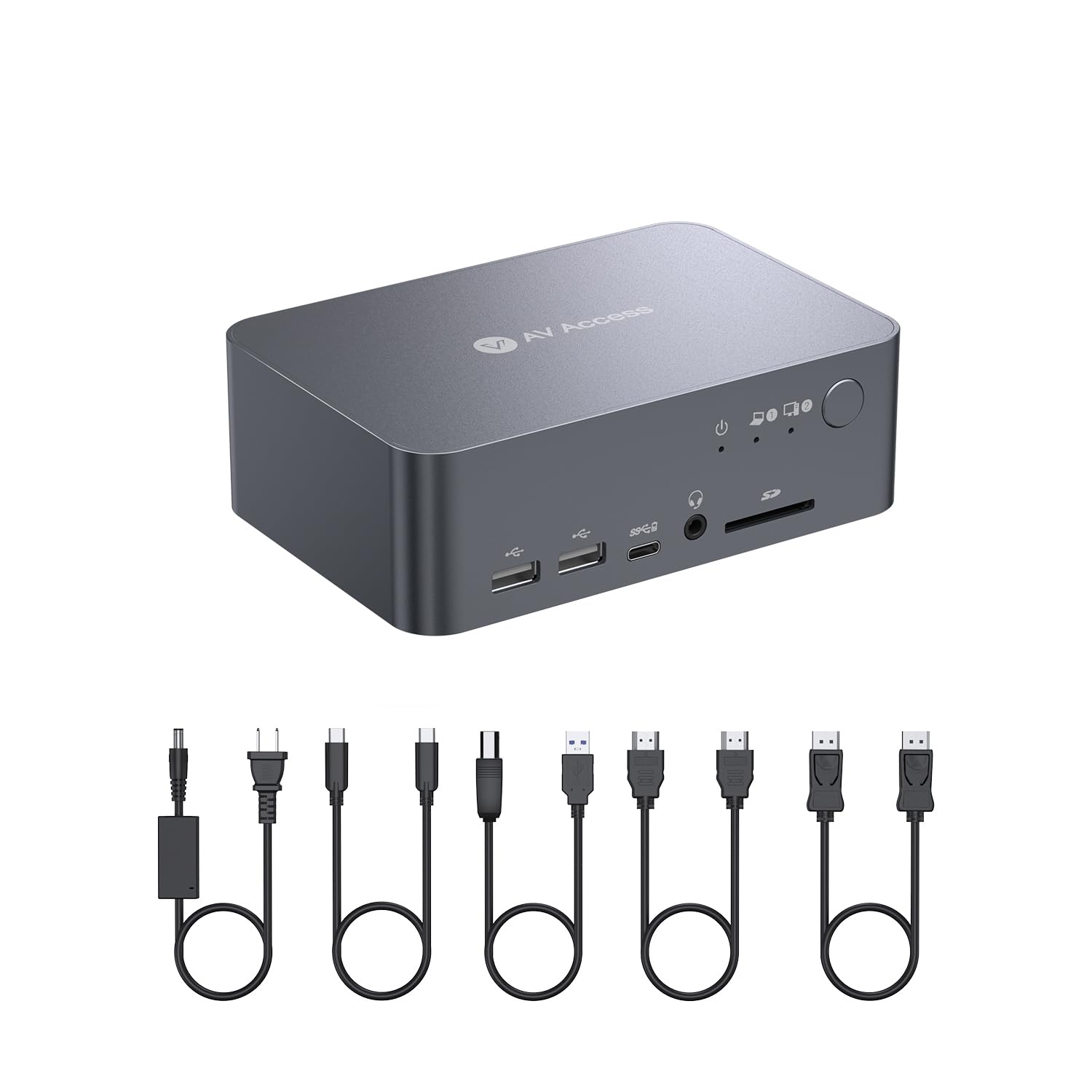
⚡ Elevate your workspace: Dual monitors, one dock, zero clutter.
The AV Access Docking Station is a premium full-aluminum KVM switcher designed for professionals juggling two PCs. It supports dual 4K@60Hz displays and ultra-high refresh rates up to 240Hz, offers 12 versatile ports including USB 3.0, USB-C with 60W charging, Ethernet, and audio, and enables lightning-fast switching with EDID simulation and automatic PC wake-up. Ideal for streamlining complex setups, it delivers a clutter-free, high-performance workstation experience.


| ASIN | B0CW2JGRN4 |
| Best Sellers Rank | #18,026 in Computers ( See Top 100 in Computers ) #119 in Laptop Docking Stations |
| Item model number | iDock-C10-US |
| Manufacturer | AV ACCESS |
| Product Dimensions | 14 x 9.5 x 5 cm; 1.69 kg |
I**O
Very good stuff
Quite expensive, but it is very good...no issue at all
A**R
Alright, my new Docking Station, I had some pretty high hopes for this one, and while it didn't quite solve all my problems, it definitely made a significant dent in my desktop chaos. So, here's my honest take. My Background & What I Was Hoping For: My setup before this dock was a bit of a Frankenstein's monster: a 4-year-old ASUS laptop and a shiny new Mac Mini. I loved my Mac Mini for most things, but sometimes I just had to use Windows. I had two monitors, each connected to both computers, and I'd painstakingly switch inputs using the buttons on the back of the monitors. Let me tell you, that got old fast. So, usually, one monitor was for the Mac, the other for the ASUS. And don't even get me started on the chargers – separate ones for each, plus I was constantly plugging and unplugging my external speakers unless I wanted to suffer through the built-in laptop/Mac Mini speakers. When I stumbled upon this docking station, I thought, "YES! This is it!" I envisioned charging both my computers through it, a super tidy desk, and seamless switching between machines. Oh, the dream! Where My Dream Met Reality (and it's not the product's fault): Okay, here's where my bubble burst a little, but honestly, it's more about my old tech and my own oversight than the dock itself. Charging: My old ASUS laptop doesn't charge via TYPE-C, and neither does my Mac Mini (whoops, totally missed that detail when buying). So, the dream of one-cable charging for both vanished pretty quickly. That's on me, not the dock. Port Confusion: This is where it got a bit tricky. The "Computer 1" port on the dock is TYPE-C, and "Computer 2" is HDMI, DP, and USB-B (yes, USB-B, and it came with a cable that needs a USB-A end). My Mac Mini and ASUS both lack DP ports. ASUS as Computer 1: Working fine. Mac Mini as Computer 1: It only recognized one monitor. I guess because it's Apple. Mac Mini as Computer 2: No DP connection, and no USB-A port... The Good Stuff (Because There's Plenty!): Despite these hiccups, I'm genuinely happy with some aspects: Switching is FAST! Seriously, the KVM switching between computers is lightning quick. My Desk is Cleaner: Even without universal charging, getting rid of those extra cables connecting directly to my monitors is a huge win. It's definitely tidier. Still Usable (with a workaround): Thanks to my Logitech wireless keyboard and mouse! Future Proofing: I've ordered a USB-A to TYPE-C adapter for that USB-B cable, so once that arrives, I should be able to make my setup even tidier. Final Thoughts: This docking station isn't a magic bullet that solves all my specific legacy tech issues, but it's a very solid piece of hardware. The rapid switching is a joy, and it's brought a much-needed level of organization to my workspace. Just make sure you double-check your computer's port compatibility and charging capabilities before diving in! If your computers are more up-to-date with their TYPE-C and DP ports, I imagine this would be an absolute dream come true.
A**S
Amazing product - Just not suitable for me as a Mac user, I need multiple displays for work not mirrored. Looking forward to the iDock M10 soon. Massive thanks to Johnny, from AV Acess for the support. Always contact support before you attempt to refund.
M**O
It works perfectly. Exactly as described, fast switching between my usb-c laptop and my "legacy" connection desktop with two monitors.
W**K
The hdmi did not work with my laptop which is the acer predator helios neos 16
H**N
I have two laptops (HP and Lenovo) and one desktop (Linux). I use a Viewsonic 32" monitor as external monitor. I don't have space for extra monitors. So I purchased this KVM switch, which I have been using for three and half months. It does not support hot switch for me. This means, when both a laptop and a desktop are plugged in and turned on, if I press the switch button, this monitor will "switch" but is often flickering, sometimes just blank. Occasionally, it works as expected. Switching from a laptop to desktop works, almost always. But most times hot switch from desktop to laptop does not work, with various possible behaviors: flickering screen is most often. sometimes the screen size is not correct (smaller with black filled the rest region of the monitor), sometimes just a white noise screen, sometimes a frozen picture. And sometimes the ethernet does not work after the switch. The worst inconvenience is some weird problem occasionally (average once a day), even though when I did not switch. I was using only my HP laptop with double screens (one external monitor connected through the switch, and the laptop's native screen). The external monitor suddenly went blank with all GUI moved to the laptop native monitor, with an alarming sound. Then after three seconds, everything went back to the way it should be. Initially I thought it was due to some other reasons. Now I am confirmed that this switch is the culprit since I only see this when I use this switch -- I have three docking stations and never experienced such a problem when connect external monitor using a docking station. However, if you don't do hot switch, it work fine (except as described above -- the sudden blank screen for a few seconds before things resume to normal) This mean, if I want to "switch" from desk top to laptop, I need to power off the desktop first. Press the switch button. Then power on the laptop. It is not convenient. But it solves my issue on limited space. I don't see its competitors. So the price is high (comparing with many cheap docking stations, yet with fairly good quality, available at Amazon). But I did not have another option if I want to have laptop (USB type C connector) and a desktop (HDMI or DP). Hope some switch manufacturers see my review and enter into this market :) --------------------------- Added comments after the above initial review ----------- I purchased the switch in April 2024. I wrote the initial review after several months of use. I got a message from the manufacturer who would like to understand more. I provided the debug info on my two laptops and one PC. Later I got a newer version of the switch with comments from the manufacturer that the newer version might fix my problems. Now I have used the new version for a couple of months and would like to provide some updates. I initially gave 3 stars. Now I would upgrade to 4 stars. Many weird issues are indeed gone. However, "hot" switch can be still a problem. I have used the switch for 2 PCs (one Windows 10 and one Linux) and 2 laptops (both Windows 11). I saw "grey" screens occasionally. I also saw unresponsive screens (both PC side and laptop side). It happens maybe 20% percent of time. Furthermore, the newer version of the switch is less "damaging". I had to power off both PC and laptop sometimes using the old switch since neither was responsive. But for the newer version, I experienced much less (still I had to power off to solve the "freeze" issue very occasionally). Here are some lessons I learned: 1. Keep the laptop open. This may make the chance of failed switch less frequent. Earlier I usually closed the laptop since my laptop screen is small and I would just use the external monitor. But now I realized this might make the switch not functioning well. 2. On the laptop, configure the display to see the laptop monitor as the "primary screen". This seems to improve the chance of switch functioning. Since the problems happen at random, I cannot say the above conclusion are the result of "scientific" tests. They are just my impression after months of use. In summary, if you use the switch as a "cold" switch, this product works perfect. But for "hot" switch, it is not that stable, but usable. I once talked with someone who knows this area and learned that with so many kinds of PCs and laptops, making a switch work is a hard business. I think I should give at least 4 stars to be fair.
Trustpilot
2 weeks ago
3 weeks ago



