





🎨 Elevate your craft with colors that speak louder than words.
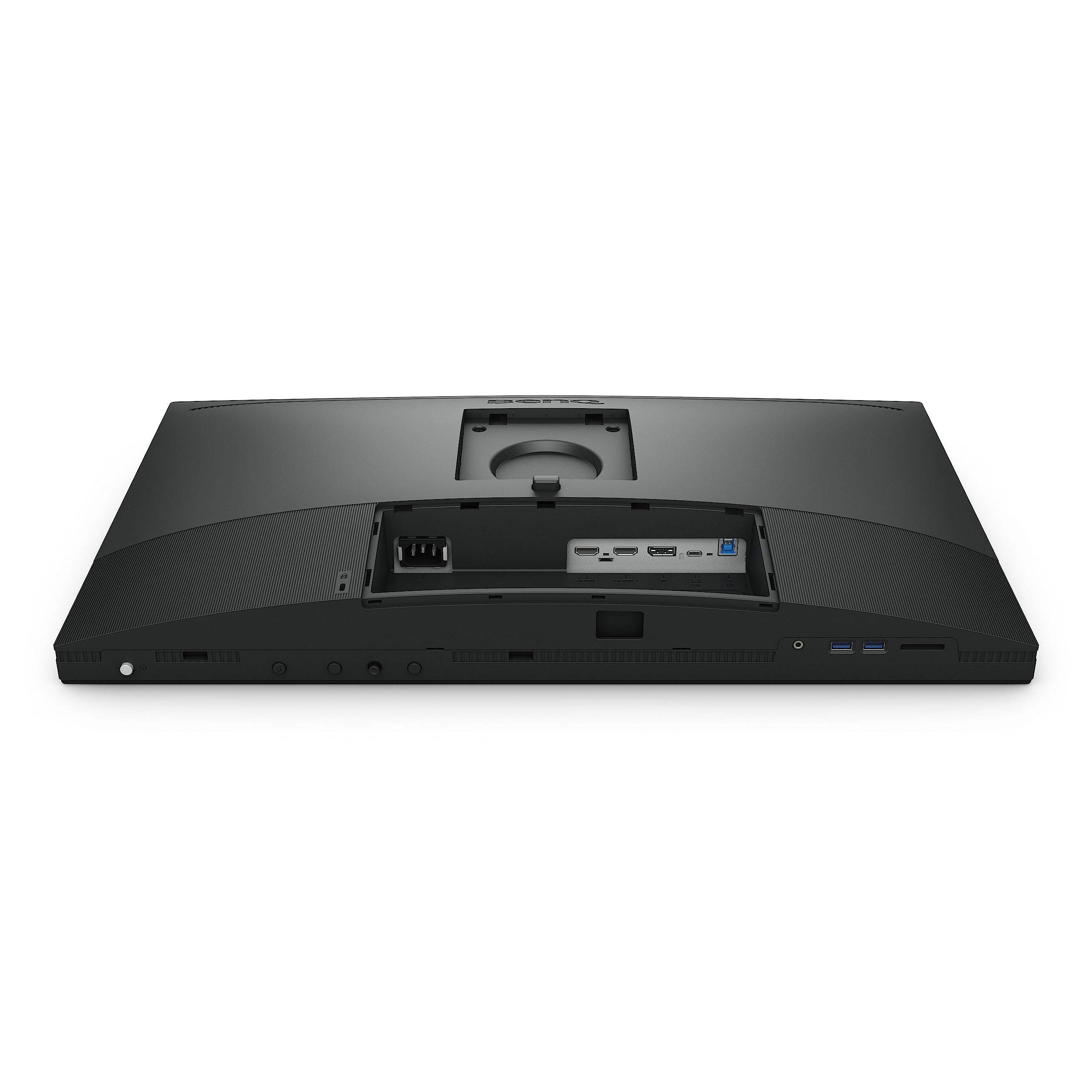
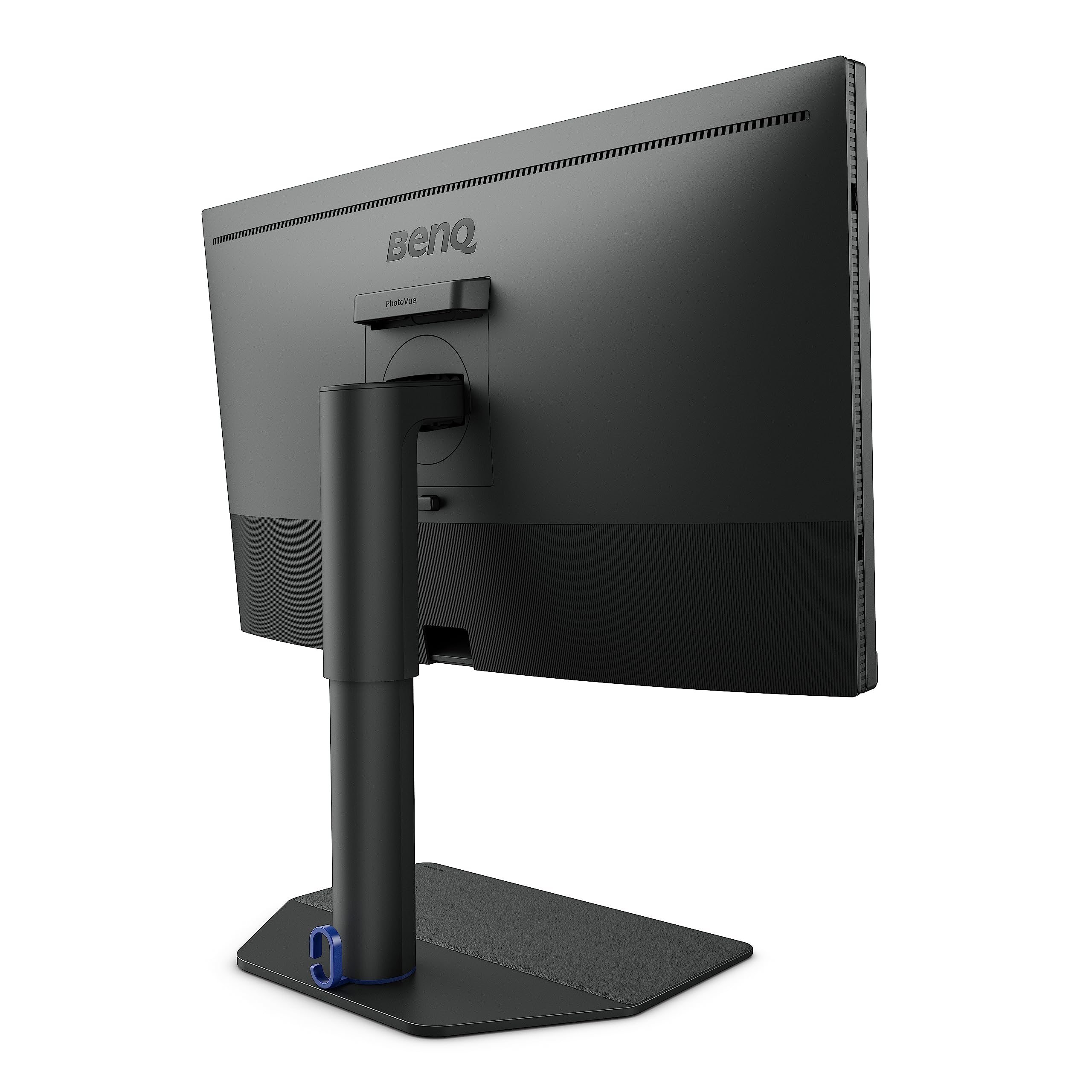
The BenQ SW272U is a 27-inch professional 4K UHD monitor designed for photographers and creatives demanding exceptional color accuracy and detail. Featuring 99% Adobe RGB and DCI-P3 color gamuts, a Nano Matte anti-reflective panel, 1.07 billion colors, and advanced hardware calibration, it ensures consistent, true-to-life visuals. With 90W USB-C power delivery and multiple USB ports, it streamlines your creative workspace while TÜV-certified eye-care technology minimizes glare and eye strain.


| ASIN | B0BZSYR4YD |
| Best Sellers Rank | #766 in Computer Monitors #866 in Computer Monitor Accessories |
| Brand | BenQ |
| Color | 2023 27" 4K Photo Editing Monitor |
| Customer Reviews | 4.6 4.6 out of 5 stars (130) |
| Date First Available | March 28, 2023 |
| Item Dimensions LxWxH | 10.78 x 24.17 x 17.78 inches |
| Item Weight | 18.95 pounds |
| Item model number | SW272U |
| Manufacturer | BenQ |
| Max Screen Resolution | 3840 x 2160 Pixels |
| Number of USB 2.0 Ports | 4 |
| Number of USB 3.0 Ports | 4 |
| Product Dimensions | 10.78 x 24.17 x 17.78 inches |
| Screen Resolution | 3840x2160 |
| Series | SW272U |
| Standing screen display size | 27 Inches |
M**K
It ticks all the boxes
The TL;DR is simple: I have found the SW321C to be a phenomenal, no-compromises, nearly flawless monitor. Great stand, great user interface (I love the puck), outstanding image quality, even backlight, no backlight bleed. It's superb for work and leisure. There's IPS glow, but that's unavoidable. I'm a programmer who spends most of his time on his computer -- reading/writing text, watching video, and playing games. Previously I was using 2 Dell U2518D monitors, which, even after calibration with an iDisplay Pro Plus, had the following issues: * Crushed blacks * Poor contrast * Uneven colors * Uneven backlight * Backlight bleed * Glare, despite the matte surface After deciding I didn't want to put up with those issues any longer, I did a week or two of research on what the best no-compromises monitors were in late 2020. That led me to the SW321C, a professional monitor rather than a gaming/consumer monitor, because consumer models -- no matter how fancy they claimed to be or how slick the marketing -- all seemed to fall short and require me to resign myself to compromises in at least one area (and I didn't want FALD). The BenQ SW321C is expensive (though not as expensive as the EIZO and Dell screens that it's often compared to), but I consider the money well spent. The image quality is outstanding. Colors are stunning. Images and text are markedly sharper and crisper than they were on my 25" 1440p monitors (though this would be true of any 4k 32" screen). The backlight is the evenest I've ever seen. There's no backlight bleed that I can detect. I love the shade hood and never take it off. The matte coating is far and away the best I've seen/used. For the movies and tv shows I've watched on it (Blade Runner, Ex Machina, The Witch, The Expanse, The Man in the High Castle, The Midnight Gospel), I couldn't be happier with the quality of the picture. The HDR may be "fake," but it still massively improves the viewing experience, especially in regard to handling of darkness/shadows. Last year I bought and returned the BenQ SW271. I loved it, but the backlight was uneven, there was backlight bleed, and 27" was too small for 4K". (32" is, for my eyes (late 30s), the perfect size for a 4k screen.) If I was going to spend $1,500, I wasn't willing to put up with those issues. The SW321 isn't as bright as the SW271, which is a shame, but it also fixes every issue I had with the SW271. == Update: the blacks aren't as dark as I'd like them to be. (EDIT: correction, for $2k you can NOT get a very decent oled tv with perfect blacks. You will experience burn in.) The monitor also seems to produce a lot of heat. I'm not sure I regret the purchase. It still ticks all the boxes for me, and I consider the money well spent, but if I could do it again, and my living quarters allowed it, (EDIT and recantation: I would not opt for an OLED) Update #2: Scratch that. I still wish the blacks were darker, but this is as good as it gets on an IPS panel. OLED TVs aren't meant to be used as PC monitors, and if you use one that way, there will inevitably be burn in. I'm still quite happy with the purchase, despite the one, single, occasional stuck sub-pixel. I've seen a few reviews here that fault the hardware calibration, but for me it has been superb -- certainly better, to my untrained eye, than the i1 Display Pro Plus's software calibration. That being said, I encountered a couple of bugs/problems when using the Palette Master software: it didn't detect my calibrator until I set colors to 10 bit, full output, and I had to plug it into a USB port on my desktop, not one of the SW321C's USB ports. Update #3: The stuck pixel started to occur more frequently, so I contacted BenQ customer service and asked them to service the screen. The customer-support staff, who were phenomenal -- prompt, professional, understanding, knowledgeable, and incredibly to work with -- helped me, despite a couple of mix ups (which weren't their fault), resolve the matter to my satisfaction. Update #4: The top review is... awful. What on earth sort of person brags(?) about bossing around delivery people? The top item in this person's list of pros is "high Quality Display Monitor," but the review also states that the screen was defective, that s/he has seen better image quality on $200 monitors, and that the colors look "horrible." Garbage. Neither of us is an expert. Ignore amazon reviews. Read reviews written by professional photographers, for whom this monitor is intended. Dec 2022 update: my sw321c is one of my favorite possessions. Even my partner who isn't finicky about screen quality loves it. Watching movies or shows on it is always a treat. I can't praise it highly enough. And I can't believe I omitted from my review that its cardboard box is the nicest, most thoughtful I've encountered for anything I've purchased. It's huge but well worth keeping, as it protects the monitor perfectly and stores and organizes everything incredibly cleanly and effectively. No loose cables. No textured carton compartments. Everything has its isolated section, or its own box (which perfectly fits into only one place). My only complaint with the monitor concerns the shade ood, which has started to fall apart easily. I doubt it's meant to be handled, put on, or taken off as much as I have though. I cover the screen with several layers of cloth when I'm not using it, e.g. at night, because I want to keep it pristine, and they don't fit over the hood. 27 Sept 2024 update: I love this thing just as much as I did when I first posted this review. There are now OLED monitors, and I guess people think matte screens aren't maximally sharp. Maybe that's true, but I've never had a problem with that, and neither, as far as I'm aware, have the photographers who apparently love the SW321C.
M**Y
Very nice monitor without breaking the bank
What a great monitor. Went together without issue. Gorgeous colors and great size (it’s big). I decided I don’t really need a second monitor. I calibrated it using a spyder pro. The colors look very good. They kind of over did it with both the hockey puck and the bezel keys to control various things, but better too many ways to control than not enough. (I don’t really make use of either after initial setup)
A**R
Very High Quality Imaging Monitor for under 2k
Fantastic quality display for the money! Have run a full test in all test from ports to updated firmware and paper sync settings. NO Dead pixels!! The Boxing seemed bullet proof and very well packed. Will run more test in the future for print comparisons with the macro settings saved.
T**T
Screen to Print Color Champ!
Love this monitor! This 24in BenQ SW242Q has such a good image quality and out of the box color accuracy. It's built very well and even has a nice base as well as easy setup and instructions. I was also happy that it came with a DP, HDMI, USB-C, and Data cable. The nano-matte screen makes it so nice to look at and the brightness is not over-powering or a strain on the eyes. Creating both digital and print ready media made the functionality across both Mac and Windows systems essential for me. I needed a solid screen to print solution across Adobe Rgb, P3, and sRGB color gamut's. I have a large format Mimaki printer, and this was the best thing I could have invested in other then the printer. I am using a HP Windows desktop and M4 Mac Mini and M4 iPad Pro to create with if that helps anyone. I also use a Wacom to hook up through the monitor, it has multiple ports for other peripherals as well. If you're serious about your craft, then I would not hesitate to get this. Esp if you're printing, or into photography.
P**M
Glorious for photo editing, but hardware calibration a bit buggy on Windows
Perfect screen and great uniformity when tested with stand alone software. A perfect monitor for photography. All the advertised features check out so I won't go into those details. This is about the best you can get for photography without dropping $5,000+. That said, if Eizo had a 32" 4K CS range monitor at this time, I might have gone with that one instead. But this BenQ is still close to as good as it gets. One thing, the hardware calibration with BenQ's Palette Master Element software is pretty darn buggy on Windows but works well on Mac. I've been working around color calibration software buggyness on Windows for almost 20 years... It's a common problem, so I'm not sure this all BenQ's fault. All calibrators seem to have quirks on Windows. I can say the BenQ hardware calibration is a good and long one. Unfortunately it doesn't offer uniformity test though. I ran that first with X-Rite software before I dove into the full setup. Part of my problem was Windows installed a 2017 BenQ monitor driver first even though I had installed the download driver for this monitor before plugging it in. It fixed after some reboots while I was mucking with settings. Come to think of it, I think it fixed itself when I changed to the BenQ USB 3.0 A/B cable. Oddly if I set "Output dynamic range" to "Full" in Nvidia control panel, the hardware calibration fails. If I set it to "Limited" the calibration looks fantastic and at least reports crazy low deltas (0.3 avg, 0.67 max). I'm not sure why I can't use "Full" range nVidia settings with this monitor. My other monitor connected to the same Windows machine (ViewSonic VP3881 sRGB+) does its hardware calibration just fine at 10-bit with output range set to "Full". This impacts the darkest/lowest range, allows more near-black detail when set to full theoretically. I believe I can see more gradation steps at the low end on the cheaper ViewSonic monitor but I'm not certain of this. It's not a big deal, but the OCD in me will try again some day. It's possible this doesn't matter depending on how the BenQ is doing things with hardware and software I suppose. The Calibration could be failing because some conflict happening. There is definitely a wider color gamut on the BenQ than the sRGB+ Viewsonic, not yet sure about bid depth though. Pretty happy though. I've been doing a lot of printing with this monitor so far. I would say while a large gamut monitor isn't required for printing anymore since some of the sRGB+ monitors are so good, it does still help. And it is amazing to look at images from a quality modern camera in the gamut that this BenQ covers. Photo editing in wide gamut is more enjoyable than it ever has been thanks to improved monitors, 4K workspace, and the improved depth and quality of RAW images. Big step up from 10 years ago. I did some Photoshop black to white gradation tests and confirmed we are in 10-bit/30-bit (3 channels). It doesn't have the banding on either monitor that you see in 8-bit mode. I'm just not sure I have the full bit range yet at the low end on the BenQ. I suppose I can test this by skipping hardware calibration next time and see what runing a software calibration using X-Rite's software that came with my i1Display Pro Plus produces. (Please add a comment if you know what's going on here with "Full" range causing hw calibration fails.) The hood comes in about 9 pieces and is a bit annoying to put together and take apart again for storage. Everything needs to slide and snap together. A bit cumbersome. It does the job but a hinge based solution would be better IMO. I'm not one who uses a hood all the time since my room lighting doesn't force me to, but I like hoods during calibration.
Y**N
Nicely package, amazing quality out of the box. Design a bit oldish with thick bezel but definitely not a deal breaker!
C**G
this is an absolutely beautiful screen, replacing my older 10 year old Dell screen that I needed to change because the colours were completely off and I could not calibrate it anymore. Colours on this screenare beautiful.
A**I
Excellent color accuracy,If you don’t mind the 60 Hz refresh rate and 24 inch size, it’s an outstanding.
W**T
very good monitor, high colour accurracy, just had to upgrade my screen calibrator tool as my old Colormunki is not supported (works well with my new Colorchecker Display Pro) - so account for that extra cost if you buy it (in my opinion no sense having a great monitor if you don't keep up with calibration as it changes ever so slightly over time). Very well made, feels solid. The foot/support is great and plenty of room for adjustments (height, rotation..) although if you use it in portrait mode it can get a bit tight on the bottom. The included shade works well and there are enough 'pieces' supplied to use either horizontal or vertical (have to change pieces if you wanna change position). The included 'puck' makes switching between modes (preset sRGB, Adobe RGB and B&W) very easy and also works very well in adjusting the monitor setting (hopping through the menu and adjusting settings or presets), no need to 'fumble' around with the buttons on armlength to adjust settings like on many other monitors. You'll need a HDMI or DP cable AND the supplied USB data cable for calibrating (be aware of the USB port needed on PC, no HDMI or DP-port alone don't support calibration). Overall a great buy and definitely happy that I invested the money.
L**R
Cuando levanté el pedido tenía cierta incertidumbre que se desvaneció en cuanto lo empecé a utilizar, las imágenes y texto desplegados son muy nítidas con colores muy consistentes en todas áreas de la pantalla; superó mi expectativa para el uso que requiero, si llegará a requerir otro monitor para el mismo uso lo volvería a comprar.
Trustpilot
1 month ago
3 weeks ago



