🚀 Print Smarter, Faster & Bigger — Join the 3D Printing Revolution!
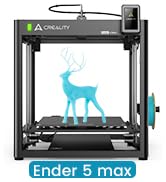
The Creality K1 Max is a powerhouse 3D printer designed for professionals and enthusiasts seeking speed, precision, and reliability. Featuring a massive 11.81-inch cubic build volume, ultra-fast 600mm/s printing speed, and advanced AI-driven print monitoring, it minimizes errors and maximizes productivity. Its Core XY mechanical design and dual hands-free auto leveling deliver stable, high-quality prints with minimal setup. Compatible with multiple filaments and equipped with directional cooling fans and a dual-gear extruder, the K1 Max is engineered to handle complex projects with ease, making it an essential tool for modern makers and innovators.


| ASIN | B0C6248YFR |
| Best Sellers Rank | #20,480 in Industrial & Scientific ( See Top 100 in Industrial & Scientific ) #35 in 3D Printers |
| Brand | Comgrow |
| Built-In Media | Creality K1 Max |
| Color | white |
| Compatible Devices | Laptop, PC |
| Compatible Material | Hyper Filament, Acrylonitrile Butadiene Styrene, Polyethylene Terephthalate Glycol |
| Connectivity Technology | Ethernet, USB, Wi-Fi |
| Customer Reviews | 4.2 out of 5 stars 10,074 Reviews |
| Enclosure Material | Glass and Metal |
| File Format | OBJ,AMF,GCODE,STL |
| Item Dimensions D x W x H | 17.12"D x 18.18"W x 20.7"H |
| Item Height | 20.7 inches |
| Item Weight | 39.68 Pounds |
| Manufacturer | Creality 3D |
| Material | Glass and Metal |
| Nozzle Primary Material | ABS |
| Nozzle Temperature Maximum | 300 Degrees Celsius |
| Nozzle Tip Material | Brass |
| Operating System | Windows, macOS |
| Product Dimensions | 17.12"D x 18.18"W x 20.7"H |
| Voltage | 115 Volts |
| Warranty Description | 1 year |
J**R
Ender 3 Pro is both Professional with a few upgrades and Beginner as is NICE
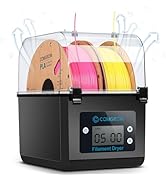
I was really surprised at what this printer can do. I have 5 of them now and use them for production parts in my valve and machine. I even print sprockets using a chain drive and PC carbon fiber PETG carbon fiber. I have upgraded all of them a bit. All have direct drive extruder and the all metal hot ends, as I print at 248C and the Teflon tube cannot take that temperature very long and will cause a blockage in the hot end. The hottest I have had to print so far is 255 and it works great. You can buy a cheap “heat break” that makes the Creality hot end “all metal”. Three have the dual Z axis kit on them, and the other two still single and print fine. But the single Z's need leveling more often. I put all aluminum extruders on and have no issues with feed. I have never had to adjust the E steps, nor have I upgraded the firmware, as they all work and print parts within .02 mm. The only issue I had was three of them had .4 mm nozzles were not .4 mm, from the factory, and that caused some funny prints with the walls separating. I used a digital caliper and measure the filament coming out of the nozzles at under .3 mm. Now with every nozzle install I run some filament out and see if it, shows 0.4 exactly on all the replacements. All the walls print strong now. I think that Creality got some .3 mm nozzles with .4 marking. To get perfect prints requires some testing and working on the printers. I print almost exclusively PETG and many different brands depending on he price. I noticed that some I bought direct from China were “wet” and so I bought dryers. All the PETG I dry before using and get no “blistering” where the moisture expands under heat. I just don't have time to keep reprinting because of moisture. I also print some TPU and at on time printed over 500 of these “rubber” grommets that our supplier stopped making during the COVID shortages. The main thing is to assemble it correctly so that the X bar is level and the wheels (with the pom tires) can actually spin with some friction. You can measure with a metric tape or rule and get it within .5 mm. I actually drilled a 5 mm hole in the vertical to be able to get the X axis perfect. The hole allows the Allen wrench to loosen the X cross member so you can level it without having to keep removing and adjusting the whole X axis bar. The verticals need to be square to the base and they are very close. On two I put the triangle rods to get it perfect. I used a machinist square to get it perfect. Smooth is the keyword. You don't want any "jump" from the Z axis (rising axis). Parallel and 90 deg to the bottom frames. After about 6 months I installed the dual Z axis and that was simple enough. This one change made it so I can print the same part over and over up to 100 times without having to tram the bed. Also called leveling. `After some time I learned that he Z limit switch will get out of calibration and that spraying it with canned air removes the dirt or whatever is changing the stop point. I think an LED version would be better. On the beds, every one of them has had loose axles on the wheels. The 5 mm screws with 8 mm nuts needed to be tightened. To do this you need to loosen the offset wheels so you can get them vertically stable. There should be absolutely NO wobble in the bed. If you feel any, stop and tighten the rollers. I have had to replace three rollers where the bearings were bad and the wheels wiggled on the shafts. Always adjust the cam 10mm so the wheels can move with slight friction. Over tight causes problems and too loose is also bad. Just so they spin with friction. No wobble side to side or when you lift the corners of the bed. Every screw on the printer needs to be checked for tightness. EVERY screw. Loose screws are a nightmare. Even on my $1000 big printers, all of them needed to have the screws tightened, even the screws under the bed. No wobble and you will have “happy printing”. I have not put the auto bed leveling on as it actually takes longer to print with it (on my other printers). I use only glass on the beds (I scrapped off the magnetic sheet and cleaned with alcohol) and still use the doubled standard printer paper to set the level. I just got “good” at it. Then when the print starts sometimes, but rarely, I will tweak the adjustments. I usually print a skirt with three lines so I can “feel” the thickness of the first layer. I did put the stronger bed springs on also, this gives more stability. I use the Ultimaker Cura (updated)and it has more adjustments than most beginners can use. But as you learn you can make slight adjustments and try them out and see things improve. One of the good things is this printer is so popular you can find lots of YouTube videos to help you. And parts can be found on Aliexpress for the same parts way less. The all come from China, anyway. I have five of these Ender 3 Pro's now, bought two from Comgrow Amazon, came with the glass bed plates. I print almost exclusively PETG at 248c Nozzle and 85C bed temp, (this makes for very good layer welding) and bought the Creality glass plates and the Bed Weld, water based adhesive so the PETG will let go. The higher temp is to insure both a good layer weld and that the cooling will cause the parts to just come of very easy. Once printed they just come off very easy. If I dry the filament I get almost NO stringing. I can't stress how important dry filament is for nice prints. The metal flex plates and the ones that come with the printers magnetic plastic do not work with PETG at all. They are ruined after two prints. Glass is the best with the Layerneer Bed Weld and I have no problems with adhesion and removal. Just have to wait for cooling. The prints come off as if nothing was holding them when it cools. The parts in the photo are actually functional parts that we can't get from a supplier.. So, naturally I made a CAD drawing and made them. The trick with functional parts is to make the plastic about 1/3 thicker than on injection molded, because of the tiny gaps caused by the space between the "lines" of print. It is not 100% solid even if it looks like it is. And most of my prints use 100% infill because hey are parts getting some heavy use. Overall, it is a good choice and a workhorse printer. For the money it still can't be beaten, That is why the 5 stars. But for those who are “technically challenged”, you may get frustrated with the learning curve. After a few hundred prints you will be a pro. Watch the videos as there are tons of them. There may be equally good or better printers for the price, but the availability of parts, upgrade parts and help resources for these printers is amazing.
D**R
Great printer
I've had this about bit less than a year now, and it's my first 3D printer. It was pretty much ready to go and was a very easy first printer. It prints well, and has a large volume. I've tried various filaments and it has handled all of them (except one cheap PLA from "e-sun" but that's due to the poor quality filament). I did root it to use Orca and print wirelessly, but Creality software has gotten a bit better and you probably wouldn't even need to root anymore. Orca does have more options though. The creality app and cloud stuff is useless. If I did it all over again, I might look at the offerings from elegoo which are cheaper, but this is still a great deal IMO. I've put about 10 problem-free spools through it. I'm not into figurines and stuff, I mostly print tools or adapters for things around the house. I think if you want to do figurines you'd want a resin printer.
P**.
Fantastic first-time machine
I am very impressed by my first 3D printer - I got it for prototyping cast metal parts, and I knew it would be a rabbit hole of learning a whole new technology. But this printer has made it fun rather than difficult. Assembly took less than an hour, and within 24 hours, I had my first finished prototype, using bronze PLA. It's been running almost constantly in the 2 months I've had it. After reading reviews, I had painter's tape and hairspray at the ready, but I haven't needed them once. The magnetic bed is great, although it is getting chewed up, they're only $10 to replace. I have to relevel it using a test file once in a while, but usually I just watch the brim print when I start a file, and make any tiny adjustments to the leveling screws while it's running. I will note that the bed on mine has a slight flex upward in the middle - enough that the first layer is fully solid at the edges and nonexistant in the middle. This isn't a problem for me, as I use .6-1mm bottoms on prints, and I don't care how the bottom looks. But when I have to stop a file early on, scraping this area clean is a pain. Often a half-layer remains and is pulled off with the next successful print. Quality has met my expectations, though I've never tried printing below .1mm resolution. I just replaced the nozzle for the first time, and it had definitely degraded (pushing bronze PLA through a brass nozzle, I expected it would wear out fast). But it's back to normal now, and replacing the nozzle was simple, following instructions in a YouTube video. I did print a filament guide arm as my test file, and it seems to help as I've never had a tangle or stuck filament. I'm very impressed that my test print is now a permanent part of the printer - honestly I did not expect my first attempt hitting "print" would actually work. I'm planning a few upgrades - a Raspberry Pi with Octoprint and a webcam to enable a network interface, an auto-bed leveler. I'll probably try to get an acrylic case for it and print ABS before long - I've been working in PLA so far. This price point is incredible and allowed me to rapidly build a product line as I started my business - for the cost of Sketchup and this printer, I was able to produce perfect CAD files to send to production - prototypes that I had held in my hands and played with that cost about $1 each in PLA. That blows me away and reduced my startup time by months and thousands of dollars. My one gripe is that if I leave it on for a long time, including just having it's computer powered by USB, it'll start "hanging" when printing. It starts to print but will just stop running midway through, and instead starts this weird behavior of making a hex pattern of burnt plastic drips. So far I can't identify a cause - my STL files are clean - but I've noticed it goes away if I power it totally off for 20 minutes before starting a new print. I'm guessing there's a memory problem going on, but I haven't had time to troubleshoot it with the mfgr yet. Overall it's a major win - with the added bonus that it prints neat little toys, and replacement parts for household objects. I have a technologically-minded nephew who's 11, and he'll probably be getting one of these for Christmas. I would say that if a kid is smart enough to know what "this part is very hot" means, they could use one of these with very little support/supervision - but you might want to assist with things like assembly and replacing the nozzle, which involve small screws and a bit of experience.

J**H
Updated: Decent cheap printer that needs better quality control and better customer service
First off when you get this thing setup properly it prints pretty good - as long as you're aware of where the problems are. The two biggest and most often reported issues are Z Axis motor binding and warped print bed. I got both. Both of these are serious issues directly affecting your print quality and more importantly wasted prints. This is significant because if it's worth printing it will take significant time - and I hate wasting time and materials. I bought from Comgrow because they had glowing reviews on customer service. I suspect this is from the standard Chinese practice of "I'll give you this if you leave a good review for me". Bear in mind that Creality makes these machines and Comgrow resales them, or builds to their standard. God only knows what business relationship there is there - could just be the marketing arm for Creality for all I know. Comgrow sells a boatload of Creality printers and parts. They say "As a 3D printer manufacturer, we provide " but sell very few other models. You can see this yourself at their product listing page: https://www.amazon.com/s?marketplaceID=ATVPDKIKX0DER&me=A2ALB3RMNIRLH8&merchant=A2ALB3RMNIRLH8 So here's my issues and how it went down. Z Axis binding right off the bat - and as an engineer I assure you that I made absolutely sure the frame was squared. As it comes the entire base is assembled. What this means is the stuff is assembled poorly. I needed to loosen the frame screws and adjust to take out the severe frame warp before proceeding . Then I had to adjust the bed tension because it wiggled like a hula dancer. So I got to assembling the Z Axis and was running it down by hand and you could feel it binding. WTH? Now bear in mind I had checked on the forums and groups to research this printer thoroughly before I plunked down money. Both issue I mention were supposedly fixed with the pro version which is why I spent extra money for it. The Z Axis issue is a known problem as the motor mount and guide nut on the gantry are poorly engineered. They are offset by about 2mm which cases the lead screw to pinch - and it gets worse as it descends because the error angle becomes more acute. The problem is exacerbated by the bracket that holds the extruder and the guide nut for the lead screw isn't a perfect 90 degree bend. The result is the lead screw wants to point to the front and not straight up. Coupled with the motor mismatch it creates a bad binding problem. So I contacted Comgrow through Amazon to complain. They wanted me to take it all apart and send photos of the naked bracket and how it was incorrectly bent yada yada yada. Totally unreasonable in my opinion to not accept a photo of the bracket on the machine. Then they wanted to know if I could loosen the screws on the upper nut and loosen the Z axis motor and see if it helped. So, A - they knew about the problem and already had a handy "fix" and B, this "fix" will totally screw up Z Axis precision. Heck yeah it will "work" - it makes the Z Axis loosey goosey so the rod can't bind. But your prints will not be worth anything since the printer lays down plastic in layers (Z Axis). All I asked for was a properly bent bracket and I get the royal run around. So I made a shim for the motor and bent the bracket myself to fix the issue. Second item I run into was a big ding in the magnetic bed - about 1-2mm high. I asked for a replacement and at this point they had to have me contact a "product specialist". So "Annie" asked for pictures and said the "technical" guys wanted me to print the dog model to verify there's a problem. I replied that any idiot would know a 2mm bump is going to cause print problems and I'm not going to waste expensive filament and time to prove a foregone conclusion. Then they want to know if I know I can move the model to print somewhere else. I'm sorry, I started loose my cool then - they wanted me to literally cut my print area by half so they could avoid sending me a $17 part that was defective! I then said I was going to get Amazon involved and they agreed to replace the magnetic mat - with the older version. Now one of the selling points to the Pro is the "upgraded" magnetic mat which sticks and releases better. No thanks I say - I want the one that came with my printer. "But this one has scale markers on it!" - "No, that's the older version that doesn't work as well." "No it's the same mat". "Well you'll have to wait 7 weeks because we don't have it in stock". At this point I'm fed up and say I will get Amazon involved because they are trying to clear out old stock on me. So they finally agreed. Now I measured my beds warp - another common issue since they made the plate too thin (allows them to use a cheaper heating element and claim faster heat times). Most plates people have issues with sag in the middle - mine bulges on one side. Both right corners are about 2mm lower than a spot about 3 cm to the left. So to correct this I had to invest in a BLTouch so I can do a mesh bed leveling - otherwise if I zero to those corners and print in the area the nozzle will gouge the bed. So at this point I'm unwilling to deal with them any further - after giving me such a fuss over a bracket and a cheap mat can you imagine the response I'd get for an entire heating bed? So - buyer beware indeed. I will be contacting Amazon finally to see if I can't get a little better response. I will update if anything changes. I will not however agree to a glowing review in exchange for what should have been better customer service to begin with. UPDATE: So in fact I was approached by a more experienced customer service rep that apologized for my treatment with an "inexperienced" customer service rep. At this point the service was outstanding - she escalated the trouble call and literally solved all the problems by sending replacement parts expedited from China. The replacement parts were flawless. So I've upgraded my rating and opinion of these folks - but I don't think it should have gotten to the point I left a bad review because of inadequate service. I think that every company has periodic flops - I just had one with Amazon themselves today -but I am encouraged they went over and beyond to make this situation right. To Comgrow - thanks!
R**D
Worse Printer Ever
First 1 I got the top frame was bent in a way that the top glass would not seat. Manufacturer quickly sent a replacement for the top frame and a link to the video on replacing it. That is when I came across 3 stripped screws making removing the old frame impossible. It became evident to me that either the unit was previously owned or it was poorly assembled in factory. So, I requested a replacement. Even with the top frame bent the printer leveled perfectly, the bed was perfect and it heated quickly and never went out of level. I have been using the replacement (which came in perfect condition) almost non stop since. Again, the bed was perfectly level, it leveled perfectly, heated fast and consistently. The prints were always high quality and no layer jitters. I decided to put it to a major test by making a fully mechanical project requiring small and large gears. The precision in the outcome was perfect. I have used both Bambu and Qudi and have been 3D printing since it was even a thing and I can contest that for a printer of this build size this is by far the best printer I have ever used at this price. The second unit which I have now is definitely 5+ stars but unfortunately I cannot go above 4 due to the hassle I had to go through with the first unit. EDIT: After owning for a few months I am changing my review. The upkeep on this printer is massive. Extruder keeps jamming. After using THEIR replacement nozzle it clogged mid through a print yet it kept extruding filling the hotend inside and out with melted PLA also damaging the PCB. Replacing ANYTHING on this printer is a nightmare. Screws seem to come out okay but can never seem to go back in. Last printer I ever get from Creality.
P**E
Excellent starter (and beyond) 3D printer
I am completely pleased with this printer and don't see spending more money would add any value or improve prints, all around excellent. Product arrived perfectly, excellent packaging, all parts included, no hardware issues. This is my first 3D printer so I want anyone new to 3D printing to have a realistic perspective. I have been printing jigs and parts useful in my woodshop and a few things for the printer itself. I had early success then lots of issues getting prints to stick then reached a plateau of excellent success with limited issues. Bad prints early on can just be stopped and restarted with the main screen. What to expect: • A steep learning curve, documentation is ok but doesn't address everything, lots of mistakes and plenty of solutions you gain quickly from just doing it. • Take the time to assemble the printer, square up the frame parts and review a couple assembly videos on youtube. They help to ensure early success in printing. • Remove and clean the magnetic sheet with warm soapy water to remove any grease or dirt. Then carefully dab to dry and don't touch the surface to avoid finger oils. • If the magnetic sheet lays flat but is crooked, that is ok and affects nothing. I had to trim each side of the sheet by 1/8-1/4" to avoid it touching the Z rails but it lays dead flat. • Bed leveling and a clean bed are two of the most valuable checklist points to make in printing. Early on I was cleaning the bed with acetone and isopropyl alcohol but since I just now use soap and water to clean it, I have had so many successful prints and have not removed the magnetic sheet at all, just use the spatula. No finger oils, no need to clean, and all the plastic comes off. • Use a feeler gauge 0.004" (1.0mm) and level the bed all around so the tip just touches the gauge but doesn't press hard because you can actually push the bed down and then it can spring back and be too close to the tip. Stay with 0.2 or 0.3mm layers in Cura slicing software early on (upgrade the software to current version). I think a feeler gauge is better than paper since paper can be compressed, fractions of a paper thickness can be the make or break it in successful prints. Home the head, set the bed just below it, disable the stepper motors from the Ender screen, then move the head around and begin to level the bed with the gauge. you can do the 4 corners only about an inch in or you can also check many other spots on the bed to ensure the bed is flat too with no cupping. • Prints can take a very long time so correct setup and first layer adhesion are so critical to success. • Cura defaults sometimes work and sometimes don't, but custom settings make for a much higher success rate of prints adhering to the bed. *** The first layer is absolutely the most important layer. *** If it is not perfect or near perfect then prints will most likely fail in many ways, lifting up at corners, shrinking, popping off, skipping, spaghetti mess etc. • Default print speed needs to be slowed down for the first layer. I am using as low as 15-20mm/s instead of the 30mm/s default. Go into preferences/settings/setting visibility and make some settings viewable in the custom window. 50mm/s is a decent normal print speed after initial layer. Top/bottom shell thicknesses can help add strength to many needed prints. • Experiment with infill. 20-50% is common unless 100% fill is needed for a solid. Higher than 50% doesn't really help much unless going full solid. • Supports do help but are not necessary for every part with small hangovers unless you require a flawless print versus a shop needed print. • Add a few extra lines for skirts to 5 which can aid in seeing any priming issues and early leveling issues. Brims are good for narrow and tall prints. Rafts can help with unique shaped prints for early layer adhesion and build. • Cura will remember the settings from the previous print so you don't have to start from scratch every time with settings. • When a print is done, Cura puts in the gcode that the steppers are disabled so you can move the head or bed, but don't move then around fast if they are not disabled. Print an extension for the spool filament from thingiverse, it will help to keep the filament at a better arc and out of the Z lead screw. Changing colors is simple, heat the tip up, then remove the filament and push in another color. The skirt/brim etc will prime the color so the part will be solid to the new color. A solid table surface is good, nothing flimsy or wobbly. Included spatula is excellent, sharp and removes prints very well. Buy some full 1kg spools of colors you like and also try some test colors which come in small loose spools about 50g. I printed a small spool to hold the test colors which helps while printing so filament can spin smoother. I am running the printer near non stop. I have many more dozens of things I want to print and just waiting to get through them all, at which point I'm sure to have added many more. Have fun and create. Plenty of free files for printing, millions are out there. Yeggi.com is a great 3D print file search engine, along with myminifactory.com and thingiverse.com
A**A
Excellent Printer (What you need to know from an experienced Additive Manufacturing user)
About myself: I'm a doing my M.S. in mechanical engineering and I purchased this 3D Printer for research projects and personal use. I got my first 3D printer about 5 years ago (TwoUp 3D Printer) which is terrible btw and with the hardware from that I designed my own 3D printer as well, since the first one had axis misalignments, those errors were inherited to my design, that's why I decided to get a reliable printer, But I've learn so much and I've also been certified in other AM technologies. My Experience with Ender 3 Pro so far: Most complains I've seen with Ender 3 Pro are that is hard to level and that the print bed is not flat. The printer I got is perfect. I tested the quality of the bed by printing on multiple parts and long parts, the lines seemed consistent. There is no auto level, you have to do it manually (which I honestly prefer), and if done right, you only have to do it once. If you assembled it right (everything squared) and bed well leveled, you shouldn't have problems printing. I got successful prints since first attempt. I used Simplify 3D for the slicer and the only thing I had to modify was retraction settings since I was getting a lot of stringing at first (this is a bowden extruder). Assembling tolerances are also great, which I've compared to the Lulzbot Taz 6 I have at work. Components fit great without compensating for tolerances in the CAD, for the Taz (with its Cura slicer) I do have to compensate a little. But for dimension accuracy printing a cube of 100mm, I obtained a difference in less than half a millimeter (0.5mm) measured with calipers. I saw multiple upgrades to do to this printer, many of them are not longer necessary with the version I got (about two weeks from this review). The only modification I had to do was an alignment of the Z axis rod. It's not square to the frame, it was about 1mm closer at the bottom part than the top part of the rod, unscrewing the bracket that holds the Z stepper and putting a piece of paper to separate it form the frame did the trick (of course I measured with calipers the difference at top and bottom of the rod while screwing back the Z stepper, till I got it squared to the frame), after that, the Gantry felt pretty smooth to move all the way up and down. Tips and Advice: This is a machine really easy and simple to use, great for beginners as well.... but you still need some basic knowledge of how things work and what things matter when it comes to getting successful prints. So if you are a beginner I highly recommend this printer, just before you use it, learn the basics. Not only a basic idea of how it mechanically works, but specially how changing parameters in your slicer will affect your print. When assembling, have at hand tools like calipers and a square that you can rely on to measure 90 degree angles. That is useful to make your frame perfectly squared before you completely tighten the screws. To level the bed (my method), you are going to need a sheet of a material which thickness you know (I used the metal square I had which was exactly 1mm thick). Using the control panel (printer already on), Auto-Home, then raise your printer to 1mm (or the thickness of your material) in the Z direction of course, your system should be at X0 Y0 Z1.00. Then slide the square under the nozzle, and adjust the bed level on that corner till it barely touches the nozzle, repeat to the right corner (X235 Y0 Z1.00)... the thing to consider here is that once you modify one corner, then the other corners will be slightly modified too, so go back and forth till both corners are equal, and actually do the same with the other two, compare them moving in the X direction but also in the Y direction. It took me about 5 min to do, and I only had to do it once.
J**D
First time printer, very happy, high quality.
I am AMAZED by how much qualtiy Creality can deliver for the rock bottom price. The whole look and feel of this machine is quality and stability. So well done! I bought the printer so I could submerge my children into the 3D printing and CAD experience. The excitement for prints to finish is amazing! My son and daughter popping out of bed and running downstairs to see if "it's" done. The printer comes with a removable magnetic mat, (think mouse pad)... just peel your print off, easy peasy. I had no problem putting the printer together, (with my mechanical skills I am able change a bicycle tire and adjust a bicyble derailleur to properly shift) plenty of YouTube help there if needed. The printer comes with a bunch of files to print, and software to get you going "out of the box". The creality software simplifies print quality settings and makes it easy. I've also printed with the free Cura software. I was about to spend seven or eight hundred bucks on a different printer, but a colleague of mine who is a very experienced 3D printer advised me to break in with something like this, and I can't thank him enough. He held my "highest quality" prints and pondered buying the printer for himself running his fingernail across the barely perceivable layers in the print. (blow up the cat pic I've attached) I've begun to learn Fusion 360 with my kids, allowing them to print from thingiverse, but challenging them to custom design something for the next one. Great way to familiarize your kids with STEM fields. Technical stuff, and tips. (don't let issues deter you... the world of 3D printing is finessing "issues" and solving puzzles) When assembling the main uprights, you want to leave the "bottom" screws a little loose until you have the "top" screws tight and alignment is forced by the top rail. the "z" axis switch that mounts on the left upright has a cleat to position the correct height, I sanded the nub off so that I could lower it an eighth of an inch. (the bed springs seemed too loose when leveled, this way the springs had more tension on them and it seemed more solid)... I realize the nub was to prevent slippage over time, but I'll keep my eye on it, I doubt it will ever move. You level the pad to the printer when it is at its native home positing. It's a good idea to watch a YouTube video on this for first timers. (like me) The monitor cable plugs into the center socket. I have a problem printing from Cura, it wants to start prints at the extreme left front edge, some of the extrusion even sagging off of the print bed. I asked my experienced friend, we double and triple checked my settings, and he didn't see anything wrong with the setup. I am able to print with Cura, manually setting the offsets closer to the center of my print bed, but a drawback from this work-around is that my size is limited because Cura sees my printable space as half gone. Still haven't solved this.. but the bundled slicer works great, and offers advanced settings and features (although not to the extent of Cura) The controls and function knob are friendly, and becoming familiar with the OS takes minutes, learning all of the ins and outs after an hour or so. Orientation of the print yields different results, you'll learn to think in supports and layers as you prepare to print. The printer takes up a space a little larger than a 5 gallon pale, + a foot taller, utilizing the spool holder that comes with the printer. I purchased a variety of filaments, no trouble yet. This is a very popular printer, has a large following, many custom made add-ons and improvements (that you print) Has many other upgrades available commercially. Noise level is present, but its not a problem for me. I have the printer in my office, we watch TV in the next room and I don't hear it with the door closed, slightly with the door open. The motors sound musical at times, like beeping other times. I could sleep with it in my room running, I don't think my wife could. It seemed louder for the first 20 hours of printing, now its not a loud, I think things "worked in" a little. Towards the end of a 44 hour print, I touched all my electrical connections, and I had no heat building up in any of them.
Trustpilot
3 days ago
2 weeks ago