We remain fully operational. Our teams are working around the clock to ensure your deliveries continue safely.

DOWNLOAD THE APP


Customer Services
Copyright © 2025 Desertcart Holdings Limited
DOWNLOAD THE APP
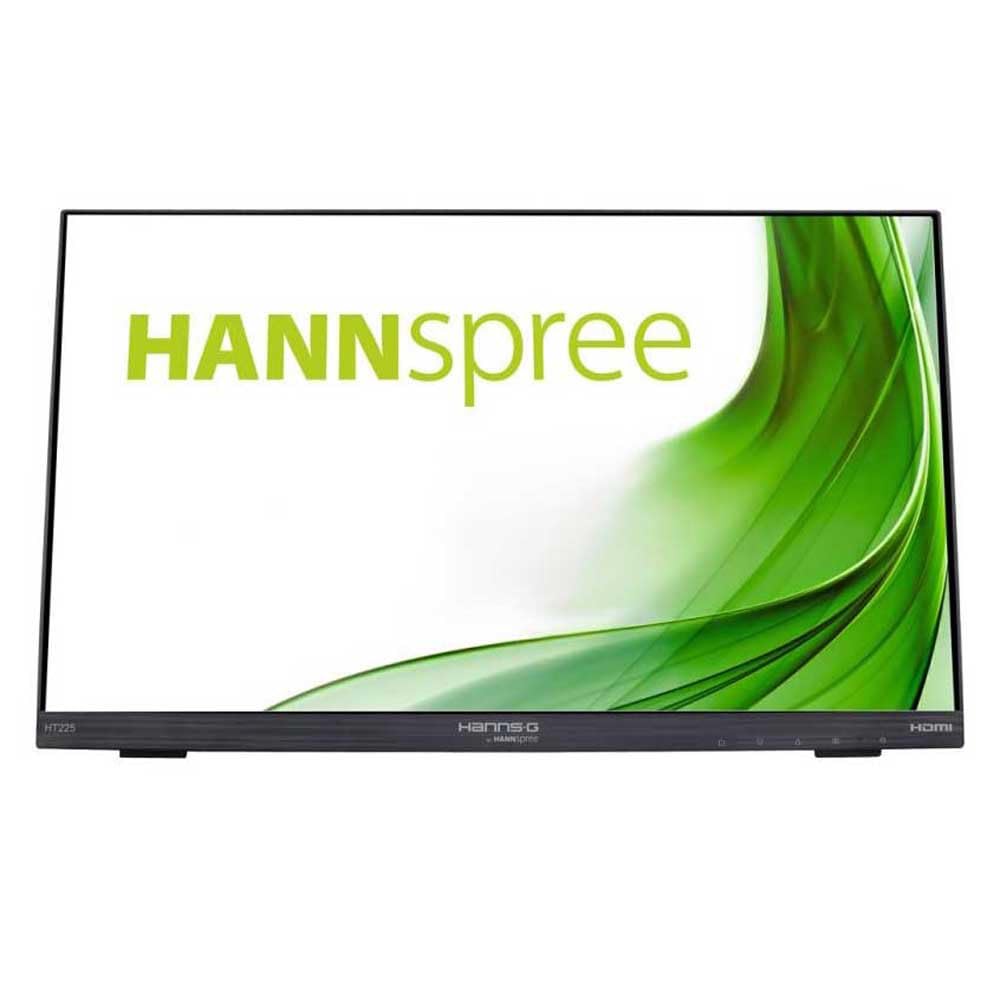
🖥️ Elevate your workspace with touch precision and ergonomic brilliance!
The HT225HPB is a 21.5-inch Full HD (1920x1080) touch monitor featuring advanced Projected Capacitive (PCAP) multi-touch technology for smooth, accurate input. Its 7H hardness screen offers robust scratch resistance, complemented by an anti-glare film that minimizes reflections. The ergonomic stand supports tilt angles from 15° to 70°, ensuring comfortable viewing. With 178° wide viewing angles and compatibility with Windows 10, this monitor blends durability, visual clarity, and user-centric design for professionals seeking a sleek, efficient touchscreen display.


| ASIN | B01F3636V0 |
| Are Batteries Included | No |
| Best Sellers Rank | 8,801 in Computers & Accessories ( See Top 100 in Computers & Accessories ) 210 in Monitors |
| Brand | Hannspree |
| Colour | Black |
| Computer Memory Type | DDR3 SDRAM |
| Customer Reviews | 4.3 4.3 out of 5 stars (636) |
| Date First Available | 2 May 2016 |
| Guaranteed software updates until | unknown |
| Item Weight | 3.95 kg |
| Item model number | HT225HPB |
| Manufacturer | Hannspree |
| Number of HDMI Ports | 1 |
| Number of VGA Ports | 1 |
| Processor Count | 1 |
| Product Dimensions | 4.8 x 49 x 29.9 cm; 3.95 kg |
| Resolution | 1920 x 1080 |
| Screen Resolution | 1920x1080 |
| Series | HT225HPB |
| Standing screen display size | 21.5 Inches |
| Voltage | 240 Volts |
| Wattage | 24 watts |
R**R
Brilliant screen...
- I've only had this display for about 4 day's now, but even in that time, I can say the screen quality is very good. - Seem's to work very well with Windows 10. No obvious conflicts noted. - Even tried using it with some Steam games which to my amazement, almost all worked very well also. - I'd recommend scaling Windows 10 up to 125% in the settings screen (just type "make everything bigger" in the windows search bar) - it seems to be much easier and clearer to click on things once you do this. - Is mountable to a monitor arm (which I have done), and much easier to control as your can have the screen in more positions). I've not tried the built in stand the screen comes with, but it feels very sturdy. - Overall build quality seems very good also. - In terms of fingerprint marks on the screen, I really can't see anything at all when the screen is turned on and in use, but it is quite noticeable when the screen is turned off (which does not affect or bother me at all). - Another nice feature, is the built in screen controls such as the power button and settings menus are also a touch based panel built into the screen (not required, but nice feature and in-keeping with the overall display). - The touch element is very responsive and accurate. I've owned a previous touch screen monitor which was infrared based and was no where near as good as this Hanns. G model. - There is very little bezel on the monitor, so the screen real-estate is fantastic and not hindered by an awful bezel which steals pixels, unlike most monitors I've owned previously. - Netflix/gaming quality is very good also. Colours nice and bright in my opinion. (I don't use any photo/video editing so unable to comment if it would be suitable for any professional/enthusiasts if used for this purpose). - Works well with apps such as "Hue" for smart lighting controls (Philips Hue Smart Lighting). - Even considering purchasing another one in the future. Edit : I could not get the touch to work with a Macbook (early 2015) running High Sierra when testing, but it did function as a basic display. (but it's always been difficult to get a touch enabled screen with most Mac OS products, not something Hanns.G is responsible for in my opinion).
K**S
Great portable monitor.
This is a high quality, decent sized, touchscreen. I'm using it to run lighting and mixing desk software. It's bright, responds well and sits on the desk at a range of angles without slipping about. All I need it to do really.
U**R
Great touch screen. Great quality for an excellent price.
Got this for controlling a digital mixer recently. Multitouch was a requirement as was a screen of at least 20”. This arrived promptly, was well packaged and up and running within minutes. The screen is nice and bright, driverscwere installed without even noticing, touch response is sensitive and fast although the more fingers you use the slower it gets. Not sure if this is the fault of the screen or the low spec micro PC I’m using to control it. The screen works well all in all - certainly amazing for the money - although its menu buttons are placed in an annoying location: since they're touch screen, it’s easy to accidentally press them when working on certain areas of the screen and next thing you know, you’re in about the brightness/contrast settings!
D**S
Brilliant - it has given a new lease of life to an aging 15inch non-touch laptop
I have used it every day since I bought it six months ago. I am very pleased with it indeed. I thought I was faced with retiring a 15inch non-touch laptop from 2010 and buying a replacement for this rather desk-bound computer. - But giving it this large [21"], decent resolution [1920x1080], touch-sensitive screen has enabled it to take over all my desk-bound jobs leaving my smartphone & tablets free to do the mobile stuff. - So spending £200 on this enables me to delay spending £1000 on a replacement computer for, hopefully, five years. It has both a VGA input & an HDMI one so I have the old computer permanently connected through VGA [& USB for touch] and I can connect the others by HDMI whenever I have a suitable task for them - I also have the HDMI cable permanently plugged in the monitor and I just leave its end dangling unused for most of the time. - I do not need to mess around unplugging the VGA or the HDMI from the back of the monitor. - The monitor automatically shows whichever connected computer is set to use an external display. - If a particular task requires it I take the USB lead out of the aging 15inch laptop and plug it into whichever other one I'm connecting [but not all their large-screen tasks need touch so I probably only do this once or twice a month]. I don't have to do any setting up, touch starts working with whichever computer I put the USB lead into [naturally, I connected it to each one in turn when I first got it so I could get the drivers installed ready for eventual use].
D**S
Great P&P touchscreen but controls are not fat finger friendly
As a display its fantastic and seems to handle a decent frame rate for games and it really is plug and play with MS Win10 - however... The touch controls for the monitor itself (on/off, menu etc) are annoyingly too close to the touch panel itself and I often find myself activating the menu with my fat fingers when using the windows tray, or anything else in the bottom right hand corner in fact. I would much preferred to have had actual buttons and relocated to the bottom of the monitor instead of the fancy touch controls. Though I can’t complain about the price I give 3 stars because I have to adapt the way I work to get by the issue explained.
L**R
Je m'en sers pour piloter une console (table de mixage) numérique. Fonctionne très bien doublé avec l'usb. mécanisme d'inclinaison très pratique .Le seul "défaut" que je lui trouve c'est qu'il est trop grand. ( un 17ou 19' aurait amplement suffit...) , pas de quoi se plaindre...Surtout si on a la vue qui baisse. Le son intégré n'est pas terrible ..évidemment , si je compare avec celui pour lequel il est utilisé.....Bon produit que je ne regrette pas d'avoir acheté. Reste à savoir si il sera fiable dans la durée...A suivre.
F**.
L'ho sistemato su di un tavolinetto ripiegabile di quelli per servono per fare la colazione a letto e praticamente lo sto utilizzando seduto sul divano, con le gambe a cavalcioni, completamente rilassato e a mio agio. Che dire! Se non fosse per i fili che sono di intralcio e impediscono di trasportarlo facilmente da un luogo all'altro, come se fosse un notebook, per il resto è comodissimo e, al contrario di quanto si potrebbe pensare, non pesa molto, tanto che lo sto utilizzando come un "tablet gigante". Semplicemente eccezionale, aspettavo da tempo un prodotto come questo! Offre un'esperienza di lavoro unica, bellissima. E' inoltre molto reattivo, la tastiera virtuale è sufficientemente ampia da consentire una scrittura veloce, persino più veloce delle mini-tastiere per tablet, ed è intuitivo, preciso. Ad esempio, si riesce a cliccare anche sui pulsanti più piccoli o ad effettuare facili selezioni dai menu. Lo si può utilizzare sia per il divertimento, ad es. per guardare film in alta definizione, sia per lavorare con software di tipo professionale (Photoshop, Microsoft Office, e tanti altri). Unico problema: sinora non ho trovato un pennino adatto a disegnare. Per il resto, uno dei miei migliori acquisti da 10 anni a questa parte.
A**.
Chamsys users - this review is aimed at you! I purchased this touchscreen to use with my Chamsys MQ70 Compact lighting console. The console has an inbuilt touchscreen, but for more complex shows and busking, it usually does not have enough space. This monitor has been an excellent addition to the rig! It would also be great for someone using the MagicQ software on a computer-based setup. The Good: Similar in size to the MQ70- fits well into my Pelican case, right along with the console. Great touch response! Excellent for execute windows, or working with large pixel mapping situations. Great multi-touch. The manufacturer claims 10-point touch, but I generally need 3 or 4 max simultaneous. Slim, flat design. Easy to pack down for transport. Simple, effective stand for desktop use. It can easily match the slant of the console itself, for a relatively seamless, wide control surface when placed next to the console. Solid and well designed casing. Includes both USB A-to-B and HDMI cables, so there are no more purchases to be made for connectivity. Great viewing angles. This is especially helpful when setting the screen beside the console instead of above it. The Bad: 1. As other reviewers have mentioned, the buttons to control the monitor itself are touch-sensitive areas on the frame/bezel of the screen. This can be a liability when working in a dark environment! I really wish those same controls had been placed on the rear of the screen instead, or had been implemented with physical buttons. [However, I did not feel this liability was enough to take off a full star. For my purposes, I am able to just modify my workflow and hand position to avoid the buttons.] 2. The multi-touch does not work great when running MULTIPLE on-screen faders. It works perfectly with one fader at a time, but has issues with dragging down two separate faders. A separate fader wing is still the way to go, if that is a requirement of your setup. 3. The jacks for the power/usb/hdmi connections are in an awkward location for portable usage. If you plan to set it up in one place and leave it, there is no issue. Notes: I plan to do some experimenting to see what types of materials will block the touch sensitive buttons on the bezel. My hope is that I can use a strip of wood across the entire width of the screen to use as a thumb rest. The touch feature works by touching the bottom edge of the bezel as well, so i would still be able to access the buttons if I covered the front. For placing the monitor above the console as shown in my photo, there is a tablet/computer stand available on Amazon that does a very good job holding it. Search for: "DUCHY Adjustable Laptop Stand, FYSMY Ergonomic Portable Computer Stand" In fact, this a great stand for use with the MQ70. I often use it to hold my MacBook Pro when I'm using the Chamsys Visualizer. The Bottom Line: If I could, I would rate as 4.5 stars. The overall performance has been wonderful, and I would definitely recommend to other MQ70 & MQ50 users. Also! The seller (Bleepbox) was excellent in prompt fulfillment! Ordered Sunday, shipped from the UK, arrived at my US address on Thursday.
G**Y
The monitor exceeded my expectations, it's sharp, works perfectily with windows 10 tablet modus, the touch screen is very responsive. I have it in use for one week now and I didn't feel the need to connect a real keyboard. I red someone compleined about the glare but I didn't experienced such discomfort, even in plain sun. I use the screen for computer graphic and it responds to my needs completely.
E**D
En general tiene un buen acabado y estéticamente está muy bien. La pantalla táctil responde muy bien y la calidad de imagen es bastante buena.
Trustpilot
3 weeks ago
1 week ago