
🚀 Power Your Ambition with Dual Xeon Dominance
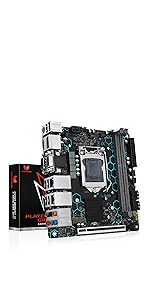
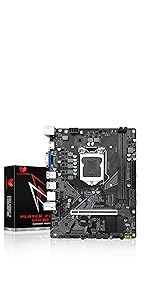
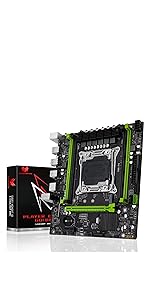
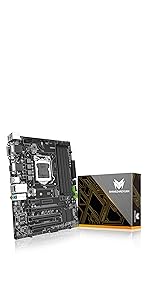
The SHANGZHAOYUAN X99 Dual CPU Motherboard is a high-performance E-ATX platform designed for Intel Xeon E5 V3/V4 processors, supporting up to 256GB of DDR4 ECC memory and dual NVMe M.2 storage. Featuring robust power delivery, advanced cooling solutions, and extensive connectivity options, it’s tailored for professionals demanding massive core counts and reliable server-grade performance. Ideal for multitasking, virtualization, and compute-heavy tasks, this motherboard offers a cost-effective way to build a powerhouse workstation or server.




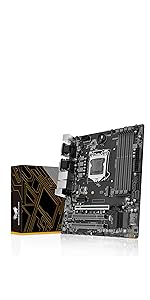


| ASIN | B0B9FY9YK5 |
| Batteries | 1 CR2032 batteries required. (included) |
| Best Sellers Rank | #208 in Computer Motherboards |
| Customer Reviews | 3.8 3.8 out of 5 stars (97) |
| Date First Available | August 12, 2022 |
| Item Weight | 4.27 pounds |
| Item model number | SHANGZHAOYUAN X99 D8 MAX |
| Manufacturer | SHANGZHAOYUAN |
| Package Dimensions | 15.07 x 13.54 x 2.52 inches |
C**O
Relatively cheap way to get lots of CPU cores
Let's be honest: Nobody buys these "cheap" dual Xeon boards to run mission-critical applications on. You buy this because you need a lot of CPU cores and don't want to break the bank. This board plus some cheap, used v3 Xeons from Fleabay and you're in business. I'm running dual E5-2699 v3 CPUs. That's 36 physical/72 total cores. What am I doing with it? CPU mining, of course. Some CPU-mineable coins rely a lot of L3 CPU cache, while other coins strictly love core count. For those core count coins you're getting 72 cores @ about 250 watts at full tilt. You will need good CPU heatsink fans and the Supermicro SNK-P0050AP4 are the best LGA2011 HSFs out there. You can find them used for the same price as lesser HSFs, new. BTW, the Supermicro SNK-P0050AP4 HSFs fit just fine but if you don't want CPU2 blowing hot air into CPU1, you have to mount them sideways (blowing air towards the PCI-E slots). For mining duty you will also need good airflow over the VRMs. I have two 80mm fans sitting right on top of the VRM heatsinks and they stay nice and cool. If you have this motherboard in a case with great airflow, you don't need to separately cool the VRMs. Been running this MB 24/7 for 3 weeks now, crypto mining. Zero issues. I highly recommend checking out YouTube videos on this MB before buying/using. I learned a ton from this video: https://www.youtube.com/watch?v=9v5s42DEC3I&t=185s including how to set the jumpers for the M.2 slots. This MB does not come with any kind of manual, nor could I find one online. You need to know what you're doing and/or how to use the internet to figure things out. This board booted up right off the bat, no problems. Did have a little trouble getting the board to recognize my M.2 boot SSD, but that was my fault for not having the jumpers set correctly. Stock, this board is configured for nVME drives in both the M.2 slot. If you are trying to boot from a cheap M.2 drive like I do, the jumpers have to be configured correctly, and that is covered in the video I linked to. This isn't the cheapest "Cheap X99 duallie motherboard" out there, but I've used some of the cheap ones and this is so much better. Recommended.
A**R
Terrible Seller and Faulty Product - Pathetic Tech Support
I purchased one of these boards and it wouldn't boot with both CPUs. I tried all the normal DIY tech tricks before contacting the manufacturers tech support. I tried to boot with 1 CPU and that worked. So I moved it to the other CPU slot and it worked there too. But if you add the 2nd CPU to either slot, it won't boot at all. It gives a couple meaningless error codes (there's no manual and nothing to download) and then it's bricked. I tried 1 stick of RAM. I tried 2 sticks. 3 sticks. 4 - 5 -6 -7 -8 sticks or RAM. 1 CPU - 2 CPU - 1 video card - 2 video cards - 1 old video card - 1 new video card. Nothing works. So I contacted Amazon and asked for tech support. Amazon got me in touch with the manufacturer quickly. But their tech support was just some person asking me to go back and repeat all the steps I had already attempted on my own. I was expecting some REAL technical support - like a BIOS update or a user manual. I was hoping for a REAL technical support person to offer me some REAL (ya know TECHNICAL) support. Instead I get some person asking me to swap hardware around. I already did that before I ever contacted them. I'd expect a manufacturer to offer some real solutions besides "swap hardware around to different slots until you fool it into booting" They asked me to disassemble it and make a VIDEO of how I assembled it and put it together!!! It's an Extended ATX motherboard with dual 2011-3 CPU's. There is NO WAY to screw it up. The stuff literally snaps into slots and there's only 1 way that each piece can snap in. You CAN'T screw it up. The manufacturers all follow a standard and the components have been "idiot proofed". You CAN'T assemble anything backwards. It won't FIT. Yet, their "tech support" person is asking me to make a video to verify I assembled it correctly. Okay - frustrated as I am - I'll tear it apart AGAIN and make a video of me assembling it. I go to upload the video and there's a 10mb limit. That's when I threw my hands up. After weeks of going back and forth with some useless "tech support expert" I asked Amazon to RMA the darn thing and refund my money. This was nothing but weeks of frustration and a waste of my time.
T**0
Nice replacement motherboard!
Motherboard has held up nicely as a replacement for the original that died after 12+ years! Nice replacement MB!
S**S
Verified working cheap replacement board for LGA 2011 e5 Xeon/ 5820k
Nice cheap replacement board for LGA 2011 socket. Running an e5 - 2699 v3XEON 18 core as well as 5820k - verified working. Old school BIOS, no nice looking UEFI; will not read all of the RAM I have (have 64 GB only reads 32, likely BIOS limitation); contains no documentation so you have to use online resources to figure it out. Running 1080ti no problem and can game on old school stuff like Oblivion and GTA V easily.
N**A
I was excited to install LG2011 CPUs into an affordable board with 4x 16x PCIE gen 3 slots, it's exactly what I was looking for for AI/ML applications. The issue is I cannot Activate virtualization from the BIOS as per standard server boards. Today after installing new ram, the error code B6 (a useful feature) came up, I reset the cmos battery and now the board will not turn on at all. I've only had it a little over a month and it's too late to return.
E**L
Placa mãe funcionou certinho
し**も
リチウムイオンバッテリーがついていなかったり、CPUの取り付けに難があるなど微妙に荒い作り。Xenonを取り付けた所、電源は入るがBIOSが起動しない、エラーコード表示機能やブザーもついていないため原因特定も困難。メモリやビデオカードの交換も様々なパターンで試行しましたが結局起動不能で返品。個人的にはこれを使うのはあまりおすすめできません。
J**A
Com dois meses a placa queimou
P**O
Placa mãe de excelente custo benefício instalei Xeon E5 2767 v4 e 4 memória ram de 8gb e placa de vídeo RX580 de 8gb, cooler cpu tipo torre e ficou excelente.
Trustpilot
2 weeks ago
1 day ago



