We remain fully operational. Our teams are working around the clock to ensure your deliveries continue safely.

DOWNLOAD THE APP


Customer Services
Copyright © 2025 Desertcart Holdings Limited
DOWNLOAD THE APP

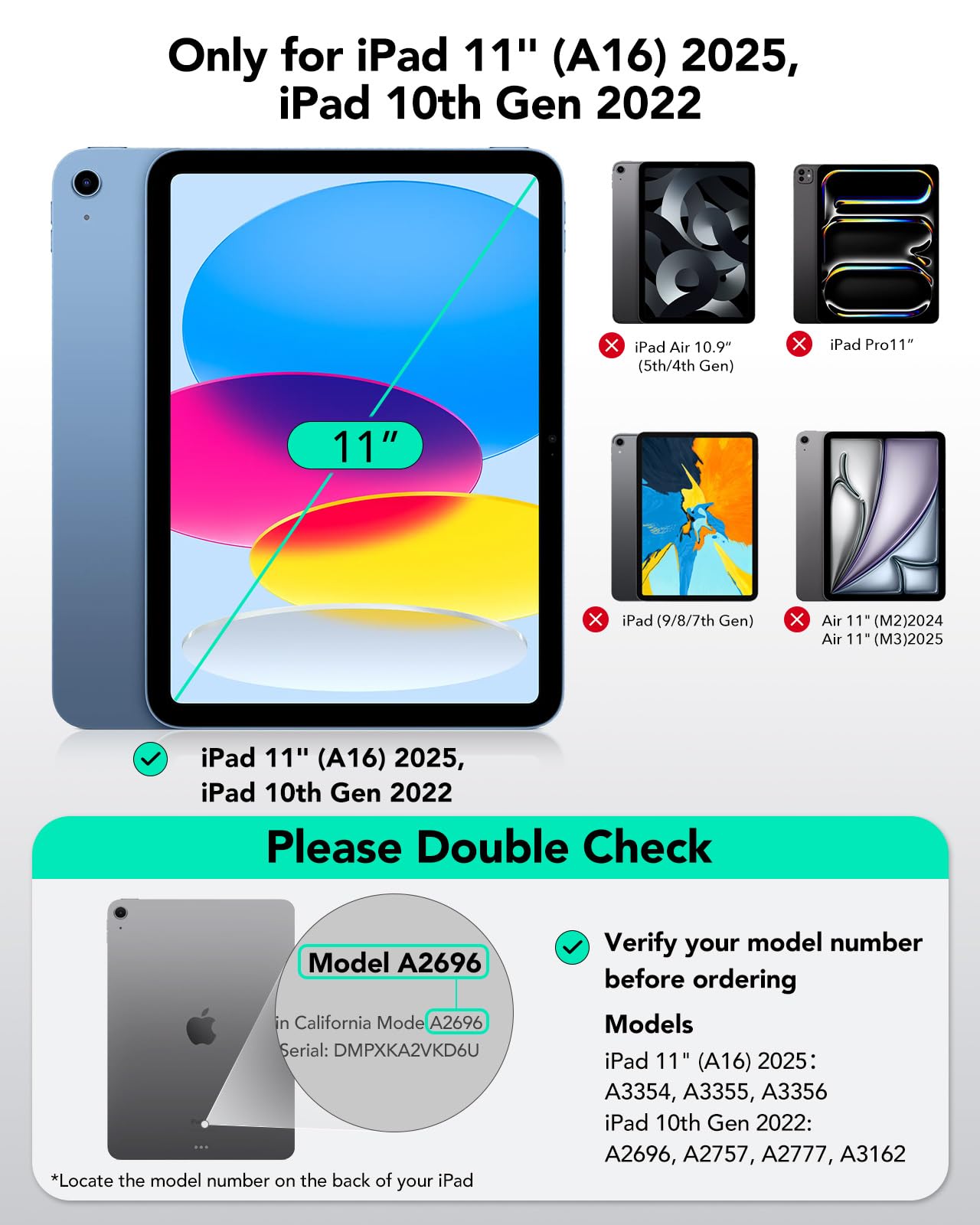


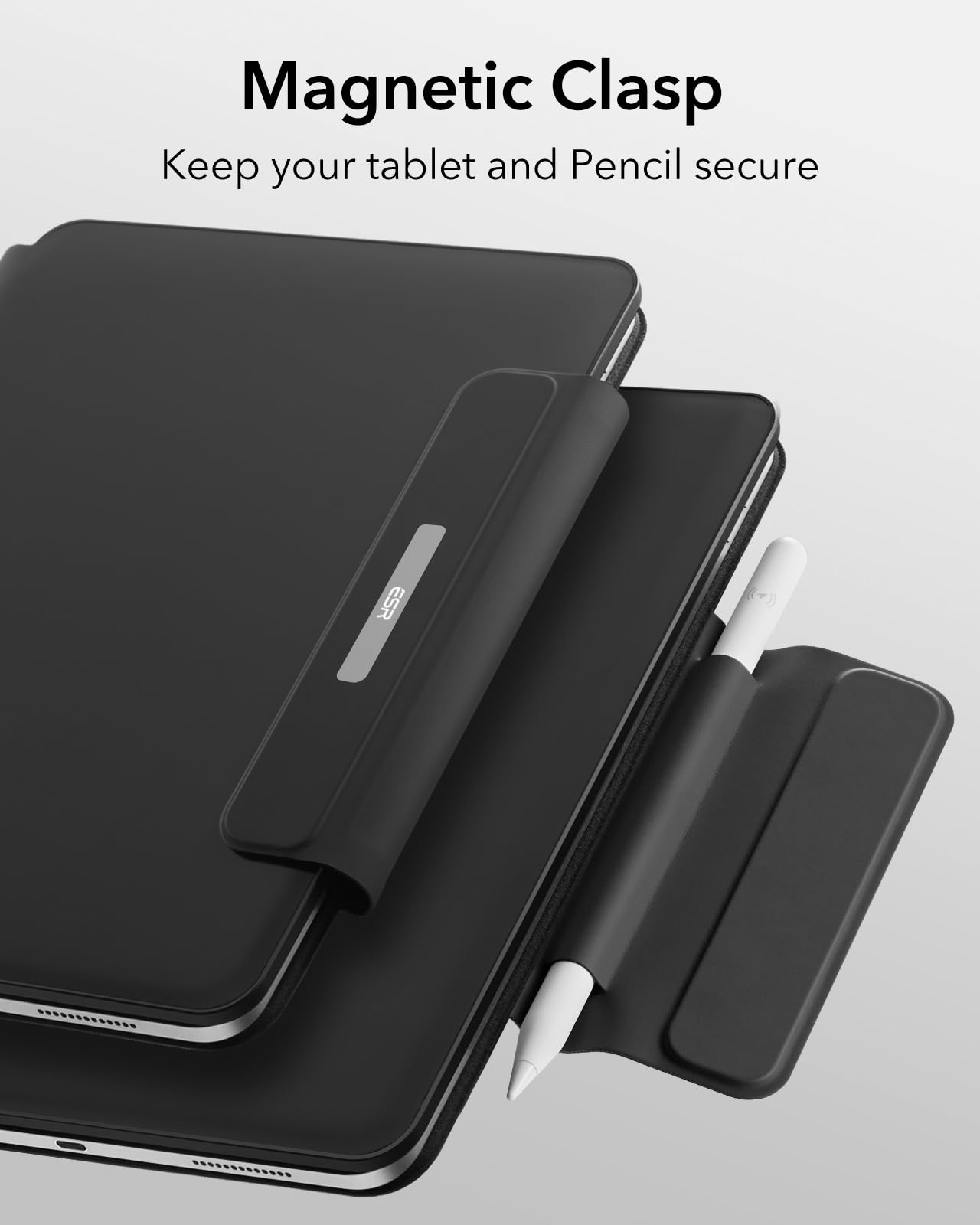

⌨️ Elevate your iPad game with pro-level typing and seamless control!
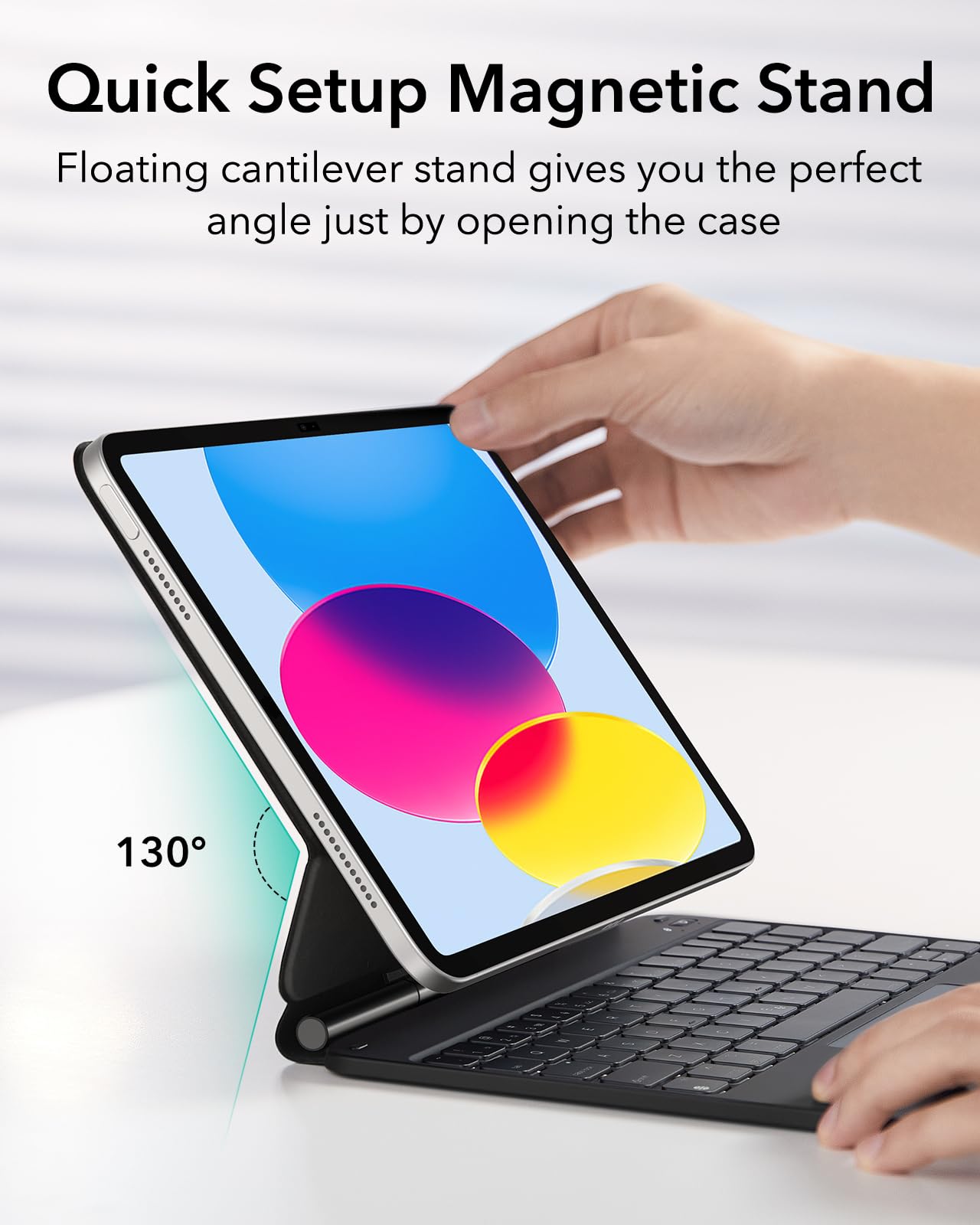
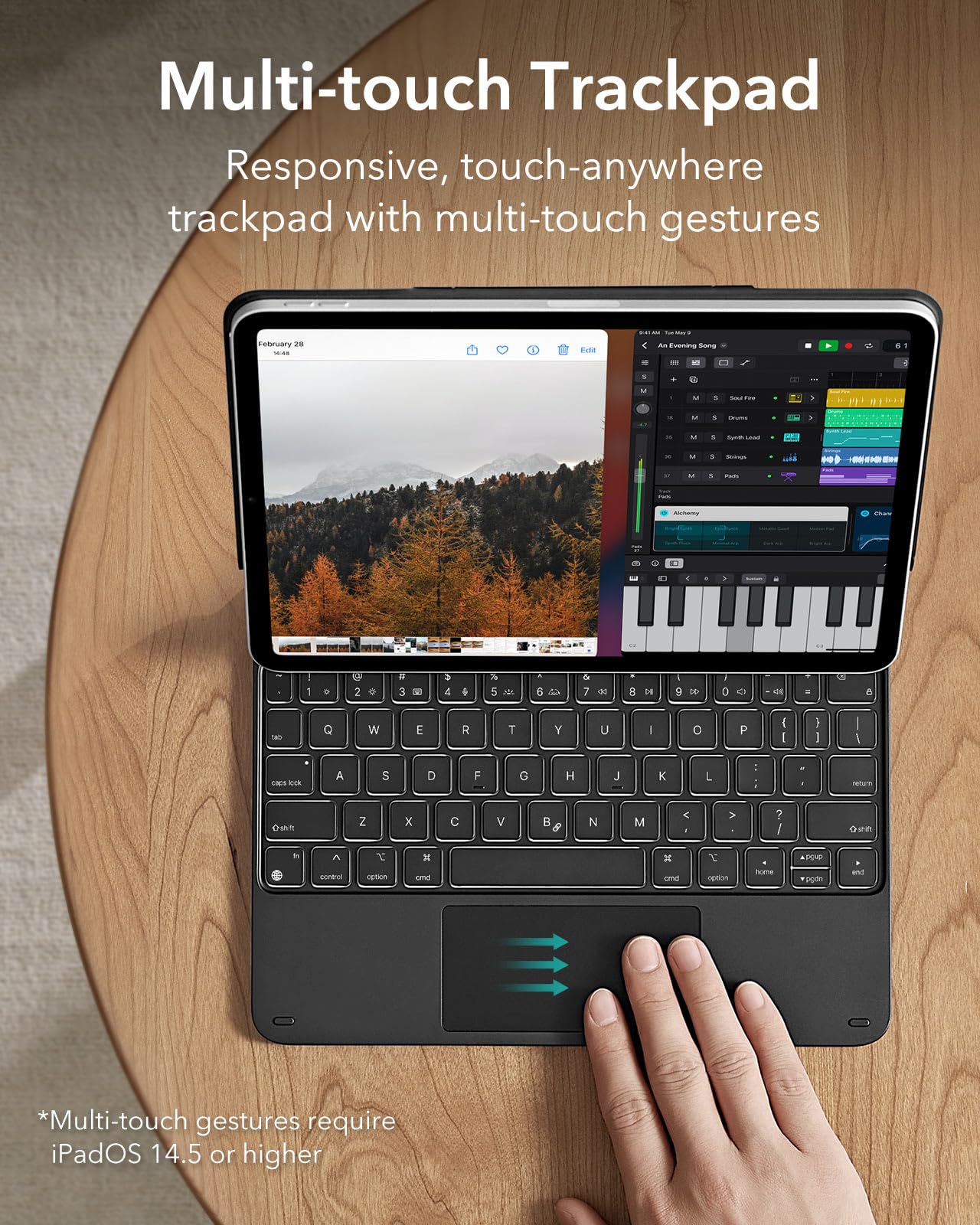
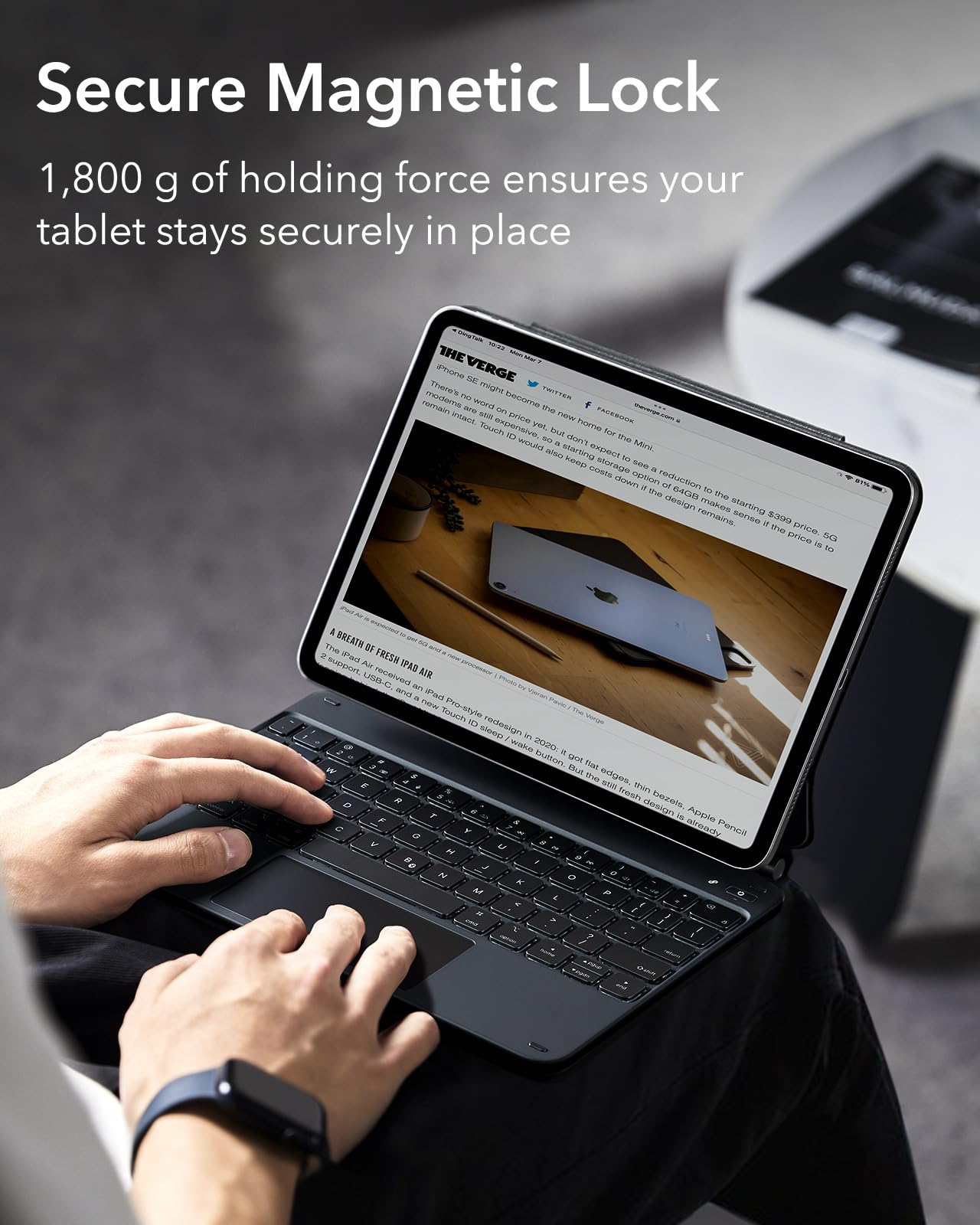
The ESR iPad 11th/10th Gen Case with Keyboard is a premium accessory designed exclusively for the iPad 10.9" (2025/2022 models). Featuring a magnetic floating cantilever stand, springy backlit scissor keys, and a multi-touch trackpad with palm rejection, it transforms your tablet into a versatile productivity machine. With smart Apple Pencil storage and reliable Bluetooth pairing, this case offers a professional typing experience rivaling Apple’s Magic Keyboard at a fraction of the price.


| ASIN | B0BCVMWCW5 |
| Additional Features | Magnetic |
| Antenna Location | Office |
| Best Sellers Rank | #14 in Tablet Keyboard Cases |
| Brand | ESR |
| Built-In Media | Cantilever Stand |
| Button Quantity | 64 |
| Color | Black |
| Compatible Devices | iPad 11th(A16,2025)/10th Generation; models A3354、A3355、A3356、A2696、A2757、A2777、A3162 |
| Connectivity Technology | Bluetooth |
| Customer Reviews | 4.3 out of 5 stars 5,423 Reviews |
| Enclosure Material | Acrylonitrile Butadiene Styrene |
| Generation | 10th Generation |
| Hand Orientation | Ambidextrous |
| Item Dimensions L x W x H | 10"L x 6.7"W x 0.51"H |
| Item Weight | 1840 Grams |
| Keyboard Backlighting Color Support | Single Color |
| Keyboard Description | Multi Functional |
| Keyboard Layout | QWERTY |
| Language | English |
| Manufacturer | Electronic Silk Road Corp |
| Model Name | Rebound Magnetic Keyboard Case |
| Model Number | 6B011 |
| Number of Keys | 64 |
| Number of Sections | 1 |
| Power Source | Battery Powered |
| Recommended Uses For Product | Office |
| Special Feature | Magnetic |
| Style Name | US English |
| Switch Type | Chiclet |
| Theme | iPad Keyboard Case |
J**T
Pretty good product at a very good price
I probably would have chosen Apple’s very expensive keyboard if I typed more, but there’s no way for me to justify it when products like this exist. The keyboard feel is pretty good. The trackpad is surprisingly good — I’m spoiled by Apple’s excellent trackpads, but this one’s up to the job. Battery life is good. Bluetooth pairing is speedy and reliable. The backlight bleeds a bit around the edges of the keys, but it’s not objectionable in any normal typing angle.
A**R
Outstanding iPad keyboard - highly recommend
Way nicer and more premium than I expected. Honestly, a person could believe this is actually BETTER than Apple’s Magic Keyboad. Keyboard feel is extremely premium. Backlight is even and uniform, color changes are pretty cool. 3 levels of backlights, and it has function keys which the Magic Keyboard does not. The trackpad palm rejection works perfectly, and while this is a physical trackpad (not haptic) it has the same ‘click anywhere’ design of the trackpad on the Magic Keyboard. That’s awesome! The Bluetooth paired without a hitch too. Physically it looks and feels like Apple’s Magic Keyboard, with a matte and somewhat silky feel to the vinyl lining it, and unlike the Magic Keyboard, this ESR has a magnetic clasp to cover the Apple Pencil (nice!!) and the clasp magnetically goes out of the way when the case is open. The only tiny difference I can see is that this ESR keyboard hinge doesn’t rotate back as far as the Magic Keyboard does, so the iPad Screen doesn’t tilt back quite as far. I doubt this will be an issue for anyone.
S**T
Good quality, price, and user ability.
(Positive review first) - The bluetooth connection with iPad is easy and quick. Keyboard has strong magnetic connection to iPad and offers good protection. Keyboard battery is sufficient. Touch pad is good. (Negative review) - With iPad the keyboard is very top heavy. The base should be more balanced so it isn’t falling away from you while in your lap. Second, would be flexibility. Wish there was more bend and tilt for adjusting viewing angles. Overall is good considering the price vs Apples Magic Keyboard.
A**E
Everything I could’ve wanted!
Using my lovely little ESR keyboard/case combo to type up this review right now. Let’s jump right in! PROS: - Quality: the reason I spent this much money on a case/keyboard combo was for the quality. I wanted something that would last, look good, and feel good. This product checks all those boxes. I don’t think I could’ve found a better item unless I’d purchased from Apple directly. - Look: I purchased the white option and love how clean it looks. The exterior of the case is simply perfect. The magnetic closure looks sleek and isn’t bulky. Interior of the case looks soft and supple. The keyboard is beautiful and the backlight offers x3 light settings that time out after a few minutes spent untouched. - Feel: feels fantastic. The exterior of the case is smooth and matte without being slippery. The keyboard is what sold me - it 100% feels like a quality keyboard. The sound of the clicks are softly muted rather than that cheap clacky sound you get with other keyboards. The keyboard also has a pleasing texture and feels like it would be easy to clean. With my iPad inside and the case closed, it feels solid and has some weight to it, but this makes me believe in it’s durability. I’m confident if I dropped this case my iPad would be protected. One thing I noted is when the case is open and your iPad is in place, the indent that allows the iPad itself to tilt backwards is tight the first few times you move it - don’t be afraid to use a BIT of force to lean your iPad further back so it’s at a slightly more pleasing angle. - In Action: does the job and does it well. My iPad stays firmly in place without any slipping in the slightest. The keyboard is small, obviously, but it didn’t take long to adjust to the key spacing (as is the case with any keyboard). Yes, as other reviews have stated, the power button on the keyboard is slightly annoying in its placement, but I don’t mind it. It’s not like I’m clicking it on/off all the time. It’s a non-issue for me. CONS: - Backlit keyboard: I feel like some of the lights behind the keys are very slightly brighter than others. This is probably due to where the bulbs are placed behind the keys and not because any of the bulbs are faulty. For example, my ‘A’ key looks mildly brighter than my ‘L’ key. I seriously doubt most users would notice it. I didn’t until just now, and it’s not at all significant enough for me to want to return this case. - Mousepad: I feel like I have to press down a little harder on the mousepad to make a selection, vs the pressure I apply on my laptop. Not a significant issue. - Backspace button: slightly smaller than what I would’ve preferred, but again, not significant. WISHES: - Mousepad: I wish the mousepad had the tap-to-select option some laptops have, rather than actually having to press down to hear the click for it to select. This is because the mousepad doesn’t have the little left/right mouse buttons, it’s just a single square. So my mind doesn’t think to press down to select, because there’s no button! It would be nice to simply tap the mousepad and have that be enough to select. Overall I strongly recommend this keyboard.
A**E
ESR Keyboard vs Apple Magic Keyboard
I researched FOREVER trying to decide between the Apple Magic Keyboard and this ESR keyboard. I think there’s a lot of key features in both so it was very hard for me to decide. I was looking for a keyboard that was lightweight/thin, able to use while laying in bed, and easy to take remove the iPad. I write on my iPad a lot, so I was worried that it would be too hard to write with a keyboard case. I also have the Magic Keyboard for iPad Pro for comparison! However, I was unable to use it since I have an iPad Air. Here’s my super duper detailed review for this keyboard! What drew me to this keyboard was the strap for the Apple Pencil, light up keyboard, and the fact that I can still type on the keyboard even if the iPad isn’t magnetized to the stand. I like to write on my iPad a lot for notes and sometimes I still need to type. It’s nice that I don’t have to place the iPad on the stand and take it back off to write over and over. The material is very similar to the Magic Keyboard. It’s a soft silicone-plastic feel. The ESR feels slightly more plastic-y but doesn’t feel cheap by any means. The keys are very smooth but aren’t slick like some keyboards I’ve tried in the past. They are very fun to type on because they have the perfect bounce! They are also pretty quiet. I would say it’s’ about the same noise level as MacBook, but the keys have a lower pitch click. I was pleasantly surprised that the keyboard wasn’t too small to type on! I previously used the Logitech Pebble Keys K380 which was slightly larger. But I still adjusted almost immediately! I have pretty small hands so it may be harder if you have larger hands. The keyboard lights are also decently bright; certain colors are brighter than others. Not very noticeable if you’re typing in a bright room but serve the purpose for typing in the dark. The trackpad is smooth, not glass but still smooth and comfortable to use. It is slightly small and sometimes my finger slides off the edge. But honestly not a huge deal and it’s basically the same size as Apple’s. The magnetic is very strong and I haven’t had any issues with my iPad sliding or popping off. It’s also easy to remove if I want to write on it. ESR Pros: - About $150 cheaper - Light up keyboard! This was a key difference since the Magic Keyboard’s newest model doesn’t light up anymore. There are multiple colors, but not a pure white color. It’s more like a light blue - Strap for extra Apple Pencil security. This was the main selling point for me! The Pencil is way too expensive to lose and can be easily knocked off in a bag or while carrying - Connects via Bluetooth so you have the option to type on the keyboard case without the iPad being magnetized to the stand. The Magic Keyboard only works if the iPad is on the stand - Has its own battery supply so it doesn’t drain iPad battery like the Magic Keyboard does ESR Cons: - Heaviest of all of the options but not by too much (2lb 6oz for ESR keyboard including iPad and Apple Pencil, 2lb 5oz for Apple Magic Keyboard with iPad and Apple Pencil) - Definitely bulkier and the keyboard doesn’t sit flush with the iPad on the hinge side. This isn’t a huge deal but def something that I noticed - The iPad can’t be angled as far back. It’s almost perpendicular with the keyboard. It can probably hinge back by about 10 degrees vs 30 degrees with the Magic Keyboard’s. This personally hasn’t bothered me too much. Might be annoying if your iPad sits on a low desk - Doesn’t automatically connect via magnetic power like the Magic Keyboard. It connects automatically after setting up but you still have to manually turn it on of course - Has a function row but it is shared with the numbers/special characters row. You have to press the fn button while using a function which is a slight adjustment if you’re used to having a designated fn row - Trackpad still works very well compared to others but not as seamless as Apple. There is a veryyy slight lag but only noticeable if you’re really paying attention My pros and cons list was SUPER nitpicky so most of the cons aren’t deal breakers for me at all. The overall verdict is that this is a great keyboard option! Definitely the best cantilever keyboard case other than the Magic Keyboard. I still believe that Apple’s keyboard case is the best on the market, but the ESR is an amazing option for the price and also includes some extra features that Apple’s doesn’t have! Overall, I love the price, strap for Apple Pencil, and ability to type even when the iPad isn’t on the magnetic no stand. However, I wish it wasn’t as bulky and heavy. But for what my needs are, I think this is the better keyboard for me!
P**A
Magnet is not very strong, bottom of iPad covers top row of keys
I just received this ESR keyboard today and I already disappointed and know it doesn't compare at all to the prior keyboard I used with my iPad Air 4. My review of this ESR keyboard is largely based on comparison with my first mag!c keybored knockoff (AUSDOM) that I purchased on Amazon last year, which was half the cost of this one and totally awesome. MY REVIEW of the AUSDOM KEYBOARD: https://www.amazon.com/gp/customer-reviews/R2XQQBQZIOZ6P9?ref=pf_ov_at_pdctrvw_srp After buying my first keyboard I immediately knew I could never go back to using my iPad without one again. Unfortunately the AUSDOM keyboard does not work with my new A16 iPad (apparently the magnets don’t match up or some silly thing) so I had to go with another brand. I ordered this ESR keyboard due to its APPARENT similarity to my old keyboard and the number of reviews. Even though it looks ALMOST identical to the AUSDOM keyboard I have been using, there are some notable negative differences. - The ESR magnets that connect the iPad to the keyboard are very weak. For instance, if I am using it on my lap (or some other non flat moving surface) and I move very much the magnets are not strong enough to keep the iPad attached and it falls off the keyboard. It definitely cannot be used or held one handed like my last one without major fear it will just fall off. The magnets on the old one held so strongly the only way to separate the two was pushing the iPad away from the keyboard through the opening for the camera. - The top row of keys is mostly obscured by the bottom of the iPad because it dosen't tilt back as far and the bottom of the iPad is closer to the keyboard . - The Bluetooth does not connect instantly like my last one. Some times it is painfully slow. Once or twice I have had to connect it manually. - When you close the iPad the keyboards backlight stays on for whatever time you have set in the time-out setting i.e. 60 seconds. It’s annoying and sucks up valuable battery power. The only setting I have found that fixes this is to disable the backlight altogether. - Many of the IOS keyboard shortcuts do not work. They work fine with my old keyboard so I know it’s not my iPad. - I don’t know if it’s good or bad but there is a physical power button. My other keyboard did not need one because it woke up and connected instantly and shut off as soon as it was closed. - The keyboard backlights are so bright around the edges and between the keys it’s hard to see the light of the actual letters on the keys themselves. - On a positive note, it is packaged very well… Based on my experience I cannot recommend this keyboard.
T**Y
A Premium "Magic Keyboard" Experience for Half the Price
The ESR Rebound Magnetic Keyboard Case is an outstanding alternative to Apple’s official Magic Keyboard, specifically designed for the iPad 10th Gen (2022) and the new iPad 11th Gen (2025). It delivers a high-end, laptop-like experience with a "floating" design that works exceptionally well for productivity. Design and Build Floating Cantilever Stand: The magnetic back allows your iPad to "float" above the keyboard. It is sturdy and adjustable, providing the perfect viewing angle for typing, browsing, or watching videos. Protective Rebound Series: Unlike some minimalist covers, this case provides solid wrap-around protection for your iPad when closed, keeping the screen and back safe from scratches. Typing and Navigation Springy Backlit Keys: The typing experience is excellent, featuring tactile, springy keys with adjustable 7-color backlighting. This makes it "super effective" for working in low-light environments like planes or dark rooms. Multi-Touch Trackpad: The integrated trackpad supports full multi-touch gestures, allowing you to swipe, pinch, and scroll through iPadOS just as you would on a MacBook. Dedicated Function Row: It includes a top row of shortcut keys (volume, brightness, media controls), which is a huge convenience boost over standard tablet typing. Final Verdict The ESR Rebound Keyboard Case is a "must-have" for anyone looking to turn their iPad into a work machine without spending over $250. It is reliable, stylish, and functional, offering nearly all the features of the Apple version at a much more reasonable price point.
B**E
Typing work great—BACKLIGHTING DOES NOT
The ESR IPad Air Case and Keyboard was a nice option for use with my iPad. It fit perfectly as described and is fine quality of material. It ORIGINALLY (but not now) had a backlit keyboard—with various levels of brightness along with several different colors. Using the keyboard on a flat surface—like a table or lapboard—works the best, but it also works when I set it on my lap. The use of the keyboard is extremely helpful for taking notes in a classroom setting. After about a year of use, the backlighting of the keyboard began to flicker. The controls for the backlight keys worked less and less—to the point that 1 year and 17 months after buying the Keyboard, the lights don’t work at all. The saving grace is that the keyboard still works extremely well for typing. If I’m only using it in a well-lit room, it is not a problem. But if you rely on behind able to see the letters of the keys—just be aware that it will not last forever. NOTE: I still would recommend buying the ESR iPad Air Case with Keyboard. But like most things these days, the extra features may not last forever.
Trustpilot
2 days ago
3 weeks ago