


🌟 Elevate your GPU game—because your rig deserves to be the centerpiece.
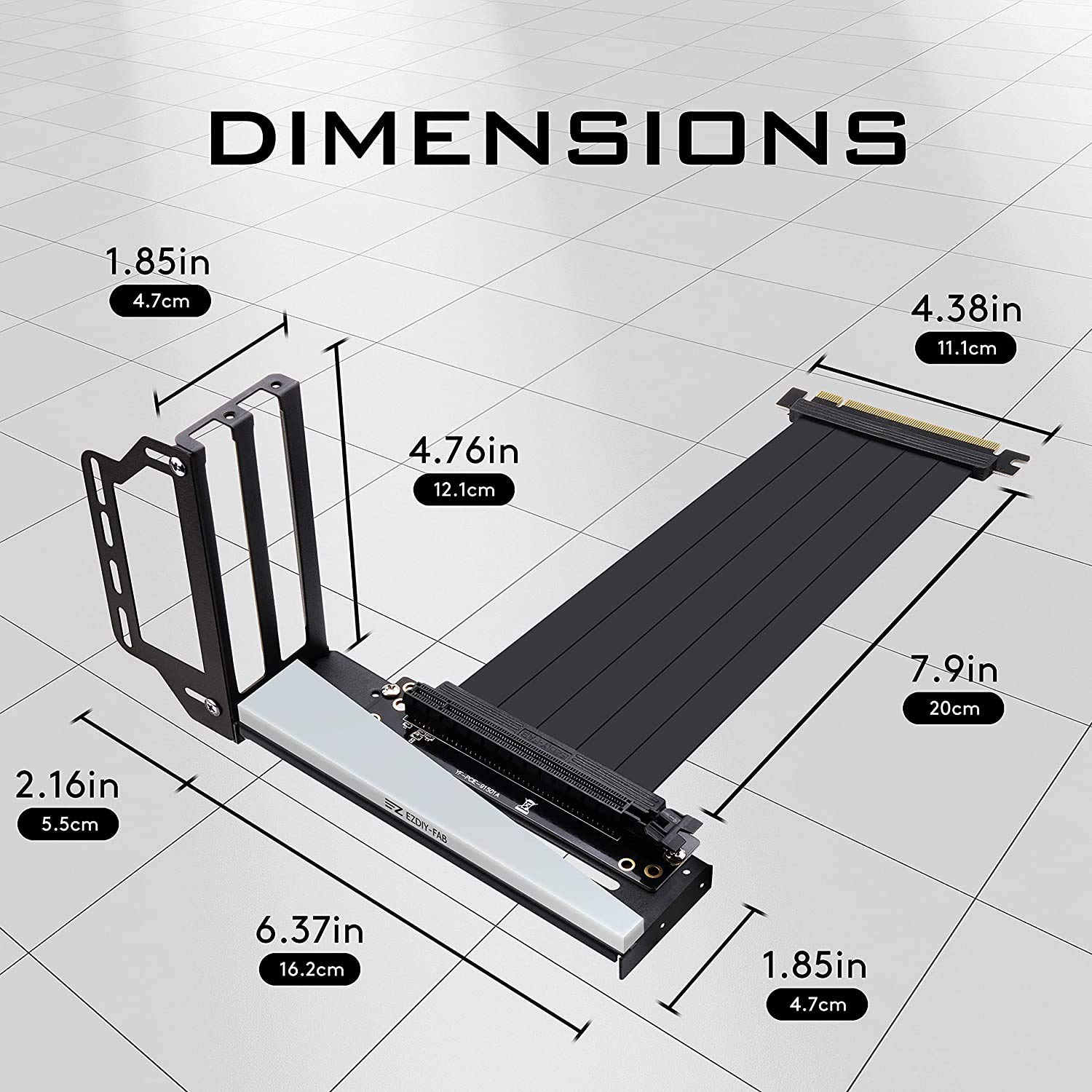
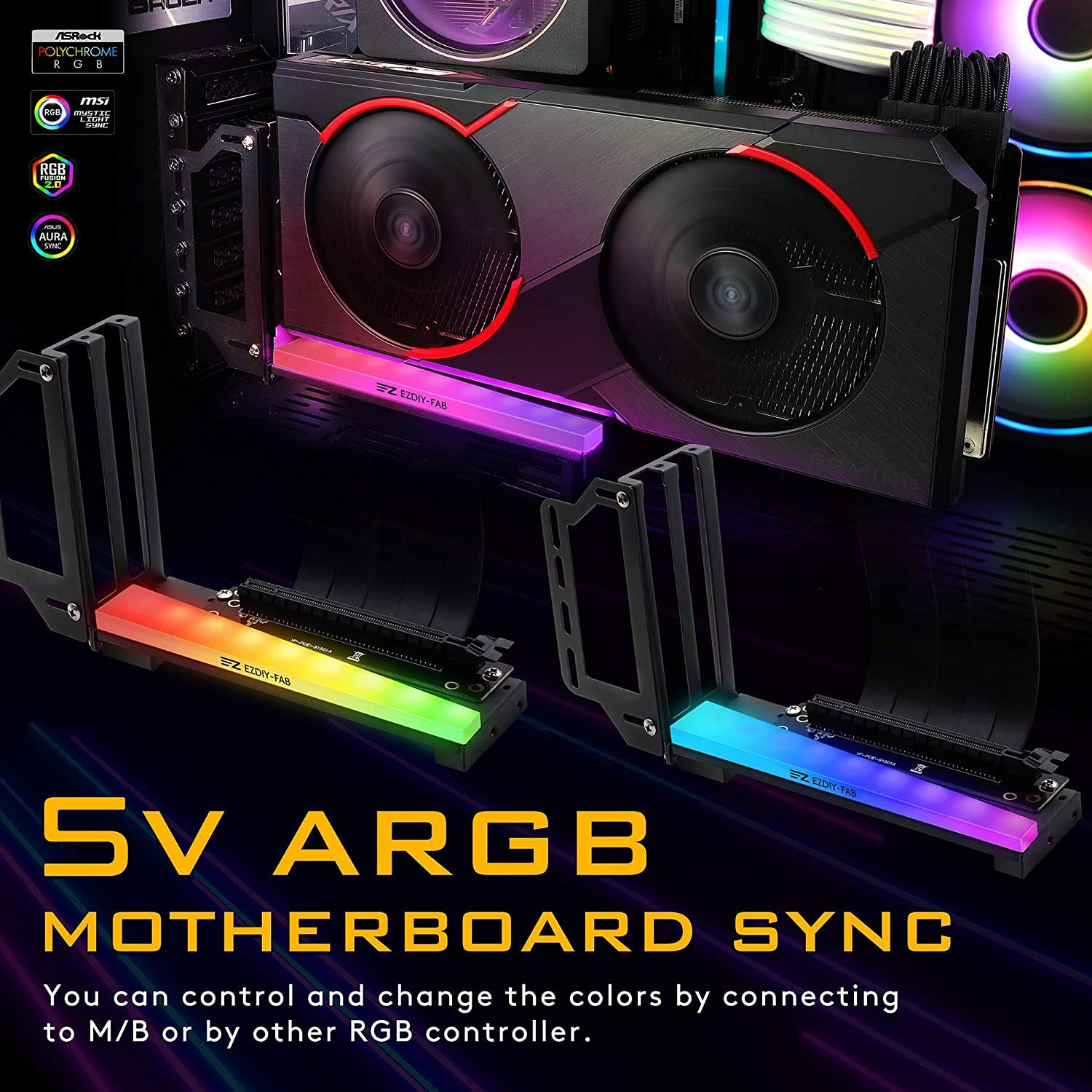
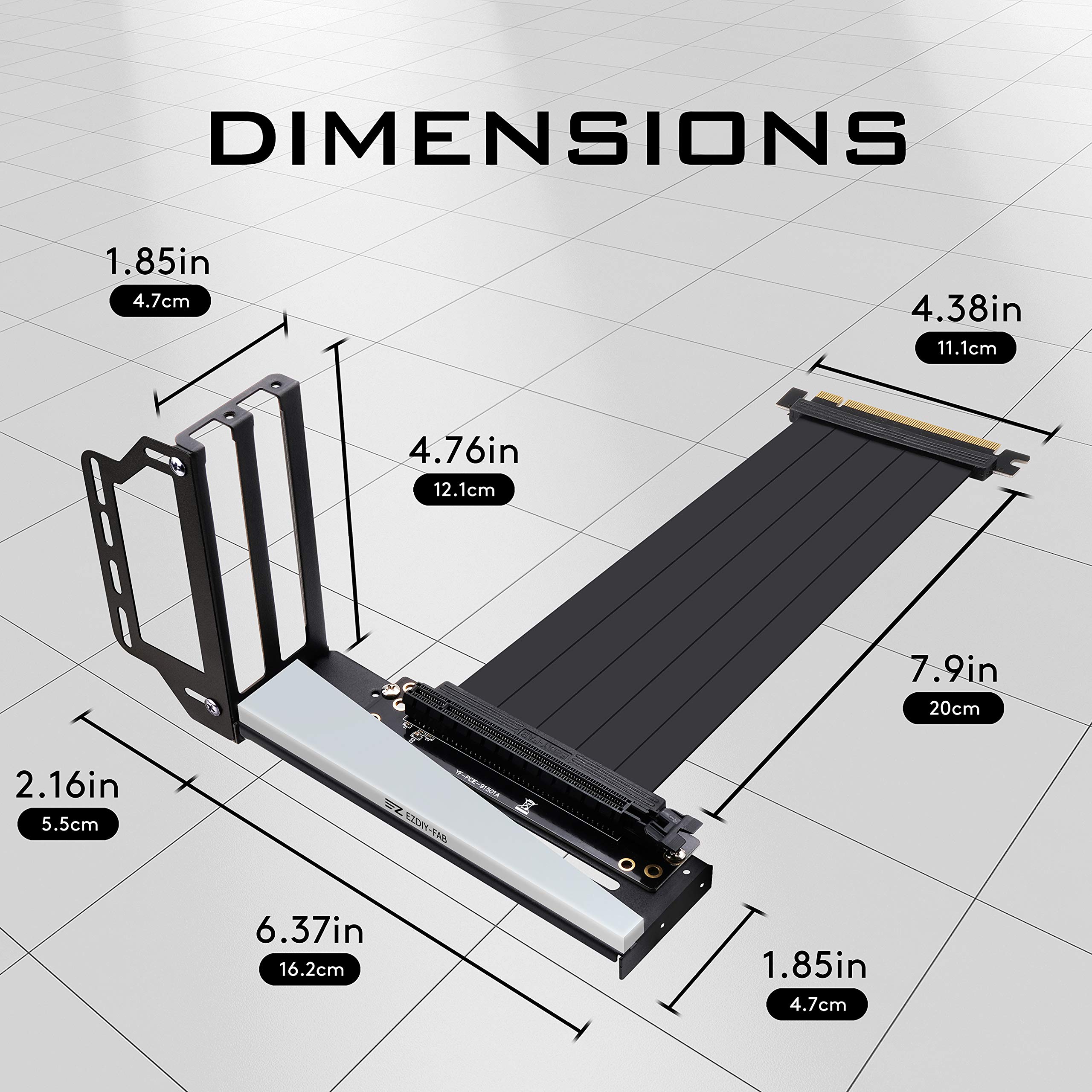
The EZDIY-FAB Vertical Graphics Card Holder Bracket is a versatile GPU mount featuring ARGB 5V 3-pin LED lighting compatible with major motherboard RGB software. Designed for ATX cases with 7 or more PCIe slots, it includes a 20cm PCIe 3.0 riser cable with TPE insulation to improve airflow and maintain GPU performance. The movable bracket and included support accessories provide flexible, secure installation, making it ideal for showcasing your graphics card vertically while optimizing system aesthetics and cooling.


| ASIN | B08R9PDBTD |
| Best Sellers Rank | #703 in Computer Graphics Cards #16,183 in Computer Cables & Interconnects |
| Brand Name | EZDIY-FAB |
| Color | Black |
| Customer Reviews | 3.8 out of 5 stars 1,030 Reviews |
| Included Components | graphics card |
| Item Depth | 4.72 inches |
| Item Dimensions | 9.72 x 6.38 x 0.04 inches |
| Item Height | 0.1 centimeters |
| Item Weight | 0.4 Kilograms |
| Manufacturer | EZDIY-FAB |
| Model Number | US-3528 RGB GPU Bracket-B-with new riser |
| Mounting Type | Chassis Mount |
K**R
Good deal, got working as advertised
First and foremost, you need to recognize that something built for everything will not fit any specific system perfectly. It is fiddly as others have noted and will likely take some tweaking to make it work for any system. Mine is in a Corsair 275R air flow with an Aorus B550M mother board. If you look closely you will see it is not mounted with the card in back of the bracket. Since I do not need the other PCIE 16 slot I mounted my MSI GTX 1660 behind the extension bracket instead of in front. This allows for more airflow and looks better with the Wraith cooler hanging slightly over it. The silver screws work here, but would not be visible with the more forward intended mounting position. I think it would have been nicer if these screws were black in some cases. No new holes were drilled or permanent mods were needed! I also got lucky that the RGB defaults to the motherboard default setting (orange) and that it works with my color scheme so no need to install Fusion 2.0, yet. Overall a good, cheap, and flexible kit that can't be perfect for everyone, but has seems to have a good set of raw materials to work with. Also, this is my wife's account so this is Joel not Karen writing this review.
F**Z
Much better than I expected. Result speaks for itself.
Well that was a great purchase. This mount gave me a lot of options for placement. I opted to install the support bracket on the front of the mounting plate and it gave me space behind the gpu to keep the installed usb 3.0 pcie card. (You can see the space in the second photo.) Keep in mind that this does move your fans closer to the side panel and can restrict airflow. My case has just enough depth to maintain decent space and the temps are just on par with the standard horizontal position of the gpu. It also helps that the case is an open frame design so airflow is awesome. I have a radiator on the front of the case with a push/pull configuration and being able to move the support bracket back and forth allowed me to have just enough space to fit the gpu in its place without having to remove the pull fans. Mind you my case has a different shape to it (as you can see in the photo) so the radiator is at an angle opposed to being vertical and straight. Gpus come in different lengths and mine is a very long length for a 2 fan. It’s pretty close to a 3 fan length. PC cases also come in different lengths so having the option to slide the mounting bracket around can help you fit your gpu and fit the monitor cables too. The ARGB was a nice touch. It was easy enough to plug into my Razer Chroma hub and get synced to the lighting. The diffusion is nice but you can see the individual led diodes. Doesn’t look bad but just take note. The whole setup is a bit hefty and does move side to side if pushed so included are a few support options. You’ve got a few foam pads and 2 hefty metal L brackets that you can screw together to create support and that screws into a slot so it’s adjustable along the length of the support bracket. It would be very sturdy if installed with the bracket but my psu was right beneath the gpu and sticking on one of the foam pieces did the job of supporting the back end of the gpu. The riser cable is flexible and I didn’t have difficulty installing it in the slot on the motherboard. I was very happy to see that the through holes on the pcb were plated so I don’t have to worry about the screws causing a short and then a fire. #NZXT My gpu popped right into place on the riser and I screwed it in place with the provided thumbscrews to the mount. I ran some benchmarks and the performance of the gpu was unchanged. Only time will tell how long it will last but it seems good and quality is very nice. Overall I’m extremely pleased with the installation. The manual was very easy to understand. I just looked at the pictures and followed along. I don’t really even remember reading any of the words, the pictures did the job of explaining just fine. To end this I’d suggest giving this gpu mount a try. For $35 I think it’s a great option and can yield a terrific result.
J**A
Graphics driver will not install when connected to the mount, and the mount is very flimsy
The amount looks great, but it’s not functional and very flimsy. Installing this was a little bit of a pain because of how flimsy the metal is, the 4070 TI super I tried to install literally swings the whole mount forwards and backwards if you bumped the case at all. But that would have been something you could live with, but as soon as I tried to install the driver for the graphics card, which was already installed before I put the mountain, the screen would go black and never come back on. I would have to restart the computer and find that the graphics card driver was not installed, I repeated this process a couple of times, I disconnected the mount and reinstalled it three separate times with the same issue. As soon as I installed the card directly to the motherboard, everything worked as expected.
B**Y
Held the Graphics Card... Never Lit Up.. GREAT Customer Service.
Bought this before buying new computer case and started a new build. It worked for holding the card in a vertical position, somewhat. It is kind of flimsy and the card sagged, it came with foam squares your supposed to wedge under the bracket to hold up any sagging. The ARGB only lit up on one side a dull bluish color and never did more than that. I emailed the seller, they wanted pictures, videos, and essay on how I installed, and wanted me to send them all that and they would decide if they would do anything. That's the last I ever heard of them... I think I sent them a pick of it installed. I would not recommend this bracket and would find a better one. I lost my money on this, and will not be buying any more stuff from this seller. UPDATE: This Seller has GREAT Customer Service. They read my review, and contacted me immediately, and after a couple back and forths, they made things right. I have upped my star rating because of this. Even though my ARGB Video card bracket might not have worked for me, maybe one of those bad apples that made it thru QA, everything else that I had bought from them has worked well, my fans are looking good and doing the job. Now, I have no problem ordering more things from EZDIY in the future, because they stand behind their products with great customer service. But still one star short for the first bracket not working...
R**A
Not bad at all!
I was looking for a GPU bracket for the past few weeks, they all were either too expensive or will take too long to arrive; until I landed on this product. The delivery was spot on. The product itself looks fabulous in my pc, the pcie riser was in a way better quality than I expected! It probably doesn't say in the listing, but the argb of this bracket is actually compatible with gigabyte motherboards (because an adapter from the standard 3 pin to VDG adapter is included) and I managed to use the VDG adapter to connect the bracket to my corsair RGB hub, so that's a big plus! I would personally give this item 5/5 stars, but it had a small problem. The bracket arrived with a massive amount of glue residue at its bottom, but this wasn't a problem at all; it was easy to clean and won't be even visible after installation. The problem I was facing is the sturdiness of the product. I installed it in my midtower case and then tried to plug the display port cable in, but as soon as it started to insert, the whole bracket bent forward... just really feel bad because it is such a great value for money and with great esthetics, would've been perfect if was a bit more sturdy. To fix the issue, I took the measurement of the hight between the psu shroud and the temporary gpu, then edited atlas to lift it and tape atlas, GPU, and the PSU shroud with 3m double sided tape. To be clear, I’m not disencouraging anyone from buying this bracket, as a matter of fact I recommend it, especially if you have a full tower case (to use the piece that comes with the bracket (its alternative in my case was atlas, since it can't work in my midtower case)). Really great product overall, with great riser cable, great paint job, great ARGB, and a better price. I will buy again! Update: I drilled screw holes in the PC case, now the product is actually sturdy and will give it the fifth star back!
J**.
Be ready to buy additional accessories.
So I thought I'd buy a vertical bracket for my GPU. But it turned out to be much more than a simple upgrade. I would say that this bracket was in the intermediate to advanced range of difficulty as far as installing it. Even with the instructions, being able to maneuver the pieces into place was no easy feat. Once I got it together, it was not very stable at all. It wobbled and swung back and forth in the case. I had to buy a GPU riser in order to get it somewhat stable and keep the fans from getting too close to the front glass panel. Then, because of the fact that there were no vertical openings on my case, I had to then buy L angled HD and DP adapters so that I could connect my monitors because the standard connection would not fit between the GPU and the back of the case even with the bracket fully extended. Aside from that, the unit looks good in the case. My GPU's performance was not negatively impacted by the change and the extension cable was more than long enough to connect to my motherboard and the connection was tight. So my GPU works. The bracket is just not solid.
S**D
Easy to use vertical mount
This product worked perfect for what I needed, and is a great value. I used this bracket so that I could install a larger 5600XT without blocking the PCI port for a wireless card. This bracket created just enough clearance behind the gpu for the wireless card. The install process was straightforward. The PCI ribbon cable is a bit stiff, so I had a bit of a challenge in folding it up. If you have an atx board or a taller case, this probably won't be a concern. I also did have some difficulty routing the hdmi cable to the card, but this is more the result of the case and the size of the hdmi plug, rather than anything wrong with the bracket. Overall I'm really pleased with the results though.
L**I
RGB worked but the GPU cable did not
2 stars because other than the RGB working fine, mine was DOA. If I plugged the gpu directly into the motherboard it worked fine but this vertical mount’s PCIE cable did not work. I’m going to return it, as the price of this item is way too high for me to ignore the loss. Would NOT recommend you buy this product as this seems to be a common issue for other reviewers. Find something else that’s cheaper or even works.
Trustpilot
3 weeks ago
1 month ago



