


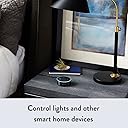
Echo Dot (2nd Generation) - Smart speaker with Alexa - Black
Product ID: 34697515
🎤7 microphones
🎶Music streaming
🏠Smart home control
🎤 Speak, Stream, and Smartify Your Life!
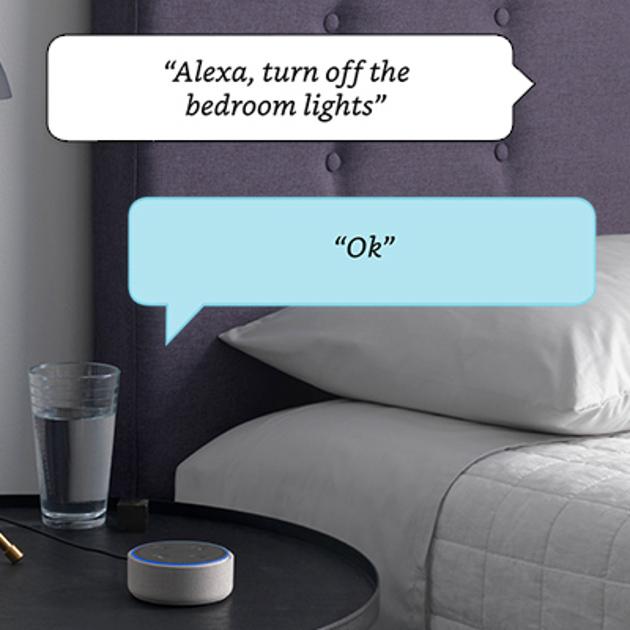
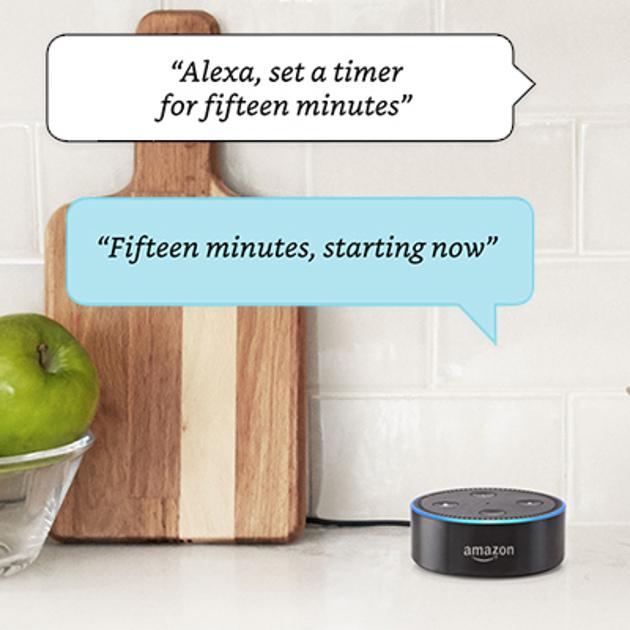
The Echo Dot (2nd Generation) is a compact smart speaker that utilizes Alexa to enhance your daily routine. With voice control, it allows you to play music, manage smart home devices, and communicate hands-free. Equipped with 7 far-field microphones, it hears you from across the room, making it perfect for any environment. Plus, with access to over 50,000 skills, it’s always getting smarter.




T**Y
AMAZING! Addressing questions I still had prior to purchase
What a fantastic device this is! I bought one on Amazon Prime Day, so I have only had it hooked up for a couple of days. I love it so much, though, that I ordered a second one so I don't have to keep moving it around. I also ordered an external speaker (via Amazon, of course) for the one I'll keep in the living/dining/kitchen area. There are so many fantastic reviews on the Echo Dot that I won't reinvent the wheel; instead, I will just address some questions that I still had even after reading reviews and etc. and hope you find it useful. Setup really IS a breeze. I am technologically-challenged, so I was a bit worried about this aspect of it. If you can download an app and read, you won't have any trouble. That said, I DID have some trouble initially because I was using my laptop, and the setup process kept getting stuck at connecting to the internet (she'd connect, but in the process, I lost my own connection). I did spend time trying to look for a solution but eventually gave up and downloaded the Amazon Alexa app to my Kindle Fire. Despite its poor ratings (I think it has only 3 stars, mostly because it doesn't appear to have been updated in quite some time), I found using the app to get the Dot up and running was easy-peasey and very fast (less than two minutes). Just follow the setup instructions, and Alexa does all the work (you do have to enter your wifi password, though, so have that handy). You do NOT have to have skills for Alexa to function. Skills are those add-on things that everyone's talking about that are like little programs you can open to do different things, sort of like "tools" on your phone or "calculator" and "stickies" (etc.) on your computer. I'm only adding that because I wasn't clear about that just from reading about them, and they sounded confusing (more on this in a bit). Without skills added, she is remarkable. To start, just say, "Alexa" and then whatever else, and she will tell you. She'll tell you the weather, the time, get any information you can think of (from Wikipedia), tell you about local stores (including hours, distance, and whether or not they are open when you ask--you do need to allow her to access your location via the app), tell you what day Christmas (or whatever) falls on in any given year, add things to your shopping list (accessible via the app, including off-line if using a tablet as I am), shop via Amazon (just say, Alexa, how much is [product]? She'll look it up and tell you, including different options, and then she'll ask if you want to buy it. Or Alexa, buy [blah]). And she will: tell you a story, sing you a song, read your news (she's preset to a briefing but you can change it to Fox or Reuters or NPR, etc. in the app), play any song via Amazon Music (I do not have a sub to the pay Amazon music, just regular Prime), tell you when sunrise and sunset are, and probably a zillion other things that I can't remember or haven't tried. To get anything to happen, just say "Alexa," and then whatever you want to happen. WITHOUT skills added, Alexa does SO MUCH: Some of my favorites already are the stuff you wonder or would like throughout the day (the time, the temperature, the weather, the news, timers, reminders, whatever), and for fun, I love the following: "Alexa, sing me a song" She'll sing "Take me out to the ballpark," some original material about how helpful she is (HILARIOUS), and a bunch of others. "Alexa, tell me a story" She'll tell you a quick little story, so far the ones she's told me are "clean" (i.e. appropriate for households with children) and quite sweet. "Alexa, tell me a joke" She'll tell you a quick little joke, some are groaners, but so far, they're all at least cute and fun. "Alexa, what's your favorite movie" She'll tell you and add a quick little blurb about why she likes it. She'll also set up an alarm for you without a skill. Just say, "Alexa, set an alarm." Ditto for reminders: I said "Alexa set a reminder for Monday," and she asked what time and what the reminder is for, so I just told her, and voila! Instant reminder to take the trash out. Another concern I had was whether or not I had to remember a bunch of commands, but it turns out, you don't have to be so picky about what you say when not using skills, just say what you think makes sense, and she'll usually get it. If she doesn't just rephrase it. For example, I asked her "Alexa, who starred in The Rifleman," but she said she didn't know. So I said, "Alexa, wikipedia, The Rifleman," and she told me about it, including the star of it (Chuck Conners). The initial blurb is short (less than 30 seconds), but she will ask if you want to know more (at which point, say "Alexa, tell me more" if you want more, or nothing, if you don't). I was initially worried that it would be too confusing to dive into skills and things I'd never heard of before, so I was relieved that she does so much without skills. That said, skills are definitely fun: I've added Jeopardy (Alexa, play Jeopardy) and Sleep Sounds (a great skill with a bunch of soothing sounds like rain, thunderstorm, ocean, and many more. They loop, so until you tell her to stop, she will keep playing them (I tell her to stop when I wake up). I also added this day in History (Alexa, tell me what happened on this day), Inspire me (Alexa, inspire me; she'll play you a random inspirational quote--so far, they are recordings not in her voice), and quite a few more. Most skills appear to be pretty picky about what you have to say to get it started, but the skill description provides the term to use to start it, and you can review your skills via the app). Remembering this stuff is not my strong suit, so I have to look in the app to remember what skill words are correct and will get the desired result. As with anything, the more I use it, the more I will remember. And I'm sure that skills will fall by the wayside as I either forget the correct phrase or quit caring about it. The Alexa app is pretty intuitive, and the menu is good, helping to find specific things you want to know. I do wish it had a "home" button you can click at any time because it's a pain to have to page back to it (or quit the app and restart it). You do not have to be right on top of her or even facing her for her to "hear" you. Just speak in your normal speaking voice. I have her in my living room, adjacent to my dining/kitchen area, and I said "Alexa, add pickles to my shopping list." My back was to her, and I was foraging in the fridge at the time, and she heard me perfectly and added pickles to my shopping list. That said, I've found that some skills mess with her "hearing," and that you have to yell in her direction to get them to stop (I deleted these immediately; who wants to stand around yelling at a hockey puck-looking object?). You can unplug the Dot and move it to another room, she'll just start up again on her own once plugged back in, including keeping all reminders and timers you've set. Dot cannot work without wifi, so it doesn't really matter that she doesn't have a battery pack in that sense. But there is no way to move her to a place where she cannot be plugged in and still have access to wifi. Security: She is always listening. Always. To stop this, you can mute her (button on top of Dot) or just unplug her to be doubly sure. She doesn't record anything you say unless you say "Alexa" first (or "Amazon" or "Echo" depending on what you prefer, I stuck with "Alexa" which she comes programmed to answer), but she will record anything you say after that even if she has no idea what you are talking about. You can manage these recordings via the app. Alexa calling: this does NOT work unless you have the app on your phone AND enable access to your entire contacts list. This is unfortunate and will hopefully be fixed at some point so that you can give only those contacts you intend to actually contact or wish to be contacted by via Alexa. That said, if you are so inclined, you can enable access and then go though via the app and block everyone you don't want calling/messaging you if they have Alexa (or the app). This is still too intrusive to me, so I'm not doing it. I think that's all the questions I still had before purchasing the Dot and hope it helps. If you are even thinking about getting this, I say, go for it. You will be pleasantly surprised by how functional she is before you add even one skill. ________________ UPDATE: 10/31/2017 I just saw that you can save $10 on a one-day deal on Echo dot. Buy one. Even if you aren't sure, for $40 what do you have to lose? Since I wrote my initial review, I have grown to love the Echo dot more than ever. My latest favorite thing is saying, "Alexa, good morning." She'll give you some fun fact or random observation about the day in question. I set timers, alarms, and reminders all the time, and she never fails (well, barring a power or internet outage). She will tell you the weather and when sunset and sunrise are. She'll cheer you up with a silly joke or inspirational message, and she'll tell you how many tablespoons equal one cup, she'll do whatever math you ask her, and she'll tell you if your apples are bad. The only downside that I can see is that the calling feature is still far too intrusive. Amazon doesn't need to know every contact I have; they need only those contacts I will contact via Alexa. When that happens, my happiness with this device will be complete.
S**D
Even better than the first Dot! Get Six!
Okay, I've seen many angry reviews from those who purchased the first Echo Dot for $90 They feel robbed after this newer one became released to the general public for almost half off. I can understand how nobody wants to be punished for being an early adopter but, to me, having the Echo Dot for those additional 5 months have been well worth the extra $40. Heck, I considered selling it used on eBay for $360 (before the 2nd generation Dot was announced) but couldn't get myself to part with it. After receiving the original Echo on November 6, 2014, Alexa has become an integral part of my home and it is great that these Dots are now so affordable that we can place them all around our homes and workplaces. Now onto the review of the product itself: Pros There are two areas where Alexa beats out the competition: Home automation and playing music. ♥ Home automation - EVERYTHING worth having works with Alexa. ♥ Music - Amazon Unlimited has every song I could think of and it lets you access songs without having to search for their actual title. Without the paid service, you still have access to millions of songs and stations on Prime Music, Spotify, Pandora, iHeartRadio, and TuneIn. ♥ The SPEAKER on the 2nd gen Dot is actually a nice quality tweeter than can be understood all over the room! I was planning on getting PC speakers for each of my Dots but that is completely unnecessary if you don't mind the lack of bass. I’ve plugged an Echo Dot into each of the main sound systems and the other five are scattered my home and work. ♥ Skills - They are always improving what Alexa can do. You can order a pizza, an Uber, a toothbrush (or anything on Amazon) just by asking. ♥ This new Dot is great to have by your BED! You don’t need to open your eyes to check the time in the morning. Any brilliant idea that you have while dreaming can be easily stored just by whispering into all of Alexa’s 7 ears. If you keep the volume on 1 while you sleep, it will not wake your partner and you’ll be able to fall right back to sleep more quickly. ♥ The voice recognition seems better and after the Oct. 20 update, I've no longer had any issues with multiple devices hearing and responding at the same time. Cons There is one area that could really be improved: GOOGLE searches instead of BING. ♣ After you ask a random question, 60% of the time she “wasn’t able to understand the question” she heard. When you pull out your Android phone and ask Google, you will get the answer you were looking for. This means, that on November 8th, I’ll have Google Home sitting right beside the Echo so that, together, they’ll do what I need. (If only they would merge forces, #Googazon) ♣ Having volume buttons instead of the spin wheel was a step in the wrong direction. However, in reality, you will use your voice to change the volume most of the time. ----[From this point on, I'm writing mainly to the Amazon team, FYI]---- Future improvements that should be implemented: ♦ You should be able to perform multiple tasks without saying Alexa in between each one. For example: “Alexa, play Justin Bieber on volume 8”. Right now, you end up saying something like: “Alexa, play Justin Bieber” then you frantically say “Alexa, STOP!” so that she’ll understand your upcoming command. Then, “Alexa, volume 8”. Then “Alexa, play Justin Bieber”. Too much work. ♦ You should be able to independently control volume levels for Alarms and Timers, Music, and Alexa’s voice. That way you won’t miss an alarm, you’ll be able to play very soft background music all day, and you’ll still be able to ask questions without needing to raise the volume to hear the answers. ♦ You should also be able to have the volume automatically change at designated times. I have to lower the volume to 2 for when I sleep and then raise it back up to 8 every day. It would be nice to be able to do this without a rooted Android and Tasker. ♦ Alexa would be the perfect robot helper if Amazon would work on designing the "Amazon Alexa Anatomy" (They might end up calling it something similar) Basically, it would be a moving, battery-powered, robot that brings the Amazon Echo to life. Here are some of my ideas of what it should be: ♠ The Amazon Echo lives inside, as the robot’s neck. ♠ Will come when hailed. ♠ Will always return to her docking station to remain charged. ♠ Multiple docking stations may be placed throughout dwelling to provide for quicker service. ♠ Alexa will naturally gravitate (much like a cat) to the room where the most humans are present. ♠ Her movement will be achieved by wheels underneath the machine. ♠ A robotic vacuum can fit underneath her and will be able to charge at same docking station. ♠ Her head / eyes will be a projector that can display song lyrics, information, and media. The core of her body will be sold as an empty box for storing things but may be upgraded in several ways depending on need and budget: A touchscreen display / micro fridge in the likes of the Samsung Family Hub refrigerator. ♠ Deliver food and drinks in its attached microfridge. ♠ Refrigerator cycles off when undocked. ♠ The insulation will keep the food and drinks cold during the short trip away from the docking station. A Plant pot with various herbs and spices growing to help cook your meal A multi-purpose closet for: ♠ Sponges, scrubbers, wipes, spray bottles, and similar items. ♠ Books, toys, and games. ♠ Clothing ♠ A 3D Printer. ♠ A 3D food printer. ♠ A regular printer. Her Arms, Hands, and Fingers will act as a Swiss Army Knife of the most desirable tools (All purchasable Separately). Arms ♠ Umbrella ♠ Cane ♠ Paper Towels ♠ Portable Vacuum Cleaner Hands ♠ Tissues ♠ Wet Wipes ♠ Storage for wallet ♠ Inductive Charging Dock and phone holder ♠ Smartwatch charging dock [on wrist] Fingers ♠ Screwdrivers ♠ Bottle Openers ♠ USB Drives ♠ Charging cables ♠ 2.1 Amp, 5V, USB Charging Ports ♠ Scissors ♠ Knife ♠ Small, Detachable Flashlights ♠ Key Holders ♠ A personal defense taser ♠ Finger and Toenail Clippers ♠ Band-Aids ♠ Antibiotic Ointment ♠ Pill Caddy (for Advil or Tic-Tacs) ♠ A cat laser toy ♠ Small tape measure ♠ Condiments (Ketchup, Mustard, Salt, Pepper, Hotsauce..) If anybody wants to work with me to make this happen, please reach out to me at stefanpauloswald at gmail.
Trustpilot
5 days ago
2 months ago