


⚡ Elevate your desk game with power, speed, and ultra-high-res visuals — don’t get left behind!
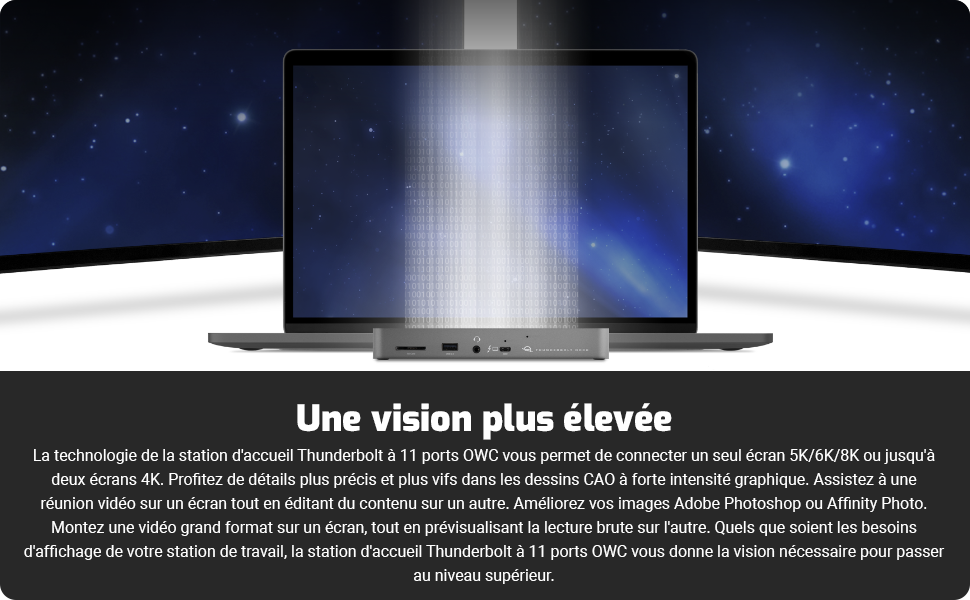
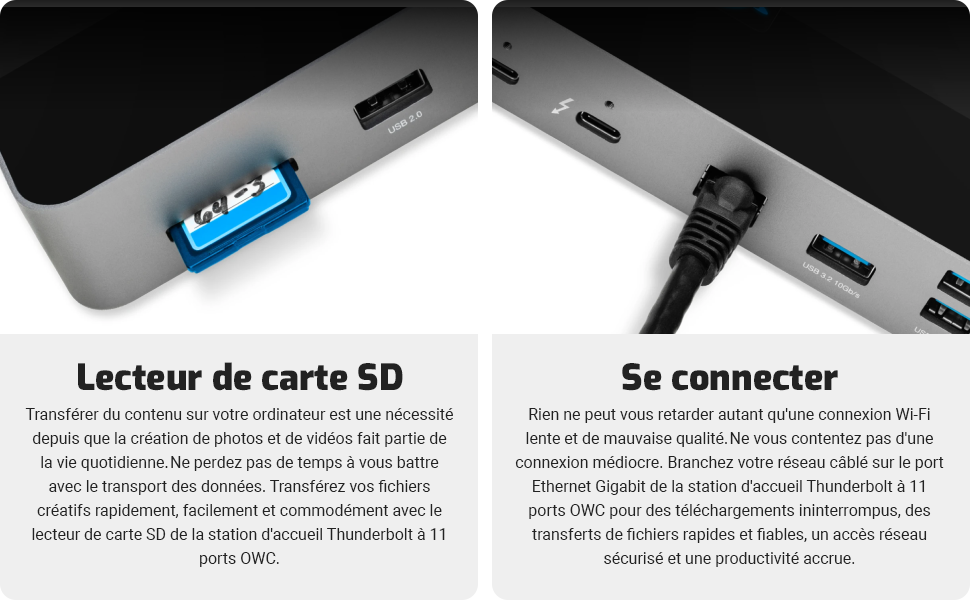
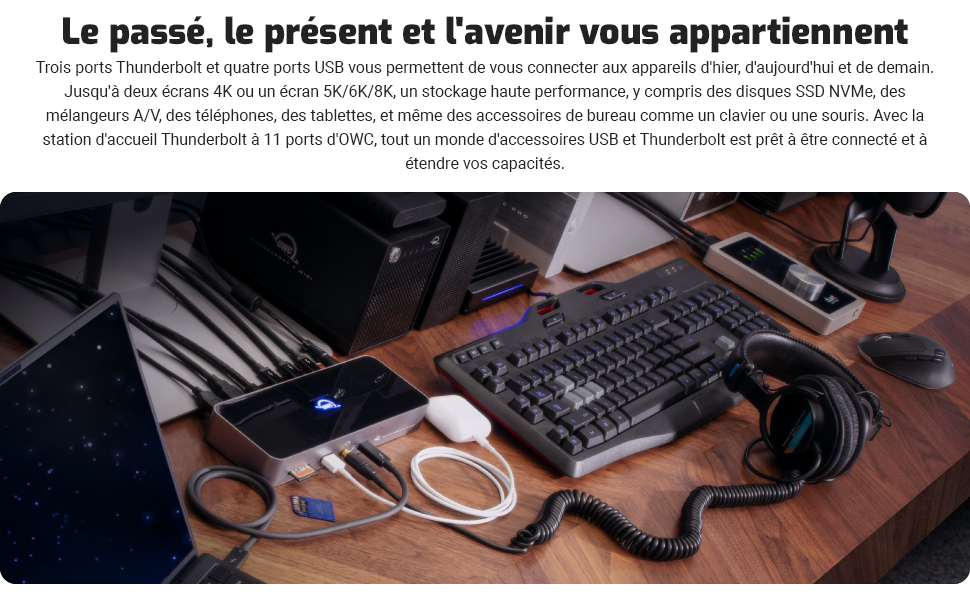
The OWC 11-Port Thunderbolt Dock is a powerhouse docking station delivering up to 96W charging, ultra-fast 40Gbps Thunderbolt 4 connectivity, and support for a single 8K or dual 5K displays. Designed for M1/M2 Macs and USB-C devices, it consolidates multiple ports including USB, Ethernet, SD card, and audio into one sleek hub, perfect for professionals demanding speed, versatility, and future-proof performance.


| ASIN | B097TVLB4F |
| Best Sellers Rank | 14,135 in Computers & Accessories ( See Top 100 in Computers & Accessories ) 138 in Docking Stations |
| Guaranteed software updates until | unknown |
| Item model number | OWCTB4DOCK |
| Manufacturer | OWC |
| Product Dimensions | 0.92 x 2.35 x 1.45 cm; 399.16 g |
T**S
Excellent docking for MacBook Pro
A great desktop connector for MacBook Pros. Connects screen, keyboard, about 50 different USB gadgets (via hubs) plus network, external drives, everything else, at high speed. Never had any disconnects or other upsets, works extremely reliably.
C**M
A a very good and versatile dock
The OWC Thunderbolt 4 dock was a great buy. With limited ports on the M1 Mac Mini, a dock is essential for me. The dock has lots of connection options and is easy to set up. Having not used Thunderbolt 3/4 before, the only issue for me was figuring out that the Thunderbolt / USB 4 output on the Mac needs to be plugged into the front of the OWC dock (see photo) - that makes it a little less neat and means access for other devices is around the back, but not a major problem for me. Apart from that, it works very well and connections to Time Machine, Scanner, etc. work smoothly and very fast.
T**O
Superb equipment
You should have this gadget, works like a charm on PC and Mac.
D**Y
Toast. DOA. Fried my OWC - Thunderbolt 3 Dock
This item arrived fast and I was excited to add this to my existing OWC - Thunderbolt 3 Dock. When I connected the unit, the brand light flashed several times and I thought nothing of it. I connected my 2x Mac Studio to 2 of the thunderbolt slots, connected one thunderbolt slot to my existing Thunderbolt 3 Dock, turned on the unit and nothing! The displays did not come on. I then connected a USB keyboard to one of the USB slots, but the keyboard would not function. I tried many combinations and nothing. The OWC brand light stated on but was not a colour blue as my Thunderbolt 3 Dock. I tried all the slots individually and nothing. I then disconnected all slots and plugged back my existing Thunderbolt 3 Dock that I have had from 2021. This is where the pain started. The Thunderbolt 3 Dock was now Toast. Not a single slot works now. It appears the OWC Thunderbolt 4 Dock 1 in 1, 4K, USB-C, Grey 100W PD PC/MAC has toasted my Thunderbolt 3 Dock. To say I am disappointed is an understatement. My Thunderbolt 3 Dock that I have had from 2021 cost me £349.99. So it is out of warranty. I now need to buy not just one but two Thunderbolt docks! No, I would not recommend this unit to anyone.
S**N
Lots of glitchy stuff happening.
This dock comes with a slew of different ports and if you’re not too demanding, you might be happy with it. However, with my 2 4K displays (connected via 8K-capable cables) the video has always occasionally dropped out and the dock flips from one of my displays to the other…and the support team at OWC were absolutely no use…so I lived with it. Then more recently, the Ethernet doesn’t reconnect after my MacBook has been sleeping…again, if you’re using WiFi, you won’t care, but if you want a hardwired Ethernet connection, I would recommend avoiding this dock. I won’t buy another one.
R**2
enfin, une docking station qui permet du dual screen 4k avec un MAC bookpro (ex : M3 Pro), sans driver (comme les modèles displaylink) qui dégrade la qualité du signal. Marche parfaitement sous windows 10 également (sans driver) Bémol : le prix ! (qui peut valoir le prix d'un monitor 27pouces de milieu de gamme
T**S
Todos son útiles y funcionan simplifica muchos cables y ayuda a organizar además,de estar con diseño y calidad.No es barato pero …merece la pena la inversión
F**6
M4 Mac mini 購入に合わせて購入しました。私の場合は、Thunderbolt4のポート数を確保し、かつ費用を抑えたかったのでこの製品を選択しました。このドッキングステーションを経由して4KディスプレイとThunderboltケーブルでつないでいますが、問題ありません。 ディスプレイにつなぐことができるのは全面のポートだけなので、写真のようにL字型のケーブル(使用している製品はThundebolt4ではなくUSB4で、Thunderbolt4対応とうたっています。)を使用したので、ケーブルが邪魔になるようなことはありません。 SDカードスロットには、JetDrive Lite 350 for Macbook Pro with Retina 15" (Mid 2012 - Early 2013) TS256GJDL350を挿していますが、ちょうど収まる寸法です。 M4 Mac mini の全面ポートが塞がれずに済みますので、いつでも使えるようにcioのスパイラルケーブルを置いています。 注意点は、ACプラグが3芯タイプなので、アダプターを使用するか、3芯タイプの電源タップを用意する必要があるというところです。
B**F
Only one cable needed to the docking station for powering the MacBook and the docking station connected my two UHD monitors, my SD cards and UTP cable. Worked out of the box, really well Highly recommended
F**Z
Nach Versuchen mit verschiedenen Lenovo (USB-C) und CalDigit (USB-C) Docks, die alle irgendwelche Macken oder Eigenarten hatten, bin ich endlich bei OWC fündig geworden. Erst habe ich ein OWC Thunderbolt 3 Pro dock erworben, damit ich mein 2015er Macbook Air ins 10 GbE Netzwerk einbinden konnte (geht prima, dazu kommt eine separate Rezension). Davon war ich so beeindruckt, dass ich nun auch fuer meinen Zweitarbeitsplatz ein OWC Dock angeschafft habe, und zwar dieses OWC Thunderbolt 3 Dock. Dort liegt kein 10 GbE an, also war das "Pro" Modell auch nicht notwendig. Schnittstellen: Ausreichend fuer mich, und hier bei Amazon gut genug beschrieben, die Wiederholung spare ich mir. Gut fuer mich ist, dass es einen SD Karten-Slot gibt (das Pro Dock kann stattdessen CFExpress). Ich bin auch mit der einzigen Anschlussmöglichkeit für Monitore, nämlich per USB-C zufrieden, da meine neueren Monitore das können und ich für die älteren allerlei Adapter rumliegen habe. Wenn man allerdings Displayport (DP oder miniDP), HDMI oder gar DVI braucht, dann wird es ohne Adapter nicht gehen, bzw. dann hat OWC besser passende Docks im Angebot (wie das Pro oder das Go). Das Dock funktioniert fantastisch mit allem, was ich bisher so angeschlossen habe: Lenovo X1 Carbon Gen9 (direkt mit Thunderbolt 3), MacBook Air 2014, 2015, 2017 (alle über Apple Thunderbolt 2 ->3 Adapter) und ein 12-Zoll Macbook 2015, das nur USB-C kann. Anstecken und fertig: Es wird mit 96 W geladen, Peripherie (Funkmaus, Telefonspinne, Lautsprecher, Mikrofon, Scanner, ...) und Netzwerk (1 GbE) funktionieren einfach. Das Bild auf einem per Thunderbolt 4 ( USB-C) verbundenen 2560x1440er Monitor ist stabil und schnell, als wäre er direkt angeschlossen, zusätzlich werden auch die USB-A und -C Ports des Monitors noch transparent mit eingebunden. Die Ports am Dock sind schneller als meine USB-Sticks und Platte, bremsen auch eine NVMe Platte nicht aus. Also wunderbar. Spulenpiepen höre ich nicht, meine Familie (da hören beneidens- oder bedauernswerter Weise einige noch bis fast 20kHz!) auch nicht. Zu guter Letzt - mir gefällt das blaue LED Logo aber (auch fuer den Kunden Kevin, dem es zu hell war): Direkt über dem gedruckten weissen Logo auf der Vorderseite ist ein kleines Lock, dort soll man laut Anleitung per Büroklammer die Helligkeit des Logos von hell bis ganz aus einstellen können :) Also - für alle üblichen Büroanwendungen, Entwicklung, Bildbearbeitung etc. einfach nur fantastisch. Das Ding läuft seit fast zwei Monaten am Stück mit verschiedensten Rechnern, keine Aussetzer, keine übermäßige Wärmeentwicklung. Wer einen Montior hat, der mit USB-C angeschlossen werden kann, der kann hier nichts verkehrt machen. Ich wurde es sofort wieder kaufen (erst Recht fuer 280 EUR), und es gibt Grund zur Annahme, daß meine Frau das für ihr Macbook sogar von mir erwartet ... Falls diese Rezension hilfreich war, freue ich mich über einen Druck auf den "Hilfreich" Knopf, damit ich sehe, ob die Zeit gut investiert ist. Update 11/2023: MacBook Air 2014, 2015, 2017 (alle über Apple Thunderbolt 2 ->3 Adapter) klappt doch nicht so richtig, das habe ich mit dem Pro Dock verwechselt, wo es prima geht. An diesem jedoch geht es nicht - hier kann man die älteren Thunderbolt-2 Geräte nur per USB Uplink an das Dock anschliessen, aber dann geht Grafikausgabe und natürlich Thunderbolt leider nicht, man muss den Bildschirm separat über Minidisplayport ans Macbook anschließen und das Ganze ist eher ein teures USB Dock. Update 2/2024: Mein Dock läuft nach wie vor prima und wird mit Intel-basierten Thinkpads und Macbooks genutzt. Im Juli hatte ich dann ein zweites für meine Frau erworben, das lief ab September mit einem Intel-basierten HP laptop und ab Oktober oder so auch noch gelegentlich mit einem 2022er Apple Macbook Air mit M2 Prozessor. Und an diesem hatte es Anfang Februar denselben Ausfall wie bei Kunde sebastian vor einem Monat: Ein leichtes "peng" im Dock, das Logo ging aus, die angeschlossene Peripherie ging aus. Ende. Am Netzteil lag es nicht - das ging mit meinem Dock noch problemlos. Der Intel-Laptop kann nicht über USB-C geladen werden und hing deshalb immer am eigenen Netzeil, aber das MBA zieht auch eher wenig Strom (ca. 30 Watt), da sollte das Dock nicht an die Grenzen kommen. Offenbar ein Problem mit der Dimensionierung oder dem Qualitätsmanagement. Rückabwicklung über Amazon war erfreulich schnell erledigt und nun hängen die Rechner meiner Frau an einem OWC Thunderbolt 3 Dock, das hoffentlich länger hält.
Trustpilot
2 weeks ago
2 months ago



