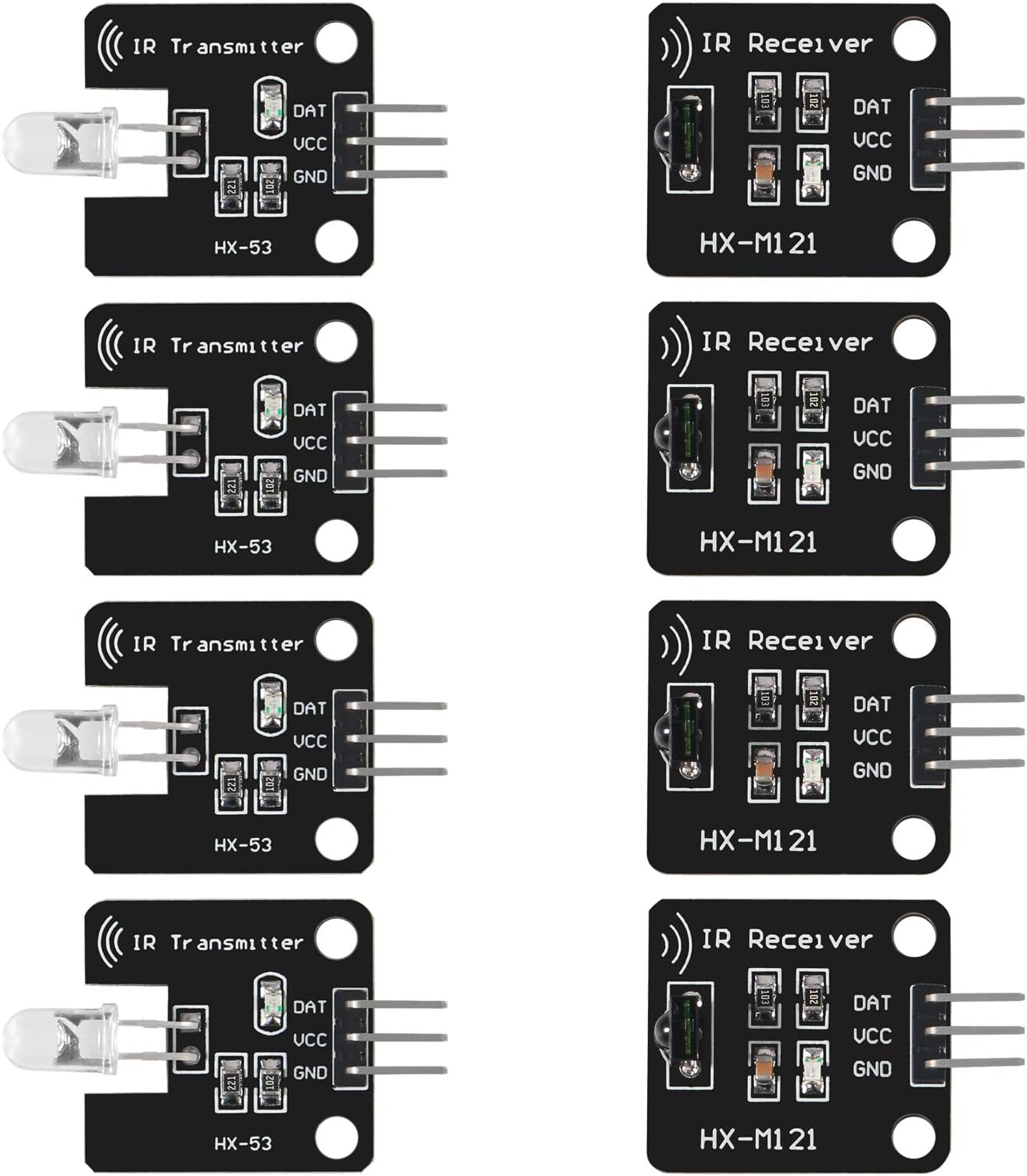
4Pcs Digital 38khz Ir Receiver Sensor Module + 4Pcs 38khz Ir Transmitter Sensor Module Kit for Electronic Building Block
Product ID: 303086148
Details
- BrandDORHEA
- Color8PCS
- Compatible DevicesRaspberry pi
- Max Number of Supported Devices8
- Special FeatureErgonomic
📡38kHz IR frequency precision
🔴LED emission signal indicator
🖥️Compatible with Raspberry Pi & ARM
€ 15.56
1
Sold byAmazon FranceDelivered byDesertcartCustomer service byDesertcartReturns14 days · 30 with PRO
Buyer Protection · Full refund if your order doesn't arrive as described.
Desertcart purchases this item on your behalf and handles shipping, customs, and support to France.
Secure transaction
Details
- BrandDORHEA
- Color8PCS
- Compatible DevicesRaspberry pi
Description
🚀 Elevate your DIY projects with precision IR control – don’t get left in the dark!
- BROAD COMPATIBILITY - Works flawlessly with Raspberry Pi, AVR, ARM, and more for versatile projects
- COMPACT 8 PIECE KIT - All-in-one solution to power your next innovative electronic build
- LED SIGNAL INDICATOR - Instant visual feedback for easy debugging and setup
- HIGH SENSITIVITY 1838 RECEIVER - Captures signals with pinpoint accuracy even in busy environments
- PRECISION 38 K HZ INFRARED TRANSMISSION - Reliable IR communication for seamless device control
The Dorhea 4Pcs Digital 38kHz IR Receiver and 4Pcs Transmitter Sensor Module Kit offers a high-sensitivity infrared communication solution compatible with popular platforms like Raspberry Pi, AVR, and ARM. Featuring a 38kHz frequency, LED signal indicators for easy debugging, and a compact 8-piece set, this kit is ideal for remote control and electronic building block projects requiring reliable IR transmission within a 1.3-meter range.


Specifications
| ASIN | B08X2MFS6S |
| Additional Features | Ergonomic |
| Best Sellers Rank | #20,041 in Industrial & Scientific ( See Top 100 in Industrial & Scientific ) #1 in Sensor Blocks |
| Brand | DORHEA |
| Button Quantity | 3 |
| Color | 8PCS |
| Compatible Devices | Raspberry pi, 51, AVR, ARM |
| Connectivity Technology | Infrared |
| Controller Type | Button Control |
| Customer Reviews | 4.2 4.2 out of 5 stars (111) |
| Manufacturer | DORHEA |
| Maximum Number of Supported Devices | 8 |
| Maximum Range | 1.3 meters |
| Model Name | 13658-1 |
| Model Number | 13658-1 |
| Number of Items | 8 |
| Number of Packs | 8 |
| UPC | 701715461482 |
| Unit Count | 8 Count |
Common Questions
Yes, all products are sourced directly from authorized retailers in the US, UK, UAE and India. We maintain strict quality control processes and verify each product before shipping. All items come with applicable manufacturer warranties and are covered by our standard return policy.
Delivery times vary by destination country, typically ranging from 3-9 business days. Each order is fully trackable through our system. We handle all customs clearance and use reliable courier partners for last-mile delivery. You'll receive regular updates about your order status via email and our app.
Desertcart is an international e-commerce platform operating since 2014. We securely process thousands of orders globally each day. Every product goes through our quality verification process before delivery, and we provide end-to-end order tracking, 24/7 customer support, and a comprehensive returns policy to ensure a safe shopping experience.
Our prices include the product cost, international shipping, import duties, customs clearance, and local delivery charges. We handle all customs and import procedures, ensuring there are no hidden fees upon delivery. PRO members receive additional benefits including free shipping.
Trustpilot
TrustScore 4.5 | 7,300+ reviews
Shop Global, Save with Desertcart
Value for Money
Competitive prices on a vast range of products
Shop Globally
Serving millions of shoppers across more than 100 countries
Enhanced Protection
Trusted payment options loved by worldwide shoppers
Customer Assurance
Trusted payment options loved by worldwide shoppers.
Desertcart App
Shop on the go, anytime, anywhere.