


🎨 Elevate your digital artistry with precision and power at your fingertips!
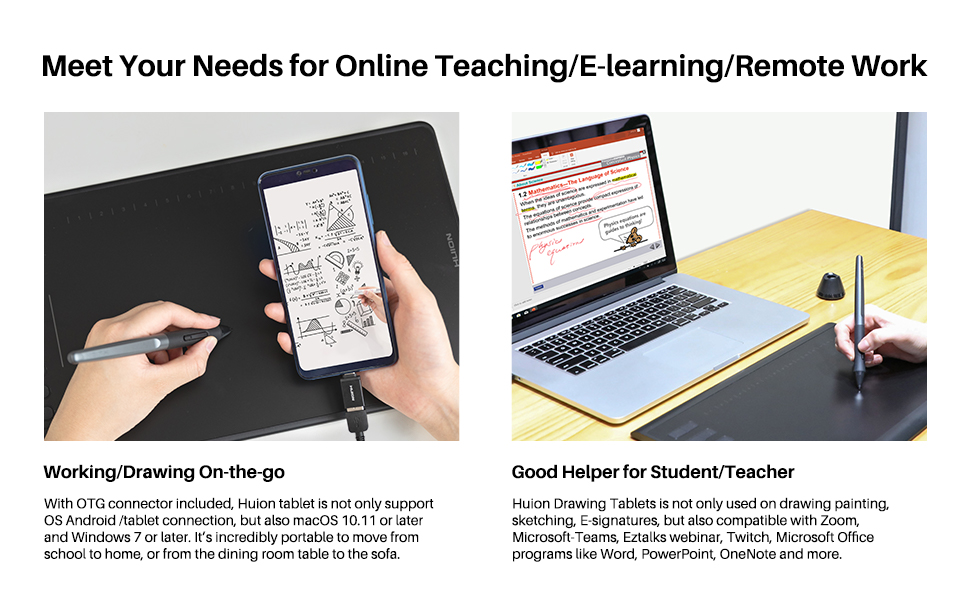
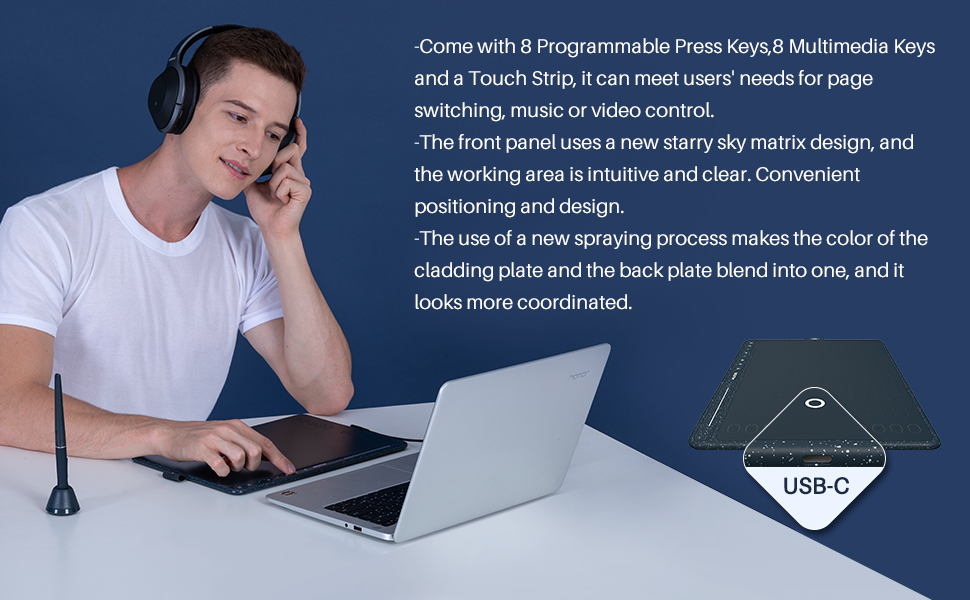
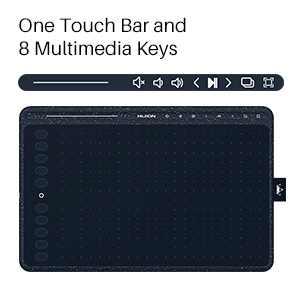
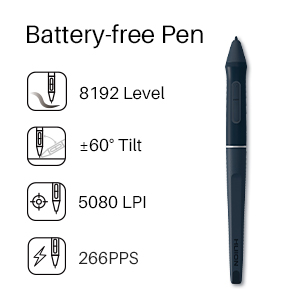
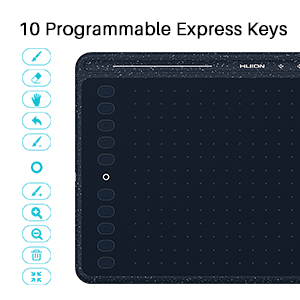
The HUION HS611 is a cutting-edge 10x6 inch graphics tablet featuring 8192 levels of pen pressure sensitivity and a battery-free stylus for uninterrupted creativity. Equipped with 10 programmable press keys and 8 multimedia keys, plus an innovative media bar, it offers unparalleled customization and control. Its USB-C connectivity ensures fast, hassle-free setup, while compatibility with Windows, macOS, Linux, and Android devices makes it a versatile tool for artists, designers, educators, and remote professionals alike.


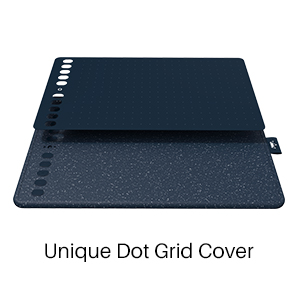
| ASIN | B08N5TZMYC |
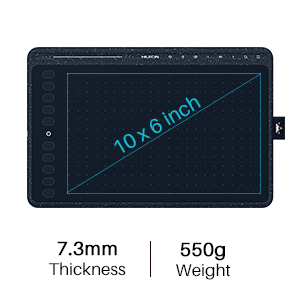
| Active Surface Area | 10.2 x 6.36 inch |
| Best Sellers Rank | #10,372 in Electronics ( See Top 100 in Electronics ) #21 in Graphic Tablets |
| Box Contents | Battery-free Pen, Pen holder with 8pcs Pen Nibs, Nib Clip, Pen Tablet, Quick Start Guide, USB-C Cable |
| Brand | HUION |
| Brand Name | HUION |
| Colour | Blue |
| Compatible Devices | Desktop, Laptop, Smartphone, Tablet |
| Connectivity Technology | USB |
| Country of Origin | China |
| Customer Reviews | 4.3 out of 5 stars 457 Reviews |
| Display Type | LCD |
| Item Dimensions L x W | 33.3L x 21.8W Centimeters |
| Item Height | 0.1 Centimeters |
| Item Type Name | drawing tablet |
| Item Weight Unit of Measure | 550 Grams |
| Manufacturer | HUION |
| Native Resolution | 1920x1080 |
| Network Connectivity Technology | USB |
| Operating System | Linux(Ubuntu), Mac OS 10.12 and above, Android 6.0 and above, Windows 7 and above |
| Pressure Sensitivity | 8192 Levels |
| Product Features | 10 Programmable Press Key, 60° Tilt Support, 8 Multimedia Keys, Android Devices Supported, Extra-Slim |
| Screen Size | 7 Inches |
| Screen Size Unit of Measure | 7 Inches |
| Special Feature | 10 Programmable Press Key, 60° Tilt Support, 8 Multimedia Keys, Android Devices Supported, Extra-Slim Special Feature 10 Programmable Press Key, 60° Tilt Support, 8 Multimedia Keys, Android Devices Supported, Extra-Slim See more |
| Specific Uses For Product | Animation, Designing, Drawing |
| Target Audience | Artist, Designer, Student, Teacher |
| Warranty Description | 1 year warranty |
A**H
Good tablet for sculpting in blender.
I am learning blender for sculpting. It is a good tablet and performed well to achieve my learning purpose.
S**K
It’s one of the newer model and works great maybe best in the price range
I bought it for 5k rupees and it’s my first graphic tablet and feels pretty nice to draw on if you found this around the same price just go for it idk why everyone buying xp-pen in India when Huion is available it draws straight line and has better stylus every artist prefer huion over xp-pen as I researched before buying the product and I made better purchase because of that if you are not sure just do some research yourself before buying It’s not as hard to draw on pen tablet as people say I able to draw fine just needed a little bit practice with it and I made two paintings the blonde girl which I made on day one and the curly hair girl after 3 days first one took me 3-4 hours and second one took me around 2 hours This tablet is all plastic I think all of the graphic tablets are made of plastic? so there shouldn’t be really any problem with that because it’s feels sturdy and it’s going to stay on the desk My only problem with this tablet is that they didn’t provide any glove in the box and that it’s lack touch gestures if you have budget then go for tablet with touch gestures because it’s make it easier to draw without ever needing to us mouse and keyboard but those cost as much as tablets with touchscreen and display if you found them on good deal then just go for it and there’s not even a question if the are on the same price just go for tabs with screen because it’s more natural to draw on that way I actually wanted to buy tablet with screen but this isn’t bad at all if you are on budget I love this tablet it even has multimedia buttons which makes it easier to change or play songs without any distractions Pros: 1. big area to draw 2. Newer model comes with c-type 3. Multimedia controls 4. Draw’s straight lines 5. Light weight and portable Cons: 1. Touch slider 2. No glove And there is older model around 4k rupees it’s also 11 inch tablet if you have tighter budget then you can buy that one there isn’t that much difference in drawing
A**E
All inclusive pen tablet for starting out.
A great product indeed! It's so easy just plug it in and it starts working. There's no need to install the drivers unless you want to change the pen and tablet's key settings. Easy to install drivers. Replacement tips, and tip pressure sensitivity are just perfect. Easy to draw too. Smooth and perfect interface with enough friction to even write things.
H**I
Best product in the price range with a beautiful color
I had purchased this product 3 months ago and it works perfectly fine, I take my notes using the pen tablet. The nibs are quite long lasting, I have been using this tablet for like 3 hrs everyday and the nib is good as new. The drivers work well and an overall great experience. Will update this review in the future if I encounter any issues.
S**H
Best drawing experience
I have intuos small, xp pen deco pro and an I pad air. I use graphic tablet generally for animation and photoshop and sometimes on my Android smartphone. Build quality :Huion has overall good build quality it's not upto wacom standard but it's good it's certainly quite thin and stylish. Writting experience : Writting experience was great it wad better than my Wacom intuos small or xp pen. It was neither super smooth nor super rough it was just perfect. Comparison with wacom in similar price segment: At similar price segment Wacom has few products to compete, but still huion drawing impression was quite great overall it was a bit better than intuos. The only thing it's lacking is a universal driver like wacom. Comparison with XP Pen Deco series: Deco series is great not gonna lie but still for the similar price range I found huion to be great it has better surface feel, better drawing experience less wabble, almost no smoothing effect and more frequent driver updates. Short and simple answer : 1) If you're a beginner or intermediate and are in learning stage than this is the perfect choice. 2) If you're an advanced person using different pens and tablets at different times amd are making money from your work you might go for Wacom. 3) If you're willing to buy an XP Pen then I would suggest not to because specially in country like India Huion providing the best drawing experience at minimal cost also Huion has only a few models in this prive range and they're genuinely getting frequent updates, unlike XP Pen that have thousands of models on same peice range and even a bit overpriced but still not giving frequent updates and bug fixes. So if you wanna start out this is the way to go.
G**.
Good tablet for newer designers
Good graphic tablet, perfect size, it's pressure sensitivity is also very good, it does lag a little but overall no issue
A**L
No support for warranty
I have ordered on 5 april 2025. Now it's on 25 dec 2025. Within a year stop working. They have provided 1 year warranty. But I am unable to see any technical support from company.
L**H
Budget friendly and more buttons
Good Product for the budget. Love the shortcuts
Trustpilot
4 days ago
1 week ago



