
DOWNLOAD THE APP


Customer Services
Copyright © 2025 Desertcart Holdings Limited
DOWNLOAD THE APP
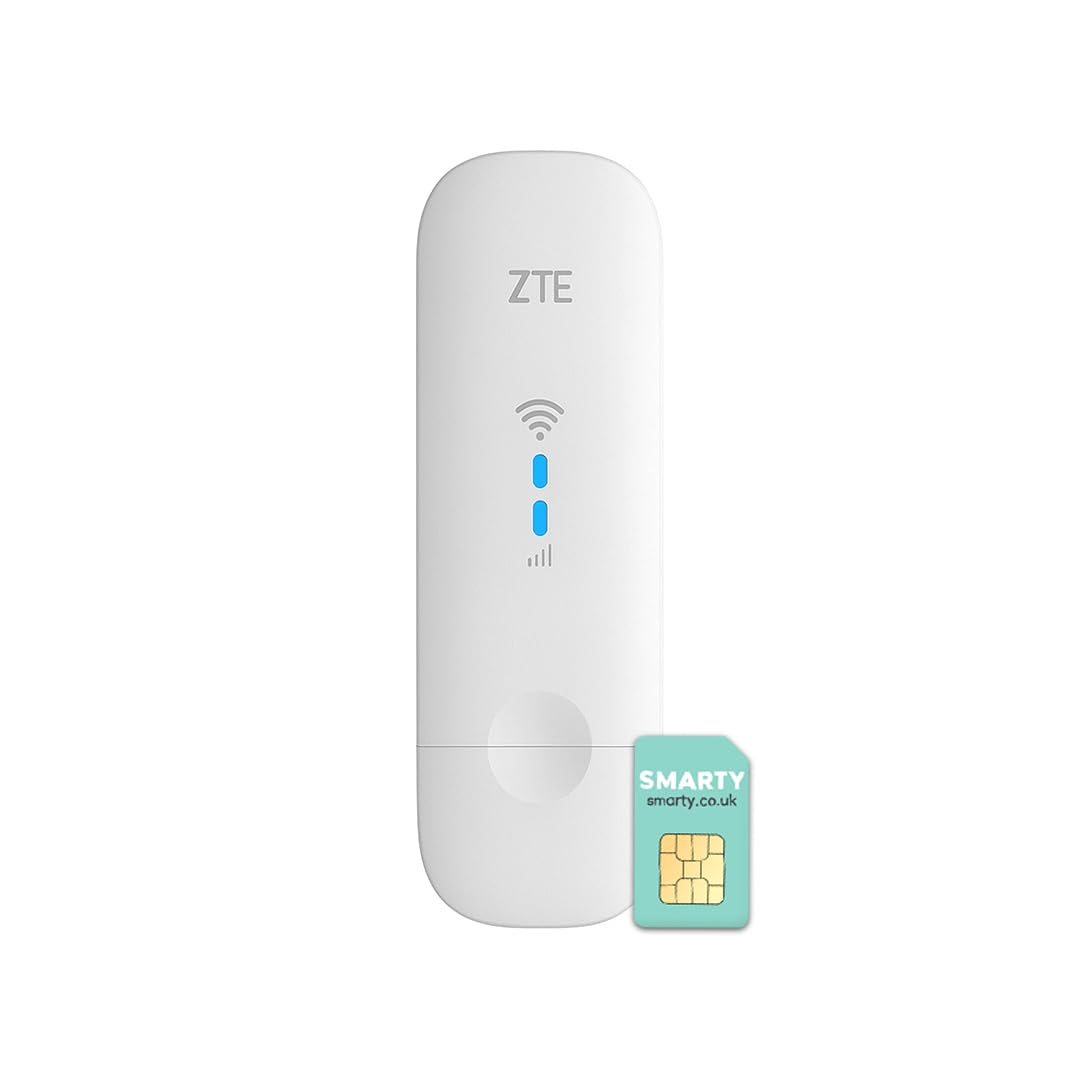


🚀 Stay connected, stay ahead—WiFi freedom in your pocket!
The ZTE MF79N is a compact, unlocked 4G LTE USB modem and WiFi hotspot that supports up to 10 devices simultaneously. Delivering fast 150 Mbps download speeds on the 2100 MHz FDD-LTE band, it offers versatile connectivity via USB or WiFi. Its plug-and-play design works seamlessly with any SIM card, making it ideal for professionals and travelers seeking reliable, portable internet with a 2-year warranty.


| ASIN | B08WPXRTRL |
| Antenna Location | Home |
| Antenna Type | Internal |
| Best Sellers Rank | 9,796 in Computers & Accessories ( See Top 100 in Computers & Accessories ) 21 in Mobile Broadband Devices |
| Box Contents | 1 x Quick Start Guide, 1 x SIM Ejector, 1 x USB Charging Cable, 1 x ZTE MF79U (white) |
| Brand | ZTE |
| Brand Name | ZTE |
| Colour | White |
| Compatible Devices | Laptop, Personal Computer, Smartphone, Tablet |
| Compatible devices | Laptop, Personal Computer, Smartphone, Tablet |
| Connectivity Technology | USB, Wi-Fi |
| Control Method | Touch |
| Controller Type | Touch, Computer/Laptop |
| Country of Origin | China |
| Customer Reviews | 3.8 out of 5 stars 1,427 Reviews |
| Data Transfer Rate | 150 Megabits Per Second |
| Frequency | 2100 MHz |
| Frequency Band Class | Single-Band |
| Frequency band class | Single-Band |
| Has Internet Connectivity | Yes |
| Has Security Updates | Yes |
| Is Electric | Yes |
| Is Modem Compatible | Yes |
| Item Dimensions L x W x H | 10.2L x 3.1W x 1.4H centimetres |
| Item Type Name | Dongle |
| Item Weight | 0.04 Kilograms |
| LAN Port Bandwidth | 100 Mbps |
| Manufacturer | Livewire Telecom Limited |
| Maximum Upstream Data Transfer Rate | 50 Megabits Per Second |
| Model Name | MF79U |
| Model Number | MF79U |
| Model name | MF79U |
| Number of Antennas | 1 |
| Number of Ports | 2 |
| Operating System | ZyNOS |
| Other Special Features of the Product | Unlocked; USB; Connect 10 Devices; Compact Design; 4G; |
| Router Network Type | Wi-Fi |
| Security Protocol | WPA, WPA2 |
| Special feature | Unlocked; USB; Connect 10 Devices; Compact Design; 4G; |
| Wireless Compability | 802.11b, 802.11g, 802.11n |
| Wireless communication standard | 802.11b, 802.11g, 802.11n |
Z**E
Works well with Smarty SIM
So far, very happy with this product. I got the ZTE MF79N, the dongle that allows you to connect up to 10 devices to what looks like a large USB stick. The product can be plugged into a computer OR into a USB charger straight into the wall. I got it to use with the Smarty unlimited SIM and it works very well. The dongle itself does come with a free Smarty SIM which was not clarified in the 'what is included' part. The setup can also be done with a macbook which wasn't clear from the instructions so it works for both PCs and Macbooks. The speed is fast enough to stream HD movies on my laptop and fulfils all of my data needs (I use cloud-based graphics software). HOWEVER, some advice: The Smarty SIM needs to get a strong enough signal in order to work well and it uses EE's network. If you're going to be fairly stationary and especially if you already have an EE phone SIM, you can check the reception of where you're planning to use the dongle on your phone. If you have 2 bars and above, you will have sufficient reception when you use the dongle as all it does is it amplifies that and creates a hotspot for your devices to connect to. Otherwise, I can guarantee that you just won't get reception. The same applies on if you have a different company's SIM and use the same one for your phone. About the range: I'm using the SIM in one room and I get full bars, but once I leave the room and close the door, my laptop and phone can't pick up on the dongle much if at all. This one is very much meant to be used in the room where you are, especially if the walls are insulated. I have yet to take it out on the proverbial road as I've been using it in some temporary accommodation where I don't want to get a proper router. I would say this is good if you're someone single living alone or people travelling in a group. Just don't expect it to work for a big house or even a flat with many different rooms... the signal just won't be strong enough.
B**Z
4G USB dongle that works
This review applies to MF8331U1 only. Reviews for other devices appear in the product page on Amazon, which leads to confusion with MiFi devices. Unlike the other devices the MF8331U1 has no WiFi capabilities and no internal battery, even though it describes itself as "4G USB Dongle with Mobile WiFi" on the box. The description of what is in the box is incorrect: there is no charge cable and no SIM ejector tool, but then neither is needed for this device. However it works fine as a USB dongle that connects a Windows PC to the internet using mobile broadband with a data SIM, and this is exactly what I was looking for.
O**D
Not as described - I wish I hadn't bothered
The product description clearly says: 'Comes with a slot for installing a standard SIM card'. When it arrived the instructions with the dongle clearly says: 'only supports the micro-SIM card.' I've had this type of thing in the past and it's been easy, you slot a standard sized SIM in the dongle and off you go! Easy! Now, I have a pre-loaded standard size SIM card that I DO NOT want to break into a smaller size to fit into this device (it was expensive and has lots of data, I don't want to risk it) so, i broke the smarty sim that came with it just to test it, not sure if i installed it correctly but I put it in the place that the vague instructions appeared to suggest it goes and inserted it into the USB drive. Got a notification saying something like 'at least one partition could not be loaded' and have been unable to connect to the internet I know I sound like a grumpy old person here but what is the obsession with itty bitty SIMs, what was wrong with the standard size and a clear slot to put it in? This stuff used to be easy and straightforward. This isn't, I wish I hadn't bothered.
P**Y
Works well, with caveats
I bought this to work with my Zyxel VMG3925-B10B router that supports '3G' dongles for automatic cellular backup. Can confirm that it works as described in 4G and the caveats below, but you may wish to try another SIM. The interface is rather basic, but functional. It's only accessible when plugged into a computer, not the router, but this is an issue with my router, not the dongle. Options to see SMS messages, set up data roaming, and importantly to manually select networks. For some SIMs it may take quite some time (five minutes) for the dongle to register on the network after plugging in. Once registered it's probably fine, however a couple of months after purchase and automatic renews of a Smarty bundle I'd failed to disable auto renew on I noted my router showed the dongle as 'not present'. I do not know if this is due to the router, the dongle, or the abysmal Smarty coverage locally. Plugging it in again resolved this. Manual selection of network is important, as after trying the Smarty SIM, performance was terrible. A manual search revealed that Smarty (re bundled 3) only supports 3G within my house, I was receiving less than 2Mb down and an unmeasurable amount up. Your mileage may vary. The manual search showed EE had 4G available, so with a 1pmobile SIM I gave it a try. 27Mb down, 21Mb up is faster than ADSL MAX! Time will tell if this is a completely reliable and hassle free solution, but it's cheap and much easier to set up than multiple network connections
J**N
Works well, but has one extremely annoying flaw.
I have given this three stars as it didnt work for my use case (which I think is still a very reasonable use case) due to a very silly flaw, however, your milage may vary and if you are not effected by the flaw, it works very well. I was looking for a USB 4g/5g dongle to attach to my ASUS router so that it can automatically switch to it if the main fibre broadband goes down as I generally work from home. This dongle seemed very reasonable (despite being "only" 4g) and it uses "usb ethernet" to provide the actual connection via an in built router. When I connected it to my laptop direct it worked fine, and the speeds seemed good. It didnt need any PPP software as its a simple USB ethernet (similar to how an Android with USB tethering works). Configuration is via a web page, and was simple. The problems started when I tried to plug this to the router's USB port, although it detected fine, it then started causing IP address conflicts. The ip address of the device is FIXED to 192.168.0.1 and cannot be changed, nor can the subnet. Since my asus router also uses that IP address, the router complains. I am not willing to change my home ip address or subnet to cater for this, as it would break a lot of things. I have tried looking everywhere in the config to change the IP address, but it is just not possible, it is fixed which I think is rather absurd considering the effort they put into the interface and the overall complexity of the device. Googling around there are some workarounds that involved sshing into the deivce and editing some system files, but with risk of damage if you do it wrong. As such it is not useable for my use case, and for what is seemingly a really silly reason. Customer services were not any help either. I suspect that there may be other cases where the fixed IP address may cause issues for some users especially those using this to provide a secondary internet source on their devices (where their main internet may be walled) where their main internet also uses the same IP address for the gateway.
A**R
Biggest smile on my face!
Inserted a SIM card I already had so did not use the SIM card that came with the dongle. I plugged into a MacBook Pro laptop and was up and running quickly. Really easy. I am not technical and had all sorts of bother with the previous dongle I purchased which was a different make to this. This feels much better quality than the previous one and was the same price. I would highly recommend this dongle to people.
F**E
Very reliable and stable Internet, top up card was cheap
I bought this not really knowing if it's really going to work. My first experience of a dongle. Well i can say after the top up of the smarty card, it works really well throughout my journey and connection was strong. I have not checked my balance of Internet Gb used but i can say the dongle is great
A**S
Essential if you have no internet provided.
We are in a place with no WiFi provided. We bought a data sim card, bunged it in the dongle and away we went!
Trustpilot
1 month ago
2 weeks ago