
🔒 Elevate your security game with smart, seamless surveillance.
The ZOSI 1080P Security Camera System combines advanced H.265+ video compression with AI human and vehicle detection, delivering crystal-clear 1080P footage through four weatherproof cameras. Featuring 1TB of built-in storage, 80ft night vision, and remote access via the Zosi Smart app, this expandable 8-channel DVR system offers professional-grade security for both indoor and outdoor environments.


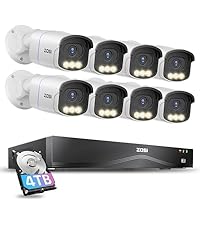


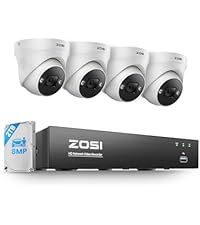
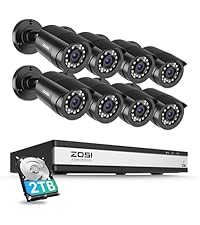
| ASIN | B00MP57IOY |
| ASIN | B00MP57IOY |
| Batteries | 1 Lithium Ion batteries required. |
| Batteries | 1 Lithium Ion batteries required. |
| Batteries Included? | No |
| Batteries Required? | No |
| Battery Cell Type | Lithium Ion |
| Color | Wired-4Cam |
| Customer Reviews | 4.2 4.2 out of 5 stars (5,614) |
| Customer reviews | 4.2 4.2 out of 5 stars (5,614) |
| Date First Available | 5 September 2014 |
| Date First Available | 5 September 2014 |
| Included components | 1 x 8CH DVR with 1TB Security Grade Hard Drive, 2 x power supply and 1 x USB mouse, 4 x BNC Cables and 1 x Ethernet Cable, 4 x Security Cameras and 1 x 1 To 4 Power Splitter, 4 x mounting screw bags and 1 x quick start guide |
| Installation Method | Screw In, screw_in |
| Is Discontinued By Manufacturer | No |
| Item Package Quantity | 1 |
| Item Weight | 4.55 Kilograms |
| Item model number | 8WN-211B4S-10-US |
| Item model number | 8WN-211B4S-10-US |
| Manufacturer | ZOSI |
| Manufacturer | ZOSI |
| Material | Metal |
| Part number | LYSB00MP57IOY-ELECTRNCS |
| Plug Profile | Wall Mount |
| Power source type | Corded Electric |
| Product Dimensions | 38.1 x 27.94 x 17.78 cm; 4.55 kg |
| Product Dimensions | 38.1 x 27.94 x 17.78 cm; 4.55 kg |
| Shape | Bullet |
| Size | 4 Camera US |
| Special Features | Night Vision |
| Specific uses | Inside, Outside |
| Specification met | certified frustration-free |
| Style | Wired-4Cam |
| Voltage | 12 Volts |
W**R
So, this is one of many systems I have bought and installed in my many years . What you will receive is a high quality DVR, with four very good cameras and the hardware to get it all connected. The DVR performs excellently. My old ZModo system looked great on the camera, but playback was one third the resolution, this one looks live during playback. This all sounds great, but there is always a downside, the downside in this case is the total lack of instructions. there are steps that are totally left out of the leaflet of instructions, and intuitive this is NOT. You will NEED and Android/Apple phone to install it. Set up the cameras, connect, and power up the DVR. Before you can do ANYTHING, you need the username and password. Again, no instructions on this step. Download an app called SPD to your Android/Apple phone. Open the app, scan the the qr code on the DVR, or the QR code that appears on the monitors screen when you try to access the DVR Menu. This will give you the "Super Password" for the DVR. Leave the username as "admin" and the password is LONG and case sensitive. You can now set the DVR up... Again, nowhere is this evident. (You may think ... ahah!, go to the website!... Well, it does explain the steps, but the "translation" is not at all clear. (It also has apps that are outdated that will confuse the situation, "Zosi view" for example, is obsolete, but still posted). Now, you should have access to the DVR menu, so you can connect it to your router. There will be a screen on the website to set the online viewer up. there will be an area that shows you to activate the "cloud viewer" ... my software didn't even have this, but when I checked my internet connection, it came back as ok, and it was good. Do NOT install the "Zosi View" app as previously mentioned, install "Zosi Smart" app and check the website to figure out how to get the QR code displayed on your monitor from your DVR to again use the SPD app to scan the info for another super password. log in and you should be good to export the DVR info to the phone app. To view the DVR on a Windows PC was tricky, (The software had to be downloaded in three parts, so you know you have downloaded the correct "Active" link) ... but the good part is the IT support staff @ Zosi is dedicated, professional, and willing to help. There is NO phone support, use Facebook messenger. This worked out great for me, but be aware, in the US, in the Northeast, their hours of operation translates to 9:00PM to 5:00AM. If you download the "Teamviewer" program, (It's got a free version) The good old team @ Zosi can remotely operate your PC and set it up for you. These instructions will make your installation MUCH easier and less frustrating, enabling you to purchase this system, install most of it, and enjoy the fact that it operates very nicely, especially for the price. Again, Kudos to the support team @ Zosi, they save the the day! :D This system is very nice, I DO recommend it, use Facebook messenger for help, be patient, and you will end up with a very nice system, at a great price point.
C**N
Estas cámaras son difíciles de instalar, no por que su instalación resulte difícil, sino porque es difícil seleccionar dónde colocarlas. La imagen es excelente, se pueden cubrir áreas muy grandes, se pueden colocar en prácticamente cualquier angulo que uno desee (esta es la parte difícil) e incluso graban en la obscuridad. Son tan buenas cámaras que incluso compré dos juegos más para poder tener más seguridad en mi hogar. El DVR incluye un disco duro de 2TB, lo que es suficientemente grande para grabar por meses sin tener que borrarlo en su totalidad; además se puede conectar a tu internet por si tenemosque salir (aunque no creo que esto sea posible en estas condiciones). El DVR permite conectar otras 4 cámaras, tomar fotos, mandar archivos a una memoria USB y está en español, ideal por si tenemos dudas en su manejo.
P**S
Awesome camera system easy to use dvr and playback all around great purchase definately would recommend
C**O
Es de fácil instalación y material contenido es de buena calidad, hasta ahora no he tenido problema, leía que algunas personas tienen problema para visualizar su equipo en sus dispositivos móviles, solo como recomendación, una vez que haya creado la cuenta, solo es necesario que agreguen el dispositivo 1 vez nada más, la velocidad en la que puedan recibir señal de sus cámaras dependerá de la velocidad a internet que tengan en casa.
A**O
No puedo ingresar me. Pide una contraseña y no entra ninguna de las que dice
Trustpilot
1 week ago
1 month ago



