

🎯 Master your multi-device empire with ultra HD precision!
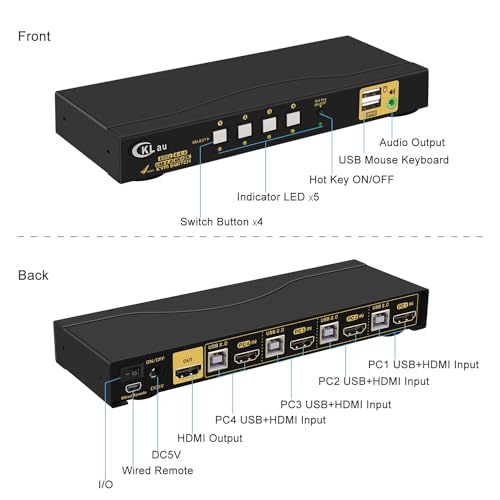
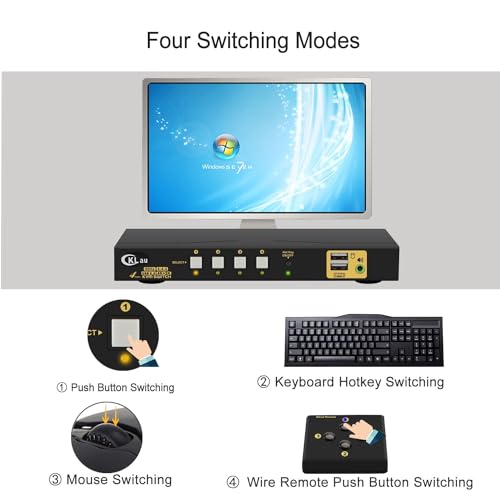
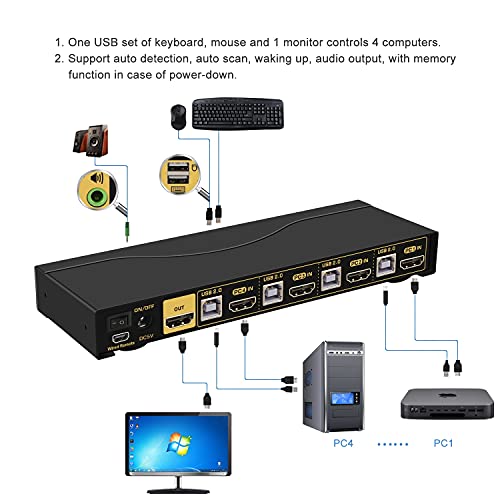
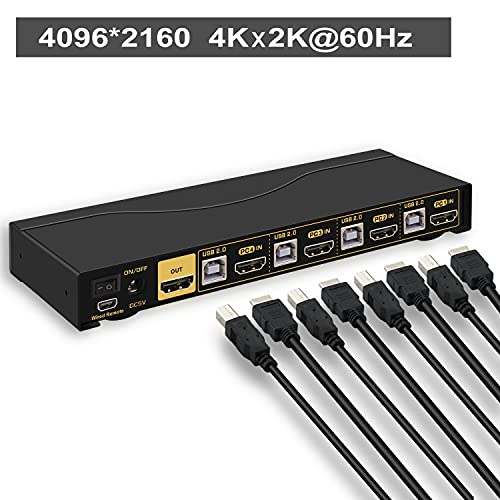
The CKLau 4Kx2K Ultra HD 4-Port HDMI KVM Switch empowers professionals to control up to four computers or DVR/NVR systems seamlessly. Featuring 4K resolution support, a built-in USB 2.0 hub, and audio pass-through, it ensures high-quality video and versatile peripheral connectivity. Compatible across major operating systems including Windows, Mac, Linux, and Unix, it offers flexible switching modes via hotkeys or remote control, making it an essential tool for efficient multitasking in modern workspaces.


| ASIN | B07HRBBLWN |
| Best Sellers Rank | #106,822 in Computers ( See Top 100 in Computers ) #223 in KVM Switches |
| Item model number | CKLau-64Hua |
| Manufacturer | CKLau |
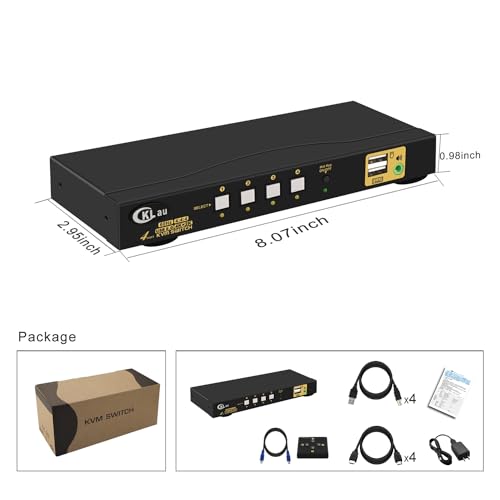
| Product Dimensions | 20.5 x 7.49 x 2.49 cm; 462.66 g |
M**H
This thing is great. I upgraded from an older Avocent that I was using. The 4 ports are connected to two macs, a linux box and a windows 10 box. One mac is a laptop. So, operating system wise that is Windows 10, OSX Catalina, OSX Big Sur and Linux is Ubuntu 18. I tried it with 3 keyboards. Initially I used a 104key standard keyboard because I read the other reviews that said it would not work to turn off the beep. (ctrl-ctrl-b-enter to toggle it.) So with that keyboard I was able to turn off the beep, then I connected my Apple Magic Keyboard, and that has multimedia keys. So I first turned off the Hot Key button connected it and then tried to use it. It worked! I was already pretty happy. The play/next/volume buttons were working as I had hoped. But! Even better, if I toggled the button, the multi-media keys continued to work, and the hot keys did also. So I can mute-volume adjust on macs, use function keys on windows, and then [ctrl-ctrl-1-enter] to swap to the computer on 1 (a mac). So this works out even better than I expected from the reviews. I can say the con is that switching is not immediate, but I've had KVMs before, the switching is never immediate. And it takes very few seconds. You can make it faster if you turn off sleep on the other computers, and I've done that for the linux box, since it's a server anyway and so it's always on. But the other computers go to sleep after a while so I'm happy to switch to them, and then have to hit space to wake them up. It was a bit smaller than I expected from the pictures. Another reason I selected this model was that it has standard-ish ports for USB and standard HDMI ports. I wanted that in case the cables ever break or something happens where I need a longer cable. I've had KVMs that use custom cables and then you have to go search and find them when you make adjustments. So this is a big pro for this model for me. Finally, the cables are not marked 1,2,3,4 or anyting so I added color coding to them (see picture). It was super easy to do, and it makes it easier for the next person, or me :), when I have to find the matching cable later. Sure it's probably overkill with only 4 ports, but, it was easy to add. The 3.5mm audio jacks also work, but I use a USB headset so I won't be using them, I was mostly curious about this. Also audio through the HDMI works as well. I would recommend this :) Great KVM.
R**G
The original KVM I bought had trouble - it wouldn't work with my PC for some reason. A second one from Amazon had the same problem. I contacted the company who helped me with a couple of steps and then offered to ship me a brand new one from the factory! How nice -- I did not expect that whatsoever. And that one worked! You never know what kind of company you are working with until you have a problem, and they did great.
K**R
It sounds funny to title a review as if you don't expect something to work, but given the other reviews out there for similar products, I had my reservations, so decided to buy something that wasn't as cheap as the others in the hope it would result in a better quality product. Seems like my approach worked. I've only had it a few days, running 1 monitor with 3 laptops, USB headphones, keyboard & mouse combo from dongle. Switching takes only 1-2 secs via the remote or buttons on the device. I don't use the hot keys for switching, but the other hot key commands work seamlessly. It was very easy to setup and worked straight away. Instructions are pretty good. Cables look good. Packaging was nicely done. Shipment arrived on time. Only one problem, it wasn't detecting 1 of my 3 computers after a while. Tried restarting stuff, no change. Checked the cables, no change. Checked the cables again, monitor signal went through this time. I think another reviewer complained about this too. It seems like the cables go in really well, but there is a fine tolerance for the connection, if it is out just by a half a millimetre, the device won't be recognised. Also, I bought the device on Amazon Australia, but it shipped with a foreign mains electrical plug to USB-A transformer. Luckily I had an old Samsung charger that was of the same output, but with Australian electrical pin configuration for the wall socket. Still happy with it.
M**Y
過去20年以上になると思いますが、機能性と安定性からKVMは老舗のATEN一筋でした。 セカンドハウスにてノートパソコン4台の同時使用することになり、ダメ元で追加購入したところです。 購入時点では意に介していなかったのですが、リモコンが小憎らしいほど便利です。 手元で切替操作を出来ることが、殊更に便利で、筐体の小ささとHDMIケーブルの太さ故の弱点を見事に解消してくれます。 何だかとってもお得な商品に出会えた気分で、幸せな浸っています。 ありがとう、聞いたことのない(ごめんなさい)メーカーさん。 ありがとう、amazonさん。
Y**N
Thunderbolt3 dockと一緒にMacbookとWindows PCに使っています。 両方4k 60hz RGB DP使えました。
Trustpilot
1 month ago
5 days ago



