🚀 Elevate your home WiFi game—fast, seamless, and smart connectivity everywhere!

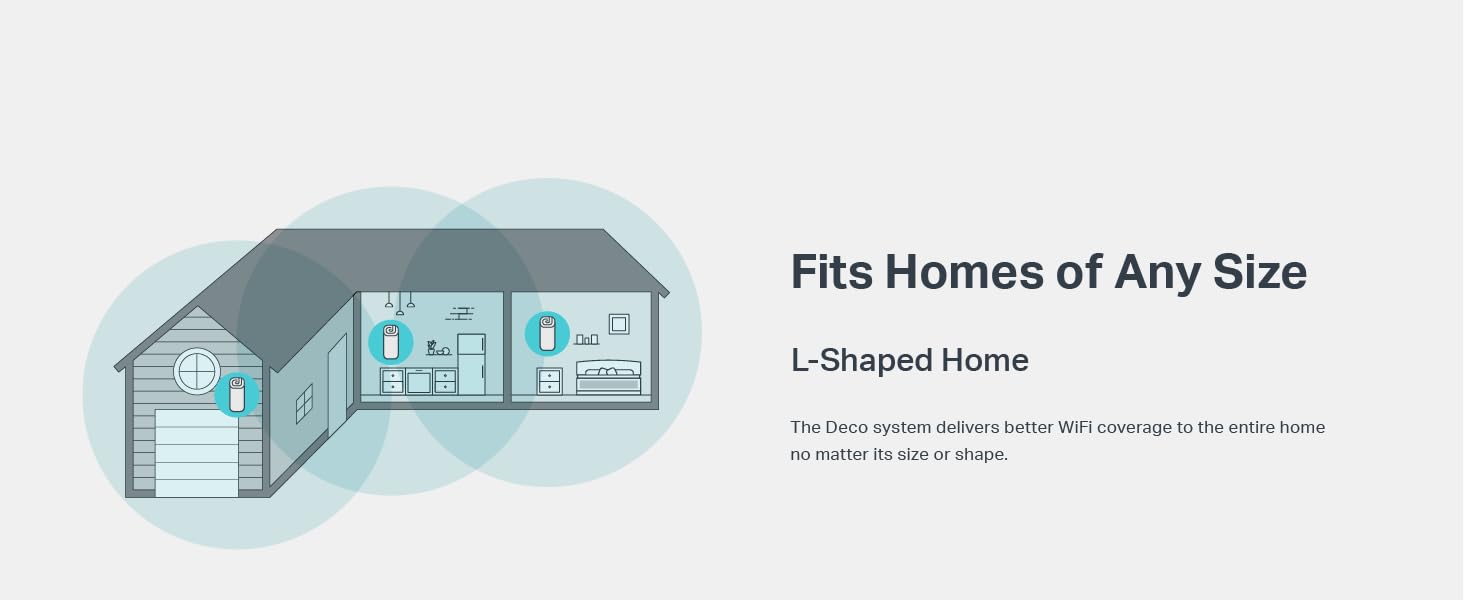
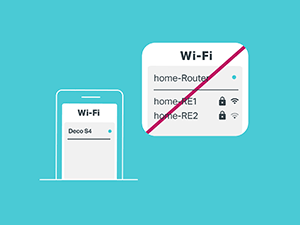
The TP-Link Deco Mesh AC1900 WiFi System (Deco S4) is a powerful 3-pack mesh router solution designed to blanket up to 5,500 sq.ft. with fast, reliable WiFi. Featuring AC1900 dual-band speeds, seamless roaming with a single network name, and support for up to 100 devices, it replaces traditional routers and extenders for a smarter, hassle-free home network. With Alexa compatibility and robust parental controls, it’s engineered for modern connected lifestyles.


| ASIN | B084GTH5LL |
| Are Batteries Included | No |
| Best Sellers Rank | #11,413 in Computers ( See Top 100 in Computers ) #205 in Routers |
| Brand | TP-Link |
| Color | White |
| Connectivity Type | Wi-Fi |
| Customer Reviews | 4.5 4.5 out of 5 stars (28,784) |
| Date First Available | 1 April 2020 |
| Item Weight | 1.91 Kilograms |
| Item model number | Deco S4(3-Pack) |
| Manufacturer | TP-Link |
| Operating System | Linux |
| Product Dimensions | 9.07 x 9.07 x 16.23 cm; 1.91 kg |
| Series | Deco S4 |
| Voltage | 12 Volts (DC) |
| Wireless Type | 802.11ac |
S**N
Great Wifi Coverage, So easy to setup & manage
The main router provided by ISP is behind a thick triple brick wall at the entrance of the 4900 sq. ft. home. Between the router and the last room, there are 5 double brick walls. This product fixed the wifi signals issue and I am so happy with the purchase.
J**Y
Great Wifi Extend solution
Works perfectly
A**S
It works.
Item was new, delivered very fast. Met my expectation. I have had 50 mbs connection and earlier it used to be running around 1 mbs to 10mbs while accessing from our rooms. Now i am getting 50 mbs connectivity in all my rooms. In fact we now have Zero Dead zone in our apartment. this is really cost effective.
S**N
Good esthetics but i think the coverage could be better
I have a 2 Bedroom Hall + Kitchen and this is enough to give coverage to almost the whole house. There are still some spots (maybe 1-2) in the house where the connection keeps dropping. Interface to set it up was easy. Price was competitive. Happy with range overall though inspite of the drop.
H**M
Don’t buy if you have thick walls in your home
Might work well in an open plan home but don’t expect it to work if you have walls! Disappointing……
K**N
Poor . Dont buy
does not broadcast 2.4 and 5ghz at sametime. Only one connect at a time. You need to switch off 5 ghz incase you need 2.4 ghz
E**E
I bought this to extend the wifi signal and speed in my house. My old router would only support 300Mbps dual band and with some streaming connections far away from the router I would have issues (5Ghz would barely work). I bought the 3 unit package and use it as an access point with my old router (with its Wifi turned off). This product also has powerline backhaul; meaning it uses your house's electrical system as a network transport from one of the satellite units to the main unit (up to 1Gbps). There were complaints in prior firmware versions that one could not tell if powerline backhaul was working. But that was added in the configuration/management app. This package also has ethernet backhaul, again wireless to the Deco remote mesh unit, then ethernet to the main unit. Setup is really easy (although I have not tried to set it up as a main router at this point). The speed is fantastic (I have a 300Mbps cable connection and speed tests will show up to 200Mbs or more on wireless. This does NOT support WiFi 6. So if you're looking for the absolute latest in Wifi Mesh products, this isn't it. But with the powerline and ethernet backhaul, this will perform quite fine for many households. If there's one complained I would have it is that the only way (I know of) to manage the wifi mesh is via an app on your phone. I'd rather have a way to manage (what little you can do) via a PC. This will also accept other units if you have a house that really needs it.
M**A
Fué sencillo de instalar, me tardé aproximadamente 1 hora en todo el setup, los equipos se conectaron rápidamente, incluso la impresora wifi con conexión wps fué sencilla de configurar y trabaja muy bien. Equipo excelente en el área de oficina apenas me llegaban 8-9 Mbps (con un repetidor) ahora tengo de 90-100 Mbps, mi computadora principal (una viejita Asus de 2012) a cada rato se caía el wifi y ahora está estable, también pude configurar mi streaming de música desde la oficina hasta la sala dónde se encuentra el Deco router y trabaja muy bien sin cortes.
A**R
Absolutely Reliable! This mesh is seriously a tank. Always works. Never drops out. Comes back smoothly after power outages. She is not fancy, she is not expensive, her app is intuative and easy to use. She is super easy to set up. Has a very strong signal. Works on 2 level homes. I have 3 sets in 3 different houses and I 100% recommend this brand.
M**T
I had weak and dead spots even though I had two rather expensive routers with one acting as an extender in bridge mode. When my internet connections became generally unstable I decided to move on to the mesh system. I had a good experience with the power line extenders from TP-Link so decided to go with the Deco Powerline. I am glad I did. In my office on my lower level I was lucky to get 6 Mbps, now I get over a hundred mbps(The picture is of a speed test that I ran in my office.) ! Setup was theoretically easy. Initially I had problems maintaining a stable internet connection. Naturally I spent time troubleshooting the more complex possibilities instead of doing the obvious. I unplugged the ISP provided modem and the main Deco unit. I left them unplugged for a couple of minutes. Plugged the ISP modem first and then the Deco. Problem solved! It may not matter but I connected the top jack of the main deco to the modem and the lower one to my network switch with eight ports. If there is a weakness, it is the app. It is too simplistic and fails to provide advanced options. The average user may find it sufficient and be satisfied but I found it frustrating for troubleshooting purposes. I wish, for instance, it would allow me to know how good the connections are between the various Decos and not just a "healthy" rating. It also lacks WPS to quickly add devices. That being said we live in an "L" shaped bungalow and the router is at the far end in our living room. It is a challenging topography to ensure a great wi-fi connection throughout our house. Inside the house the weakest spot in the lower level now receives over 70 Mbps, before it receive none ! I will need to add more Deco units (trying the E4) to extend effectively to our garage in order to increase bandwidth to devices that I have outdoors and in the garage. In the end what I needed was an improved Wi-Fi network in my house as we have over 60 Wi-Fi devices including four smart home hubs and a variety of Amazon Alexa devices, that connect to it, and the Deco Powerline has solved all my issues. So far I am very pleased! Video streaming no longer buffers. Tip: I used the same SSID (Network name) and password as I had on my old router. I did not need to configure any of my devices though I did have to restart some. Depending on how many devices, I found it took some time for devices to rejoin the network. Remember to disconnect the modem and the main Deco for a couple of minutes if you have Internet issues during setup. Issues: - If you have older cameras and devices which have connectivity issues, turn off "fast roaming" in the advanced settings. Fast roaming is taken advantage of by the client and not the router/APs. Older clients have issues with - Can't turn off the 5 ghz network ( no control) - Only a single SSID is displayed for both bands. - Can't identify via the app the load on access points or which devices are connected to them. - Can't identify the speed on individual access points. - Sometimes the app shows APs as disconnected when apparently they are not. - No WPS Despite the limitations of the application that manages the system, the connectivity has been excellent and stable. I added the Deco E4 successfully to this set.
M**.
Opté por el sistema de malla P9 pues había puntos en donde no tenía una señal óptima de WiFi, además me interesaba tener más puertos gigabit en otros puntos sin tener que cablear. el WiFi era el cuello de botella para streaming en 4K por ejemplo. La instalación es en extremo sencilla e intuitiva, se instala la app Deco, se inicia sesion o se crea una cuenta y se muestran en la pantalla de tu smartphone los pasos a seguir para tener tu red de malla lista en pocos minutos. El WiFi funciona perfecto en la totalidad de mi entorno, por ejemplo, me marca enlace de 866 Mbps en Wifi utilizando una laptop con 802.11AC y mis dispositivos cableados ahora se conectan en gigabit entre ellos, 4K fluido y descargas más rápidas en general. Sobre algunas funciones limitadas que se incluyen en muchas reseñas, son ciertas en la version por defecto que traen instalada (1.0.1). Recién se lanzó una nueva versión (1.1.0) que permite encender o apagar las bandas individualmente, ajustar parametros de la red DHCP, conexion por WPS asi como visualizar que dispositivos se conectan a que repetidor y por que frecuencia o medio, igual ya se puede observar al tipo de enlace entre las estaciones, tambien agregaron la interface de administracion web, pass-thru de IPTV y clonado de MAC en caso de que tu proveedor de internet tenga tu servicio asignado a un router en especifico. Sigue sin funcionar la conectividad con IFTTT para automatizar (de acuerdo a TP-Link el Deco P9 no es compatible aún), todavia no pruebo las funciones de Alexa. En general, si lo recomiendo. Aunque si no necesitas del powerline, existen opciones más economicas.
Trustpilot
4 days ago
3 days ago