
🖥️ Elevate your workspace with clarity and style — don’t just see it, experience it!
The Acer R240HY bidx is a 23.8-inch Full HD IPS widescreen monitor featuring a zero-frame design for maximum screen visibility. It offers a fast 4ms response time, 178° wide viewing angles, and supports HDMI, DVI, and VGA inputs. With 16.7 million colors and a 100 million:1 contrast ratio, it delivers crisp, vibrant visuals ideal for professional multitasking and media consumption, all while maintaining energy-efficient operation.
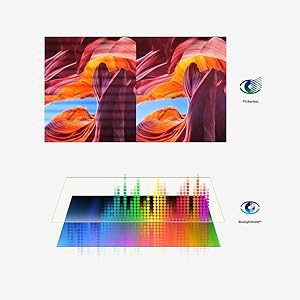



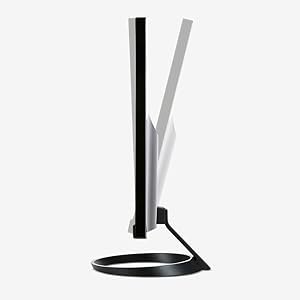

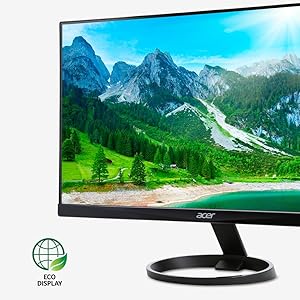
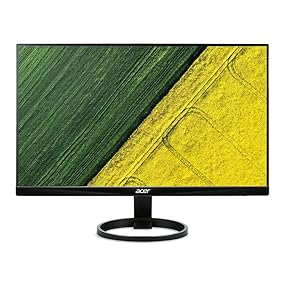
| ASIN | B0148NNKTC |
| Are Batteries Included | No |
| Brand | Acer |
| Color | Black |
| Customer Reviews | 4.6 4.6 out of 5 stars (22,039) |
| Date First Available | 6 September 2015 |
| Item Weight | 2.89 Kilograms |
| Item model number | R240HY bidx |
| Manufacturer | Acer |
| Number of HDMI Ports | 1 |
| Product Dimensions | 54.1 x 18.54 x 40.64 cm; 2.89 kg |
| Resolution | 1920 x 1080 Pixels |
| Screen Resolution | 1920x1080 |
| Series | R240HY bidx |
| Standing screen display size | 23.8 Inches |
| Wattage | 25 watts |
L**V
I am very happy with the purchase. The monitor size is excellent and allows me to work from home comfortably. Picture quality is great. I would highly recommend this product to anyone looking for a reasonably priced, good quality and functional monitor.
V**O
Lo primero que llama la atención de este monitor es su estética, tiene acabado tipo piano y y el borde es ultra delgado lo cual lo hace atractivo. Lucirá bastante en tu escritorio. Ha funcionado muy bien en actividades cotidianas con la computadora y de oficina; el reflejo es mínimo en el monitor. Los botones para acceder a su configuración se encuentran en la parte de abajo del marco; el acceso a ellos puede ser un poco complicado y aunque cuando ingresas al menú de opciones te aparece una ayuda visual del lugar donde debes de presionar, no llega a ser tan sencillo, hay que practicar un poco. No obstante, creo que muchos monitores apuestan por la estética y ocultan los botones de acceso a su configuración. Opté por crear una configuración personalizada al inicio; esta personalización y otros modos predeterminados del monitor pueden alternarse a través de los botones disponibles. Los modos con los que cuenta el monitor son: Personalizado, Eco, Estándar, Gráficos y Película. El monitor cuenta con entrada HDMI, VGA y DVI. Me hubiese gustado que este monitor fuera compatible con la herramienta de Acer Display Widget para sacarle mayor provecho pero no fue así.
A**ー
ずっとこのディスプレイを使ってます。スタンダードなディスプレイだと思います。何買うか迷ったらとりあえずこれでいいと思います。
M**C
Just received mine today to replace an older Acer display that is going on to other uses in my house. Installed the base no problem, hooked it up, no problem and off and running. First thing I noticed is that it is much brighter and crisper than the LCD screen it replaced. I am not an expert on color reproduction and all that. It seemed fine right out of the box. I did some minor tweaking in my NVIDIA control panel to tone down the brightness by about 3% but other than that, nothing. I play an online multiplayer game and I immediately noticed how much smoother this was and everything looked almost new. My old LCD was still a pretty good 5ms monitor, but this one transitions so much better. Other notes: -Using a DVI-D connection to my computer - I have a lot of cables lying around and for me the included VGA cable goes into the electronics recycle bin -This monitor uses a power "brick" but it is so small, it's more like a power "mouse" -The base is great, my old monitor used to shake when the washing machine went into spin cycle. This one doesn't move a bit. -For the money, if you are looking for a good monitor without a ton of features, just want to plop it on your desk and be done with it, this is a great deal. -This monitor appears to be exclusive to Amazon. -It's a very nice design, very pleasing to the eye. -I have this side-by-side with a very high quality HP display and I think the two are comparable. With my old display, when I switched from one to the other, it looked like going from a shiny new car to an old rusted beater.
S**G
I spent a long time looking for a good monitor and finally settled on this one. I have it connected to my iMac as a second display, asa well as my xbox. It is a very good display, although if you really look you can see the pixels since it is only 1080p, and sometimes things don't look as clear as they should. That being said, this is my first monitor above 60hz, and I am very impressed with how smooth 75hz feels. The included stand is excellent, I love being able to rotate the monitor into portrait mode for certain applications, as well as adjust the height and tilt. The only thing I'm a little disappointed about is the amount of ports in the back. There is only one hdmi port, so I bought an hdmi switcher in order to switch between different hdmi inputs. Also, I think the product page said somewhere that it had speakers, and at least for the 23.8 inch version, it has neither built-in speakers nor an audio out port, so you will need to find another way to connect external speakers. I also found that when switching to 75 hz from 60 hz, all colors looked a little less vibrant, but after changing the contrast and gamma in the OSD it looked much better. I really like that it has a joystick on the back for OSD navigation, it makes it much easier than monitors I have had in the past. If you need a cheap monitor that still has quite a few higher end features, then this is for you.
Trustpilot
3 days ago
1 month ago



