
🚀 Elevate your smart home with ultra-long-range motion sensing—because your space deserves the best!
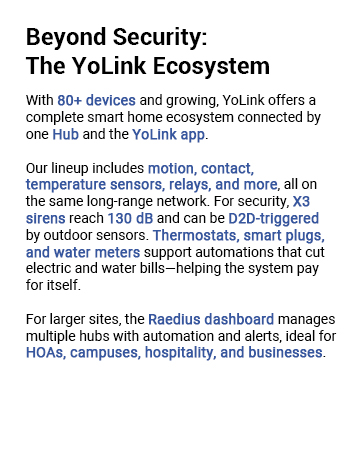
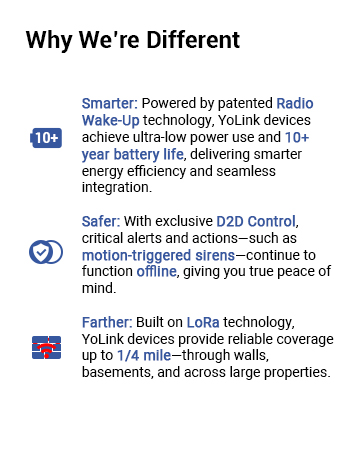
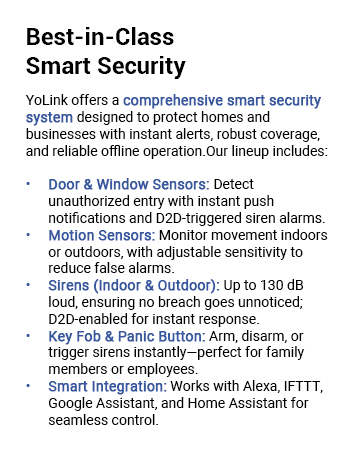
The YoLink LoRa Smart Motion Detector delivers industry-leading 1/4 mile wireless range using advanced LoRa technology, ensuring reliable motion detection across multiple floors and buildings. Its tool-free magnetic mounting and quick QR code setup make installation effortless. Compatible with Alexa and IFTTT, it enables smart automation for lighting and security. Unique device-to-device pairing ensures operation even without internet or power, while real-time notifications keep you informed with battery status updates. Ideal for professionals seeking robust, scalable, and secure smart home monitoring.

| Brand | YoLink |
| Color | 1-pack without hub |
| Item Weight | 2.89 Ounces |
| Maximum Range | 0.25 Miles |
| Mounting Type | Ceiling Mount |
| Power Source | Battery Powered |
R**H
Great Outdoor Motion sensor that DOES work with Alexa.
Over all, I really like this motion sensor. I have been waiting a while for a company to make an outside motion sensor that works with Alexa. At the beginning of 2021, I did suggest this to Yolinks in their feedback section. Yolink seems to be very open to feedback. What I like/PROS about this motion sensior. 1) How small it is compared to other outside motion sensors on the market. Much easier to place in location where it is not as noticeable. 2) Like all Yolink devices, this device is extremely easy to setup. In the app, tap the scan icon, scan the QR, tap bind, your done. 3) The Yolink app is extremely user-friendly. The designers and programmers must actually be using the app and Yolink devices. In the app, it is very easy to rename the Yolink device to what is convenient and/or useful to you. Device settings are easily changed, tap the device icon, then select setting. No hunting and digging around in four or five deep menus, trying to find something that is hidden under some obscure label/name. 4) Another very nice thing that the Yolink app and Alexa skill does is, any new Yolink device scanned is automaticall added to Alexa's device list. No need to have Alexa scan for new devices before you can start setting up routines in Alexa. 5) Another great feature is that when a sensor sends a notice to your phone, it also includes the battery status. No more guessing if batteries are low. You can also see this within the app by selecting the device, then settings where you can see the battery level. 6) This is more about the Yolink hub that the sensors connect to. If the sensors are controlling other Yolink devices such as wall switches, electrical plugs/outlets or even setting off the Yolink alarm siren, It does NOT need internet connectivity. Yolink devices communicate to each other via the Yolink hub. This interaction is almost instant. Internet access is needed to communicate with Alexa and other none Yolink devices an to be able to sent notifications to your phone. At this time, I cannot rate the battery life. Only been using the outside motion sensors for four days (as of 05/31/21). If they are like the other Yolink devices, the battery life should be very good. Currently I have one of these sensor for my driveway. If it detects motion, I get notified on my phone and I have a routine in Alexa setup to make an announcement on all echo speakers. Love this feature. I also setup one for my side door, doing similar things. If you have kids playing in the yard, you might want to set times when different sensors are active and when they are not. At night, I am testing how good these sensor and the Alexa Yolink skill is at turning on different exterior lights, when motion is detected. The only concerned I have, it is not really a CON at this time. 1) The small mounting bracket, will it hold up to Florida weather? Only time will tell. At this time, I cannot reduce the rating because I do not know how strong the mounting bracket is. This maybe a CON for some, not for me. 1) The mounting bracket only has vertical movement/adjustment, no horizontal adjustment at all. Not an issue for me, but might be for some. These motion sensors are replacing existing sensor around my home. The driveway sensor, a weather/rain hood is already installed and pointing in the correct direction. The other one, like other outdoor sensors I have, are mounted under the house/roof eaves for some protection, on mounts I have already designed and pointed in the desired direction. So far, these new Yolink outdoor motion sensors are working out much better than I expected. I have two more on order (05/30/21) for my front and back doors. Only time will tell if they will holdup to normal Florida weather. I will update if my option changes.
C**B
This sensor has a range which is beyond imagination
Well there have been so many sensors. So why buy yolink? If you are thinking of this question then stop thinking and buy first and the read my review. I have been experimenting with smart home products since last 7 years when they were barely launched starting with smart bulbs and moving on to all different products and using Alexa to bind them and then comes these sensors. Frankly I have wasted tons of money on contact and motion sensors. I have tried sensors linked to hubs via zigbee and zwave which have their own problems with regards to range and going offline etc etc Then comes wifi sensors which require routers in every room and they have a significant lag ofcourse. And if your wifi is down then bye bye to them Frankly I was so fed up I stopped using any sensors. Controlled everything with voice which works atleast 99% of time And then I read about yolink. Their loran technology. I am from aviation and yes we have knowledge of long range technology and different wavelengths as such. So we'll it seemed interesting. But I had wasted enough money and now I cannot trust anyone unless I try my hands on. For a change just ordered 2 motion sensors and one hub just to experiment knowing I will lose my money again I stay in part of world where we use brick and concrete walls where even drill machines give up, forget any sensors. And when nothing works it's YOLINK which works. And they were flawless. I did a stress test. Kept their hub in living room and I installed motion sensors in bathroom which are inside my bedroom. There are like quite a few walls and doors between hub and sensors. And oh my god they just work instant. Like super instant. They are truly truly SUPER LONG RANGE So they can pass through walls concrete bricks doors and what all and still respond instant Best thing each set up literally takes 20 secs flat. I bet not more than 20 secs ever. I was so happy I order so many more sensors. As of now I have 12 window door sensors, 5 motion sensors, key fob and their speaker hub. To set all these sensors over all it took me like less than 5 mins. Such straight forward pairing and app is straightforward. Also do register for their newsletter as I ended up getting 20% coupons which saved quite an amount. Overall I feel nothing can beat these sensors ever in terms of simplicity reliability and range which is my fav as its superrrr looong range. Hats off for such wonderful products and technology.
K**R
Plays well with other devices
Very pleased with this. I purchased this motion sensor and hub to go in my garage to automate turning the garage lights on and off. Initially I was hesitant to add a whole new ecosystem to my very involved smart home, but this has been a joy to work with. I downloaded the app to my phone, setup my account and plugged the hub into a network switch, that shares one port on the router with many other smart home devices. Knowing that this uses a separate radio frequency to operate and was competing with number of other devices on the switch for bandwith, I was fearful there were going to be issues with the hub not working correctly, or the Yolink radio frequency interfering with the Wifi, the Lutron, or the Zigbee, however in the end none of that occurred. Setup was easy and it integrated well with my other devices on the switch, not causing any issues. I next linked the motion sensor to the app by scanning the QR code on the motion sensor with my phone, while sitting by the hub. No problems at all, found the sensor right away, it appeared in my app, a brilliant way to do it. Then I took the motion sensor out to the garage, which is detached and on the far side of the property from the router and hub. Surely I thought there would be signal issues. I installed it on the bottom of my garage door opener, across from the Wifi signal boosters and surrounded by Zigbee lighting controllers, still the sensor maintained a very strong signal, even with the garage door closed. To this day it has not once disconnected from the hub. I installed the Alexa skill, signed in my new account and programmed a routine into Alexa to be able to activate the Zigbee lighting controllers in the garage and turn on the lights when motion was detected. No problem, worked as expected. Then the real test, can it it turn off the garage lights when no motion is detected? I had already purchased several other motion sensors that were not able to do this and fully expected another fail, I programmed the routine into Alexa and to my amazement, IT WORKED, the lights turned off after no motion was detected for the time I set. Overall I am very pleased with this, they took the Alexa integration seriously, the App is well designed and everything was easy to set up. I've already added a temperature sensor and plan to add additional plugs and motion detectors to my new Yolink ecosystem. I already suggested they add a mailbox sensor to their line up and they responded very quickly to my suggestion, so customer service is responsive. Everything I set up so far has been easy and reliable, a very good deal for the price.
S**M
Absolutely LOVE YoLink products, what a great company!!
We have so many YoLink products, but since this review is specifically about this indoor motion sensor, I'll try to stick to that. First, this is much smaller than it appears in the pictures which was a great surprise for me. We're using this to monitor the evening activities of a senior dog so it is mounted on the side of a table in our living room, which means the small size was welcomed. Like all YoLink products, it was a snap to install, just a few taps in the app, and it was ready to go. And it works as expected. Every time it senses motion it sends an alert (depending on config) and it reliably senses motion. Almost too much sensitivity for our needs, so we had to turn the sensitivity down to "low" so that it was only catching when our dog actually got up and moved, not just when she twitched or raised her head or kicked her legs in a dream. The only reason I gave 4 starts instead of 5 was for a few options that I think are missing in the setup and configuration for this motion detector. First, I would really love a way to turn it off during certain times. You can turn off alerts by using alert schedules, but you can never turn it "off" unless you physically turn it off which we of course don't want to do. It would be really nice if the app allowed you to configure an "active time", a time during which you wanted to track motion, and an "inactive time", a time during which you didn't want or need motion tracked. Since you don't have to be alerted, I know it seems like a small issue, but I don't see any point in wearing down the batteries to have it sense motion during times that I don't care. The second issue is that I would really like to be able to schedule different alert schedules for different users. This is an issue with many of their products, not just this one. When you configure a device for an alert schedule in the app, it uses that alert schedule for EVERYONE that uses the app, which doesn't make a lot of sense to me. We have a lot of their products and my husband and I definitely have different wants and needs for being alerted by the devices, and there doesn't seem to be a good way to configure different behaviors for different app users. Most devices have behaviors that apply to the device, not the user. THANKFULLY because these products integrate with Amazon Alexa (very easily, I might add, by simply activating the YoLink skill), I'm able to do what I want to do using that software instead. But it would be nice to do it directly through the YoLink app. YoLink support has been very responsive to my questions and assures me that what I want doesn't currently exist in the product or app, but they do mention they will pass it along as a feature request. I don't know if they'll actually implement it anytime soon, or ever, but at least they responded!
J**E
Long-Term Reliability and Performance
I have been using the YOLINK LoRa Smart Outdoor Motion Sensor for over a year now, and I must say it has consistently delivered exceptional performance and reliable security monitoring for my property. This long-term experience has solidified my confidence in this product's capabilities. One of the standout aspects of the YOLINK motion sensor is its impressive durability. Despite being exposed to various weather conditions throughout the seasons, including heavy rain, extreme heat, and even freezing temperatures, the sensor has remained intact and fully functional. Its rugged construction and weatherproof design have proven to be reliable and have ensured continuous operation without any degradation in performance. The motion detection accuracy of the YOLINK sensor has been consistently impressive. It effectively distinguishes between human movement and other sources of motion, minimizing false alarms and providing reliable notifications only when necessary. This has been particularly valuable in reducing unnecessary interruptions and ensuring that I am alerted to genuine activity on my property. The 1/4 mile open-air range advertised by YOLINK is not an exaggeration. I have placed the sensor at a significant distance from the receiver, and it has maintained a strong and consistent signal without any connectivity issues. This extensive range has allowed me to cover a large area of my property without the need for additional sensors, providing comprehensive security coverage. The integration of the YOLINK motion sensor with various smart home platforms, such as Alexa, IFTTT, and Home Assistant, has greatly enhanced its functionality. I have integrated it seamlessly into my existing smart home ecosystem, enabling me to control and monitor the sensor through voice commands and automate it with other connected devices. This integration has added a layer of convenience and has expanded the possibilities of utilizing the sensor for home security purposes. Over the course of the year, I have relied on the YOLINK motion sensor to provide timely alerts through email, SMS, and push notifications. The delivery of these alerts has been consistently prompt and reliable, ensuring that I am promptly notified whenever motion is detected. This real-time notification capability has been invaluable in allowing me to take immediate action or assess the situation remotely. In conclusion, my experience with the YOLINK LoRa Smart Outdoor Motion Sensor over the past year has been highly satisfactory. Its durability, accurate motion detection, impressive range, and seamless integration with smart home platforms have made it a reliable and valuable addition to my home security system. If you're looking for a long-term solution for outdoor motion sensing and property monitoring, I highly recommend considering the YOLINK motion sensor.
I**9
Works perfectly for me
I set this up on a tree so it covers anyone who enters my driveway, and it works great. Even when a delivery driver parks on the street and walks into my driveway, it goes off and I get the notification. It's probably 30-50ft from where my modem is. It did take some adjusting to get the sensor just right so it wasn't catching car headlights going by at night- which wasn't hard at all. You can screw it in and then do trial and error of walking in front of it or I had someone hold it for me and go from there. The app is easy to use. I get notified almost instantly when it goes off. Once in a while when I leave my house, I'll get notified 1-2 minutes later but I think that's because my phone is losing WiFi signal as I leave and switching to mobile Data. You can also adjust the sensitivity, I keep mine on low. It also says the temperature in the app.i haven't played with the other settings like "effected when away" but it does have some options in the app. I think it's been almost a year since I bought it and battery life is still full and I haven't had to adjust it since. It's also been super windy and rainy and no problems. It rarely goes off because of wind. In the beginning, I did end up moving it to a different tree because leaves were setting of the motion. When I get the notification, I just go right to my doorbell cam so I can see who pulled in the driveway. For just a motion sensor, it's been great for me.
F**Y
Working well so far
Have one at the end of our very long private driveway to give a warning when someone is coming. Placed another just before arriving at the house so we can tell if things are coming or going. They have been mostly reliable so far, but seem to have an issue with vehicles that aren't producing a lot of heat. When we leave and the car hasn't heated up they frequently don't alert, also sometimes don't alert when one of the electric Amazon vans pass by. Apparently the IR has a difficult time detecting the cold vehicles. Have placed 4 of these in various locations so far and they have been more reliable than any other systems we have tried that rely on wireless communication over distance.
T**R
I love my YoLink networks, and yes I have several
So I'm a cybersecurity engineer, automating my personal systems. I have houses 700 miles apart, and I have a ridiculous level of automation because that's just how I roll. So much of the gear I use works great when I'm in the room, and fails the hour I leave for the other house. Wifi is a wonderful thing, when it works. The problem is it is easy to jam up wifi, AND so many of the IOT devices are based on 2.4ghz wifi that can be shut down by any baby monitors that use wifi frequencies but do not use wifi. A baby monitor /can/ shut down any 2.4ghz wifi within a half mile. So as a result I see tons of wifi failures in that 2.4ghz band. It's not just baby monitors, but those are a common example, there are many others. Yolink uses loran technology for communication, easily overcoming wifi failure modes. This is important to ME. Your mileage may vary. I have only two issues with yolink products. One is the speakerhub, it is wifi only, so it falls outside of my "sphere of reliability", I /really/ wish it had an ethernet port. Speakerhub makes a noise when wifi goes up and down... I hear that noise a LOT. And it isn't my wifi router's fault, any properly operating wifi AP will fail to operate when blocked by a interfering signal, that is a required part of the wifi protocol, wifi that doesn't do this is actually illegal because it might be near a military radar installation. The second thing about YoLink is that sometimes I need polling cycles of short duration, so for example a temperature probe on an air conditioner will need to have fast polling cycles to capture the curves needed to check performance of the unit. The hour polling cycles are great for most things, but sometimes I need more frequent polling cycles, even if only temporary. I wish there was a way for me to buy extra polling cycles on a month to month basis, but I think that functionality is probably reserved to larger customers with larger operations. So the power of the yolink platform is that because it is not on your wifi, it can be used to repair and remediate issues with your wifi. In my redundancy setup, I have a hub on each of the ISP's feeding a site, so that if one ISP is down, I can reboot the router from the other ISP connection, from anywhere on the planet. And in the short time I have been doing this, I have used it to resolve issues with both ISP's, thereby avoiding 20 hours of driving. I have many brands of remote power modules, as well as temperature sensors, 4 brands of surveillance cameras, a cisco dual-wan router, hvac controls, and automations to manage some of my personal "infrastructure". YoLink has been the solution for many problems, and a joy to build ifttt automations for. It is clean and simple.
Trustpilot
1 month ago
3 weeks ago



