




🔥 Stay cozy, save energy, and control your comfort from anywhere! 📲
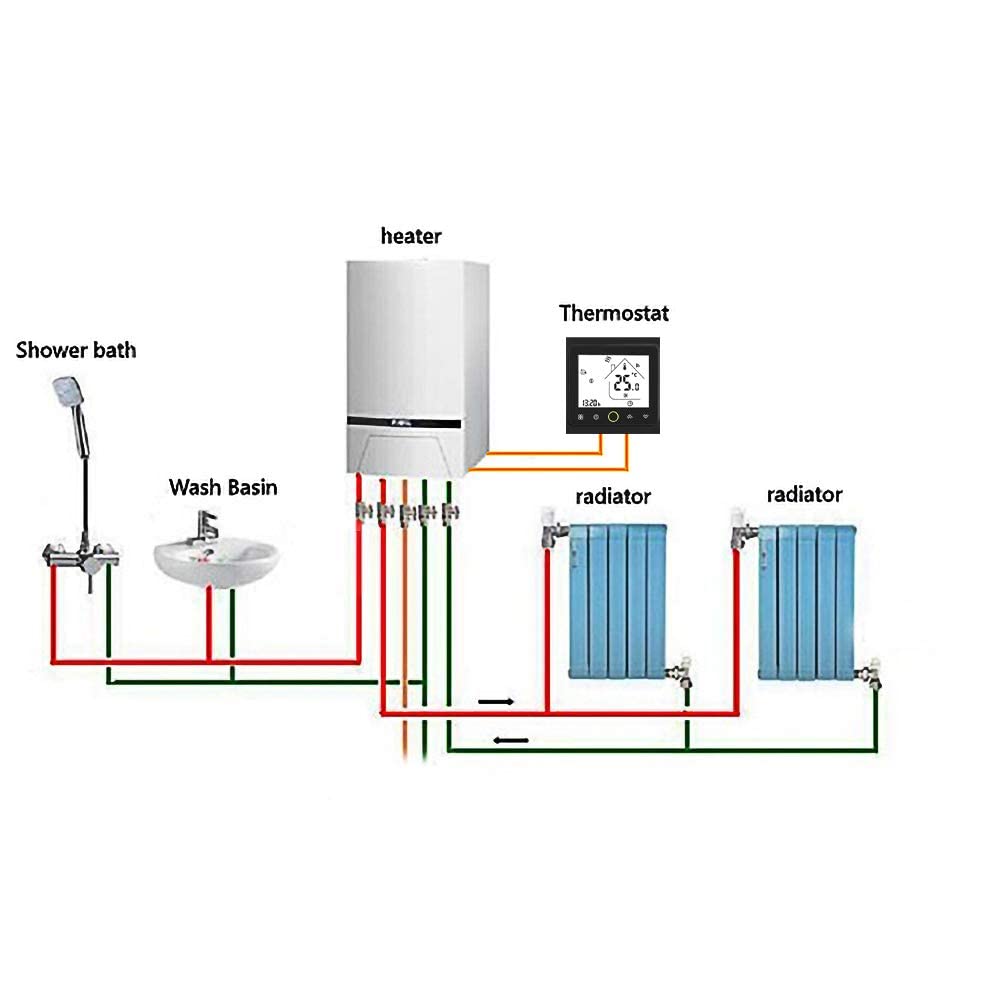
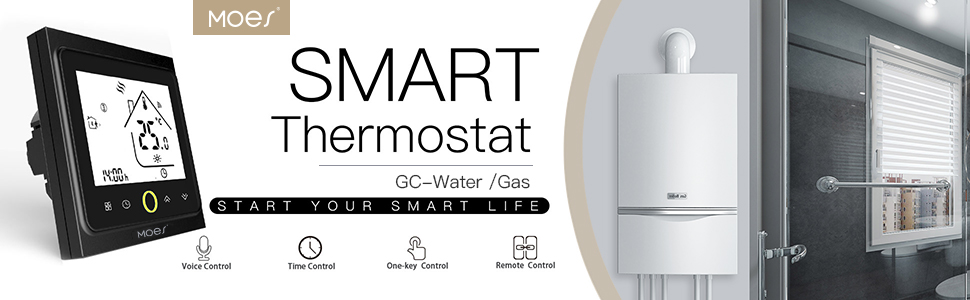
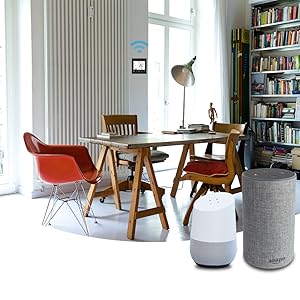
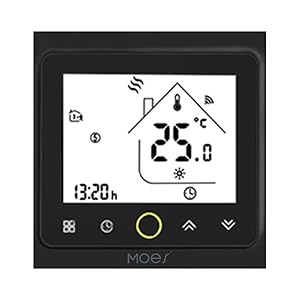
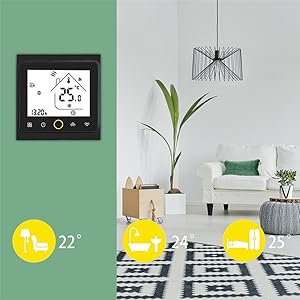
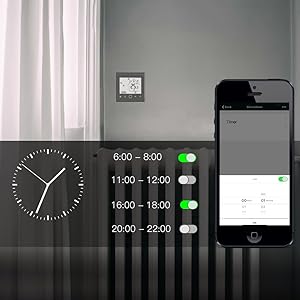
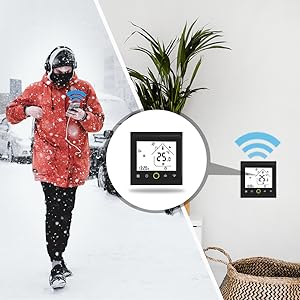
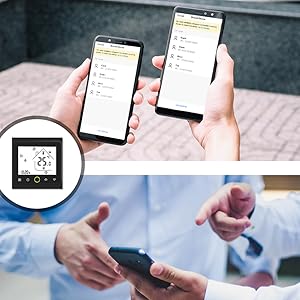
The MOES Smart Thermostat is a sleek, WiFi-enabled temperature controller designed for water and gas boilers, supporting 5+1+1 programmable heating periods. Compatible with Alexa and Google Home, it offers precise temperature control (±0.5°C), voice commands, and app-based remote management. Its power-off memory and multi-room support make it a smart, energy-efficient upgrade for modern homes.



| ASIN | B07Q9QMFM6 |
| Backlight | Yes |
| Best Sellers Rank | 88,778 in DIY & Tools ( See Top 100 in DIY & Tools ) 206 in Water Heaters & Parts |
| Brand | MOES |
| Brand Name | MOES |
| Colour | Black |
| Connectivity Protocol | Wi-Fi |
| Connectivity Technology | Wi-Fi |
| Control Method | App, Touch, Voice |
| Control Type | Button Control |
| Controller Type | Amazon Alexa, Google Assistant |
| Controller type | Amazon Alexa , Google Assistant |
| Country Of Origin | China |
| Customer Reviews | 4.1 out of 5 stars 1,432 Reviews |
| Display Type | LCD |
| Global Trade Identification Number | 06974246478326 |
| Included Components | Mounting insert |
| Item Shape | Rectangular |
| Item height | 38 micrometer |
| Manufacturer | WENZHOU NOVA NEW ENERGY CO., LTD |
| Material Type | Plastic |
| Model Name | BHT-002-GCLWB |
| Model Number | BHT-002-GCLWB |
| Model name | BHT-002-GCLWB |
| Mounting Type | Wall Mount |
| Power Source | Electric |
| Product Style | 5A for Boiler Heating-Black |
| Special Features | Programmable |
| Special feature | Programmable |
| Specific Uses For Product | Boiler,Heizung |
| Specific uses for product | Boiler,Heizung |
| Temperature Control Type | programmable |
| UPC | 703931915145 |
| Voltage | 230 Volts |
A**N
Amazing product!!!
This thermostat is a smart piece of equipment, but there are a few important details to keep in mind: - **Back Plate:** It does not come with a back plate. If you don’t want to make a large hole in your wall, you will need to get a spacer or a back plate. There is a recommended one on Amazon, but it’s not ideal because it isn’t square and doesn’t include screws compatible with this thermostat. I used it but it’s not a snug fit. - **Wiring:** Ensure that your wiring matches the examples shown in the feedback. You need to create a loop for the heating to work, so if your wiring consists of yellow, neutral, live, and earth wires, you should feel confident in purchasing this product. I had to tape the earth wire and tuck it away since there is no designated hole for it. - **Moes App:** The instructions provided will help you connect the thermostat, but they do not explain how to use the app once it’s set up. The app has only four buttons: you can turn it on by clicking the hand switch like leaving on constantly, and the "P" button is for programming. Good luck! It works from anywhere in the world as long the thermostat is connected to the WiFi and it really helps getting the house before you get home or not leave it on. Very smart and I’m impressed despite the fee glitches
M**Y
Great value and works perfectly, app control simple to use.
Great value and works perfectly, app control simple to use. Set up is easy but remember to add loop wire if you are installing on an old fashioned gas boiler with hot water tank and header, see other reviews for wiring pictures. Supplied screws will not work with Moulded surface box, use screws from a standard switch or socket and youll be fine.
D**D
Simple upgrade to a smart thermostat at a fraction of the cost of some big brand ones.
What can I say my product came at lunch time and by 1500 im sitting relaxing after fitting it myself and working perfectly. I had looked into getting a smart thermostat for a while Hive and Nest seemed alot of money for something that seemed so simple. So i looked around and Came across Moes smart thermostat for combi boiler heating and hot water. Seemed a great price for exactly what i wanted so of course i checked out all the reviews on amazon and looked at other buyers photos aswell and decided to go for it. This has now replaced a horstmann battery powered thermostat which was big and chunky and outdated IMO. I checked all the wiring before i ordered the new one and seemed pretty straightforward. The receiver came apart and was pretty simple to wire up the new one I had a spare 47mm pattress surface box to use and tbh im glad i used that and not a smaller one as it kept all the wires inside neatly and not all squashed. Note. I did not use the supplied screws as they were too big had a couple of spare smaller ones. Very happy to now be able to work the thermostat from anywhere and was very simple. Make sure you turn all power and boiler off before attempting any electrical work. A small job with big benifits for someone with a good knowledge of electrical installation.
M**D
MOES WiFi Smart Thermostat superb piece if WiFi Alexa supporting kit
Purchased this piece of kit to replace a broken Dayton Thermostat that was installed in our house when we purchased it 20 years ago. I had looked a the Phillip Hue version but price was the limiting factor. Having read a number of good reviews with useful installation advice from other customers I purchased the MOES WiFI Thermostat as at £34 and knowing it worked with the same SMARTLIFE App I already used for a number of other Alexa devices though it would be a good choice. Installation was very simple, see attached photos original wiring and configuration in MOES Thermostat. As has been noted by other reviewers the the heating system has to be on at all times and controlled by the thermostat. There were only 3 relevant connections for my Drayton Thermostat Live, Neutral and yellow for Call (Dry Connect) I matched these between the old and new MOES devices and switched back on the electricity and the device appeared to be working. I was able to manually increase and decrease the Thermostat temperature on the device, what I didn't realise was this was having no impact on the boiler. As has been noted by another reviewer it needed the circuit to be completed from Live to setting 2 on the MOES Thermostat. Once I had added that loop it worked perfectly see attached image. Alexa Configuration: After installing the SMART LIFE App and registering for an account (I didn't need to do this) then go to the Amazon Alexa app and add the SMART LIFE Skill, you will need to have created an account to do this. Adding the Alexa skill at this time will make setting and connecting the device much easier as it will auto pick up the device once connected through the SMART LIFE app. Next the Alexa setup the most important bit for me. This was very straight forward apart from the instructions that were so small could follow them and the images don't relate to current version of the SMART LIFE App. Whenever setting up any WiFi Alexa enabled Smart device disable your 5Ghz wifi settings on your router as most devices only utilise the 2.4 Ghz WiFi settings, otherwise you will invariably try for ages to rule out why the app won't pick up your device. Switching off temporarily the 5Ghz wireless options will save you a lot of unnecessary pain, re-enable it once your device is connected. On the Thermostat switch the device off by clicking the circle so the screen goes blank, then hold the down arrows for a few seconds until the unit strats to plink and display the WiFi symbol. The device is now ready for pairing. Log into the SMART LIFE App and click on the plus symbol to register your device. You don't need to find a matching device in the list as per the original instructions just click on Auto Scan and hold your mobile close to the thermostat. It took only a few secodns to automatically pick up the Thermostat. Almost ready one tip is to rename the default name for the device to Thermostat the default is Thermostat and a number. When you change it here it automatically picks this name up in the Amazon Alex Smart Home setup, so nothing more to do except to issue an Alexa command e.g. "Alexa Set Thermostat to 24" One final thing to note is to ensure that all your Alexa devices have under Settings and the specific Alexa Device configuration parameter for Temperature Units set to ON for metric units. I think by default all Amazon Alexa devices do, but I first issued the command on an Alexa Compatible Facebook Portal device and for those device it was off and so referred to Fahrenheit values so my request to set to 24 degrees Centigrade came up with an error as outside normal parameters. I adjusted all settings on the portal devices in the Amazon Alexa app and then all worked fine. Superb device and well worth the money.
J**C
Not bad, but some annoying niggles.
Installation wasn't too bad, all things being considered. However the screws supplied DO NOT fit a brand-new 86mmx86mmx30mm pattress box. So make sure you buy a couple in advance. Also a standard pattress box has a slight recess into it. If you screw the backplace of the thermostat flush into it, you won't be able to slide the front panel on. I used two small washers either side as a stand off. Once fitted and powered up, I found the display faint and washed out. Even worse with the backlight on. Luckily I have no intention of ever using the thing manually - so once setup it will be via the app. Speaking of which setting up the app and pairing seemed straightforward. My setup was a Vaillant TurboMAX 824. To wire the thermostat in I had to jump a wire from "L" to one of the "dry contact" terminals with the other "dry contact" going to the boilers Call For Heat wire. UPDATE: Having had the misfortune to install the "Smart Life" app, I have to scale my review back to 1-star. The Thermostat OK, I guess (display problem aside). However as soon as I installed this App my phone became 10x slower. As did my wifes. And they are both quad-core big beasty Samsung Galaxies. No idea what on earth this "app" is doing, but everything else now runs like treacle (as does this app). If control by app is a "must have" then for the love of all that's holy, find another device that doesn't use this app. You will thank me. (p.s. don't try and be clever and say "I'll use Alexa instead" as Alexa merely works the Smart Life app on your phone. So double trouble.
P**C
Great product - couple of minor teething issues
+ Nice unobtrusive and easy to fit product which connects easily with the app on a phone and works flawlessly with Google Assistant/Home - (minor) patress screws are too big for UK standard patresses, so need to replace with a couple of spare short ones - (minor) when setting up Google Home connection, you have to first register your phone number with the Smart Life app. This isn't mentioned in the instructions but you need to go through the app menus to find where to enter your mobile number and submit it before attempting the Google connection: First, connect the device to wifi using the Smart Life app (you have to press and hold the bottom right icon on the device for 10 seconds until the screen lights up, then press and hold for another 10 seconds until it lights up again (why?)! Then, from the Smart Life HOME screen, tap the TOP LEFT ICON, then ACCOUNT AND SECURITY. It should let you enter your mobile phone number there and confirm it with a text code. Next, open the GOOGLE HOME app on your phone, click the + TOP LEFT, then SET UP DEVICE and it should there for you to add. You can assign it to any homes/rooms you've set up on your Home account. I got two of these thermostats wired, set up and working in about 30mins. NB - you may not be able to simply replace an existing manual thermostat as this device needs a mains feed, so you'll need a 3 core cable (I guess you could use earth for neutral instead of using it for the patress but that's not strictly the correct way!).
J**F
Smart heating on a budget... but could be improved
Update 30/12/2022 After several email exchanges - the seller was very quick to respond each time, I was sent a new instruction leaflet. The pairing and set-up procedure had changed. I am still using the Smart Life App, but they now recommend their own. The new process worked with Smart Life After resetting the thermostat, and re-pairing ity with my wifi, I discovered that I had to edit each of my Alexa routines -as an example, it no longer responded to "Alexa set heating 19" but required the command to be changed to "Alexa, set heating to nineteen". Everything was fine till today. The heating didn't turn on automatically this morning. On issuing the command verbally, Alexa responded "I can only set the temperature between zero point five and three point five. As of today zero point five equates to 5 deg and three point five equates to 35 deg. So now I have to update my routines again. Furthermore, it will only accept increments of 0.5 - i.e. 5 deg. Useless. It seems that the integration between the SmartLife App and Alexa has changed to become unusable. There are no changes to Smartlife that I can ascertain. So, now, the family can't sensibly use it with Alexa. I'm removing a star from my review for this Update 11/12/2022 After trouble free use from Alexa for 2 years and 6 months, it seems that the wifi module has failed. I've sent an email to Moes to see if they will do anything about it, this long after purchase. I will post an update when I've received a reply. ---------------------------------------------------- Original review This represents a budget entry into smart heating. It uses wifi which means it doesn't need a dedicated hub, but it means it draws more power than the dedicated smart home systems, and so uses a mains feed instead of batteries. The power used is still miniscule in the scheme of things, so that doesn't concern me, but if I had a large number of smart devices all using wifi then another system would probably make more sense. Installation is straightforward - provided you have a socket conveniently close to the thermostat wire from the boiler. The sequence is to separate the front from the backing/terminal plate (taking care as they are still connected via a ribbon), wire to the terminals at the back of the backing plate, push the plate to the wall and screw it in, and then reattach the front. However, my cabling was quite stiff, and in pushing the backing plate back, the live wire came loose (and touched something else) . The design of the backplate meant that it was impossible to see that. On turning the power back on, the bared wires vapourised before the fuse blew. Fortunately no damage was done, but I feel that a slightly different design to the backplate could have mitigated against this happening. e.g if the cable passed through it to terminals at the front. Otherwise the device works well, but the software is a bit lacking. FIrstly, the Smart Life /Tuya App no longer supports IFTTT which has upset a lot of people who had been using it to control multiple devices. The APP does support macros with multiple devices, but does yet not allow anywhere near as sophisticated control as IFTTT. Secondly, integration with Alexa seems to be incomplete, as there is no way for Alexa to switch between automatic (timer) and manual modes, or even to sense which mode the thermostat is in. It is only when in manual mode that Alexa has control over it; if in automatic, Alexa might announce that it has turned the heating to some temperature, but it won't have done. So, if using Alexa, you have to leave the thermostat in Manual mode and then setting a set of routines to program it. Finally, the display isn't brilliant. When illuminated, it has a very narrow viewing angle. I mounted it at eye level, so it looks OK to me, but my wife is 8" shorter, and the display just whites out. Fortunately, it isn't illuminated often, or for long, and it is readable when not illuminated. Despite these criticisms I am happy with the device, as it suits my needs
S**C
Pretty good when you get there and overall good value
I have a couple of smart plugs that installed fine and work well on the Smart Life app so thought I would add this to replace a standard, mains powered, rotary dial wall thermostat. Electrically it's slightly different in that the thermostat requires a permanent supply and closes / opens a relay (doesn't automatically provide the live feed to the boiler controls). You need to work out what comes and goes to the boiler control properly! Now for the wifi setup...this only works on the 2.4GHz wifi band and the presence of a 5GHz band confused things and it failed to connect (my BT discs won't allow you to disable the 5GHz band only). After much messing about by knocking off BT completely and switching on an unused 2.4GHz network, name and password set to the BT network it connected and the app works pretty well. Switched the temporary network off and the BT back on and it's OK now, using the 2.4 band on the BT system. So pros... - It works when you get there - The app is pretty good, some more flexibility would be useful ('away from home' profile for instance) - The price for these compared to the "names" on the market is very good. Cons...(being picky as overall it's worth it) - Depending on your wifi setup it can be painful to get it connected. - The screen could stay on a little longer when you make a manual adjustment (only around 3-4 secs) - Just to get the screen to light up you have to actually select a function (so it actually does something). Would be handy if there was just a button to illuminate the screen without changing anything - Instructions are very Chenglish, not that clear and section 3 (wiring your unit) I couldn't find - The temperature doesn't seem that accurate but there is an advanced settings menu that allows you to adjust this, which is useful as I have a second thermostat and it helps if they agree on the temperature.
Trustpilot
5 days ago
3 weeks ago



