🚀 Double your screens, double your impact — 4K clarity meets effortless power!
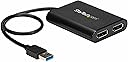
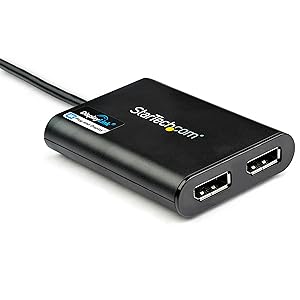
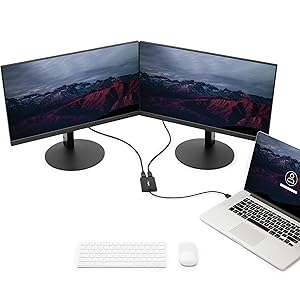
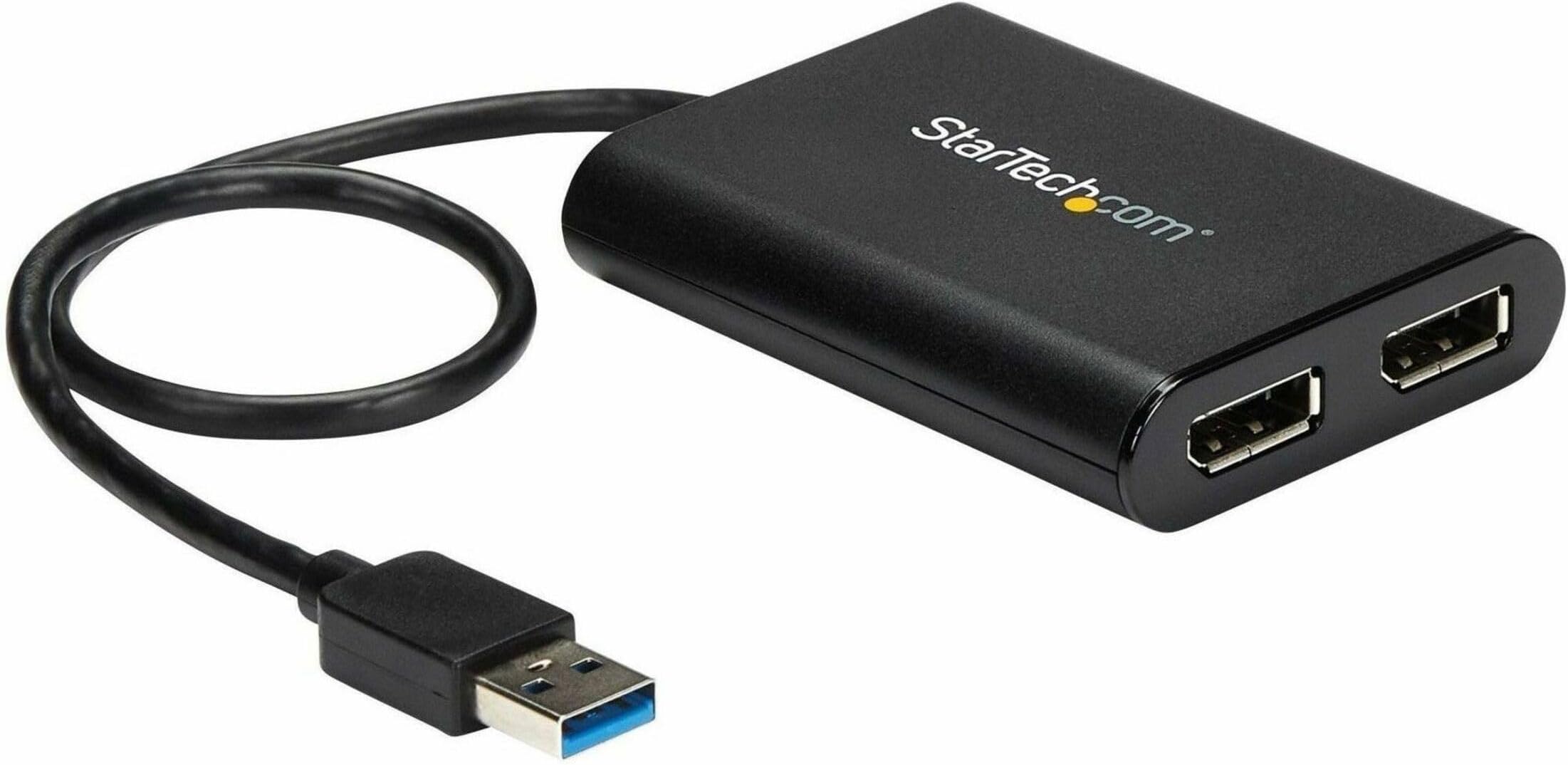
The StarTech.com USB 3.0 to Dual DisplayPort Adapter transforms a single USB-A port into two 4K 60Hz DisplayPort outputs, enabling Windows and Mac users to extend or mirror their displays with ultra-high definition clarity. USB-powered and DisplayLink certified, it supports Apple M1/M2/M3 Macs and offers plug-and-play driver installation, making it an essential tool for professionals seeking to maximize screen real estate without upgrading their internal graphics hardware.


| ASIN | B07C69HG33 |
| Best Sellers Rank | #894 in Audio & Video Connectors & Adapters #897 in Computer Cable Adapters |
| Brand | StarTech |
| Built-In Media | USB video adapter (1), quick-start guide (1) |
| Color | Black |
| Compatible Devices | Audio/Video Device, Laptop, MAC, Monitor, Workstation |
| Connector Type | DisplayPort/USB |
| Customer Reviews | 4.4 out of 5 stars 574 Reviews |
| External Testing Certification | CE, FCC |
| Finish | Matte |
| Global Trade Identification Number | 00065030878487, 00650308784876 |
| Input Voltage | 5 Volts |
| Item Dimensions | 6.1 x 5.6 x 1.2 inches |
| Item Height | 1.2 inches |
| Item Length | 11.8 Inches |
| Item Type Name | A/V Cable |
| Item Weight | 2.56 ounces |
| Item Width | 5.6 Inches |
| Item dimensions L x W x H | 6.1 x 5.6 x 1.2 inches |
| Manufacturer | StarTech.com |
| Model Number | USB32DP24K60 |
| Nominal Power | 4.5 Watts |
| Number of Items | 1 |
| Number of Ports | 2 |
| Package Quantity | 1 |
| Power Plug Type | No Plug |
| Specific Uses For Product | personal, gaming, business |
| UPC | 065030878487 650308784876 |
| Unit Count | 1.0 Count |
| Warranty Description | 2 Year |
| Warranty Type | Limited |
C**R
This Product Is Fantastic - BUY ONE IF YOU NEED TO ADD MONITORS
I hope this helps others to figure this out... This may be informative for anyone regardless of the cabling they need. Please read the entire review. I have a regular PC with USB 3 Ports...nothing special. I have 2 external Dell monitors. I need 3 screens for work. Make sure you have a USB 3 port available...the plastic tab visible within the port will be BLUE. The blue tab means USB 3. With this slick little adapter, you can use a USB 3 port to plug this in AFTER YOU INSTALL THE DRIVER. The packaging materials provide the URL from which to download the driver. 5 minutes tops from reading the instructions to having the download complete. Note: this adapter is for DisplayPort. My Dell monitors accept several different cables including DisplayPort. MAKE SURE YOU HAVE DisplayPort CONNECTORS ON YOUR MONITORS AND DisplayPort cables (I bought my cables from Amazon, too. I believe they were about $10.00 each). Plug the cables into your monitors, plug the other end of the cables into this adapter, then... plug this beauty into the USB 3 port. I believe I rebooted. after plugging in, too. Voila...3 working monitors. Excellent resolution, no lag time, no flicker...everything I had hoped for. Why This Works: This adapter is basically another graphics card...it can handle the 2 monitors. Your PC's internal graphics card might not be able to handle 3 monitors but all your PC knows is that a USB port is in use. What it is being used for does not matter. (Yes, I know...gross oversimplification but effectively accurate.) This adapter simply WORKS!!! You can count on it working if it has no internal problem. I mention that because the first one I received worked for about 15 seconds then I'd either see blank screens or vertical bars on one or both external screens. Nobody mentioned that so I wasted time troubleshooting. Just return it; it's not working if that happens.. NO BIG DEAL. Sending it back via Amazon returns is as simple as possible. Amazon, true to form, IMMEDIATELY sent me a replacement adapter. My new adapter was in use well before Amazon got the defective adapter back. This is a great product. 5 stars across the board The tech support at StarTech was good when I was troubleshooting, too. They did think it might be my PC but it was not. Naturally they had no way to be certain so kudos to them for faith in their product. I've waited months to write this review. I wanted to make sure. 100% endorsement. If you have external monitors with DisplayPort connections...this will WORK. BTW...I went to one of the big chain computer stores prior to figuring this out on my own. I spent HOURS and $185 on cabling and adapters the simply COULD NOT WORK. My monitors came with cables for one of the other connections on them. I tried to daisy-chain connections into the USB port. That will not work. Don't waste time trying. You may not have DisplayPort connections...I expect StarTech makes some other adapter that might work for you. Bottom line...monitor connects to adapter. Adapter connects to USB. NOTHING ELSE IN THAT CONNECTION CHAIN...and you are good. One final note...I believe this adapter is what is referred to as an "active" adapter.
M**E
Works for M1 Macs, even on USB 2.0!
Due to the hardware limitation of the M1/M2 equipped Macs (not including M1/M2 Pro and M1/M2 Max), you cannot add more than a single monitor via DP alt mode (doesn’t matter what combination of adapters or docks). Fortunately via software adapters such as this one (DisplayLink) or others (SiliconMotion’s InstantView), you can bypass the hardware limitations for displays of any computer (Mac or PC) and add as many additional monitors as your machine can handle. In particular, I was looking for a DisplayLink adapter as it can handle up to a 4K 60Hz output whereas InstantView is capped at 30Hz. Additionally, DisplayLink has had more industry presence for longer so I decided to go with that. StarTech is also a long time industry vendor so that’s a plus as well. In testing the adapter was able to consistently hit 60Hz. Only quirks when using it on a Mac include a message on the login screen saying “your screen is being observed” and some DRM issues preventing playback of videos on some websites (workarounds exist) but the benefits outweigh the cons on this one. One added bonus is that it DOES work via a USB 2.0 with 4K output, but the refresh rate will not be 60Hz - in testing it’s what you would expect from a 30Hz output, more than enough for static images or spreadsheets. In my case, I just have Microsoft Teams on the secondary display.
H**S
It works!
For a collegue of mine using a laptop, we wanted to add external larger screens to her workspace. We tried three adapters before this one, and none of them worked. This one was just plug and play!!!!! As the screen has an HDMI input and this adapter has a DisplayPort output, we used an Amazon DisplayPort to HDMI cable within the system. Excellent image, seamless operation with other screens and immediately recognized by the operating system. The laptop was the Lenovo 15ALC7 with the Ryzen 7 chip. Definitely recommended!
1**N
Startech FIXED my stretched images on a new ultrawide
Would recommend the Startech display port to anybody stuck with an underpowered corp issued lap top that they are trying to pair with an Ultrwide monitor or high def monitor - completely game changing right out of the box. I bought a Dell 34" ultrawide to use primarily for work with a corp issued Lenovo Thinkpad - the ultrwide replaced a 27" standard monitor. I plugged in the monitor and it was basically worthless. On top of that my corp issued laptop blocks .exe files. Awesome. I read countless articles and youtube videos and nothing worked. Finally a gamer friend of mine suggested an external GPU which can run well into the 100s but that is when I found the Startech Display port adapter on a list of options to get more resolution out of your laptop and bought it. Literally plugged it in and it worked out of the box - monitor was perfect. I did run into glitchyness a little later where my monitor would go black for a second and reconnect the image - so I found multiple drivers on the Displayport site for Win 10 including .MSI file I was able to download on my corp locked down machine no prob. The monitor works perfectly! Startech has been totally game changing.
H**0
amazing and works, but failed after two weeks (returned)
I previously had an adapter that only operated at 30hz, and after replacing that with this one (that is 60 hz) i am thoroughly impressed. While the USB adapter isn't perfect for all kinds of 4k content, like videos and graphical stuff, my useage of basic text and mouse / windows work is perfect. I am using this because the type C ports on my expensive ultrabook burned up. Work aroud succesfful! A cheap 100 dollar fix for something that likley costs an entire ly new motherboard or laptop. UPDATE AFTER 1 WEEK. I've changed my review to 4 stars instead of 5. The device began to malfunction and eventually completely failed after about an hour of usage. I've returned the item. i'm going to purchase another and then see whether it fails in the same way after a few weeks. Check back in a month or so for an updated review. UPDATE AFTER A REPLACEMENT DEVICE I'm currently using a replacement to the last one that i used. It has only been two days, so i'll update this review after a few more weeks to report what's changed since this time. So far no abnormal failures. I've determined that the additional heat from the charging process of the laptop is related to the failure of the adapter. So far it has not failed unless the laptop is changing and the physical heat of the SSD and the 4 cores rises to and stays at or above 50 Centigrade. UPDATE AFTER 2 WEEKS: I've used the adapter while on the changer (see note above) and that does not seem to influence the failures. Maybe its temperature, but my latest hypothesis is that the data transfer rate between my usb 3.0 to a 4k 60 fps monitor is not equal; ~600 MB for USB3, 3.4 Gig for display port. The adapter has malfunctioned when doing video or media, but for static spreadsheet, document, web browsing, it seems to be just fine!! UPDATE AFTER THREE MONTHS: I can use the adapter for at least a few hours with low workload before it crashes. Unfortunately, when it does inevitably crash, half the time my computer will free and i have to give it a full re-start. I noticed the ominous "black box" part of this adapter gets warm after use, and so maybe cooling it will help alleviate failures? Or perhaps it could just use a "break" now and then?
C**E
Star Wars has nothing on this!
Short summary: it works flawlessly to connect a Dell Inspiron 15 3530 to a WUHD (wide 2K) LG 34" monitor. Longer story, this laptop has an I7 chip, robust graphics card, ect-and would absolutely NOT provide an option for 3440x1440 via the HDMI output. Regardless if using Extended or Show on Display 2 only. Idiotic. I downloaded Intel Graphics Command Center, and tried A, B, and C, wasting lots of time. Then, from a galaxy far, far away, a search in Amazon provided hope. Hooking up the Display Link immediately opened up the 3444x1440 option; even with Extended mode. Save your minutes and sanity trying to deal with Microsoft, Dell, Intel-they are closer to Jaba the Hut types. Rebellions are built on hope,
T**.
Works on M1 based Macs, but...
As long as you don’t care about HDCP content, quirks playing back music in iTunes (playlists work, but Apple Music stops after each song is played), no HDR support, permission to grant screen recording (because the screens are software based), and other related hassles you likely won’t discover on day one - it does provide dual 4K displays and zero lag and zero fan noise fro M1 based Macs. I returned it and purchased an M1 Mac mini for the dual display as it’s not worth the hassle and the cost. I still kept my m1 MacBook, but I’ll forgo the dual screen.
G**.
Very simple third monitor adapter
Super simple to setup, just download the displaylink driver, plug in the adapter to the USB-A port on the Win 11 laptop, plug in the third 4K/60hz monitor, and it just works! No reboots necessary. Took about 5 minutes. Looks great. The other two 4K/60hz monitors are daisy chained DisplayPort plugged into a Thunderbolt USB-C hub. This is my second adapter as the first I purchased from a DIFFERENT manufacturer only worked as a HDMI or DP-ALT mode even though it was a Displaylink adapter. It was defective out of the box. Spent 2 hours on that one....
Trustpilot
5 days ago
2 weeks ago