⚡ Master your build with power, precision, and style!
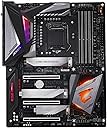
The Z390 AORUS Master motherboard by Gigabyte is a premium Intel Z390 chipset board designed for serious PC builders and gamers. It features a robust 12-phase IR Digital VRM for stable power, advanced thermal solutions with Fins-Array Heatsink and Direct Touch Heatpipe, and integrated Intel CNVi 802.11ac 2x2 Wave 2 Wi-Fi for fast connectivity. With high-fidelity onboard audio powered by ALC1220 and ESS SABRE 9118 DAC, plus customizable RGB lighting, it delivers a perfect blend of performance, cooling, and aesthetics for the modern enthusiast.


| ASIN | B07HS31GYB |
| Available Memory Slots | 4 |
| Best Sellers Rank | 164,446 in Computers & Accessories ( See Top 100 in Computers & Accessories ) 1,832 in Motherboards |
| Brand | Gigabyte |
| Brand Name | Gigabyte |
| CPU Model | AMD Ryzen 7 |
| CPU socket | LGA 1151 |
| Chipset Type | Intel Z390 |
| Chipset type | Intel Z390 |
| Compatible Devices | Personal Computer, Desktop |
| Compatible Processors | Intel Core i5, i7 |
| Compatible devices | Personal Computer, Desktop |
| Compatible processors | Intel Core i5, i7 |
| Customer Reviews | 4.0 out of 5 stars 2,343 Reviews |
| Global Trade Identification Number | 04719331804305 |
| Graphics Card Interface | PCI Express |
| Item Type Name | Intel Z390 AORUS Motherboard with 12 Phases IR Digital VRM, Fins-Array Heatsink, RGB Fusion, 802.11ac Wireless, Triple M.2 with Thermal Guards |
| Item Weight | 1 Kilograms |
| Item height | 10 centimetres |
| Main Power Connector Type | 24-Pin |
| Manufacturer | Gigabyte |
| Memory Clock Speed | 3200 MHz |
| Memory Storage Capacity | 5 TB |
| Model Name | Z390 AORUS MASTER |
| Model Number | Z390 AORUS MASTER |
| Number of Ethernet Ports | 1 |
| Number of Ports | 13 |
| Platform | Windows |
| Processor Socket | LGA 1151 |
| Product Warranty | Manufacturer warranty for 3 year from date of purchase |
| RAM Memory Technology | DDR4 |
| RAM memory technology | DDR4 |
| Ram Memory Maximum Size | 128 GB |
| S/PDIF Connector Type | Optical |
| System Bus Standard Supported | SATA 3 |
| Total PCIe Ports | 4 |
| Total SATA Ports | 6 |
| Total USB Ports | 12 |
| USB 2.0 | 4 |
A**M
I'm very hard to please but this board has done it!
Instantly strikes you as quality the minute you take it out of its box. Super sturdy and just really well made. Upgraded from a hero xi and its night and day. Has every feature you could wish for. I've a water cooled build so my cpu and gpu blocks are using the 2 addressable rgb headers. My ek d5 pump res combo is in a standard rgb header, so for the first time ever I have one piece of software controlling all my rgb and it works flawlessly. The vrm is incredible. Made even better by the back plate that actually works and the decent finned heatsink. There was a bit of controversy that the cheaper boards in the aorus line up had a better vrm as they use 50amp power stages and smart doublers but in controlled testing with all heatsinks removed the all ir vrm with its 40 amp power stages ran 1.5c cooler. So what's better on paper doesn't always equate to reality. I've heard a lot of people complain about gigabytes bios but I've had zero issues with it and it's my first gigabyte board. Every setting you could ever wish for, plus an ez bios for simple adjustments. The only flaw I can find with it is its automated oc'ing options. Just dont go near them. They use an insane/dangerous voltage. Just enabling mce my 9900k was using up to 1.45v!! Even my hero xi only used about 1.32v. Oh yeah, nicest looking mb I've ever had too. Just the right amount of rgb in the right places. Making my dad a pc out of all my old bits and pieces so was the perfect excuse to get a new mb. One last thing, when you put your pc to sleep, the rams rgb turns off, yey!!
R**Y
Well worth the money a quality product with fantastic Onboard Audio
Brilliant well made board everything you could need Gigabyte have done themselves proud with the Aorus Master. Onboard audio has improved dramatically in the last couple of years and that is what the focus of my review is about. I had a usb dac bypassing the onboard audio on my previous board and delivering direct to my amplifier and on to my speakers. The usb dac stopped working and i had to connect the amp up to the onboard audio via a single jack plug to rca splitter cable. I was impressed how good the sound was using the just the onboard ALC1200 Realtek on my Z370 board, so much so that when i spotted the Gigabyte Z390 Aorus Master and read the reviews and specs and found out that it had not only a Realtek ALC1200 dac but also a ESS Sabre 9118 dac as well as other improved audio components i just had to see and hear if it was any good, i took a gamble and made a purchase. Really glad i did. I don't know the technicalities of how the two dacs work together, but it works and boy does it ever deliver . The sounds are much more cleaner and clearer i think the audio is of a high quality, high enough certainly to be classed real HI-Fi. I have it connected via the jack plug rca splitter to my Yamaha S301 amp using pure direct coupled to a pair of Q Acoustics 3020 speakers and a Q Acoustic 2070s subwoofer. The sound is in my opinion way better than the very expensive standalone usb dac that i owned previously and better than the Z370 Realtek ALC1200 on it's own. My headphones are Sennheiser hd 650 and these i plug into my amp. Listening to music on my headphones is heavenly crystal clear best ever i've heard. I'm using mp3 files most at 320 bit but also a fair few Flac files which play superbly and i am using JRivers as the music player with playback set to (Realtek (R) Audio) [ WASAPI ] Hope this review helps anyone looking for a good audio using onboard rather than paying inflated prices for standalone dacs, the board may seem expensive but it is cheaper than a paying hundreds of pounds for overpriced audio dacs
M**E
Good value, trouble free installation
Bought this Gigabyte Z390 Gaming X board to upgrade to 9th gen, fitted an i7 9700K, 16GB HyperX Fury 3200 RAM & EVGA RTX2070. It was very easy to build, mainly because the board layout is of a standard design. The manual is good, but the standard location of sockets definitely helped me too. It matched my old Asus board in it's design, which meant I could remove my old board and plug cables in without too much re-routing and without too much head-scratching. I haven't tweaked bios settings yet, I just set the boot order to install Windows from a usb and left the rest at default. On first power up it restarted itself a couple of times, then booted into my new Windows 10 usb. Installation of both board and Win OS were both very quick and trouble free. It ran perfectly well without using the supplied driver disk, but I have since installed latest chipset, audio & usb drivers to make sure it's fully up to date. (BIOS flash was not needed as it arrived with F8, the latest version). It's not one of the more expensive boards, but I don't plan on overclocking in any big way, if at all. Over the Moon with the result, it's all running quietly, cool, and unbelievably fast.
P**K
Great and well put together motherboard
I have bought this motherboard for my first build. From the moment I took this mother board out the box, it seemed evident that the build will be easy as everything was perfectly marked on it and had easy access. ATX board, with plenty of room and quality. The design is likeable, I do like the layout and the colours. The LED light on it seems perfect in the dark, you can set it to be still, flashing, pulsating, and you can set different colours as well. Good compliment. It has 8 USB3 ports in the back, absolutely amazing, for the money it is a well put together an dgreat motherboard. The onboard audio sounds much better than my previous H87 motherboard!
A**N
Software not the best
Motherboard is amazing, super simple to install and was easy to clip in all the parts. The only downside is the Gigabyte software. You need to go onto their website and find the model of motherboard and download lots of different drivers just to be able to change the LED's. This is not said anywhere in the manual or online and you just need to find it yourself. Other than this, works great.
W**R
Good specs
I took time looking for a well equipped Z390 Motherboard at a reasonable mid range price and this appears to tick all the boxes. Having upgraded the guts of my PC from an ageing Z97 board, Installation was be a little tricky in my case as some of the onboard ports and connections on this full size board were fiddly to get at, but once all together it was satisfying that it booted through POST first time and then I went straight in to BIOS. Nice addition in BIOS to switch from the graphical interface to a more text based "classic" layout. A little head scratcher after the fitting of my first ever M2 drive and subsequently filling up all 6 SATA connections, I found that last two SATA ports didn't appear to be working!? However once I read the relevant section in the manual all becomes clear that M2 drives share bandwidth with SATA and therefore 2 SATA ports will be unusable when the M2 slots are occupied. Not a major issue unless you still really need six SATA ports and an M2. The addition of both Bluetooth 5.0 and WIFI on this board as standard is great as I had previously been using add in cards and USB dongles so this is much neater.
D**R
Great motherboard
The master is great, well built and good looking motherboard. The build quality is excellent from the power delivery to just the physical construction of the board. The RGB is tastefully implemented without looking tacky or to gamer-ish Tye on-board audio is also excellent when paired with a solid pair of headphones. Gigabyte had come a long way in terms of motherboard design and construction but one places they always fall sort is the bios. The new upgraded has helped get another easier but is still lagging behind companies like Asus and msi, however I don't spend a lot of time the bios so it's not a huge negative.
A**H
Absolute trash
I had a gigabyte board before this one that had problems with the usb ports. Some ports would cause the motherboard to freak out and do weird things. So I went with a laptop for a little while. I then decided to put together a new PC and saw this board. Having been burnt by gigabyte boards before I was a bit on the fence about buying this one. But the price was good, so I did a lot of research on the board. Well I should have listened to myself because not 6 months down the line the main M.2 slot is faulty and the onboard sound card has stopped working. I have no sound at all. Luckily the board has a secondary M.2 slot or I would be screwed! This board will now be sent back under RMA and I'll never buy anything from gigabyte again.
Trustpilot
1 day ago
3 weeks ago