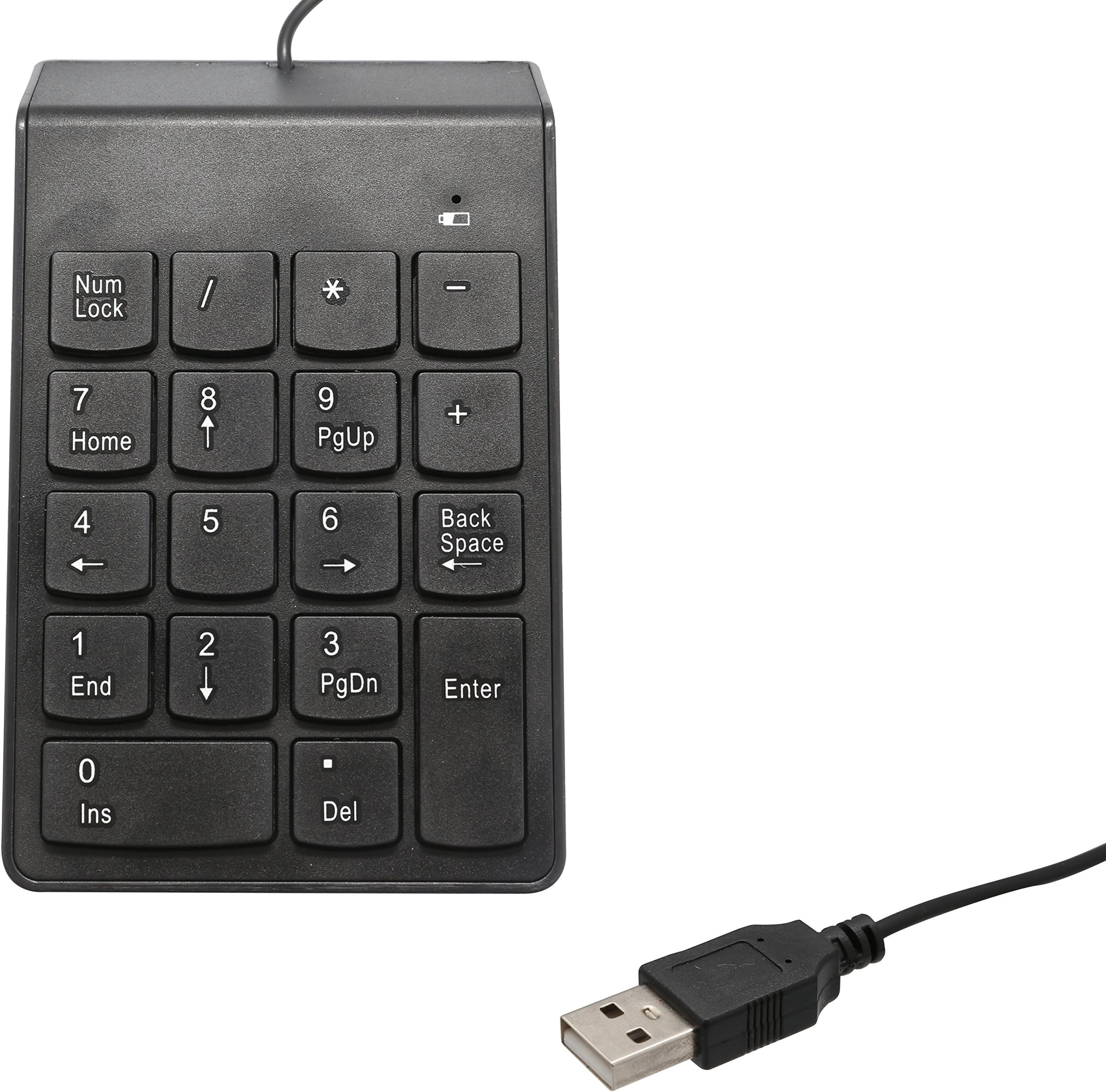


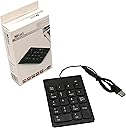


Connectland CL-USB-NUMSPC USB Numeric keypad with 19 keys + Space Bar
Product ID: 809905
⚡5V, 50mA max
💻Compatible with multiple OS
🔌USB powered
Desertcart purchases this item on your behalf and handles shipping, customs, and support to France.
🔢 Elevate Your Number Game!
The Connectland USB Numeric Keypad is a sleek and efficient 18-key numeric keypad designed for laptops and PCs. Powered by a USB port, it offers plug-and-play convenience and compatibility with various Windows operating systems, making it an essential tool for professionals who need to enhance their data entry speed and accuracy.
L**S
Useful for accounting (external USB keypad)
The keys work fine and feel very responsive. They audibly click, but don't require much force. The numerical keys are standard sized, with the exception of the Space Bar. There's enough tactile clicking to let you know they are being pushed properly.The setup was a breeze. Plugged it in, then waited for my laptop to automatically load the driver (Windows 7 64bit).The material used for construction is plastic. It is extremely light weight, which works well for me, since my attaché bag is already heavy enough. It seems constructed well enough, although only time will tell with wear and tear.The localized NumLock is handy, making the pad numeric without affecting the main keyboard. You can turn off the NumLock enabling a full set of home/end keys, page up and down, and arrows. Having the space bar is an additional plus (though random), but I've used it on a few occasions. (There is a green light indicating the on/off of NumLock)The bottom end of the keypad is curved/rounded, which provides room for leaning on it with your hand. All corners are nicely rounded.Not sure if it works too well for gaming, I'd advise reviewing what other customers have to say. The product was reasonably priced.There is no retractable cord, but the non-retractable cord works fine. There's more than enough cord if you need it. I'm estimating here; there's about a foot or two of it.The packaging requires the use of a knife, box cutter, durable scissors, or a blade (Not Friendly).Overall it was worth the price.
H**R
Good for what it is, just not as a gaming keypad
This keypad is a mixed bag for me. I ordered it to be used as a mini-keyboard for gaming, with an Eagle Eye Converter by Penguin United. The extra spacebar on the left together with a good price made it very appealing. Unfortunately, some keys are only registered with numlock, and then each number also sends a numlock to the computer. This is what I noticed when trying to configure the EEC with this pad, making it not very useful for me.These are very likely not issues for people doing data entry, it's just my peculiar application.Overall, the quality is good. Feels solid, sits well on the desk, no sharp edges (bottom is actually rounded, great for when you lean on it with your hand!), and the buttons are easy but have a distinct feel when you click them. Don't need much force, but it's unlikely you'll get accidental keypresses.To sum it up:Pros:- Great build quality, feels solid, rounded bottom part.- Buttons have a good feel to them- Extra space button (although that's also a con, as many Excel users and other form-based apps use tab to switch)Cons:- The extra numlock character sent. Issue for me, probably not in an office context.- Registers as a 100mA device in my machine, not 50mA. Only an issue if you're power constrained on a hub (999/1000 people won't notice)- HORRIBLE BLISTER PACKAGING!!! No problem if you intend to use it, but difficult to open and an issue returning it.
M**Y
This is Great
I like this addition to my laptop. Wish it was cordless.
H**C
Connectland Numeric Keypad
The Connectland Numeric Keypad is a plug-and-play USB device that allows the user to enter digits into documents or the calculator on your computer or laptop. There is no installation disk. You simply plug it into a USB port and start using. Or so it stated in the ad. In truth, although my laptop did recognize the device, and said it was working properly, it did not want to work. I had to update the device driver, and do other internal stuff before it started working. Your laptop or computer may allow it to work right away. Each laptop is different. Now that it is working, I really enjoy the function and design of it. Having the space bar over to the side is very comfortable for my thumb, and all the keys are within easy reach. This keypad is well worth the price, and is more durable than the one I spent $20 that broke after one week. USB Numeric Keypad with 19 Keys + Space Bar for Laptops (Manufacturer Part # CL-USB-NUMSPC)
X**E
Accountant approved
As an accountant, I love this keypad. I hate the targus number pad because it's loud and you had to hit the keys just right.This keypad solved all my issues. It has nice low profile keys and extremely quiet. The keys are also nice size (another issue with a difference popular keypad I believe also from Targus). With another keypad I had in the past, the keys were too small so I would constantly hit the wrong button.If I was asked how to improve this keypad though, I would get rid of the space button. Or, I would replace the space button and make it a tab button (amazing for working in excel sheets). I've honestly never used the space button.
B**H
Great buy for the money, 1 year a still going strong
I bought the first one of these over a year ago, and have since bought 2 more for other computers. It is definitely not the best one on the market, but a fantastic value for the money. If you are 10-keying for hours and hours you might consider a better one, but this suits the needs of the average user just fine. The keys work smoothly, and the space key is perfectly located for the thumb. My only complaint is that one of them wobbles slightly which is a little irritating, so I had to stick a piece of tape under one corner to stop it from doing that. Minus one star for that, otherwise, it would have been 5 stars based on value and function.
V**.
Awesome product
Came quickly and well packaged. I have used the laptop so long without a numeric keypad, I am having to adjust to using one again. Really comes in handy when do spreadsheets. I bought an extra one for a friend, who is ecstatic about having a numeric keypad to do their spreadsheets. The only thing that could improve this product is to incorporate a tab key for doing the spreadsheets with numerous columns of numeric data entry. Other than that we are totally happy with this product. It works on my Windows7, my Windows XP, and my friend is using Windows Vista. It does have the arrow functions if you take off the numbers lock, but still would be better to have a tab key. Perhaps exchanging the space bar key with a tab key or allowing the user to decide whether to use the space bar key as a tab key.
S**Y
But I fall to Connectland Numeric keypad and I was immediately attracted by the fact that a space button and a backspace was on
I only have mechanical keyboards and two of them don't have the Numeric keypad section. I already bought the Tesoro Tizona Numpad used at my job because at this moment, I wanted everything mechanical. A couple of weeks after, I wanted a Numpad too for home but Tesoro Tizona was not anymore available. But I fall to Connectland Numeric keypad and I was immediately attracted by the fact that a space button and a backspace was on the device a it looks just good and ergonomic. The buttons are so smooth compared to any non-mechanical that I used in the past. The only negative thing I could say is that the cord is not enough long; about 2 foots. I had to buy an extension...
D**G
Four Stars
Works!
A**R
Five Stars
NICE PRODUCT
S**Y
Waste of money
This thing doesn't work at all. Waste of money.
A**R
One Star
Not working..
Trustpilot
2 months ago
1 month ago