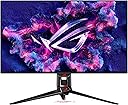
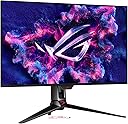
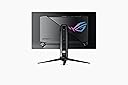
Using a glossy screen makes computing enjoyable again. The vibrant colors and sharp details of the user interface truly pop, making everything from daily tasks to gaming feel more immersive. Gaming on this monitor is an exceptional experience—it's as if you're stepping inside the game world. The level of clarity and vividness it offers is truly a game-changer. In my attached video review, I discuss how matte screens diffuse light across the surface, which I believe causes more eye fatigue compared to the crisp clarity of a glossy screen. While matte screens create a hazy effect, glossy screens may reflect light sources, but the reflections are only noticeable when directly aligned with the light. Most of the time, the reflections fade into the background when you're focused on the screen. The glossy finish provides such exceptional clarity that it easily outweighs any minor inconvenience from reflections. Of course, this is just my personal experience—I'm not an eye doctor or expert—but I think the benefits are undeniable. This monitor is an excellent choice, though it’s worth noting that exciting new technologies are on the horizon. Innovations like Nvidia Pulsar and tandem OLED displays (as seen on the iPad Pro) are expected in the next few years. Alternatively, Mini-LED monitors with a glossy finish will be arriving sooner, offering similar clarity with less risk of burn-in compared to OLED. Correction from my video: I mentioned that it's best to cap your frame rate to a factor of the monitor's refresh rate (e.g., 60, 80, or 120). However, this isn't necessary with FreeSync Premium Pro, which this monitor supports! Unlike regular V-Sync, which can cause input lag and stuttering when frame rates drop below the monitor's refresh rate, FreeSync Premium Pro is an advanced type of adaptive sync that dynamically adjusts the monitor's refresh rate to match the GPU's frame rate in real time, with added support for HDR content. In other words, just let your GPU run without a cap, and the monitor handles the smooth playback automatically. Lastly, in my video review, I mentioned that the little ROG logo on the lower bezel couldn't be turned off. I later discovered that this can be disabled via the 'POWER INDICATOR' setting—problem solved! Overall, the 32UCDM is a fantastic monitor that’s hard to beat for both work and play. I know the price tag is high but believe me, it will not matter when you experience this monitor. The money spent won't matter to you. Highly recommended! Good luck, and enjoy the immersive experience. ___ Update____ This monitor continues to impress me—it’s the best I’ve ever owned! Since my initial review, I’ve discovered even more reasons to love it. Thanks to its higher pixel density (140 PPI), I’ve realized that I don’t need to game at 4K native resolution. Playing games at 1440p on this QD 4K panel offers a comparable experience to gaming on a non-QD 4K display, freeing up significant GPU power. This extra performance headroom allows me to crank up in-game settings and focus on enhancing the overall visual quality without needing to push for a higher resolution. With my 7900 GRE, I am now able to game at 1440p with 60 FPS on the most graphically demanding titles with Ray Tracing various settings Enabled! Additionally, playing at 1440p instead of 4k also lets me use higher texture settings, as the reduced resolution demand saves processing power. This results in stunning visual fidelity without requiring the brute force of running games at native 4K resolution. This monitor is saving me from the expense of buying a top-tier GPU. Instead, I’m planning to invest in a GPU optimized for the best 1440p settings and Ray Tracing capable hardware rather than overpaying for one that pushes 4K at near-maximum settings. I’m absolutely in love with this monitor, and it has reshaped the way I think about gaming and display technology. Highly recommended!