We remain fully operational. Our teams are working around the clock to ensure your deliveries continue safely.

DOWNLOAD THE APP


Copyright © 2025 Desertcart Holdings Limited
DOWNLOAD THE APP


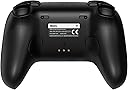

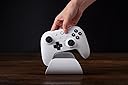

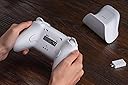


Buy anything from 5,000+ international stores. One checkout price. No surprise fees. Join 2M+ shoppers on Desertcart.
Desertcart purchases this item on your behalf and handles shipping, customs, and support to France.
🔥 Elevate your game with the ultimate pro controller experience 🎮
The 8BitDo Ultimate 2 Bluetooth Controller is a flagship-grade, multi-platform gamepad designed for Nintendo Switch and Windows PC. Featuring a high-sensitivity TMR joystick with RGB fire rings, switchable linear and tactile triggers, and advanced customization options including back buttons and profiles, it delivers precision and versatility. Enhanced with vibration and motion controls (Switch only), this controller offers a premium, low-latency gaming experience favored by pros and enthusiasts alike.


| ASIN | B0F194QFT2 |
| Amazon Bestseller | #398 in Video Games ( See Top 100 in Video Games ) #18 in Nintendo Switch Controllers |
| Batteries | 1 Lithium Polymer batteries required. (included) |
| Customer Reviews | 4.1 4.1 out of 5 stars (1,244) |
| Item model number | 1 |
| Language | English |
| Product Dimensions | 10 x 10 x 2 cm; 50 g |
| Rated | Suitable for all ages |
| Release date | April 30, 2025 |
H**I
傑作。ただし若干クセ強
良い ■低遅延、重量、フィット感、操作感など一級品。switchプロコンに慣れている人は特に移行しやすいと思います。 ■スティックが優秀 ストロークが若干switchプロコンよりも長いが、慣れれば問題ない。 むしろ、他のコントローラーに比べて激しい操作でも跳ね戻りが起きにくく、使いやすい印象です。 ■側面のL4R4増設ボタンが非常に優秀 超押しやすい。業界全体に普及してほしい。 微妙 ■マクロ機能が若干不自由 押したボタンが反応していなかったり、アプリ側で調整しても反映されなかったりする。アップデートに期待しています。 ■スリープ解除がクセ強 振る操作がある分クセが強く、一手間多くなるのは微妙かも…。(私はお洒落と解釈しました) 個人的な感想 ■光らなくていいのでもうちょい安くしてほしかった。 ■スティックに八角ガイドがあるバージョンがあったらそれはそれで欲しい。 総評 プロコン系のコントローラーの中では間違いなくトップクラスの性能。やや人を選ぶのは丸ガイドであるところとアプリとの連動くらいで、かなりおすすめしやすい一品です。 しばらくの間、お世話になります。
さ**そ
全体的に良い。しかし、、、
よかったです。 一つ不満な点は十字キーについて。 下のボタンを左右に倒すと左右に動いてしまい、使いづらかったです。 テトリスとかで使いにくかった。 それ以外は問題なく、反応も良い。 switchとpcでの使い分けがしやすく、ボタンの押した感じもとても良いです。
金**者
振動に拘らない人に超オススメ!
Switch2で使用するために購入。現在は届いてから1ヶ月と少し経ちました。今のところとても満足しています! 自動と長押しの2タイプの連射機能、背面と上面の追加ボタン、ドリフトしにくいTMRスティック、バリエーション豊富なライティング機能などなど、ある程度の機能は十分備わっています。 初期不良なども特に無く、接続も実に簡単で驚きました。ペアリングボタンを長押しして1秒ほどで登録が完了し、その後の接続もホームボタンを押して1、2秒程度で本体と繋がりました。 遅延やジャイロの精度は少なくとも初代Switchプロコンと同等で、スプラトゥーンなどのジャイロメインのゲームでも全然使えると思います。(あくまでガチ勢ではない自分の主観なので注意。)個人的にはBluetoothと2.4GHz無線接続はどちらも遅延に大差は無いように感じました。 ボタンの押し心地もかなり良いです。メンブレン式?ではあると思うのですが、LRボタンなどが特にクリック感ある押し心地で、適当にポチポチしてるだけで楽しいです。ただ、ZLZR(L2R2)ボタンをすぐ押せるタイプに切り替えている時の押し心地は賛否あるかもしれません。流石にここは最初からデジタル式の純正コントローラーには劣ります。 WindowsのパソコンやMac、iPhoneを持っていないのでソフトウェアから設定できる機能はまだ試していませんが、それを抜きにしても非常に使いやすいコントローラーだと思います。逆にまだまだポテンシャルを秘めているのが恐ろしいです。ファームウェアアップデート(本体からではなくソフトウェアからのものなので注意)さえすればSwitch2のスリープ解除もできるのが地味に嬉しいポイント。 注意点としては、ホームボタンが中央にあるせいで、純正のプロコンに慣れているとしばらく押し間違いが発生するのと、あくまで対戦ゲームなどをやるなら良いコントローラーであって、1人用とかのゲームを最高の環境で楽しみたいとなると、HD振動2に対応しているジョイコン2とプロコン2には劣ります。単純にゲームを楽しみたい人は純正の方が断然良いです。逆に振動が要らない人なら文句無しで最高のコントローラーだと思います。 今後ソフトウェアでの設定や、より長期間使った上での耐久性などについて分かったことがあれば追記します。
物**王
とても良いです。
パッドは品質が良い部品を使ってる製品に限り、あとは自分がどう馴染むだと思います。 自分は格ゲー用で購入して、今まで10個程5000円~3万円程で色々使いましたが現時点で一番好きですね。 十字キーがとても良い、兄弟製品で8BitDo Pro 3 がありますが、デザイン以外ほぼ一緒だと思いましたが 価格は同じなのにボタン十字アナログ全部感触が違って圧倒的にこっちのほうが良い製品ですね。 待った感触は、Switch2のPROコンと箱コンみたいな感じでしっくり手にフィットします。 背面ボタンは2個です、グリップ近くに複数ボタンあっても誤作動の原因になるだけなので 自分は複数背面ボタンがあっても制限してたので2個でも十分です。 フリップ部分には背面ザラつき加工されて、手が汗で超ベタベタになる人以外は問題ないと思います。 間違いなくおすすめできますが。 ただソフトウエアで日本語非対応でボタン設定で同時ボタン割り当てがないのが使いようによっては不便かもしれません。 しかしこの価格でこの品質は本当に素晴らしい。
A**ー
感想 買い換えようかな、、、
良い点 操作感はとても良い、すごく使いやすい。ドック付きで高級感もあり見た目もカッコよいです。 不満点 PCでは使えるマクロがSwitchで使えない。通常操作は普通に使用できるが、マクロ設定してもSwitchでは反応しない。説明書も詳しくない。 ソフトウェアが日本語対応しない。今後もしそうにない。 サポートは最低です。上記内容を質問してスクリーンショットが必要とのことで、送ったところの回答は [いずれは改善します。期待していてください。さようなら。] とのことでした。購入を検討している方は参考にしていただけると幸いです。
P**N
絶妙な進化
先代のUltimate Bluetoothから買い替えました。難点もありますが、素晴らしい出来栄えです。 以下、先代との違いを中心にレビューします。 良い点 ・TMRスティック採用。軸も金属になって摩耗には強そう。ライティングも良いアクセントで非常にGood ・ショルダーボタン周りは多分スイッチが変わってて、先代に比べて押し心地が非常に良くなった。 ・トリガーストップもついて操作感向上。新規追加のL4,R4ボタンが意外にもメッチャ使いやすい。 悪い点(と言うか注意点) ・Ultimate 2 Wirelessはポーリングレートが1kHzなのにBluetoothは250Hzなのが残念過ぎる。色も紫が選べない… ・中央の+,ーなどのボタン配置が結構変わってるので、先代に慣れた人はちょっと戸惑うと思います。 ・ワイヤレスレシーバーはUSB-Cになってるので、Aポートしか無い人は変換コネクタを用意しておきましょう。 個人的にはポーリングレート250Hzなのとカラーが紫を選べないのが最も不満な点ですが、大満足です。 なのでPCでしか使わないって人は、迷わずUltimate 2 Wirelessを買いましょう。8Bit do最高!
ミ**グ
初代からの正統進化!Switch2対応でさらに完成度アップ
元々初代の8BitDo Ultimateコントローラーを使用しており、最近のアップデートでSwitch2のスリープ解除に対応したと知って購入しました。結果、大満足です。 初代同様、コントローラーの性能は非常に高く、操作感も安定しています。今回は新たにトリガーストップ機能が加わり、スリープ解除にも対応。ジョイスティックはTMR仕様になったことでドリフト問題も起きにくくなり、長期的に見ても信頼できる作りだと感じます。 純正のSwitch2 Proコンも悪くはありませんが、価格と耐久性を考えるとこちらの方が優秀。さらに充電ドック付きでこの価格は正直驚きです。「これでこの値段?」と感じるレベルでコスパが高い。 初代の時もそうでしたが、最初に持った時は少し小さいかなという印象がありました。ただ使っているうちにすぐ慣れて、今では全く気になりません。 一点注意点として、Switch2でスリープ解除を行うには、最初のペアリングを正しい手順で設定する必要があります。公式サイトやネットで確認して、正しく登録すれば問題なく動作します。 良い点 初代からさらに進化した操作性と機能 トリガーストップ・スリープ解除対応 TMRスティックでドリフト対策済み 充電ドック付きで価格も安いコスパ最強モデル 小型だが慣れれば快適なサイズ感 注意点 Switch2でスリープ解除を使うには正しいペアリング手順が必要 総合的に、8BitDoらしい完成度の高いコントローラーです。純正に劣らず、むしろ長く快適に使える優れた選択肢。初代ユーザーにも自信を持っておすすめできます。
ひ**ろ
ちょっとチャチい
Switch2のスリープが解除できるということで買いました。 ちょっとクセはありますが解除できました。 十字、ABXYボタンの押し心地は、とても好みです。 が、グリップ部分が太めで、滑り止めの処理も無い為、持ち辛いです。 また背面の外装の境目がちょうど中指の関節部分に当たり、ちょっと痛いです。 面一ならまだしも、少し段差があるので尚更です。 合う人には合うようですが、お薦めしづらいですね。
Trustpilot
3 days ago
1 month ago