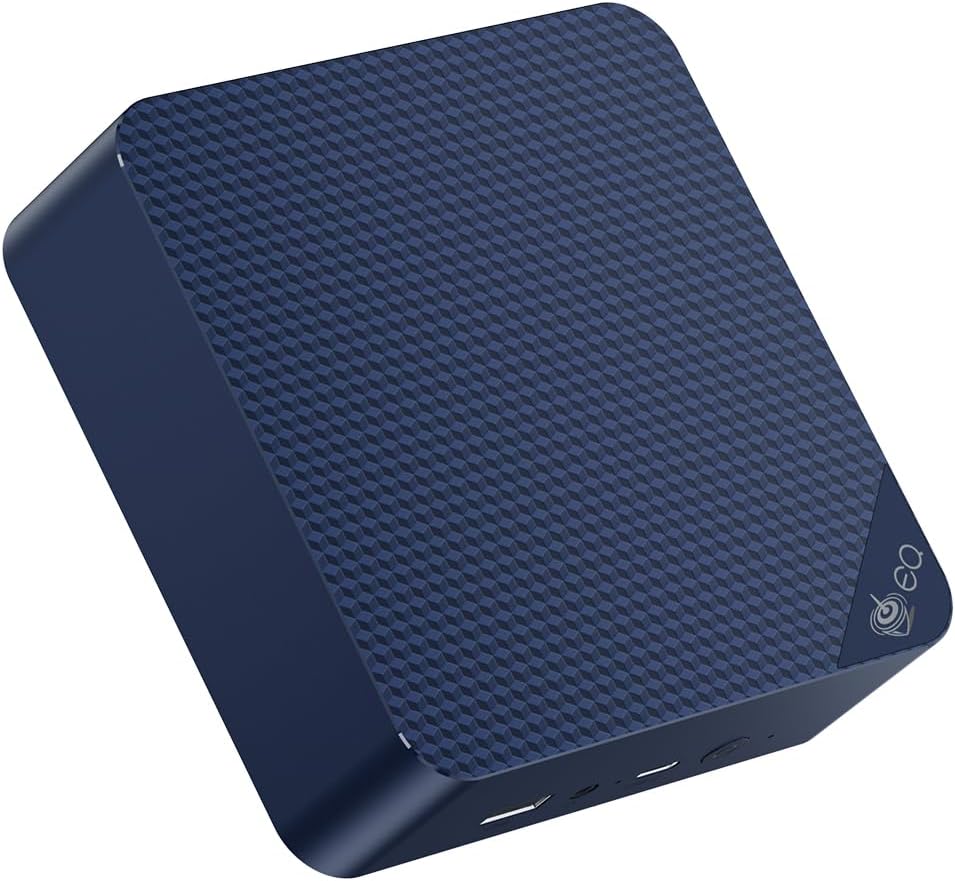
🚀 Mini PC, Mega Impact — Power Your Productivity in Style!
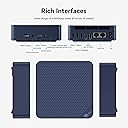
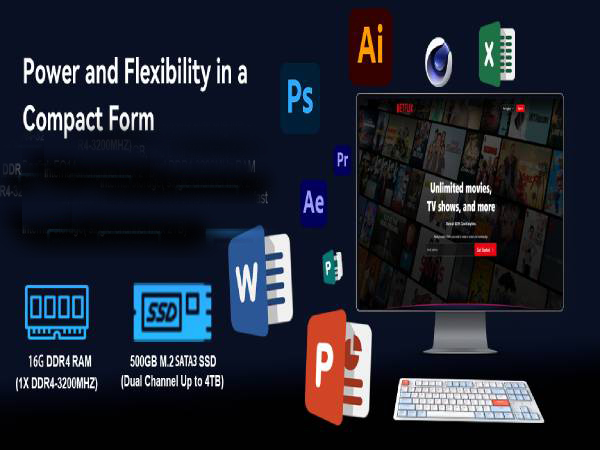
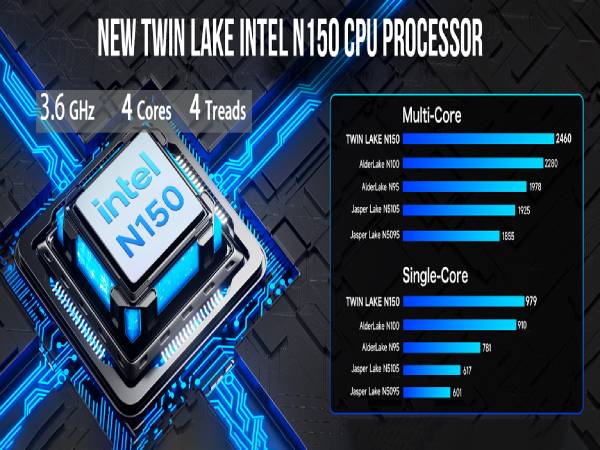
The Beelink EQ14 Mini PC is a compact powerhouse featuring an Intel Celeron N150 processor with up to 3.6GHz turbo speed, 16GB DDR4 RAM, and a 500GB PCIe NVMe SSD. It supports dual 4K displays via dual HDMI ports and offers cutting-edge connectivity with WiFi 6, Bluetooth 5.2, and dual 2.5G LAN ports. Designed for professionals seeking a sleek, quiet, and efficient desktop solution, it comes pre-installed with Windows 11 Home and includes lifetime technical support.


| ASIN | B0F3D7Y6X8 |
| Best Sellers Rank | #8,018 in Computers & Accessories ( See Top 100 in Computers & Accessories ) #300 in Mini Computers |
| Brand | Beelink |
| Built-In Media | Keyboard |
| CPU Model | Celeron |
| CPU Model Number | N150 |
| CPU Speed | 3.6 GHz |
| Color | Beelink EQ14 16+500G |
| Customer Reviews | 3.9 out of 5 stars 318 Reviews |
| Graphics Card Description | Integrated |
| Graphics Card Interface | Integrated |
| Graphics Card Ram | 1 |
| Graphics Description | Integrated |
| Graphics Ram Type | DDR DRAM |
| Hard Disk Description | SSD |
| Hard Disk Interface | PCIE x 4 |
| Hardware Interface | Ethernet |
| Human-Interface Input | Buttons |
| Manufacturer | Shenzhen AZW Technology Co.,Ltd. |
| Memory Storage Capacity | 8 TB |
| Model Name | EQ |
| Model Number | EQ14 |
| Model Year | 2024 |
| Number of Component Outputs | 2 |
| Operating System | OS |
| Processor Brand | Intel |
| Processor Count | 4 |
| Processor Series | Celeron |
| Processor Socket | BGA 413 |
| Processor Speed | 3.6 GHz |
| RAM Memory Installed | 16 GB |
| RAM Memory Technology | DDR4 |
| RAM Type | SODIMM |
| Ram Memory Maximum Size | 16 GB |
| Screen Size | 24 Inches |
| Specific Uses For Product | Personal |
| Style Name | Minimalist |
| Total Usb Ports | 4 |
| Warranty Description | 1 year |
O**J
Good mini-PC for media center
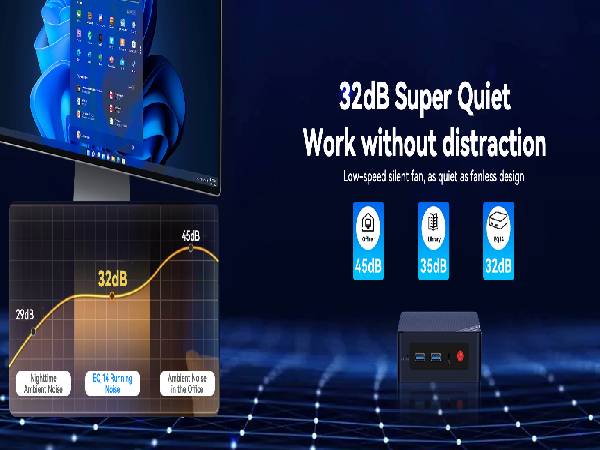
I bought a Samsung smart TV for the hardware specs, but wanted to avoid the spam which Samsung shoves into their smart TVs these days. The Beelink gives me an independent streaming media center so the TV remains offline, and therefore ad-free. The Beelink has onboard wireless, and also has an Ethernet connection. It's capable of 3840 X 2160 px resolution at 60 Hz, and there is an audio output (3.5 mm TRRS, aka "headphone-and-mic" jack) if you want to run an independent sound system. The HDMI-to-screen worked seamlessly with my 55" TV. The Beelink makes a very soft whispering sound, but you really have to get close and listen, it's that quiet. Four USB ports allow wireless mouse and keyboard operation and leave a couple of ports open for viewing photos on a thumb drive or connecting other devices. Changing boot order in the BIOS allows booting from a thumb drive, meaning that the Linux of your choice can be run in live mode, or installed from the thumb drive. (I could not get hot-key access to the BIOS, and had to use the Windows method -- search on "using windows recovery to access bios" for more info.) The SSD drive is only 64 GB, so I would not count on storing many large files on the PC itself. Likewise, the 2.4 gHz Celeron is not the speediest chip around, but this is not meant to be a powerhouse machine. What it doesn't have: No DVD drive, no micro-SD slot, no micro-USB port, no VGA output. None of this affected my use case at all, so for me the Beelink has been a good buy. YMMV.
T**H
Works well!
Works well within its specs. I use it as a gaming PC in the living room for parties/guests. I used Windows, cleaned the bloatware and Microsoft spyware, and it runs well. Four controllers (via bluetooth), all kinds of games. About 2 months in, no issues so far. I don't know if they still make light versions of Windows like for kiosks, but I would recommend that. The full version works, especially with the changes I mentioned, the main problem I have is large updates get stuck a lot. If I wasn't a sysadmin, this would affect a lot and I've seen people say they've changed OS' because Windows functions didn't work well.
J**X
Before you buy - let's talk about their customer support.
Background - I'm a guy that back in the day would head to Fry's and buy components and build the PC. I'm a tech-savvy guy and speak computer fluently. I bought this for my wife to use when an all-in-one finally died. Knowing that she would only use the browser and Office 365 I felt the BeeLink should be just fine. I purchased a U59 on 5/25 The computer seems well made and it started right up and worked great - until it didn't... 8/29/22 When she turned it on it flashed "No media present" and booted to the BIOS. After some basic troubleshooting it was obvious the SSD was dead. 8/30 I emailed customer support and that started a long chain of emails asking me: - open it up and remove the BIOS battery for 12 hours; - do you have a spare SSD to swap out to check? (nope - no spares laying around); etc. 9/19 after several emails, they finally agreed to let me return the computer to their CA warehouse. 9/20 We shipped it over / tracking shows they received it on 9/23. 9/28 I emailed support asking about the status, and they replied the next day asking for a tracking number (all the details were in the package. 10/1 - Support replied that the US warehouse "isn't a colleague" so they didn't have the info. Then they tell me they are closing from 10/1 - 10/7 for the holiday and they will ship it after that. So, know that if you buy a BeeLink your support will be a terrible experience and if it breaks just throw it away and remember that I warned you.
R**Y
Good MiniPC with two LAN ports.
Works as I would expect it to work. The biggest pros for this particular model are the DDR5 memory and the dual 2.5G LAN ports. The biggest con is the pitiful wifi card they use that limits throughput significantly. Overall, it works like I expected it to work, and while it is slightly more expensive than other N100 based mini PCs, this one has a certain amount of extra value built in with the dual Intel 2.5G LAN.
C**P
Impressive Little Beauty!
Been intrigued by these little babys for a while. As someone who’s built my own bigger & more powerful desktops over the years as the technology evolved, I was a little skeptical, assuming these things to be more like hobbyist toys, or “auto-slave” boxes suited more for some lab experiment monitoring or data-streaming task. Boy was I wrong! Picked up this Beelink U59 NS105 Mini on an Amazon “quick deal” just to play around with it. Woah!!!! Came out of the box loaded with W11 Pro, 16G DDR4, a 500 SSD with an open port supporting up to 2T more, dual UHD HDMI & NIC LAN ports, 1 USBc & 4 Type 3.0 ports, all sitting on top of a small flat cooling fan to minimize throttling, inside an elegantly tiny black box only 5x4x1.5 in. Took it out of the box, plugged it in, added one of my 4k displays, Bluetoothed my Anker mini soundbox & a keyboard & mouse, and pushed the little red button - Damn!!! I was simply blown away! In just a few minutes of login & setup I was staring at “MY” W11 Pro homepage, with “MY” favorites ready to go & do anywhere & anything I wanted to - so easy, powerful, crisp & fast - that if I didn’t know better could have been my latest big, and not-that-old, but somewhat noisy & definitely clunkier desktop sitting over there on the floor under my desk 5 feet away. My new “Go-To” machine! All I can say is -Go! Now! Get one! You’ll love it! It you need me I’ll be in my Lab!
D**Y
No issues at all.
Using as a media server. Works perfectly. No issues.
A**V
Good for DIY NAS
Solid build & quality
A**R
Cute for 5 minutes. UPDATE: WORKING.
Well, it was a seriously cute little Windows 11 computer for all of 5 minutes. Setup was easy, updates installed fine, everything worked great until I installed my AV software. When I went to run my first scan, my screen started flickering to the point that it is unusable for any purpose. Can't get into safe mode, Can't get into the bios. Uninstalling the program would probably fix it but I can't see the screen to get into Windows. Can't register for the Beelink help forums bc they never sent the email to confirm. Sent email. Have heard nothing from them. But it sure was cute for 5 minutes. UPDATE: It wasn't the computer, it was a piece of software I tried to install that just needs more system resources. I was able to uninstall that and reinstall windows with a new monitor and everything is now working fine.
Trustpilot
2 weeks ago
2 weeks ago