Buy anything from 5,000+ international stores. One checkout price. No surprise fees. Join 2M+ shoppers on Desertcart.
Desertcart purchases this item on your behalf and handles shipping, customs, and support to France.
🚀 Compact power, limitless possibilities — your desk’s new MVP!
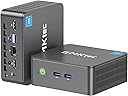
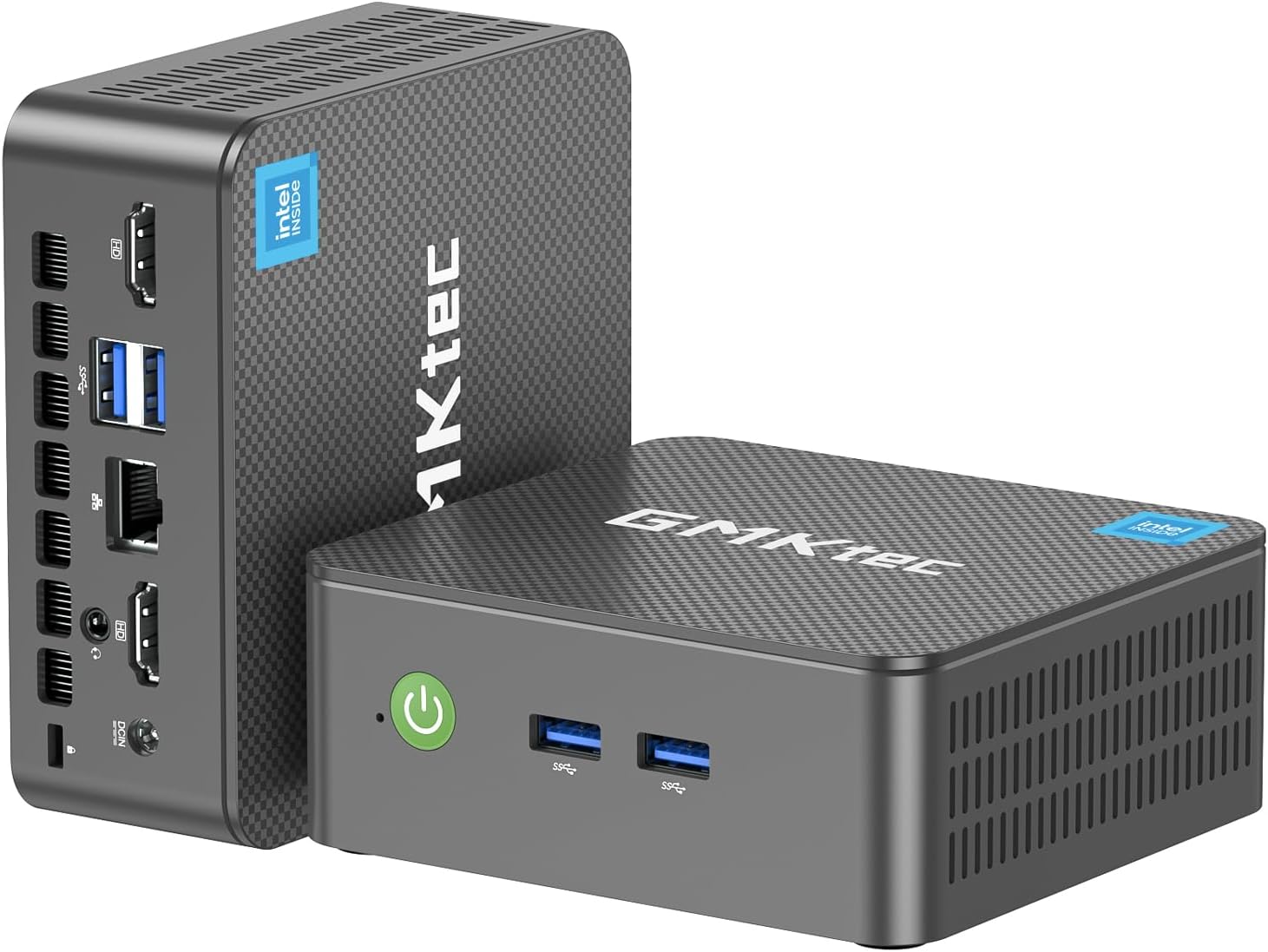
The GMKtec Nucbox G3 Pro Mini PC packs an Intel Core i3-10110U processor with 4.1 GHz boost, 8GB DDR4 RAM, and 256GB SSD into a compact chassis. It supports dual 4K displays, WiFi 6, Bluetooth 5.2, and ultra-fast 2.5GbE Ethernet for seamless connectivity. Designed for professionals craving efficient multitasking, media streaming, and server use, it combines silent cooling with versatile ports, making it a powerhouse desktop replacement that fits anywhere.


| ASIN | B0CQ4C9ZY1 |
| Additional Features | Auto Power On, Home Server, PXE Boot, RTC Wake, Wake On LAN |
| Aspect Ratio | 16:9 |
| Best Sellers Rank | #360 in Computers & Accessories ( See Top 100 in Computers & Accessories ) #3 in Mini Computers |
| Brand | GMKtec |
| Built-In Media | GMKtec Nucbox G3 PRO Mini PC Intel i3-10110U 8GB RAM 256GB SSD, HDMI Cable, Power Supply & Cable, User Manual, VESA Mount with Screws |
| CPU Model Number | Intel Core i3 10110U |
| CPU Model Speed Maximum | 4.1 GHz |
| Cache Memory Installed Size | 8 GB |
| Color | Black |
| Compatible Devices | Keyboard, Mouse, Monitor, Projector, Television |
| Connectivity Technology | Bluetooth, Ethernet, HDMI, LAN, Wi-Fi |
| Cooling Method | Cooling Fan |
| Customer Reviews | 4.3 4.3 out of 5 stars (1,733) |
| Display Resolution Maximum | 4096x2304 |
| Display Type | LED |
| Graphics Card Interface | Integrated |
| Graphics Card Ram | 8 GB |
| Graphics Coprocessor | Intel Graphics 1000MHz |
| Graphics Description | Integrated |
| Graphics Ram Type | DDR4 SDRAM |
| Hard Disk Description | Dual SSD slots, M.2 2280 PCIe Up to 8TB; + M.2 2242 SATA Up to 2TB; |
| Hard Disk Interface | PCIE x 16 |
| Hardware Interface | PCI Express 3.0 |
| Human-Interface Input | Buttons, Keyboard, Mouse |
| Item Dimensions | 4.48 x 4.17 x 1.67 inches |
| Item Weight | 2.01 Pounds |
| Keyboard Description | Not Included |
| Keyboard Layout | QWERTY |
| Manufacturer | Shenzhenshi Jimokekejiyouxiangongsi |
| Memory Clock Speed | 3200 MHz |
| Memory Slots Available | 2 |
| Memory Speed | 3200 MHz |
| Memory Storage Capacity | 256 GB |
| Model Name | G3 Pro |
| Model Number | G3 PLUS |
| Model Year | 2026 |
| Native Resolution | 4096 x 2304 |
| Number of Component Outputs | 2 |
| Operating System | 11 Pro |
| Personal Computer Design Type | Mini PC |
| Power Consumption | 15 Watts |
| Power Plug Type | Type A - 2 pin (North American) |
| Processor Brand | Intel |
| Processor Count | 4 |
| Processor Series | Intel Core i3 |
| Processor Socket | Socket 7 |
| Processor Speed | 4.1 GHz |
| RAM Memory Installed | 8 GB |
| RAM Memory Technology | DDR4 |
| RAM Type | DDR4 SDRAM |
| Ram Memory Maximum Size | 32 GB |
| Resolution | 4500 x 3000 |
| Security Features | Windows Defender, Windows Hello, Windows Security, Wake On LAN, PXE Boot, RTC Wake, Auto Power On |
| Speaker Type | External |
| Specific Uses For Product | Education, Everyday Use, Multimedia, Server, Personal Computer, Business Computer, Office PC, HTPC, Online Learning, Work For Home, Education, Photo Editing, Web browsing |
| Specification Met | CE, FCC, UL |
| Style Name | G3 Pro |
| Total Expansion Slots Quantity | 2 |
| Total Number of HDMI Ports | 2 |
| Total Usb Ports | 3 |
| Video Output | HDMI*2 |
| Video Output Interface | HDMI |
| Video Processor | Intel |
| Warranty Description | 1 year manufacture |
| Wireless Compability | 2.4 GHz Radio Frequency, 5 GHz Radio Frequency, 5.8 GHz Radio Frequency, 802.11ax, Bluetooth |
| Wireless Network Technology | Wi-Fi |
| Wireless Technology | Bluetooth, Wi-Fi |
A**R
Worked partially for a month. Then failed in 1 1/2 years. See Update.
May 2024 I use this mini PC for my home theater use. I have the TVGuardian+ app (search TVG+, not the old set-top box) which does a very good job of taking out all the unnecessary foul language for Netflix, Prime, and several other similar apps (with more coming). The app works through Windows 11 and Chrome browser (only), hence, the need for a mini computer to run it, rather than having a laptop running for TV watching. When using this mini-PC for only this use it starts super fast not being junked up with lots of apps. My wireless USB Logitech trackball plugs into the mini-PC & can just sit on my recliner armrest to do everything after starting up the mini-PC with a Logitech keyboard on my coffee table that only needs to be on for 15 seconds to login. The min-PC easily plugs into my audio amp for 5.1 sound through HDMI, then the audio amp to the TV also through HDMI. I elected to get this model with not only the tiny, faster M.2 form factor, but an NVMe technology rather than the rapidly depreciating SATA in case for some reason TVG+ didn't work out I could use it with a big monitor in the office as a second computer. Well, after 9 months we really love TVG+ and the ability to watch many more shows now that the needlessly tedious foul language is muted and the closed captioning is replaced with nicer words. It has found its home on the TV component shelf. So far, 5 stars. UPDATE: June 2024 I started getting strange behavior: Whenever I moved my trackball to get around on Chrome or any programming app like Netflix, Prime, etc. the TV screen would go black for 1-2 seconds, then reappear. I thought it was a problem with TVG+ (TV Guardian+) and just put up with it. Update late Jan 2026 One of the two HDMI sockets on the GMKtec mini PC failed in strange ways causing Netflix to only partially connect - meaning I got only Netflix's top menu bar and an otherwise black screen. Thinking it must be something other than the GMKtec I began elimination diagnosis. Netflix worked fine on my laptop with HDMI out to my audio amp then to TV. So, I unplugged everything and switched to the other HDMI socket on the GMKtec. Everything went back to normal... with no 1-2 second black screen on every trackball movement... almost, that is. In order to get Netflix to work properly I could no longer just put the GMKtec to sleep like I had been doing since May of 2024 (with complete shutdowns about once a week). I have to now do a full Windows shutdown each time to get it to work. So, clearly something is wrong with the GMKtec and has been all along since June of 2024 when the momentary black screens began to appear. I contacted GMKtec to get their take on it and if they'd be willing to replace the unit since something was wrong with it a month after putting it into service. Nope! It's out of warranty. Never-mind it really began failing only a month into service, So, boo on GMKtecs warranty. AND, BTW, even during the warranty period you would have to ship it back to the manufacturer in guess where? Yep, China. So GMKtec is off my list of reputable, or competent manufacturers. Who would expect to have to replace a PC every year and a half? I went from 5 to 2 stars for unreliability, and then 2 to 1 star for bad repair or replacement policy for having to ship it back to China. Boooooo again. STAY AWAY.
S**G
Review, GMKtec Mini PC, Windows 11 Pro, Intel N100, 12GB, DDR5, 512GB SSD
Update 08/16/2024. Product has been shutting down 2 to3 times weekly. This is not an update issue. 1 time it BLUE screened. I will be contacting manufacturer for a replacement. I will keep you updated. ————————————- 5 Stars now, pending a thorough review in @ 4 weeks. I will give you my impressions of the unit, how it works, ease of installation, customer service solutions, and how quick replacement is. My recommendation for now, is to buy one (1) unit. Test it out for four (4) weeks. If good, then go ahead an get some more. If bad, do NOT get anymore, unless this is a LEMON out of the bunch. Keep checking the review. You will definitely be able to tell if it is a LEMON or a good unit. 1. We were amazed at how small it was compared to the older computers. 2. Before you do any installation of your software or a Ransomware Antivirus Internet Protection software, Do Windows Update. Complete all windows updates. 3. Install Intel Driver & Software Assistant, run to check for updates. Install any updates. 4. Install your own software. Be careful. This is for Windows 11. 5. Install any printers and scanners. 6. Install any Google Drive Desktop software. 7. Install your Ransomware Antivirus Internet Protection software. Run a FULL scan. Review any Quarantines. 8. Recheck all of your programs to see that they are working as expected and check your internet (Google, Edge, Firefox, etc.). Make sure they are loading quickly. 9. Keep an eye on your Mini PC. Any problems, immediately contact manufacturer or Amazon for help or a replacement. These are little units and can generate a LEMON on the assembly line. If you have ordered more than one, it you get a BAD Batch, ..... that will make a bad day for you. I am reviewing this one (1) unit before ordering anymore units. We need about 10 more units for our office. I have seen some BAD review and some GOOD reviews. I hope the manufacturer stands behind their product. I will update this review in @ 4 weeks. At the end my Overall Rating may change, but for now it is five (5) stars.
H**N
Excellent. I recommend it.
L**.
La entrega es muy tardada y el producto que te llega es distinto al anunciado, llega con un procesador mucho menos potente, menos memoria en ram y Un disco duro de la cuarta parte del ofrecido, cuando estaba revisando las especificaciones después de una instalación muy tardada, el equipo se fue a pantalla azul y no volvió a funcionar.
I**E
It's very good
D**N
Was worried about whether this PC could manage what I was looking for and so far it's passed with flying colors. When you think about it our phones are pretty damned good computers and this unit is no exception. If you need something to do heavy graphics or games forget it. I use mine as a Plex server and general Web interface without any problems. The issues with noise that I read on other reviews is simply nonsense. There is some, but it certainly is not distracting in any way. For the price, you can't go wrong.
P**R
I purchased the Nucbox G2Plus Intel N150 Mini PC after a great six-month good experience with the GMKtec Mini PC (12th Gen Intel N97) — and I’m happy to say the Nucbox G2Plus has exceeded my expectations. It’s impressively quiet, compact, and fast, making it ideal for a tidy, minimalist desk setup. Despite its small size, it's surprisingly powerful, handling multiple open applications effortlessly. The 512GB local storage is more than enough for my personal needs, and its overall performance is smooth and reliable. One of the things I love most is its portability. I primarily bought it for personal use, but it’s easy to carry around and set up anywhere, as long as I have access to a monitor. It also works seamlessly with my KVM switch, which is a big plus for anyone who uses multiple systems. A thoughtful touch is the spare blue top case — a small detail that adds customization and value. Overall, a fantastic mini PC that delivers great performance in a compact form
Trustpilot
1 week ago
3 weeks ago