Desertcart purchases this item on your behalf and handles shipping, customs, and support to France.
🎨 Elevate your digital artistry—where precision meets portability!
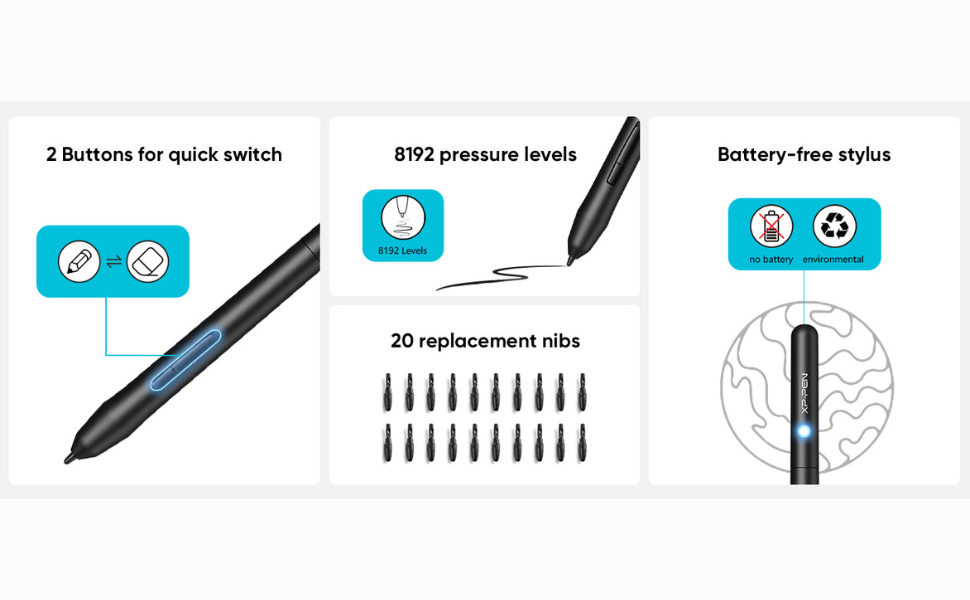
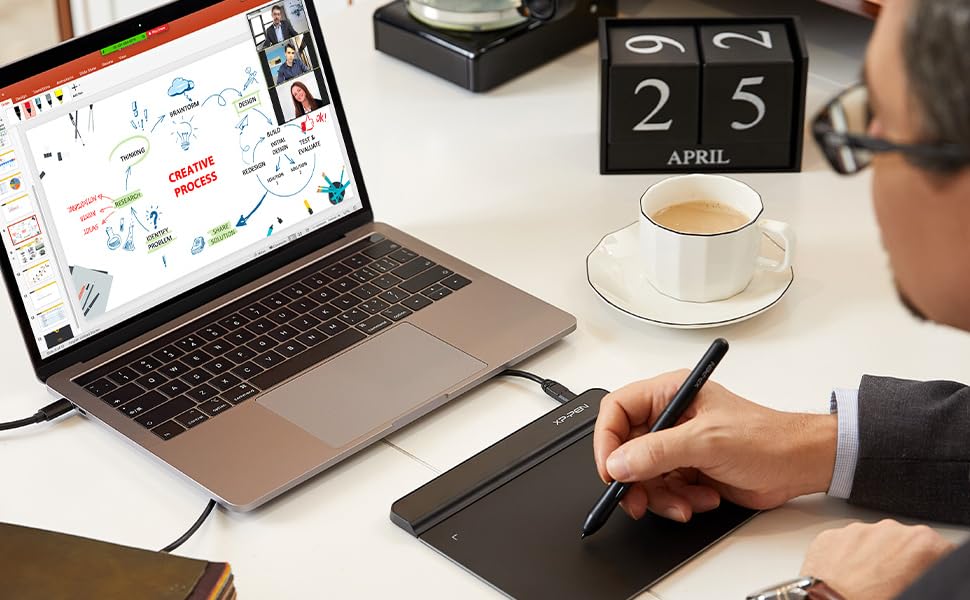
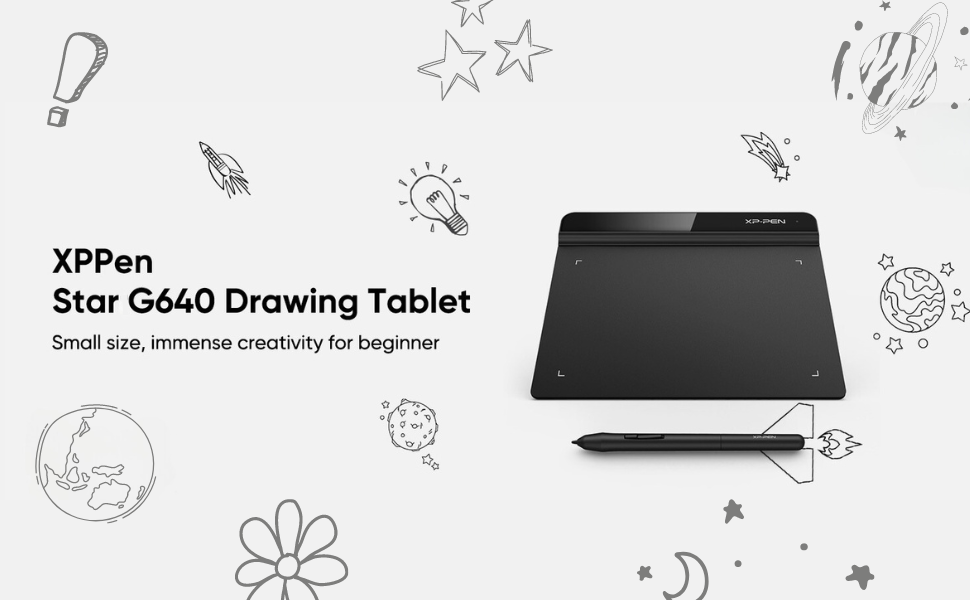
The XP-Pen StarG640 is a sleek, ultra-portable 6x4 inch graphics tablet featuring 8192 levels of pressure sensitivity and a battery-free stylus for uninterrupted, natural drawing experiences. Designed for professionals and students alike, it supports Windows, Mac, Linux, and Android, and integrates seamlessly with all major creative and writing software. Its ergonomic design, including a one-click pen/eraser toggle and 60° tilt support, ensures efficient, comfortable use whether for digital art, online teaching, or professional annotation.


| ASIN | B078YNBFXG |
| Active Surface Area | 24 square inches |
| Best Sellers Rank | #808 in Computers & Accessories ( See Top 100 in Computers & Accessories ) #5 in Graphic Tablets |
| Box Contents | 1 Pen Tablet, 1 P01 Passive Pen, 20 x Replacement Nibs, 1 Pen -Clipper |
| Brand | XPPen |
| Brand Name | XPPen |
| Colour | Black |
| Compatible Devices | Mac OS X® 10.10, Windows® 7 (or later |
| Connectivity Technology | USB |
| Country of Origin | China |
| Customer Reviews | 4.2 out of 5 stars 6,601 Reviews |
| Importer Contact Information | M/s DNS Overseas 1003, Raheja Chambers, 213 Nariman Point, Mumbai 400021 |
| Item Dimensions L x W | 16.2L x 8W Centimeters |
| Item Type Name | Graphic Tablet |
| Item Weight Unit of Measure | 430 Grams |
| Manufacturer | Hanvon Ugee Technology Co. Ltd. Address: No. 4 Building, Fulongte Industrial Park, Huaxing Road, Dalang Street, Longhua District, Shenzhen, China 518019, XP-Pen |
| Manufacturer Contact Information | Hanvon Ugee Technology Co. Ltd. Address: No. 4 Building, Fulongte Industrial Park, Huaxing Road, Dalang Street, Longhua District, Shenzhen, China 518019 |
| Manufacturer Part Number | StarG640 |
| Model Name | Star |
| Model Number | StarG640 |
| Native Resolution | 1920 x 1080 pixels |
| Network Connectivity Technology | USB |
| Number of Items | 1 |
| Operating System | Mac OS, Windows |
| Packer Contact Information | M/s DNS Overseas: 1003, Raheja Chambers, 213 Nariman Point, Mumbai 400023 |
| Pressure Sensitivity | 8192 Levels |
| Product Features | 60° Tilt Support, 8192 Levels of Pressure Sensitivity, Android Support, Electromagnetic Resonance |
| Screen Size Unit of Measure | 7.21 Inches |
| Special Feature | 60° Tilt Support, 8192 Levels of Pressure Sensitivity, Android Support, Electromagnetic Resonance |
| Specific Uses For Product | Designing, Online Education, Teaching |
| Target Audience | Student, Teacher |
| UPC | 654913041393 761460825922 |
| Unit Count | 1 Count |
| Warranty Description | 1 year manufacturer |
A**R
Nice product for students and teachers.
Outstanding product. Very practical and value for money. Used very long time and it works excellent.
S**I
Good Purchase 😃
I purchased this pen tablet for my sister, and she is very happy with it. The device connects easily to the PC via USB, which makes setup simple. The pen is smooth and responsive, making drawing and writing feel natural. The erasing function works well, and the overall handling is comfortable. The size is practical and affordable for the price, offering good value. Although my sister has not used it extensively yet, she enjoys the experience so far, especially for creative work. Overall, this pen tablet is a solid purchase, and we will see how well it holds up with regular use. Thanks Amazon
V**N
A Great Deal
Still using this from past 2 years a great product in general. You get what you paid for
S**K
Great product
I’m a tutor and for it this was a life saver! Go for it guys!
C**R
Major scratches. And peeloff
Nice product. But I use only 7 days per day I use only 1 to 2hrs. Buts its make peeled out but sensor is working good. The pacaging is good.its feel elite. But I have issue the pen nib is give scratch on my tablet. If any chance to I avoid pls inform. Otherwise the product is good
B**U
Satisfactory
Very useful product
S**M
A good affordable entry tablet, but could be better
The pen works as described and I use it extensively for editing my photographs on Photoshop. Ever since I started using this tablet and Pen combo my editing skills have gone up a whole lot more and the resulting images look way better. This is primarily due to my editing workflow where I edit selective areas of the images as I see fit. The pressure sensitivity comes real handy to manipulate the opacity or intensity of the brush strokes and it opens a whole new dimension of photo editing. Learning to use this for the first time is quite simple and you will quickly get a hang of the tablets co-ordination to onscreen mouse pointer location. While all is good there are still some negatives that needs to be pointed out. 1) The right click and left button on the pen is actually a big nuisance since I always end up pressing one of the button unintentionally. I personally haven't tried the other more expensive tablets so don't really know how this pen's button layout is different on the other pens. Do they too have the same accidental button press??? Not sure, but this definitely does have that... 2) The quality and feel of the pen is not right. Its too plasticky and light, and does not replicate the feel of an actual pen due to this. Its not a big concern for me but would have loved to have a heavier pen. 3) The nibs supplied wear out too soon. After a few weeks of usage the nibs feel like they are scratching on the tablet surface instead of writing on the tablet, which dosent give a good feel 4) The size of the tablet itself is about the size of a mouse pad and sometimes it can feel a little restrictive, unless you zoom into the image to make more precise and fine adjustment strokes All in all its a good buy for starters or for those on a budget. I picked this up to primarily test my new workflow using the tablet and pen. I will use this for a few more months till I wear out all my nibs and probably go for a more expensive and bigger professional tablet soon.
R**Y
Worst product
If you're buying this keep remember not to cancel it. If you will cancel the refund will be initiated after 1 month so if you access of money to leave for the person and amazon. Do it buy it It's the worst decision i ever made to buy this product
M**F
Best Gadget for Teaching
Excellent for writing and giving online lectures
E**A
Best quality
I received the best quality of item
F**Y
a short review
So I'm going to separate this review into 2 part: For Drawing and For Osu! 1) Drawing: the tablet is pretty good for beginners who want to try digital drawing. The active area may look small, but good enough for drawing. The pen is a bit slippery since it does not have any rubber band on the pen but the shape is smooth and easy to hold. The pressure sensitivity was ok and drawing on it is pretty ok. 2) Osu!: just buy this stuff if you want to go pro. For Osu!, the active area, latency, accuracy of the movement and the pen is those thing that i will review. The active area is big enough for playing with small or big area (although it's a bit uncomfortable when using small area since your hand will be at the position somewhere between your tablet and table. idk if there are any problem with big area players since i play with small area), latency and accuracy is over the top with the Hawku driver. The pen, in my point of view is a bit to small for my Osu! pen grip and just like i said earlier, a bit slippery too (this can be easily fix by just wrapped some tissues around the pen). More than that, I'm happy with it. P/s: I'm just a 4 digit noob so my Osu! review may not correct :(
ح**ر
المنيزلة
ممتاز بس الحجم صغير توقعت أكبر
R**D
Good Entry Tablet for drawing and good for Osu, but not perfect.
Pros: - Decent size active area that allows for drawing, so this tablet is perfect for someone that wants to try drawing on a tablet, but does not want to invest in a high end drawing tablet. - For the price, the build quality is decent and does not feel cheap, also it is slim, I found that great. - The new UI software driver is easy to navigate and install from their website. - Great for OSU because the available active area is big and thus you can customise it if you prefer a smaller one (do it from the driver software). Cons: - The drawing pad has more friction than your usual drawing tablet in my opinion (I only owned a few drawing tablet so I do not really know if its common), which can suprise you if you had a Huion 420 tablet for example to play OSU. That can be a pro or a con depends on you, but I saw a complain from a user for that. - The majority of the nibs provided are squeaky and thus do an incomfortable sound when you draw or play OSU on that tablet. However, a few of them are fine (out of the 20 ish that they provide , 4-5 are normal/you have to force it to make it squeak). I do not know if it is a general thing or just me being unlucky, but some users also reported that problem. The squeaking sound can be discribed as a fork rubbing against a ceramic plate, but less loud and intense, still annoying though. Apparently does two problems will solve with time by using the tablet (more use = rubbing pen against tablet and thus some kind of polishing over time).
Trustpilot
2 months ago
1 week ago