We remain fully operational. Our teams are working around the clock to ensure your deliveries continue safely.

DOWNLOAD THE APP


Customer Services
Copyright © 2025 Desertcart Holdings Limited
DOWNLOAD THE APP
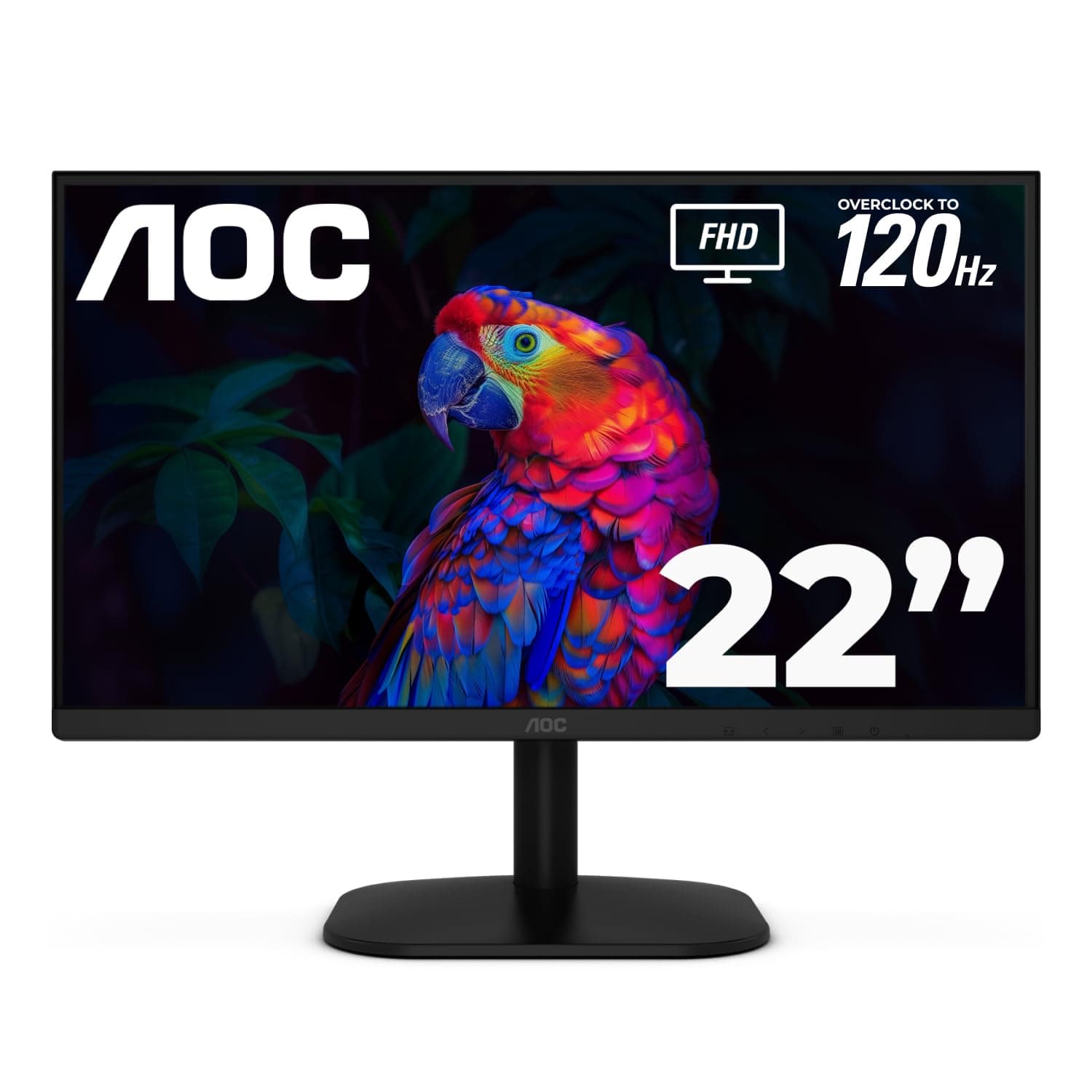

🚀 Elevate your workspace with vibrant clarity and silky-smooth visuals — don’t get left behind!
The AOC 22B35HM23 is a 22-inch Full HD LED monitor featuring a 120Hz refresh rate, Adaptive Sync, and a 4ms response time for smooth, vibrant visuals. It covers 100.1% sRGB color gamut and is HDR Ready, ensuring rich, true-to-life colors. Designed for comfort and versatility, it includes tilt adjustment, VESA mount compatibility, Flicker-Free and Low Blue Light eye-care technologies, and eco-friendly power consumption at just 13W in eco mode. Ideal for professionals seeking a reliable, stylish, and efficient display for work and light gaming.


| ASIN | B0DY99NW1N |
| Best Sellers Rank | #6,566 in Computers ( See Top 100 in Computers ) #264 in Computer Monitors |
| Brand | AOC |
| Color | Black |
| Customer Reviews | 4.5 4.5 out of 5 stars (2,162) |
| Date First Available | 28 May 2025 |
| Item Weight | 5 Kilograms |
| Item model number | 22B35HM23 |
| Manufacturer | AOC |
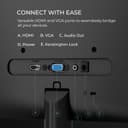
| Number of HDMI Ports | 1 |
| Product Dimensions | 21.84 x 49.28 x 36.83 cm; 5 kg |
| Resolution | 1920 x 1080 Pixels |
| Screen Resolution | 1920x1080 |
| Series | 22B35HM23 |
| Standing screen display size | 21.5 Inches |
J**A
Bueno bonito y económico exelente inversión muy recomendable
S**N
I bought this AOC portable monitor during a sale and it turned out to be a great deal. Being a well-known brand, the build quality definitely shows, the screen feels sturdy, slim, and very easy to carry around. Setup was truly plug-and-play with USB-C, no drivers needed, and it worked instantly with my Windows laptop or MacBook. The 1080p IPS display looks sharp and bright, it could be cooler if it's 2k or 4k, but for this price I get it. Perfect for work and watching videos, and play Switch Game, yes, Switch only support 1080p. I was pleasantly surprised by the built-in speakers, they’re actually quite decent for a portable monitor and good enough for game or viode without headphones. Overall, for the discounted price, this monitor is excellent value. Lightweight, reliable, and very convenient for travel or a dual-screen setup. Highly recommended.
E**.
Es muy delgado, ligero, con acabado y materiales de mucha calidad. Me gusto mucho también la calidad del video y que es compatible con soporte VESA. Incluye su Smart Cover que funciona como soporte y protege su pantalla para guardarlo y trasladarlo. Soporta USB-C (Displa Port) y como ya tengo otro monitor usando el puerto HDMI de mi laptop me resulto muy conveniente, solo con un cable lo alimenta y despliega video.
R**.
My 15 year old LG M237WD 23" Flatron Monitor/HDTV finally died on me leaving me in a strange new world where you can no longer find a new, low-cost Monitor/HDTV with a built-in antenna input and tuner. Today you need a monitor with 2 HDMI inputs and a separate HDTV tuner with antenna input to do the job. The question today is which ones do the best job at the lowest price? After extensive online research, I decided on the AOC 24B2H2 24" LCD Monitor and the Mediasonic HOMEWORX HW250STB Convertor Box/Tuner. In short, I am extremely happy with the choices I've made. Before you make your decisions, I highly recommend you download and read the online user manuals available by searching for them online. In particular, you need the online AOC user manual to properly describe and utilize the the 5 tiny buttons on the bottom edge of the screen used to power on and access monitor settings. The paper guide included with the AOC monitor does NOT describe how how to use these buttons. The HOMEWORX manual omits fully describing how to prepare for, record, and playback TV programs on a USB flash drive. If you are computer savvy, formatting, recording, playback and deletion of TV programs is easy to figure out. If not savvy, you may need to ask HOMEWORX for help. The AOC monitor is very easy to set up. You just need to insert the neck at the bottom of the screen into the base. The screen can be tilted from 20° up to -5° down. You plug in your 1 or 2 HDMI cables from the HOMEWORX tuner and your computer, the power cord, and your speaker or earphone 3.5mm connector cable, and you're done! The HDMI button under the bottom screen edge allows you to easily switch between the tuner and your computer. Audio is automatically switched between devices with the HDMI button. On Windows 10, a 24B2H2 Intel(R) Display Audio interface is automatically installed by the AOC monitor and becomes the Default Playback Device. I have an audio cable running from my computer to my speakers in addition to the HDMI cable. If needed, I can switch the Default Playback Device back to Realtek High Definition Audio to enable me to record audio using Audacity software, which I use to record stock market Earnings Webcasts. (Note: Audacity requires a wire connection between the Realtek audio output and input to enable recording audio off the Internet.) The AOC display itself is excellent, strong clean colors and high definition. The screen is matted, NOT glossy as incorrectly listed by Amazon. The HOMEWORX tuner has a handy easy to use large remote control along with manual control bottons on the tuner itself. In addition to the HDMI port, it also has RCA jacks and can act as a HDTV converter box for an old analog TV or as audio output for a stereo amplifier. It has a USB-A port for a USB flash drive or other form of storage drive. When not turned on, the HOMEWORX digital display acts as a clock showing the time of day. Signal reception by the HOMEWORX is excellent. This has the best reception of any HDTV tuner I've used so far, and I receive stations I could not receive before so long as the weather and temperature inversions permit. AOC 24B2H2, 27B2H2 LCD Monitor User Manual https://mmd-aoc2.oss-cn-hongkong.aliyuncs.com/Products/Monitors/B%20Line/B2/24B2H2/24B2H2_manual.pdf Mediasonic HOMEWORX HW250STB User Manual https://www.teklib.com/library/mediasonic-homeworx-hw250stb-user-manual/
I**N
Simple, not expensive, and very good for office work!
Trustpilot
2 months ago
1 month ago