⚡ Level up your VR game with the cable that keeps pace with your hustle!
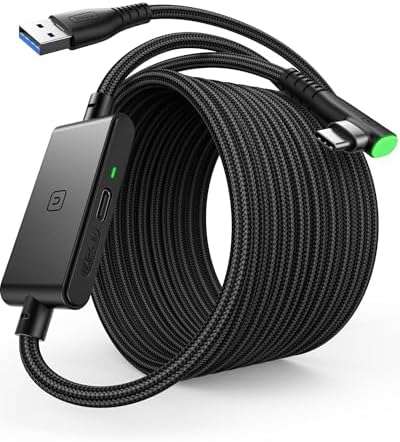
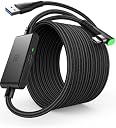
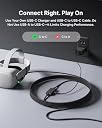
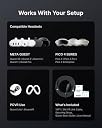
The INIU Link Cable is a high-performance USB Type-C cable engineered for fast charging (18W) and rapid data transfer (2.5 Gbps), featuring a magnetic connector for easy attachment. Compatible with Meta Oculus Quest 2, Pico 4, and Steam VR gaming PCs, it ensures reduced downtime and uninterrupted immersive experiences, all wrapped in a durable, portable design.





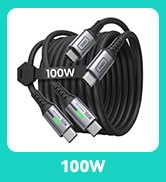
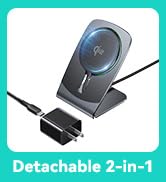

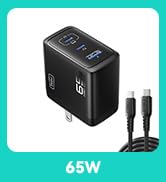
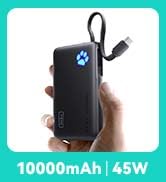
| ASIN | B0BRQMFDQ3 |
| Best Sellers Rank | #1,112,843 in Electronics ( See Top 100 in Electronics ) #1,589 in Mobile Portable Power Banks |
| Brand | INIU |
| Brand Name | INIU |
| Cable Type | USB |
| Colour | grey |
| Compatible Devices | Charging Adapter |
| Compatible Phone Models | Probably compatible with USB-C smartphones, specific models not listed |
| Connector Gender | Male-to-Male |
| Connector Type | USB Type C |
| Customer Reviews | 4.3 out of 5 stars 3,373 Reviews |
| Data Transfer Rate | 2.5 Gigabits Per Second |
| Ethernet Cable Category | Cat 6 |
| Indoor Outdoor Usage | Outdoor |
| Item Shape | Round |
| Item Weight | 0.25 Kilograms |
| Manufacturer | Shenzhen Topstar Industry Co.,Ltd. |
| Maximum Current | 3.1 Amps |
| Maximum Voltage | 9 Volts (DC) |
| Model Name | DI401 |
| Model Number | DI-401 |
| Number Of Pins | 9 |
| Number of Items | 1 |
| Other Special Features of the Product | Fast Charging, Magnetic |
| Outer Material Type | Plastic |
| Part Number | DI401 |
| Recommended Uses For Product | Accessories for Oculus Quest 3/2 vr Headset |
| Special Feature | Fast Charging, Magnetic |
| Specification Met | UL |
| Unit Count | 1.0 Count |
| Wattage | 18 Watts |
D**N
Quality product, great results
The cable works as intended. A plugged-in Samsung goes from 3h charge time without extra power, then down to 37min with the original charger plugged into the power slot. Note that the original charger, plugged in directly to the phone, activates "Super fast charge" (25min), whereas the extended cable only activates "Fast charge" (37min). While this is definitely better than a basic USB cable and does not alter my review, it's worth knowing you don't get a 1:1 power output ratio. I don't have a VR headset (yet - which prompted my need fo this cable) and I may update this review when I test this cable out with that.
K**I
ً
خرب علي بسرعه
A**K
Rakipsiz görünüyor
Öncelikle ürün mükemmel, muhtemelen rakipsiz. Sorunu doğrudan çözmek istiyorsanız alın. Biraz da deneyimimi ekleyeyim: Oradan buradan bakınıp fikir edindiniz, 3 boyutu deneyimleyeyim derken iyisi olsun diye Quest 3'ü onca fiyat farkına rağmen aldınız ama bilmiyordunuz ki bu deneyimin doğru düzgün olabilmesi için hala bir iyi bir kafa bandı ve data yanında şarj aktarımı da sağlayabilen ve hiç de ucuza çözemeyeceğiniz iki masraf daha yapmak zorunda kalasınız. Kısacası, ürünle gelen kablo veya bu üründe olduğu gibi bilgisayara bağlı kullanım esnasında şarjın da düşmemesini sağlayabilecek ek besleme yöntemi bulunmayan bir kablo kullanırsanız deneyiminiz can sıkıcı hale geliyor. Sürekli gözünüz şarj seviyesinde ve ona göre kullanıp bekliyorsunuz. Hayatınıza bir eğlence katmak isterken bir anksiyete kaynağı eklemiş oluyorsunuz. Meta'nın orjinal gelişmiş versiyon kafa bandını da aldım ama o da yeterli değil. Alnınızdan taşıma desteği verecek bir ürün bulmanız lazım. Quest 3 aldıysanız ve doğru düzgün kullanayım diyorsanız ürünün 1/3 ü kadar daha harcama yapmak durumundasınız. Veya şunu yapın: Keyfinizi maksimize etmeye çalışmayın, ürünü şarjı gittiği sürelerde kullanın ve o büyük merakınızın zaman içerisinde yokolup olmadığına bakın. İlginiz kaybolabilir, bu durumda gereksiz masraf yapmamış olursunuz. Ayrıca bu ürünü sağlığınızı gözeterek kullanmak istiyorsanız (muhakkak biraz araştırıp bilgi edinin, özellikle gözleriniz için) bu şekilde kısa süreli kullanımlar yapmak doğru da olacaktır.
D**F
Reliable, Long, and Charges While Playing – Perfect for Quest 3
This INIU 16ft Link Cable is exactly what I needed for my Meta Quest 3 setup. It delivers fast, stable data for PC VR and SteamVR while also keeping my headset charged during long sessions — a major upgrade over other passive link cables that drain battery mid-use. The length (16ft) gives me plenty of room to move around freely without tugging or stressing the headset port. The build quality feels solid, with reinforced connectors and a flexible yet durable outer layer. It also handles high-speed data transmission reliably — I haven’t noticed any lag, disconnects, or interruptions during gameplay. Being able to charge while playing is a game-changer. I can stay in VR for hours without worrying about battery life or needing to switch to wireless mid-session. This cable is now my go-to for tethered play. ⭐ Pros: Charges headset while in use Stable USB 3.0 data transfer Long 16ft length for full freedom of movement Works great with Quest 3, Quest 2/Pro, and even Pico 4 Feels sturdy and well-built ⭐ Cons: None so far — it just works
D**O
Works perfect for META QUEST 3!! Funciona perfecto para META QUEST 3!
I know that QUEST 3 battery is super bad, but with this I played for like 3 hours and it only dropped 1%. I even tried to set graphics and stuff to high and only 1% was dropped. It works amazing, the quality of the cable is really good too. I totally recommend this. You need to connect the cable in the next order for it to work: 1. Turn on the Quest. 2. Connect the USB cable to the 3.0 port. 3. Then, connect the TYPE-C to the Quest. 4. Finally, use the original charger (Idk if it works with others) and connect it to the little rectangle thing on the long cable. The port is on the side and it will display a white light when connected. 5. ENJOY. Sé que la bateria del Quest 3 es super mala, pero con este cable jugué como por 3 horas y nomás bajó 1% de bateria. Incluso intenté subir los gráficos al máximo y solo 1% bajó. Funciona perfectamente, la calidad del cable es increible tambié. Super recomiendo este cable. Para que funcione necesitan conectarlo en el siguiente orden: 1. Prende el Quest. 2. Conecta el cable con USB a un puerto 3.0 en tu PC. 3. Después, conecta la entrada TIPO-C al Quest. 4. Finalmente, utiliza el cargador original (no sé si funciona con otros) y conéctalo al pequeño rectángulo que esta en el cable largo. El puerto está a un lado y va a prender una lucesita cuando se conecte. 5. DISFRUTAA YYEAAA
Trustpilot
1 month ago
4 days ago