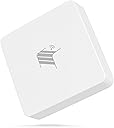
🚪🔒 Stay ahead of the curve with smart garage security that never sleeps!
The THIRDREALITY Zigbee Smart Garage Door Tilt Sensor offers precise garage door status monitoring with adjustable sensitivity and up to 2 years of battery life. Compatible with major Zigbee 3.0 hubs and smart assistants (hub required), it delivers instant alerts and supports OTA firmware updates for enhanced security and performance.


| Battery Description | AAA Batteries |
| Brand | THIRDREALITY |
| Color | White |
| Compatible Devices | Home Security System, Smartphone |
| Number of Batteries | 2 AAA batteries required. (included) |
| Power Source | Battery Powered |
C**1
A long way around to get it working right, but it is a good unit and worth the cost.
Update 02/07/2025 - back to 5 stars - with caveats As seen below, I had a few pain points. After buying several, I found some would stop updating. Almost as if some units that worked would stop if I added a new one. (This is in Home Assistant) There was a device firmware update. Home Assistant can not install it. The update is supposed to fix that. But you can't install it! The fix: After working with ThirdReality's support, we determined that the only way to solve this was to use their Zigbee/Matter hub. I already have a wokring different brand zigbee hub! But, they were super kind and sent me one to see if it fixes the problem. Workflow: Plug their hub into a USB power brick. Download the Android app 3r-Installer. (on to my seldom used old Android phone). Go into my WiFi router and temporarily remove the password requirement on my 2.8ghz Wifi. Connect my phone to that wifi. Use the app to find the hub. configure settings wit may want to start using it. Go into Home Assistant and remove a problematic thermometer. Bring the thermometer to where the HUB is. Reset the thermometer into paring mode. Click on the hub in the app, and then add the thermometer as a new device. (this can be a pain in the butt. Keep trying to reset the thermometer into paring mode. You will get there in the end.) Once you have it in there, you will have the ability to update the device with the latest firmware. How the update flows - the app on your android device downloads the firmware from ThirdReality and then pushes it into the hub. The hub then takes over and slowly (zigbee is a slow protocol) uploads it into the device. The update happens and the device eventually reboots and shows up again. Now, remove the device from the hub's list of devices. Reset the device into pairing mode and pair it back into Home Assistant on your old zigbee hub. Move onto the next ThirdReality device. Slow, but possible. Finally unplug the ThirdReality Hub, and put a password back into your Wifi router. (do NOT forget that part). Since then (over a week ago) all thermometers I have are placed back into their mounting locations around the house. All are working and keep updating their readings. None have failed to do so. So, the ThirdReality hub (MZ1) isn't expensive. Sure, it's an extra $30 you wish you did not have to spend. But if you are stuck trying to update your ThirdReality devices (and use a different Zigbee hub) in Home Assistant, this is a workable tool you can use and then toss in the old toolbox. I will never use it in my environment, as it is exclusively using Wifi to talk to the app, which I won't allow for my home automation. But that is just me. All of my thermometers are working and no signs of any kicking another one out of the network. --------------- Currently leaving this as a three start review. I bought a pair of these, and they worked great in Home Assistant. I decided to pick up another pair as they were on sale. They too seemed to work fine. Then I decided there are a couple of the rooms it would be great to know how the temperatures were in there and how they fluctuate. That is when the frustration came in. The new units came online, and seemed to work. Then, while they still show up in Home Assistant, they (or a different unit) stopped reporting any temperature changes. After some playing around and getting them online again, they would work for a while and then stop. It seems like when I added a new one, it would knock an old one off from reporting. Then one day I thought, I wonder if there is a firmware update for these. Yes! Great! I'll do that and see if it fixes the problem. However, Home Assistant can not successfully update them. It times out while trying. So, I went to the support portal for Third Reality, and read there is a newer update. It is specifically to help solve the problem where Home Assistant can't update the device. Ummm... So... How am I supposed to update them if Home Assistant can't do it? Right now I am in contact with Support, and they are responsive and are stepping up their game on this. But, I'll leave what we are doing so far, out of this review for now. Since I am not using their hub, the steps are little more complex. I'll update this review if it works out and everything stays online and reporting. ** for anyone who would say "move the device closer to your hub so the update works": I think 6 inches is close enough. Doesn't work. Don't worry. I am working the problem.
R**N
Works with Hubitat.
Easy setup with Hubitat C8 Pro. Operates as advertised.
A**R
Very reliable and consistent. Battery life could improve.
Battery life is a little less then expected but otherwise a great and reliable sensor. Has an audible noise when opened or close which is handy for status updates so I know it's working.
N**K
Excellent Zigbee Sensor
This works great and solved a problem for me because I did not have an easy way to mount a door sensor which is another way to approach determining if a garage door is open or closed. It paired immediately to my extensive zigbee network (Home Assistant using Skyconnect dongle with many repeaters). It is fast to send status updates. As a vendor, Third Reality has excellent Home Assistant support, too, which is another plus.
M**E
Easy to use
Easy to setup (compared two typical zigbee devices), and works quite reliably. Have been using it for a few months and the battery life seems to be going strong still
M**T
Likely Hardware Issue, Weak Signal
This tilt sensor has been nothing but trouble. It stopped reporting the open/closed state, and tilting the device doesn’t even trigger a chirp anymore, suggesting a physical hardware issue. The dip switches are set correctly, and the device chirps when resetting the batteries and powering it on, but beyond that, it’s non-functional. The weak radio signal makes things worse, it couldn’t connect to my Zigbee network from the garage. Even after repairing it indoors just inches from the router, it still failed to detect state changes. It’s essentially useless at this point. Wouldn’t recommend.
R**G
Works perfectly
Works as described and paired in to my Hubitat C-8 with no fuss at all.
W**S
Had issue with battery life, they sent me a replacement. I've purchased more items from them since.
Edit 2 11/21/2024 They sent me a replacement after it failed again. The replacement is doing fine. I just ordered another one for the other door and have purchased a 4 pack of their smart plugs as I've been happy with them. I think you can trust dealing with them. Edit 11/01/2024 I gave it a two star review that is below. Third Reality reached out and offered to replace it which I declined at this time as I'm going to try different brand batteries and I noticed I installed the sensor upside down that I corrected last night. Changed to 4 stars based on above. End Edit I have a bunch of Thirdreality zigbee devices, 4 scene buttons, 3 motion sensors, 1 magnetic door sensor, 4 smart plugs. No complain with any of them except for this tilt sensor. The battery life stinks. First battery (oem) lasted from May 22, 2024 to July 7th. I put a set of amazon basics in and that got me from July 7th to October 26th. I'm at about 45°N so it has been getting colder but it isn't winter yet. The sensor is stuck to a metal garage door and I have a thirdreality smart plug plugged in to act as a repeater that isn't blocked by the door. Looking at the mesh map in Home Assistant shows that it is acting as a repeater. Typical failure mode is door is closed, I notice that Home Assistant indicates the door is open. Going out to change the battery which requires closing the door to reach it doesn't set off the closed chirp. Battery life last reported was 55% the first time and 62% this time. I was going to buy another one for the other door but now I'm thinking of using their model with a mag sensor. The tilt is so much easier to install though. Like I said earlier, their other stuff is excellent.
Trustpilot
3 weeks ago
1 week ago