Buy anything from 5,000+ international stores. One checkout price. No surprise fees. Join 2M+ shoppers on Desertcart.
Desertcart purchases this item on your behalf and handles shipping, customs, and support to France.
🔄 Switch Smarter, Work Faster — The Ultimate USB Sharing Hub
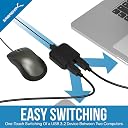
The Sabrent USB 3.0 Sharing Switch (USB-SW30) is a compact, driver-free device that lets professionals effortlessly share USB peripherals between two computers with a single button. Featuring USB 3.2 Gen 1 speeds up to 5Gbps and broad OS compatibility, it keeps your workspace tidy and your workflow seamless, enhanced by intuitive LED indicators for active device status.


| ASIN | B074TYDJK2 |
| Actuator Type | Push Button |
| Best Sellers Rank | 10,559 in Computers & Accessories ( See Top 100 in Computers & Accessories ) 307 in Computer Monitor Arms |
| Brand | SABRENT |
| Circuit Type | 2-way |
| Colour | Black |
| Compatible Devices | Keyboard, Mouse |
| Connectivity Protocol | USB 3.2 |
| Connector Type | USB |
| Connector type | USB |
| Contact Material | Plastic |
| Contact Type | Normally Open |
| Contact type | Normally Open |
| Control Method | Touch |
| Control Type | Physical |
| Controller Type | Push Button |
| Country Of Origin | Taiwan |
| Current Rating | 50 Milliamps |
| Current rating | 50 Milliamps |
| Customer Reviews | 4.3 out of 5 stars 2,490 Reviews |
| Included Components | SABRENT USB 3.2x1 sharing switch Selector, 2 in 1 out |
| International Protection Rating | IP647 |
| Item Dimensions | 6.1 x 5.9 x 2.1 centimetres |
| Item Weight | 40 Grams |
| Lower Temperature Rating | 67 Degrees Fahrenheit |
| Manufacturer | SABRENT |
| Manufacturer Part Number | USB-SW30 |
| Material | Plastic |
| Model Number | USB-SW30 |
| Mounting Type | Panel Mount |
| Number of Items | 1 |
| Number of Positions | 2 |
| Operating Voltage | 5 Volts (AC) |
| Operating voltage | 5 Volts (AC) |
| Operation Mode | Manual |
| Operation mode | Manual |
| Product Warranty | 2 years limited |
| Smart Home Compatibility | Not Smart Home Compatible |
| Specification Met | CE |
| Switch Type | Push Button |
| Terminal | Button |
| UPC | 819921013569 |
| Unit Count | 1.0 count |
B**Y
Life changer
It's a little thing but being able to switch my keyboard and mouse with laptop and desktop without unplugging is one of those changes that really makes a big difference over time. It's plug and play and comes with all the cables you need. One for each "out" branch. It works really well with my USB multiport at the "in" end allowing various other devices to be switched. Brilliant piece of kit that does one thing and does it reliably.
L**I
Works if both computers are on
This works great when both computers are on but I bought this to aid in switching between a laptop and a desktop and various usb devices would stop working entirely if the switcher was set to A and you only turned computer B on. I had to do a lot of plugging and unplugging before giving up on the whole setup.
A**M
Perfect device - seemless switch between 2 different computers.
I bought this device as I had a Mac mini and work laptop and for both I wanted to share the keyboard, mouse and screen on my desk. I initially overlooked looked this as it only had one usb port so really could only connect one of either a mouse.or keyboard. After finding a really good deal on a usb3 hub, I decided to go with this product and connect the usb hub to the and plug all my devices to the hub. I had read some reviews on various products about issue with switch from one device to the other, but from my experience so far, the switch is seemless and I think it helps this being a one usb out device.... Less chance of port causing issue! One press of the button switches from my Mac to my windows work laptop and vice versa. Perfect for my intended use, I am delighted with it!
G**G
Perfect for switching between work and play
I've used this for a month or so to share all my peripherals between my work Macbook and my home gaming PC and it works perfectly. Simple push of the button and its recognised instantly by both machines. Has replaced a usb-c dock that I was taking out and plugging in, causing some looseness in one of the ports so this was perfect. I would say I'm using a cheaper usb-c hub for connecting my macbook to a hdmi monitor that I also plug the macbook charger into, this causes a lot of flashing on my keyboard rgb when my macbook is unplugged from the switcher so I always switch it to my desktop when not in use. It's almost definitely the cheaper hub I'm using instead of this device but worth looking out for
S**N
Worked perfectly for me
My Moto is automate everything, So the way I used it was: to add a remote control onto it. Background: To upgrade my TV a usb pen has to be attached with a your lastest bin file on the usb pen. Usage: I share one usb pen between a computer and a TV (I have a remote connection to the computer). First I remote into the computer, then I download a bin file and copied onto the usb stick. Still remoted into the computer I had already installed a free program called Hercules, connect to the usb switcher via the COM port and type and send the SWITCH command this moves the usb pen to the TV. as a side note I use a APC switch to power cycle the TV which initiates the upgrade. Once the upgrade is done I SWITCH the usb stick back to the computer. I will be selling the modification
L**N
Good nice bit of kit, try other options and question if you actually need USB3
A nice, reliable bit of kit. Switches quick, nice click button, good quality cables Consider what you’re going to be using it for... If it’s a keyboard and mouse, perhaps USB3 is over kill? The USB 2 version is half the price but exactly the same Personally I went for the UGREEN version
D**T
USB 3.0 sharing switch seems great so far. Fingers crossed
Only when I came to write this review did I see the 1 star ones talking about current draw problems. Fingers crossed these issues have been fixed or I'm just lucky because this does exactly what I want. I have a laptop and a desktop both connected to one monitor which has a USB 3 hub on it and my keyboard, webcam and controller hanging off that. I have plugged this switch's "output" into the monitor hub and both PC's into its "inputs". I can now use both computers with one monitor and whichever devices are connected to it with the press of a button. Perfect. The switch is a really small, discrete box (albeit with blue LEDs that may be bright it in a dark room. I'll try to update on that later) and comes with 2 USB 3 A to B cables in the box so I didn't need to buy the additional one I did... Fingers crossed for no port frying. I'll definitely update if I do though. So far, so good.
E**É
Good if it works
I bought this so I could connect my work laptop and home desktop PCs to the same docking station, so they could share the same monitor, keyboard, speakers and mouse. It's very simple to use, just plug and play using the included cables, and press the button to change input device. However, it did this strange thing when in use with the laptop, where the laptop kept trying to cancel the signal to the monitor in mid-use. Also, my Dell docking station only has an HDMI port for the monitor, which initially meant the desktop PC couldn't transmit the signal to it because it didn't have the correct driver installed – something to be mindful of. However I see others have had greater success with it so my rating is for the need for troubleshooting rather than a mask for my limitations as the end user.
R**D
Simple and functional
It's intuitive to hook up and use, and it works for switching a USB hub with a connected mouse, keyboard, and Yubikey. I haven't tested the USB throughput, so I can't speak to that. Only downside is that the LED indicators are a little dim and hard to see in a brightly lit room unless you know what you are looking for. This could be a good thing if you are using it in a darker room (e.g., watching a movie). It's not a big deal and you'll quickly get used to it. I'm happy with my purchase.
J**.
Works great for gaming keyboards
With the pandemic, working from home has been more and more common. Being a gamer, I looked for a KVM switch that would allow me to switch back and forth between my work laptop and my gaming desktop. I initially went with an IOGear KVM and was extremely disappointed because it couldn't keep up with my WPM and there would be some lag with typing. In worse cases, a key would get frozen and would stay stuck entering a key and the only way to stop it was to physically disconnect the keyboard from the KVM switch then reconnect it. I'm using a Razer Blackwidow After looking around and doing some research, I took the chance on the Sabrent USB 3.0 USB switch. It acts as a direct passthrough as opposed to running off of software firmware so by hitting the switch to go back and forth, it's like actually disconnecting the keyboard (or whatever device you have) and then reconnecting to the PC/laptop you want to use it on. My keyboard latency issue has been resolved by using this USB switch and no more stuck keys/characters. I highly recommend this to anyone who was having similar issues or wants a good USB Switch. This supports USB 3.0 but also works with USB 2.0 devices (my keyboard is USB 2.0). Also worth mentioning that it has a micro USB power port but not sure what that would be needed for as I'm not using it. The power is pulled from the USB ports connected the PC/Laptop. I'm assuming it might be for something that draws more power? Hope the review was helpful and this device works for your needs.
B**I
Excencial. Leia a descrição.
Funciona 100% bem , excencoal para quem tem 2 computadores, 1 monitor e um jogo de teclado e mouse.
G**.
Fais bien son travail mais c’est usb 3.0 pas 3.2
Fais bien son travail mais c’est usb 3.0 pas 3.2 C’est top pour basculer mon clavier et souris entre mon mac et ma xbox en un click
E**O
Funciona muy bien
Lo uso para compartir un teclado entre dos computadoras y funciona perfecto.
Trustpilot
3 weeks ago
4 days ago