Description
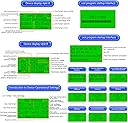
- New upgrade: The electronic load is connected to the USB interface of the computer, and then the online software driver of the upper computer is installed, and the software can be used online after opening the software. Online background settings are synchronized with load host settings
- Ultra-high precision: The precision is strictly calibrated by the engineers at the factory, and the patented soft calibration technology is adopted. The software learning precision is carried out through the large instrument, and the small error caused by the hardware is repaired through the software, so that the measurement precision can reach the same level. Exactly the same precision for larger instruments
- Safe to use: You can set the timing discharge and stop voltage, with over-power protection and high temperature protection, battery temperature measurement and protection, with fuse and reverse connection protection functions
- Two power supply modes: 1. DC6-12V DC5.0 power supply; 2. DC6-12V Micro USB power supply. The discharge power of the fuselage cannot exceed 150W, otherwise there is a danger of burning out. Voltage measurement range: 2V ~ 200V, current measurement range: 0.2A ~ 25A
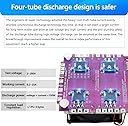
- Four-tube discharge design: The heavy-cost multi-tube current is evenly shunted and synchronous discharge technology is adopted, so that a larger current can be used for long-term stable operation at low voltage and high current, and the anti-burning safety of the discharge tube during high-voltage discharge has been breakthrough at the same time. The improvement of the performance makes the overall technical index performance of the equipment reach a higher leap
1
Review: New (purple) Version - Solid Battery Capacity Tester - I'm in the process of building a 100Ah LiFePO4 battery pack for the 48v Torqeedo outboard motor that I have on my pontoon boat (I live on an e-motor only lake). I first discovered this device being used as a battery capacity tester in one of Will Prowse's YouTube videos. It looked like an affordable / easy option for confirming that the batteries I bought did, in fact, have the advertised 100Ah . . . so I clicked on his link to the desertcart store. When I got here, I saw the newer version available and went for it! Note again: this review is for the "New upgrade" purple version. A few comments: 1) The device is working great! I attached a picture of the 6th consecutive cell that I am running through capacity testing. A little smoke rolled off the device when I started discharging the first battery, but stopped within a few seconds. The resistors on the sides of the heat sink get pretty hot when discharging at the 20A I'm using for this cell (0.2C discharge rate), so I expect it was some residual solder flux burning off. In any case, it didn't affect operation in any way that I can see and it hasn't repeated since the first run. 2) The separate discharge and voltage measurement terminals are a must! The discharge terminals measure ~0.4 volts less than the voltage measurement ones due to resistance in my leads (likely the fuse - your results may vary), which would significantly affect measurements. It's a must-have feature, in my opinion, and the older version (the one Will used) doesn't have it. 3) There is a PC app that you can download from a janky-looking website (accessed via the QR code on the back of the device) so you can monitor / control the device from your PC. I'm not trusting enough to install something like that on my PC so I can't comment on it, but the pictures looked pretty cool! 4) No instructions were included with the device. However, the QR code on the back of the device brings up a site (the one referenced above) where you can download them. Unfortunately, there are several downloads there and no indication of which is the correct one (use DL150B). Worse, they are written in VERY poor English and are incomplete! For example, if you want to erase the data from a previous run, you need to press the button and encoder down at the same time until "Data Erase" shows up. Hold them for a moment longer and it factory resets. Neither function is indicated in the instructions. Nor is any information on how to use this kind of device. If you don't know how to use it, don't buy it until you spend some time on YouTube watching people use similar models (I couldn't find any videos with this version). You're likely to hurt yourself or someone you love!!! In summary, great little device if you're tech savvy and one of those people who only resort to instructions as a last resort. You will definitely leverage those "figure it out on my own" skills here! If your using the instructions as your sole method of understanding the device, good luck! Looking at a lot of the bad reviews, I'm guessing a lot of those folks were in this category. I'm on cell #6 now, but will update my review if anything changes before I get through cell #20! Peace!
Review: Unable to say it was damaged when delivered - Although I received the item as promised, it was damaged and I could not get the screen to display any of the parameters. Totally blank. Not the fault of the company