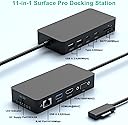
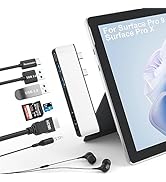
🚀 Elevate your Surface setup — triple displays, turbo charging, and seamless connectivity in one sleek dock!
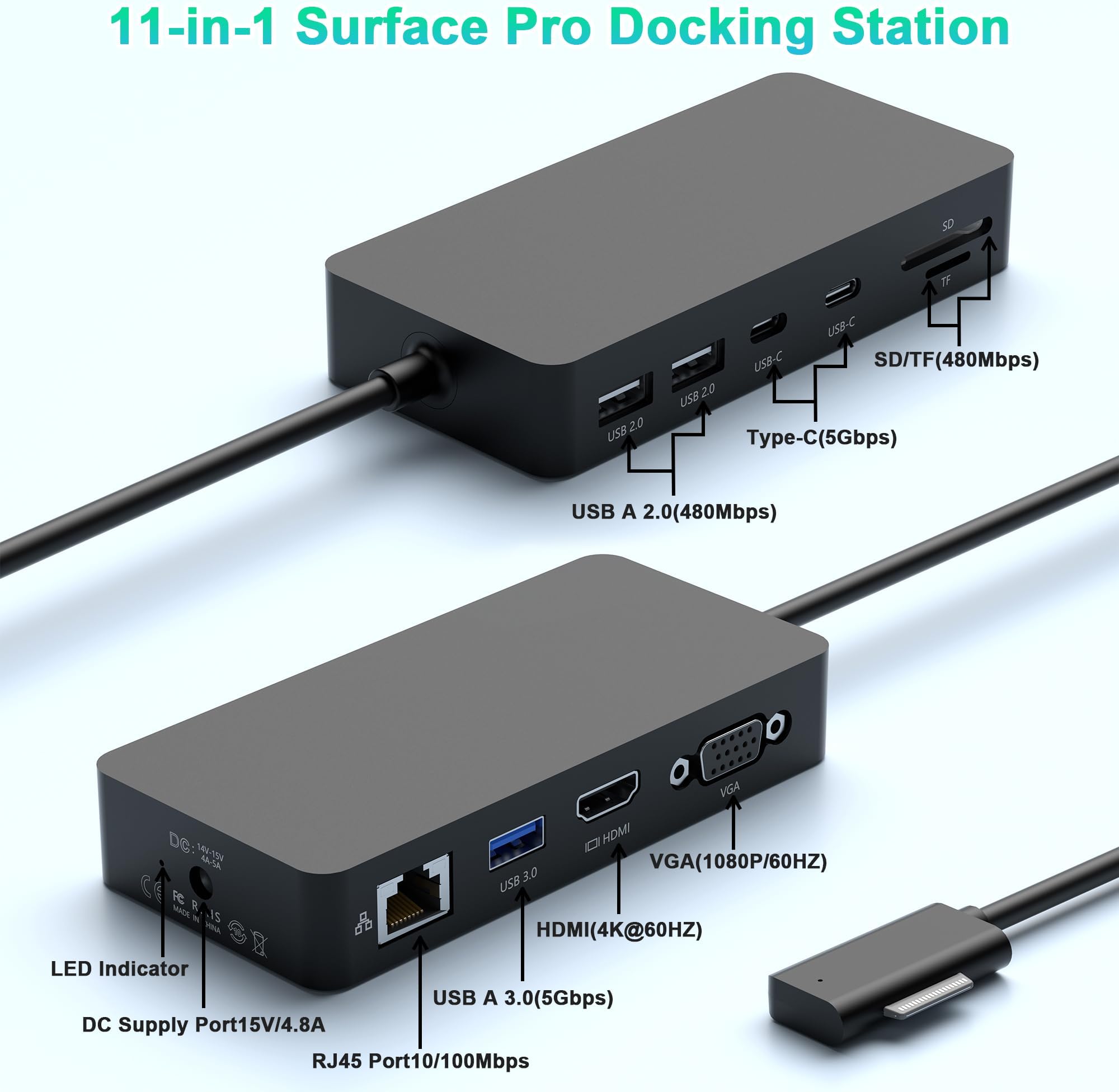
The Microsoft Surface Dock is an 11-in-1 docking station designed for Surface devices, featuring triple display outputs (4K HDMI + VGA), 60W power delivery for fast charging, multiple USB ports including USB-C 3.1 for high-speed data transfer, and a 100Mbps Gigabit Ethernet port for stable wired networking. Compatible with a wide range of Surface Pro, Book, and Laptop models, it offers plug-and-play convenience to transform your workspace into a powerhouse of productivity.


| ASIN | B0CJ327G83 |
| Best Sellers Rank | 60,450 in Computers & Accessories ( See Top 100 in Computers & Accessories ) 576 in Docking Stations |
| Guaranteed software updates until | unknown |
| Item model number | SHL792-CAF |
| Manufacturer | Yeemie Pro |
| Product Dimensions | 18.6 x 13.7 x 8 cm; 848 g |
E**O
So many useful ports, I love it!
Only had this hub less than a day and it is working just fine. My new Microsoft Surface Pro 9 doesn't have ports for my external drives, thumb/flash drives, the cable I use to transfer photos from my phone to the laptop, and so on--only two C ports (which are useless to me except for plugging in this hub!); it allows me to use all these tools both at home and when I travel. I love it! The photo shows the external drive and my cell phone cable plugged in to the hub.
C**W
Clever little hub - two devices in one
The video shows exactly what you get and my initial impressions of build quality as well as a quick overview of the ports, so I won’t go into all that here. Instead, I’ll go into what I consider most important: the transfer speeds and the port functionality. Full testing methodology included below for your information, but really, the summary is all you need to know. Summary: Clever little hub - it's actually two devices in one. The first USB C port is simply a TB4 passthrough - you keep your high data transfer speeds, your video out capabilities etc. The second USB C plug powers the rest of the ports - 5Gbps data transfer, HDMI out, 3.5mm audio and Micro SD. A very neat and capable device. Pros & Cons: + Good/expected: Very little drop in performance for the USB 3.1 Type C and USB 3 Type A ports compared to plugging into the computer directly. - Bad/disappointing: None. ----------------------------------------- Testing methodology: - USB 3.1 type C: Control - 10 GBps SSD enclosure containing 3300 MB/s NVMe SSD plugged directly into a USB 3.2 Gen 2 (10Gbps) Type C socket on the test PC (CrystalDiskMark benchmark 1065.74 MB/s); Test - Same drive plugged into the 10Gbps USB 3 type C port on this hub. - USB 3 type A: Control - 10 GBps SSD enclosure containing 3300 MB/s NVMe SSD plugged directly into a USB 3.2 Gen 1 (5Gbps) Type A socket on the test PC (CrystalDiskMark benchmark 464.20 MB/s); Test - Same drive plugged into the 5Gbps USB 3 type A port on this hub. Results: - USB 3.1 Type C speed: 1056.97 MB/s (8.77 MB/s slower than control) - USB 3 Type A speed: 462.57 MB/s (1.63 MB/s slower than control)
A**R
Mid-level number of ports at a reasonable price
Note: there is an Amazon voucher which gives 5% at the time of writing this review. This is a small and slightly limited dock, which I am using with a Surface Pro 9, but which also works with the Pro X. It comes in very compact packaging, a thin card box with no wasted materials - which is good to see. It takes up both left-side ports, and gives you 1 x HDMI output,1 x THunderbolt 4 100W charging + 40Gb data port, 2 x USB 3.0 ports, 1 x 3.5mm audio jack, 1 x Secure Digital card slot, and 1 x TF (microSD) card slot. Obviously this expands your options significantly, but compared to similar tablet docks that provide up to 12 ports it seems a bit limited. Thankfully it fulfills all the specs and abilities claimed in the amazon listing, although you won’t be actually getting 100W out of this. This is normal on 100W charging hubs, you usually get about 80-85W. Something that needs to be noted as it is VERY important is that if you have any sort of case or cover that impinges near the ports on your tablet then it won’t fit properly. I can only recommend this hub for use with a bare Surface. Anything else is going to give you problems, especially over time. Unless of course you are willing to make alterations to your case (using stanley knife) in order to accommodate it. So, for £30 is it worth it? I would say yes, although 2 thunderbolt ports would have been greatly appreciated. You should also have a look on Amazon and see if you can get something cheaper or better, as new versions are being produced on a weekly basis.
A**I
Item stopped working after only 2 months
Product initially worked ok (although I did have to take the plug out and replace it each time I opened up my laptop). However it's now stopped working at all, even though there's still a green light showing on the main charging unit. Given I rely on this for my work laptop this has been a major inconvenience.
I**D
Works Well
This Yeemie Pro Surface Pro 9 Hub Docking Station has been a great addition to my home office computer set up. After getting 2 additional screens, I can extend my laptops display to use the 2 other screens individually. The connection is steady and reliable, with no lags or disconnection issues to interrupt me as I work. Conveniently, this hub supports 40Gbps transmission speed, whichs allows me to transfer data back and forth smoothly and quickly. Additionaly, it also supports audio and video which is great for when I have video meetings for work, or if I just want to enjoy music or a movie on one screen while still using the other 2. Another thing I like is that the hub supports 100W power transmission, so my laptop charges without issue while in use. Also, as this hub lets me connect the Ethernet cable directly to my laptop, my connection is even more reliable no matter what I am doing or how much I have going simultaneously. A unique feature of this hub is the 3.5mm audio jack where I can plug in my noise-cancelling headphones to prevent being disturbed when working. This is a reliable and high quality hub for surface pro laptops, and I definitely recommend.
O**M
Experience Enhanced Productivity
One of the standout features of this hub is its ability to support triple displays. With a 4K HDMI and an 8K video display via USB-C Thunderbolt 4, you can expand your workspace like never before. Whether you're working on a complex project, multitasking, or simply enjoying a more immersive entertainment experience, the triple display capability has you covered. The Surface Pro 9 Hub Docking Station is a game-changer for Surface users who demand more from their devices. Its triple display support, lightning-fast data transfer, robust power delivery, and audio versatility make it an indispensable tool for work and play. Whether you're a professional, a creative, or a student, this hub ensures that your Surface Pro 9 or Surface Pro X becomes the command center of your digital world. Elevate your productivity and connectivity with the Surface Pro 9 Hub Docking Station.
L**F
Very useful hub for the surface pro.
M**C
Works as advertise, can now add flashdrices to upload and down load
K**E
Works amazing with my computer. Very useful with multiple input types. Definitely would recommend!
K**A
Leider kann das Surface 9 die Docking Station des Vorgängermodells nicht nutzen und diese neue musste her. Die Platzierung am Gerät ist durchdachter als beim Surface 7. Der Sitz am Gerät ist fest und sicher, die Buchsen gut zugänglich. Die Leitungsfähigkeit bei nahezu voller Besetzung der Buchsen ist ohne Beanstandung.
L**C
Great product just plug and play
Trustpilot
2 weeks ago
2 days ago