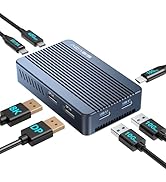
💨 Clone at the speed of now—cool, fast, and hassle-free!
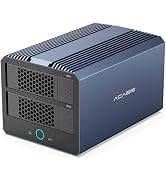
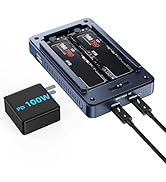
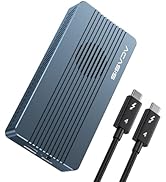
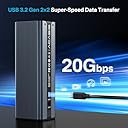
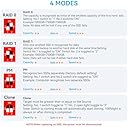
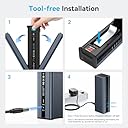
The ACASIS NVMe M.2 Duplicator EC-DM201 is a dual-bay offline cloning station designed for professional-grade SSD management. Featuring a robust built-in cooling fan and aluminum case for superior heat dissipation, it supports simultaneous cloning of two M.2 NVMe SSDs up to 8TB each. With USB 3.1 Gen 2 connectivity delivering up to 10Gbps transfer speeds and broad OS compatibility, this tool-free, driverless device streamlines data migration for tech-savvy users seeking speed, reliability, and convenience.




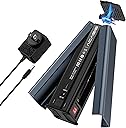
| Item Weight | 0.47 Kilograms |
| Memory Storage Capacity | 256 GB |
| Compatible Devices | Laptop, computer |
| Hard Disk Form Factor | 22 Millimetres |
| Max Number of Supported Devices | 2 |
| Data Transfer Rate | 1.25 Megabytes Per Second |
| Manufacturer | ACASIS |
| UPC | 729162458831 |
| Model | EC-6604 |
| Model Name | DM201 |
| Product Dimensions | 13.72 x 3.56 x 6.1 cm; 470 g |
| Item model number | EC-6604 |
| Operating System | Linux, Windows 10 |
| Mounting Hardware | enclosure |
| Number of items | 1 |
| Batteries Included | No |
| Batteries Required | No |
| Total USB ports | 2 |
| Country of Origin | USA |
| Item Weight | 470 g |
K**S
Good Service and product
Thank for the prompt communication and help.
M**A
この機器では、ファンが付いており、熱暴走がないと思い購入。 カードの取り付けも ネジではなく、ゴム製で素早く交換が可能でした。
M**T
I bought this to upgrade the M.2 drives in both my laptop and my son's Steam Deck with larger capacities. This cloner worked perfectly right out of the box—no need to connect it to another computer. Just insert the source drive into Slot A and the target drive into Slot B, then power on the device. When it boots up, both source and target lights will illuminate. Press and hold the clone button, and the progress lights (25%, 50%, 75%, and 100%) will start blinking sequentially, from lowest to highest. As the clone progresses, each percentage light will stay solid as it reaches that point. Once the 100% light is steady (no longer blinking), the clone is complete. To finish, hold the power button until the device turns off, remove your cloned drive, and you’re all set! For Windows, you’ll need to extend the partition to use the additional drive space, as it initially appears as "Unused" space. However, in SteamOS, the drive was automatically set up correctly without needing to combine partitions. This has been the easiest cloning experience I’ve had—much simpler than using Clonezilla.
K**A
Now I wish all my devices were NVMe direct to motherboard. Cannot say enough good after a year. I basically have an 8TB flash drive that flames and tests other drives. Hats off to who saw this need and filled it UPDATE: 10/15/2025. It powers on just fine, but the unit no longer sees the MVME cards and does not light up as if they are there. Both Linux and Win 11 have no idea what the device is any longer. Going to do a full disassembly and see what happened. Not really a price you want to pay every 19 months or so
芳**彦
デザイン性だけ。 殆どチャイナだよな~
通**ー
商品説明に8Tまで対応との記述があり購入。 crucial:CT2000P1SSD8 (2T/PCIe Gen3) から acer:FA200-4TB(4T/PCIe Gen4) へのクローンが出来ませんでした。 デュプリケータを使わずにPCからUSB経由でエンクロージャに入れたFA200-4TBへ、ソフトを使いクローン完了。 ソース・ターゲットのSSDは問題無く動作したので、本体の障害と判断して返品いたしました。
Trustpilot
5 days ago
2 months ago