


Buy anything from 5,000+ international stores. One checkout price. No surprise fees. Join 2M+ shoppers on Desertcart.
Desertcart purchases this item on your behalf and handles shipping, customs, and support to France.
๐ Elevate your home network to warp speedโbecause your digital life deserves the best!
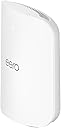
The Amazon eero Max 7 is a cutting-edge Wi-Fi 7 mesh router designed for ultra-fast internet plans up to 10 Gbps. It covers up to 2,500 sq. ft. and supports over 250 devices simultaneously, featuring dual 10 Gigabit Ethernet ports, tri-band radios, and advanced TrueMesh technology for optimal performance. Built as a smart home hub, it integrates Thread, Matter, and Zigbee protocols, while offering easy setup via the eero app and optional enhanced security with eero Plus. Backed by a 3-year warranty, itโs engineered for professionals demanding speed, reliability, and seamless connectivity.
| Wifi standards | Wi-Fi 7 (IEEE802.11a/b/g/n/ac/ax/be) |
| Number of radios | 3; tri-band |
| Supported channels | 2.4 GHz: 1-13; 5 GHz: 36-64, 100-144, 149-165; 6 GHz: 1-233 |
| MIMO | 2x2/4x4/4x4 MU/SU-MIMO |
| Spatial streams | 10 |
| Channel width | 20, 40, 80, 160, 240, 320 MHz |
| Network security and services | WPA2-PSK, WPA3-Personal transition mode |
| Other Wi-Fi features | WMM, Tx Beamforming, OFDMA |
| BE rating | BE20800 |
| Channel selection | Automatic Channel Selection |
| Band steering | Yes |
| Warranty and support | 3-year limited warranty. |
| Device/profile pause | Yes |
| Easy password sharing for guest and home network | Yes |
| Smart home hub | Yes |
| Thread | Yes |
| Bluetooth | Bluetooth Low Energy 5.0 |
| Zigbee | Yes (as a controller only) |
| Works with Alexa | Yes: With eero Max 7 and an Alexa device (not included), you can easily manage wifi access for family profiles to take focus away from screens and back to whatโs important. |
| Matter | Yes (controller only) |
| Antenna | 2.4 GHz: 2x2, 5 GHz: 4x4, 6 GHz: 4x4 |
| Frequency bands | ISM (2.4-2.484 GHz), UNII 1: 5.15 - 5.25 GHz, UNII 2A: 5.25 - 5.35 GHz, UNII 2C: 5.47 - 5.725 GHz, UNII 3: 5.725 - 5.850 GHz, UNII 5: 5.925 - 6.425 GHz, UNII 6: 6.425 - 6.525 GHz, UNII 7: 6.525 - 6.875 GHz, UNII 8: 6.875 - 7.125 GHz |
| Types of modulation | OFDM |
| Ethernet | Two auto-sensing 10 GbE ports and two auto-sensing 2.5 GbE ports for WAN and/or LAN connectivity |
| Processor | Quad-core A73 processor |
| Memory | 2GB RAM |
| Storage | 4GB flash storage |
| Size | 7.24 x 8.73 x 3.54 in. (183.90 x 221.89 x 89.90 mm) Actual size and weight may vary by manufacturing process. |
| Operating temperature | 32ยฐFโ104ยฐF (0หCโ40หC) |
| Electrical requirement | 100-240V AC, 50/60 Hz |
| AC supply | 45W external USB-PD |
| OS support for eero app | iOS/Android app |
| Subscription | New customers are eligible to access eero Plus free for 30 days. Learn more about this here. |
| Required for setup | Supported iOS or Android device and internet service (with cable, DSL, or fiber ONT modem, if required). See requirements. |
| Warranty and service | 3-year limited warranty. For warranty info, privacy policy, terms of service, trial and subscription terms, and more, visit eero.com/legal. |
| Included in the box | 1-pack: One eero Max 7 router, one 45W USB-C power adapter, and one CAT6a Ethernet cable. 2-pack: Two eero Max 7 routers, two 45W USB-C power adapters, and one CAT6a Ethernet cables. 3-pack: Three eero Max 7 routers, three 45W USB-C power adapters, and one CAT6a Ethernet cables. |
| Software security updates | Learn more about these software security updates here. |
| Legal disclaimer | eero Max 7 is subject to the disclaimers at eero.com/legal/disclaimers. |
E**0
Cost v Markup
Really amazing how American companies charge absurd prices for things, the cost for one of these units is less then $15 and they charge 100X that because we are fools. I've been engineering electronics for 45 years...I know what it costs even in todays marketplace. eero products are not consistently made in America; while eero is a US-based company acquired by Amazon, its products are manufactured in other countries, with examples showing production in China and Vietnam. Therefore, the "made in America" claim is not accurate for all eero devices. It's shameful at best !!
J**M
Amazing speed, setup and stabilty!
Since release I have had the 3 node Eero 6 Mesh system, so for about 4 years. During that time I have only had one incident and Eero support was fantastic. Since the mid 90s I have designed and built out multiple nationwide networks. From small ISPs, to Wireless providers getting into the Internet business to deploying mesh wireless system in corporate offices. I love it, it's great to tinker working to make things better and better. Because of that though I don't want to do that same thing at night or on the weekends unless it's work related. When I have some free time to do what I want, tweaking a network is one of the last things I want do. Yet I must have something that is fast, stable and secure. For years the Eero 6 functioned well however during that time we have added devices, increased our bandwidth and have more people working from home and/or gaming. It was time for an upgrade. Frankly reading the reviews I was concerned about purchasing this system. Yes, we all know that people who are unhappy are more likely to write a review than someone who is but this was definitely not ranked as high as my old system. Regardless I knew if needed I could troubleshoot with the support stand so I gave it a shot with the hope it wouldn't be an ongoing ordeal. I'm very happy to say the setup was one of the easiest if not the easiest ever. I unplugged my old system, plugged in the new primary devices and launched the app. It asked if I wanted to replace the old system, yes. It configured the new device using my same settings (network name, SSID etc...) and I was up and running in less than 10 min with a firmware/OS update. Adding the second device, they are both the same and both have the Ethernet ports, it set it up as the secondary in a couple of minutes. Then I removed the 2 old extension from the app and I was done. I did not have to do anything to all the devices on my previous network as everything stayed the same. That also saved me hours of extra work. While I only have a 1 gig connection we plan to upgrade to 2 in a couple of months and this will more than handle it. I went from getting about 40Mbps in our studio room over wireless to a full gig. The farthest room in the house had the second extension in that room previously just to get it covered. With only the two device system that room is now running 800 Mbps. As the extension is in our den I was able to plug our Apple TV directly in Ethernet and any occasional stutters watching in 4K simply vanished. We are on a cable modem system from our local provider. While I did help set it up in the 90s I haven't helped them in 20 years or so and thus there is nothing special about our connection, it's the same as everyone else in town. I am not using the paid version of the app, the free download has worked just fine for 4 years, worked great on our setup and I see no reason, again not looking to tweak anything, to pay for the extra services. I think most people will be just find using the standard app. At the beginning I noted I had the older 3 node system but got the 2 node Max 7. My house is a single story about 2600 sqft. The gateway is located in the office at the front far side of the house, I placed the extension in an are approximately the middle and I'm getting complete coverage throughout including a good usable signal out front or out back. While it notes 5000 sqft, I would suggest 3000 is probably more accurate from my experience. I definitely would not have needed three and if you can place the your device near the center of your house I believe a single unit would easily cover close to 2000 sqft with ease. Yes these aren't cheap but for us it was well worth the upgrade from a speed a quality of life standpoint and they are powerful enough I hope to get more than 4 years of service from them. Very pleased and highly recommend to anyone who needs more speed, especially if they have a lot of devices around the house. <Edit> I just wanted to add that after 3 months the system is still performing flawlessly, updates have been quick and stable.
R**H
Amazing performance and ultra fast internet speed - No more internet issues
I recently received the eero MAX 7 as a gift for my birthday, and it has been a game-changer. Earlier this year, I had purchased the eero pro 6e (2 units), which I was already quite happy with. However, I noticed that my mother needed one, so I gave her my eero pro 6e and got the eero MAX 7 for my apartment. Ever since I started using it, I have been blown away by its incredible performance. The download speed has increased from 981 MB to 1.3 Gig, and I no longer have to worry about my work video calls dropping like they did before. I used to think that the network service in my area was the problem, but it turned out that the many routers in the building and the interference from all the devices using the 2.4 GHz band were causing the issue. Now, I can work from home with great internet bandwidth without any interruption, and I couldn't be more satisfied. Although the eero MAX 7 is expensive, it's worth every penny in my opinion. Youโll see on the pics posted my download speed increased from 983 MB with eero pro 6e to 1.31 G with Euro MAX 7!!! Update: Dec 5, 2023 I recently purchased the new eero Max 7 mesh router, and I must say, it has exceeded my expectations. Not only am I experiencing faster speeds compared to my previous router, but the coverage it provides is simply outstanding. In fact, I was so impressed that I decided to get a second unit last week to ensure exceptional coverage throughout my entire living space. One of the standout features of the eero Max 7 is its ability to consistently deliver a reliable internet connection. Even in a building where numerous routers and devices cause interference, I haven't experienced any lags or connectivity issues. This is a game-changer for me, as I heavily rely on a stable internet connection for both work and leisure activities. Setting up the second eero Max 7 was a breeze, thanks to its intuitive and user-friendly interface and application. The mesh network seamlessly blankets my home, eliminating any dead spots and ensuring a consistent signal strength across all corners. I can now enjoy fast and uninterrupted internet access no matter where I am in the house. The eero Max 7 has truly transformed my internet experience. It's a high-performing mesh router that delivers on its promises of faster speeds and excellent coverage. If you're looking for a reliable and hassle-free solution to your connectivity needs, I highly recommend giving the eero Max 7 a try. You won't be disappointed.
A**Z
superb router
functionally an excellent router, incredible speeds, tons of devices connected same time, strong signal, great large space coverage, very easy to setup via the iOS app, and the design looks nice as well! 1000% worth the upgrade, a lil pricey though...
G**S
Great signal and Amazing app
So far... So AMAZING! We received our eero mesh system today; bought the 4-pack because of the area we are trying to cover. This system is replacing a Netgear Orbi mesh system that was purchased about 6 years ago, but things started buffering and disconnecting on a regular basis and we were just tired of the degradation of the wireless system. From start to finish (all four eero devices) it took about one hour. This hour included disconnecting my old mesh system and hooking up the new one. The app does make it extremely easy and walks you through step by step. The only thing I was confused about in the beginning was I was expecting one of the eero units to be a dedicated wireless router. I unpacked all four of the units, turned them over and saw all the ports on the back were identical. That's why I was confused. My old Netgear has a dedicated wireless router and that's simply what I was used to. I decided to trust the app and everything worked perfectly. I live in a 2400 sq. ft. brick home and my man cave where I placed the fourth unit is approximately 100' away. I have fiber Internet 500 up and 500 down. In every location, using the ookla speed test app I'm getting nearly 500/500. I also purchased two outdoor units and plan on setting them up tomorrow. Our property is approximately 2.1 acres. This system is fabulous! I'm very impressed... So far. If things change I'll update my post. UPDATE: I signed up for the Eero plus subscription primarily for the VPN protection and then discovered that the VPN protection is for device specific, i.e., your cell phone. The VPN protection does NOT cover your entire wireless network so needless to say I cancelled the subscription. They don't tell you that up front. It is in the very fine print.
L**E
Good overall, but issues with video chats for work
Overall, I really wanted to like my Eeros. I got them on a great deal last black friday, and they really are easy to set up. The app is good, and it was pretty simple to replace my netgear router by plugging the eero into my verizon modem. In general, they worked well for most devices. Things like downloads, speed tests, etc are fast. I set up a wired ethernet backbone for each of the three endpoints in my home. I have a 2 story house, so 1 access point is in my office, 1 access point is in the basement directly above my wife's office, and the 3rd access point is on the other side of the basement in the crawl space. Unfortunately, I have experienced persistent issues with video chats on both teams and zoom. At first, we had some wifi issues on the far side of the house, which I was surprised by, since it was only ~15-20 feet from an access point in the crawl space below the room. Additionally, my wife is constantly complaining to me that she can't take video calls anymore, even in her office, where I see 5 bars of wifi strength. Even with my desktop plugged into ethernet upstairs, I seem to have some networking issues with lag and de-sync in online games. Overall, I am not sure what I am doing wrong. Our house is a SFH and at least 50-100 feet from our neighbors, so it doesn't appear to be caused by wifi interference. The eero app tells me I have 30 devices online, so it's not me pushing it to the limits as far as I know. I would say overall, if you are a casual user, and just want a good app with the ability to quickly block devices etc., then Eero is for you. But if you have high expectations for performance or have a job with a lot of video chats and screen sharing, I personally have been disappointed by my Eero units, especially given the price. Unfortunately, for my use case, bad video calls just won't work.
A**L
Great coverage for homes, but not great with signal in detached building
The wifi system demonstrated excellent overall performance, providing superior close-range speeds compared to the Netgear Orbi 970. However, it was unable to deliver a reliable signal to our detached metal shop located 30 feet away, which ultimately led us to choose the Orbi 970, as it successfully extended coverage to that area. The Eero application offered a more user-friendly interface than Orbiโs, and the system proved reliable during our initial testing period. Setup presented some challenges due to limited cellular service at our location, but technical support provided effective assistance. Additionally, the satellites reconnected more quickly after relocation than those of the Orbi, which tended to require a substantially longer reconnection time.
K**Y
Love it so far... second eero system (previous lasted 10 years)
Upgrading from a Gen 1 eero Pro setup (from 2016): So far this has been utterly painless, with the amazing eero UX in full display. Add a device, select "replace existing eero", follow the steps, and everything is set up seamlessly in seconds. We consolidated from a system with 3 routers and 2 beacons to just these 3 routers. We were getting network congestion due to the number of devices on that aging system - new one so far at least seems to have none of those issues, but time will tell. Will update the review if things change. While the cost is absurd, I opted for the 4 port designs for wired backhaul and to simply give us more wired-in options throughout our 3 stories (without chaining switches off each). Not the most cost effective solution, but effective nonetheless, and less clutter as a result. Eero still gets top marks for a beautiful, intuitive, yet powerful (the advanced features are buried, as they should be) app. I've been setting up networks for decades, and I live/breathe tech, but life is too short to waste in horribly antiquated router software trying to manage your devices.
Trustpilot
3 weeks ago
2 months ago