We remain fully operational. Our teams are working around the clock to ensure your deliveries continue safely.

DOWNLOAD THE APP


Customer Services
Copyright © 2025 Desertcart Holdings Limited
DOWNLOAD THE APP

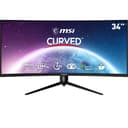
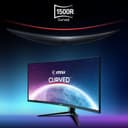
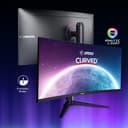
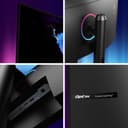

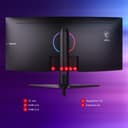
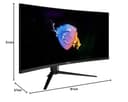
🔥 Elevate your game with MSI’s ultra-wide curved powerhouse!
The MSI Optix MAG342CQR is a 34-inch curved gaming monitor featuring a 3440x1440 UWQHD VA panel with a 1500R curvature for immersive viewing. It boasts a 144Hz refresh rate and 1ms response time for ultra-smooth, lag-free gameplay. HDR support and a wide color gamut deliver vibrant, true-to-life visuals. The adjustable ergonomic stand ensures comfort during long sessions, while MSI Mystic Light RGB sync lets you customize your setup’s lighting for a cohesive gaming environment.



| ASIN | B0C2ZQ99BJ |
| Best Sellers Rank | 88,223 in Computers & Accessories ( See Top 100 in Computers & Accessories ) 1,534 in Monitors |
| Brand | MSI |
| Colour | 144 Hz / VA |
| Customer Reviews | 4.1 4.1 out of 5 stars (26) |
| Date First Available | 19 May 2023 |
| Guaranteed software updates until | unknown |
| Item Weight | 6.91 kg |
| Item model number | 9S6-3DB65H-061 |
| Manufacturer | MSI |
| Number of HDMI Ports | 2 |
| Product Dimensions | 27 x 81 x 51 cm; 6.91 kg |
| Resolution | 3440 x 1440 Pixels |
| Screen Resolution | 3440x1440 |
| Series | MAG342CQR |
| Standing screen display size | 34 Inches |
M**L
Value for money
This is a very cheap monitor all things considered. Great for gaming, working or anything really. Looks really good and it is built very well.
M**R
Great so far
MSI MAG342CQR – just received this and so far looks just as expected - great picture and top quality. Stand seems of good quality, although even sturdier wouldn't be a bad thing, however, I can't really knock it for being less than rock solid, as it's fine and overall I'm pleased with it. The stand swivels and is height adjustable, although, I will probably be looking to mount it on a sim rig as that's ultimately what it was purchased for. The VESA mount requires the use of the spacers (included) which work as an alternative to an adapter to make it work with the typical stands/arms, etc. I think it represents decent value and I hope it will give years of good service as I am used to from all the other MSI products I have bought in the past.
H**Y
Really not worth the money
On paper, this monitor looks great: 10 bit colour, high refresh rate, high contrast ratio, what's not to like? Sadly, the panel is incredibly lacklustre with a poor ability to show fine lines (it somehow bled around any fine detail) and overall I didn't particularly like any of the colour profiles. I used the monitor with my Mac, which may have been the reason, but I was overall really disappointed. Save your money and get a cheaper but better ultra wide like the hp x34
C**K
Fantastic value for money
I bought this when it was on sale and this represented brilliant value for money! I am extremely pleased with the monitor and now a few months on since my purchase i have not a bad word to say about it. I would recommend this to anyone who plays games, and also wants a large screen for general browsing/watching videos.
R**N
Has junk light at the back!
One of the main reasons I bought this monitor was because it has blue light lowering technology and advertises as such. Now it arrives and I find it has a MASSIVE RING OF POINTLESS JUNK LIGHT, INCLUDING BLUE LIGHT (!!!) at the back of the monitor!! This is utterly pointless, is terrible design and ruins the monitor. So much money for this!!!
S**S
Cant fault it , great pc monitor for the price
cant fault it . A great monitor for the price
D**K
Great picture, but pbp has some quirks
Bought the monitor for my daughter to use as two separate screens, so was interested in picture by picture feature that shares the one panel between two input it signals. Not sure if the same is true of other monitors like this as this was my first ultra wide, pbp works well however for it to work there are some conditions: 1.Turin it on in the osd in the monitor, there is no software that MSI provide to manage this like in other models 2. Turning on well disable active sync, the use of HDR. 3. I had to limit windows resolutions for each monitor to 1720x1440 at 60hz, this gave me even 50/50 split, and from some reason when >60hz pictures only filled 1/2 the screen. 4. I also has to go in to Nvidia control panel and v change scaling form "maintain aspect" to " full screen" on both "monitors" to get rid of some 1 inch black boarder on top and bottom. It's early days but the screen seems well made and picture is great. Marked down as instructions minimal and the fave that the mag series of monitors cant usenl gaming exoerience software
M**L
Display port connector issue less than a year in
Display port connector issues after a couple of months.
Trustpilot
1 day ago
1 month ago