Buy anything from 5,000+ international stores. One checkout price. No surprise fees. Join 2M+ shoppers on Desertcart.
Desertcart purchases this item on your behalf and handles shipping, customs, and support to France.
🎬 One remote to rule your entertainment kingdom – simplify, sync, and savor every moment!
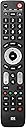
The One For All Evolve 4 Universal Remote (URC7145) consolidates control of up to 4 devices—TV, set-top box, Blu-ray, and audio—into one sleek, black remote. Featuring optimized smart TV keys, ultra-wide infrared angle for flexible use, and smart activity modes for seamless multi-device operation, it supports all brands and offers a customizable learning function. With a 10-meter range and easy 3-step setup, it’s the ultimate solution for decluttering your entertainment space while enhancing control precision.


| ASIN | B01NA9M3V4 |
| Battery Types | Alkaline |
| Best Sellers Rank | 3,047 in Home Cinema, TV & Video Accessories |
| Brand Name | One For All |
| Button Quantity | 49 |
| Colour | Black |
| Compatible Devices | Set Top Box |
| Controller Type | Button Control |
| Country of Origin | China |
| Customer Reviews | 4.2 4.2 out of 5 stars (1,061) |
| External Testing Certification | CE |
| Global Trade Identification Number | 08716184065477 |
| Item Weight | 300 Grams |
| Manufacturer | One For All |
| Manufacturer Part Number | URC7145 |
| Maximum Number of Supported Devices | 4 |
| Maximum Range | 10 Metres |
| Model Name | URC7145 |
| Model Number | URC7145 |
| Network Connectivity Technology | Infrared |
| Number of Batteries | 2 AAA batteries required. |
| Product Features | IR, Universal |
| Product Warranty | 2 Years |
| Smart Home Compatibility | Smart Home Compatible |
| Unit Count | 1.0 count |
K**I
One For All Remote Control.
I might have to return this remote as we cannot get it to work with our FreeSat box. I still have to ring the OFA remote control company to get some information, so I will have to update this later. We did not find it that easy in getting it to sync with some of our other equipment, setting up is still not complete on these either. It seems to be a good remote going by other reviews, I’m yet to see this.
R**Y
Very nice remote with great button feel.
I have a Toshiba TV and the remote is useless, due to the fact the buttons are squishy and you are forever pressing things twice or more to get things moving. The One for All remote is an absolute dream in comparison. The first thing I noticed is that there is a proper button feel when using it, and a reassuring clicky feeling when you press a button. I've not had one time that I have had to press a button twice to get something to work. Setup was a breeze, and after a couple of tries I got the right code for my TV, and my Roku Express was easy. Plus with a little bit of programming (dead easy with the instructions) I can now turn off the TV whether I am streaming or using the TV. One tip, save your eyes and use the main OneForAll site to get your codes and info. There are all sorts of bells and whistles, but replacing two remotes without losing any functionality has been a joy and has saved me the messing about 'looking for remotes routine' I usually have when I want to watch something. I highly recommend this remote, and dare I say it, cheap as chips.
D**.
Simple setup and works well !
Remote control received quickly, I have a Manhattan TV Freesat Box which I considered to be quite an obscure brand, (IMO) however, connecting up this remote was total simplicity, it took about 30 seconds, input the required code, press the "magic" button as instructed and full operation. The remote works very well, far superior to the remote that Manhattan TV supply, which was utterly useless. Only 1 point to note, do not expect refinement, the buttons are a bit clunky and not the quietest, however it does the job well. Overall price was realistic. Would I buy again if required, well, that`s a yes from me.
P**H
A great programmable remote for 4 devices, just follow the instructions ;)
I'm really impressed with this remote. I'm using it to control; Samsung 7 series led TV (9yrs old) Samsung blu ray player TiVo virgin media V6 box Orbitsound T12 soundbar The Samsung devices were recognised straight away using the generic Samsung code. Virgin media V6 was a bit more tricky. It did set itself up using the standard virgin media code, but a couple of the buttons were missing (menu & my shows) I had to custom map these to buttons on the remote. Note: this took me a while to work out, but if you've paired your V6 remote with the TiVo it uses Bluetooth and not infrared. I wasn't able to disconnect my V6 remote and had to dig out my old virgin media remote. I used the old remote to record those two buttons to the new oneforall remote. My soundbar isn't a common brand and wasn't listed, however I was able to record the buttons over to the oneforall remote. Note: I got really frustrated recorded the buttons manually and was ready to send it back, I was convinced it wasn't working. Turns out if you follow the instructions exactly it works! 😂 I was missing the last step where you hold the magic key down again to store the instructions. Once I understood the process, it's simple to follow. The remote signal seems very strong and commands are understood by my devices from a greater distance than with my previous remotes. Other features are the 'watch tv' or 'watch movie's mode. These allow you to link 2/3 remote modes together. It sensibly maps which keys you'd want for each device. Eg: select 'watch tv' button and hold power down for 2 seconds: TV, soundbar and virgin box all power on! Really impressed for £20!!
A**S
LG Magic Remote Learning to control OLED TV . Top Tip Evolve URC7145.
Seems to work pretty well, only problem I had was the SMART button didn't work on my LG OLED TV. Although I had the original remote I couldn't get the One4All to learn the SMART button. After some googling I discovered the LG Magic Remote DOES NOT USE INFRARED, under normal operations it uses RF therefore the One4All cannot learn. You can see this if you point any normal remote at a smartphone camera, press a button and you'll see the flashing infrared led, point the LG Magic Remote at the camera and....nothing. Here's the solution if you're in the same boat, turn the TV off! No idea why but with the TV off the Magic Remote goes into infrared mode and now the One4All can learn. I'd like to be able to take credit for this but I found a post on the AVSForum regarding the issue.
O**N
Annoyingly noisy button clicks
I've been buying One-for-All remote controls for many years, and so when my last one eventually wore out I bought the latest equivalent - the Evolve 4. As simple to use and brilliant as ever except for very noisy clicks from all the main buttons (volume, channel, arrows, menu, etc.). I get enough noise the rest of the day with ear-piercing pings from people's mobile phones and motorbike exhausts. So why would I want to relax watching TV by filling the room with clicks to tell me that I've just changed the volume? Looking at the reviews some people actually like the 'satisfying click', so it must be me - you can't please everyone. Returned to Amazon, I'll try the earlier Contour one as the buttons on Essence looks the same.
P**L
Big Buttons
Very good remote. Used to replace the one that came with a new LG TV, that for me was too small with buttons too close together. Once you get your head around it, it is easy to get the remote to learn off an original remote which I had to do for a Manhattan T4R set top box. I did contact their customer service with a query late at night & received a very fast & informative reply 8am the following day.
S**T
Good - but noisy buttons
Fairly easy setup and works with my TV, soundbar and BT Youview box. Seems robust enough to outlast any standard OEM remote. The buttons are noisy when pressed though, otherwise would have given 5*
S**E
Got sucked in by the packaging “100% compatible, guaranteed to work with all devices” written right on the front of the box. Well I’ll tell you that’s a lie. I have an RCA TV , not at all uncommon, and a Bell Satelite box, it couldn’t control either. The support guy I talked to on the phone flat out told me it won’t work with either of my devices. So now I’ve got an expensive paperweight. Their advertising is a flat out lie. Save yourself the trouble.
S**I
I tried a few remotes in the past but this one ticks all my boxes. It works with all my devices, can learn functions and even macros. Perfect.
C**S
Facile à programmer de l’ampli à la tv en passant par le décodeur, macros, bouton Netflix, top! Codes par marque compris dans le mode d’emploi bien fait. Toucher de bonne qualité
C**K
Ligger still på bordet när man trycker på knapparna. Kanske aningen plastig men funktionen är viktigast. Färdiga makron var väldigt användbart.
J**G
Ausgangssituation: Die Onkyo-Universal-FB meines alten ausgemusterten, aber sehr hochwertigem Receiver, die bisher alle Geräte steuerte, ist nach >15Jahren defekt - Ersatz gesucht. Es fällt sofort auf, dass ALLE von mir gefundenen /getesteten Fernbedienungen qualitätiv minderwertiger erscheinen und durch die extrem schlanke Bauform auch nicht so komfortabel zu bedienen sind. Und da vergleiche ich nicht mit den Produkten von LogiTech, die in einer andern Liga spiel(t)en. Als Erstes die zu steuernden Geräte: Philips HDTV 42PFK7199, Topfield HDD-Sat-Receiver SRP2410, Pioneer VSX-S520 AV-Receiver, Pionier BDP-X300 BlueRay-Player. Alles ältere Modelle, so dass die Geräte in einer gut geführten Code-Datenbank erfasst sein sollten. Als zweites die getesteten Fernbedienungen (OFA: OneForAll): - RC-911R - Ersatz-FB für Onkyo TX-L50 - KEINE Iniversal-FB - ca. 10€ - Hama Universalfernbedienung 4 in 1 Smart - ca. 10€ - Universal-Fernbedienung für TV, DVD - noName, ca. 16€ - URC7140 OFA Essence 4 Device, ca. 30€ - URC 7145 ONE FOR ALL EVOLVE 4 ca. 25€ (Spoiler: nur diese habe ich behalten) - URC 7955 OFA Smart Control 5, ca. 30€ Ich habe alle Fernbedienungen getestet und zu jedem Modell findet sich eine Bewertung /Erläuterung von mir. Ich habe nur die Gerätefunktionen getestet, Sonderfunktionen wie Tasten für Streaming, Makroprogrammierung oder "Aktivitäten" über Sondertasten für mehrere Geräte bleiben hier ungetestet, werden aber bei meiner (subjektiven) Wertung einbezogen. Als Drittes die Bewertung zum aktuellen Produkt One For All Evolve 4 Universal Fernbedienung (URC 7145): Die OFA Evolve 4 fügt sich in die Familie der OFA ein und ich habe mich mehrmals gefragt, warum es eigentlich so viele, sehr ähnliche OFA gibt. Die One For All Evolve 4 Universal Fernbedienung steuert 4 Geräte, die Auswahl ist aber leider NICHT direkt möglich. Man muss mit der "Mode-Taste" nacheinander durchschalten, hat dabei eine LED als Anzeige. Die 7145 erhält keine Updates über Internet, aber man kann die Code-Bibliothek online durchsuchen. Die Code-Bibliothek von OFA enthielt meine Geräte und fehlende Tasten lassen sich leicht nachprogrammieren /nachlernen von der originalen FB. Die matt aluminisierten Schaltwippen wirken für mich nicht extra hochwertig - eine Tastenbeleuchtung wäre mir lieber gewesen. Die 7145 benötigt 2x AAA Batterien und behält die angelernten Codes während eines Batteriewechsels (1h Pause getestet). Bis hierher sind die OFA-FB sehr, sehr ähnlich - warum habe ich die 7145 letztlich behalten? - angenehmes mattes Gehäuse mit zwei "Fingermulden" auf der Rückseite - ähnlich wie bei meiner Onkyo - gute Tastenanordung und etwas größere gut beschriftete Tasten als bei anderen Modellen - Taste für für Smart TVs und NETTV-Taste für Streamingdienste - frei belegbar (ich habe "N" als Auswurftaste für den BDP belegt) - zwei benutzerfreundliche Activities (Watch TV, Watch Movie) für Bedienung ohne Gerätewechsel - der Preis von aktuell 21,34€ ist schon sehr günstig Natürlich ist die Wertung subjektiv - die Tastenanordnung entsprach halt auch am ehesten meinen bisherigen FB - ich musste nur wenig umlernen. Ich kann die OFA 7145 empfehlen.
Trustpilot
2 weeks ago
1 month ago