🎯 Level up your game with the ultimate wireless adapter—never miss a beat or a win!
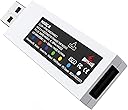
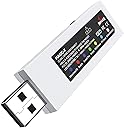
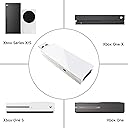
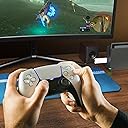
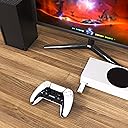
The MAYFLASH MAGIC-X is a versatile wireless Bluetooth USB adapter compatible with Xbox Series S/X, Xbox One, PS5/PS4, Switch, macOS, Windows, Raspberry Pi, and more. It supports both wireless and wired controller modes via USB-C, offers 6-axis motion sensing, adjustable rumble feedback, and Bluetooth headset connectivity, all packed into a compact 40g design.


| ASIN | B0BJ299JB9 |
| Best Sellers Rank | 12,955 in PC & Video Games ( See Top 100 in PC & Video Games ) 174 in Xbox Series X & S Controllers |
| Box Contents | USB Adapter |
| Brand | MAYFLASH |
| Brand Name | MAYFLASH |
| Color | white |
| Colour | white |
| Compatible Devices | Game Console |
| Compatible Operating System Family | Linux, Windows |
| Compatible devices | Game Console |
| Customer Reviews | 4.4 out of 5 stars 425 Reviews |
| Data Link Protocol | Bluetooth |
| Data Transfer Rate | 3 Megabits Per Second |
| Data link protocol | Bluetooth |
| Global Trade Identification Number | 06970582690460 |
| Hardware Interface | USB |
| Hardware interface | USB |
| Item Dimensions L x W x H | 6L x 1.8W x 12.2H centimetres |
| Item Weight | 0.04 Kilograms |
| Manufacturer | MAYFLASH |
| Product dimensions | 6L x 1.8W x 12.2H centimetres |
G**Y
Plug and play
I originally purchased this adapter to use 2 of my more troublesome controllers (Google Stadia and Wii U Pro) on PC, and it's been an excellent experience. Simply plug in the adapter, press the black side button until the main LED starts flashing (colour depends on selected mode, but it defaults to green to emulate an Xbox 360 controller), put your controller into pairing mode, and you're done! Everything works, including vibration and gyro. In addition, this also allows you to use any controller on the PS3, with home button support. Fantastic product!
J**B
Worth the money given the opportunity to use any controller that you want.
This is worth a buy i promise you will not regret it. I brought this to link my mamba one v2 controller. I just plugged the dongle into my series x and popped in my mamba wireless receiver and it worked straight away. It is worth paying the extra .
M**.
Read this if trying to get the headset to work with a bluetooth mic
This info is related to using it on the Xbox One, I can not help with other consoles. So I was almost about to give up on this device, but I eventually got it to work with my bluetooth headset mic, took me a couple of days to work it out. I read the reviews here, and noticed others have had the same problem as what I had. But there is good news, the mic feature DOES work, just needs some tinkering. I just wish they had made things clearer in the manual. If I had purchased this for the controller aspect I would give it 5 stars as I did some tests and my 8BitDo Arcade Stick works perfectly with it wirelessly and I can't notice any lag, but as I bought it especially for the bluetooth headset I have to give 4 stars as it has some minor annoyances. To those who bought this for the headset chat aspect and are having problems, I bet you are like me, and you could hear the audio from the Xbox through it but the mic didn't work. Then you might have tried holding down Start + X on your controller to change it to HFP mode but nothing helped. So what happens is the bluetooth headset will start automatically in A2DP mode, this cuts off the mic as it uses the entire bandwidth for audio only. You need to switch it to HFP mode, but to do that you NEED the controller plugged in to the Magic X, you can't just use your Xbox controller wirelessly to do it. So use a micro-USB adapter and plug it in to the Xbox One controller then plug the other end in to the Magic X. Now you can change the mode to HFP, just hold down the Menu (aka start) button and X together for 5 seconds. Now the mic will work. Excellent. Now the negatives, the Magic X does not remember this choice next time you turn on the Xbox. I have my Xbox on energy saving mode, so I am not sure if it remembers it for those who use the sleep option. So for me to use my mic on my headset I have to have a wired controller connected to the Magic X each time I turn it on just to be able to change the mic to HFP mode, which is not ideal. Also, just another tip, always turn off your Smart TV when pairing the bluetooth as it will often come to life on screen saying a device is trying to connect and do you want to, etc. So I find when pairing I just briefly turn the TV off and then back on when synced. I am sure this will differ depending on TV model and make and is not due to the Magic X. So all in all, I am pleased with the Magic X, it just has some minor annoyances for me as a chat headset user. But as I say, controller emulation worked great, and it seems to pair very easy with bluetooth devices. Still worth £30 IMO.
J**L
Great adapter
I bought this so I could use my PS5 controller with my Xbox as I prefer PS5 controllers. Simply plug and play if you’re using it wired which I am, worked straight away and I haven’t had any issues with delay
S**N
Easy to use
Great bit of kit, works just as intended and easy to set up
D**O
Dongle worked on the series x like a charm.
Worked like a charm, I have no complaints.
L**N
It works great with the series x
Can’t ask for much more just a simple plug and play for my series X
M**N
Use magic stick
Use all Xbox controllers on this device great
Trustpilot
2 weeks ago
3 weeks ago