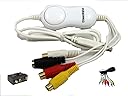
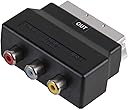
I wanted to get information and things and kept losing out as things broke down or were erased and so on. Technology has moved on and now a simple, cheap USB connected device can do the business. Didn’t want something fancy and so got this one. I used to get credits so I could upload the information to online sites that were lacking them. In my experience, it’s not crash hot on the video and sound, but either I am not doing something right or that’s how it does it. It does the jobs I need it for. Will not do in HD though you can pick a HD setting, this will increase the size and clarity but won’t be crystal clear like HD clips you can find online as it is analogue, but great to get you old videos into a PC if you need to. Tip: I have used this extensively with an analogue PVR and the results were good enough. Does the job and the software is handy. Just note with the Arcsoft software, when you go to delete thumbnails. do NOT delete all if you have lots, this will make the software stop working. Just do in small batches. If you have it on small screen size seeing about 9 thumbnails, the first should be highlighted, just hit the shift key and click the 9th image and delete and continue to do so and the software will be safe. Even if you have hundreds of thumbs, it truly is better to BE SAFE THAN SORRY! If you do mass deletion of thumbnails (in the Arcsoft software (if your comes with it)) and then it doesn’t work, this video solved my issue so I did not have to reinstall the software again but just fix the issue and carry on: The text to fix thumbnail issue: below (((I found a fix for mine not being able to open today 03-06-14 Mine started acting up after it froze a few times when I was trying to delete the hundreds of thumbnails I had from screen shots from within the program. Eventually when I tried to open the program 2 days ago it wouldn't open and that was the next day I opened it after it crashed on the 3rd. I tried all of what he was saying and I did reg cleaning, deleting using regedit and none of that worked. I noticed when installing it showed something about one of the folders saying appdata so I decided to look in there. I once again uninstalled after it crashed again but this time I went to appdata, roaming then Arcsoft then I deleted the folders for Arcsoft ShowBiz, Capture Dll, and WebAutoFill. I then went to appdata, Local then Temp where I seen more HD PVR files and I deleted everything in there. I noticed the appdata folder would pop up when I did installations so I figured maybe something in there was cause the crash most likey the tmp files from those thumbnails I tried to delete all at once that caused the program to crash a few times. I would suggest not allowing the thumbnails for pics & vids to build up so delete them as soon as your done with them cause they will cause a freeze and crash if it's too many of them and you do a select all to delete them. This is my personal experience so I can't speak for other situations but after I did this it worked! :-D I prefer Arcsoft ShowBiz over the Hauppauge Capture because it has more file outputs options for video and when I record and convert with the Hauppage Capture it kind of off track with the video and sound. Showbiz does that sometimes too but when I record and play back through the program first time it plays normal but when I open it in windows media sometimes it will be off with the sound and video but when I uploaded to youtube everything was in sync so it was fine. I also like it cause it's a little easier to change the quality with all the settings it has. I would only use Hauppauge Capture for the stream feature. There seems to be a delay in thescreenshots with Hauppauge Capture. Also I don't have to do any converting. Hauppage captures in a file then you have to convert to mp4 if you want to use for youtube cause I don't think the other file type works for uploading to youtube. It's a great program when it works so if anyone who has been having problems didn't find a solution yet you can try this before abandoning it because mine was working until I ran into this problem. I can't speak for anyone who may have never had it working before after they first installed it and such. ? )))