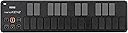
NANOKEY2-BK
Product ID: 48287119
Details
- BrandKORG
- Connectivity technologyUSB
- Model namenanoKEY2
- Number of keys25
- Special feature25 Key MIDI
🎹25 velocity-sensitive keys
💻iPad & PC compatible
🔌USB-powered, plug & play
Desertcart purchases this item on your behalf and handles shipping, customs, and support to France.
🎶 Compact keys, colossal creativity—make every note count!
The Korg nanoKEY2 is a compact, USB-powered 25-key MIDI keyboard designed for ultra-portable music production. Featuring velocity-sensitive keys and plug-and-play compatibility with iPad, Mac, and PC, it offers a streamlined setup for on-the-go creators. Bundled with essential software tools, it’s perfect for professionals seeking a lightweight, versatile controller to capture ideas anytime, anywhere.

| ASIN | B004M8UZG0 |
| Best Sellers Rank | 1,467 in Musical Instruments & DJ ( See Top 100 in Musical Instruments & DJ ) 7 in Electronic Drums |
| Brand | KORG |
| Brand Name | KORG |
| Colour | Black |
| Compatible Devices | Laptop, PC, Tablet |
| Connectivity Technology | USB |
| Connectivity technology | USB |
| Connector Type | USB |
| Control Method | Touch |
| Control Type | Keyboard Controller |
| Country of Origin | China |
| Customer Reviews | 4.1 out of 5 stars 1,803 Reviews |
| Global Trade Identification Number | 00884088605933, 04959112081048 |
| Hardware Interface | USB |
| Hardware Platform | [x86, ARM] |
| Human Interface Input | Buttons, Keyboard |
| Included Components | Software Suite, USB Cable |
| Instrument | Keyboard |
| Instrument Key | Any |
| Item Dimensions D x W x H | 371D x 41W x 94H millimetres |
| Item Type Name | USB MIDI keyboard |
| Item Weight | 454 g |
| Keyboard Description | Compact MIDI keyboard with 25 keys |
| Manufacturer | KORG |
| Manufacturer Part Number | NANOKEY2BK |
| Material Type | Plastic |
| Maximum Range | 0.5 Metres |
| Mixer Channel Quantity | 16 |
| Model Name | nanoKEY2 |
| Model Number | NANOKEY2BK |
| Model Year | 2018 |
| Model name | nanoKEY2 |
| Noise Control | None |
| Number of Items | 1 |
| Number of Keys | 25 |
| Number of keys | 25 |
| Platform | Mac |
| Product Style | nanoKEY2 |
| Product Warranty | 1 year manufacturers warranty. |
| Product dimensions | 371D x 41W x 94H millimetres |
| Size | Einheitsgröße |
| Special Features | 25 Key, MIDI, USB |
| Special feature | 25 Key, MIDI, USB |
| Supported Software | KORG Kontrol Editor |
| Total USB 2.0 Ports | 1 |
| Total USB Ports | 1 |
| UPC | 884088605933 989898857562 755756641068 700736573617 |
| Unit Count | 25 keys |
R**D
Usable keyboard if you need an ultra-portable setup.
This is a great little keyboard. I hoped that it would be set up in Windows 7 without drivers needing installing (as a USB composite device) but the Korg software needed installing before my DAW (Reaper) would recognise it. After that it was just a case of letting the DAW know what it was and I was entering MIDI note data into the program literally in minutes. It's obviously nowhere near as lush as a proper controller keyboard, and there's no niceties like aftertouch available, although there is rudimentary velocity sensing, and the small keybed needs careful playing if you're after any kind of subtlety or nuance - but it does try. For me, its a way of entering melodies into the DAW as a kind of MIDI notepad, and it does a grand job of that. It's small enough to slot into your laptop case, probably along with the other Korg nano controllers. So long as you're not expecting to emulate Chopin using this keyboard you'll not be dissappointed. It will be pretty good for entering basic synth elements into club music and electronica - it just won't offer you the expressive capabilities that aftertouch can provide. If you're good with that limitation and need a go-anywhere keybord this is certainly worth a look. Korg also offer a download code for various software components to get you going, together with introductory versions of DAWs like Ableton Live Lite. This bundle isn't quite as good as the one I received with a NanoPad a year or two ago. If you buy this you might want to check what the bundle presently is. It's possible that Korg changes it from time to time, or perhaps there's a different bundle depending on whether you buy the NanoKey, NanoPad or NanoController. I already have a Samson Graphite full-function controller keyboard, and also use a Yamaha digital grand piano (88-key) for playing, but realised I have a need for something that is as portable as possible for a mobile setup. This is that keyboard - basic, useable, sometimes even fun!
H**Y
A decent option for the price and niche
Although the keys feel a bit loose and rattly, they work surprisingly well in practise and the velocity sensitivity works well enough to be useful. The editor software is a bit crude and shonky (as is standard with Korg), but it does work. Do note that this device is a USB client only. If you wanted to plug it directly into something like an Elektron Model: Cycles, you can't just use a USB cable with the right connectors- as neither end is capable of USB host mode. To achieve that, you'd need something like the Retrokits RK-006 (which is tiny, powerful and highly recommended), then you can use a TRS cable to go between one of the RK-006's MIDI outs into the M:C's MIDI in, and everything magically works. In any case, this is a deceptively useful little controller keyboard, once you have the connection sorted out. It's a lot nicer than using your QWERTY keyboard with DAW, or using the weird button "keyboard" on small instruments. For a portable setup, it's very functional and hits a sweet spot of size vs functionality that the smaller Akai controllers can't. If you absolutely need to pack light, this isn't a bad choice at all. You might end up wanting to find an angled mini-USB cable for it to make the cabling more tidy, but otherwise, I have no real complaints. Just be sure that you understand what you're getting and know that you can't plug it directly into MIDI ins without some extra kit, as above.
C**E
Great Little Controller
I've been a bedroom musician since 1980 and over the years have had many instruments and recording tools. In the early 00's I switched to Fruity Loops and then FL Studio and VSTs and was happy making music that way with a Korg MicroKontrol. In the mid 00's we had a kid so all my stuff was sold to pay for the little blighter. Nine years later on a whim I decided to install the new version of FL Studio (luckily in 2004 I'd opted for the lifetime free upgrade package) and was amazed that we had reached V12; it had been V5 last time I'd used it. I listened to some of my old tracks and started to get the bug again, so I decided I needed a controller. I didn't want to spend too much as I wasn't sure - and am still not - if I'll have the time I used to have. Looking on Amazon there were quite a few choices but in the end I decided to go for this. I know a few have remarked on the keys, which do take some getting used to. However, they are fine for me and actually took me on a nostalgia trip. In 1981 I saved up weeks and weeks of dinner money (sorry Mum) to buy a VL-Tone and the keys on the Korg are more or less the same feel of that old classic; obviously the size of the keys is better on the Korg, they are more weighty and have a better "bounce". Not quite as intuitive maybe as a "proper" keyboard, but after a while you don't really tend to notice. This worked fine out of the box on my Windows 10 laptop and was recognised by FL Studio without any problems at all. In fact the only issues I had were installing the free software from Korg. It was a right nightmare and I had to sign up to too many different websites for my liking. All-in-all, I'm really pleased with this controller, it's nice and small so I can use it on my lap and I can pop it on a shelf after use.
B**B
Yay! Portable and excellent
This is a very compact keyboard, it's lightweight and slim. The keys are hard plastic which is good (I thought they might be rubbery). I bought this to use with Mini Piano Pro on my Android phone and it works perfectly with a USB C OTG adaptor cable. It also works with my laptop, I use Musescore Studio 4 and the NanoKey to enter notes into the score and Simplepiano to use the Laptop as an electronic organ. The Nanokey is fully polyphonic. According to the manual it uses less than 100mA so the phone doesn't really notice the current draw. So it's the perfect solution, I can use it with my phone as a small musical keyboard on the go and I can use with my laptop as a musical composition and score capture tool.
D**L
Nice but not my best pic
Doesn't even work with most programs due to garbage drivers only working with garbage 3rd party program's.
R**L
Good for what it is which is worth remembering or knowing before buying.
There are some benefits for this keyboard and I will list those first. I'll also add, this could be a 4 star but I think it is worth noting the discrepancy I will state because it highlights what this device is made for and what it is not made for. This is a portable keyboard and therefore can be light on luggage. You can I see basically carry this around with a laptop and make music on the go with low amounts of luggage. The next devices up start to get bulkier to the point that you need more devices. The benefit of the other devices is you can change settings, in the software, on the keyboard directly - but, that's just a practicality and convenience. The other benefit is the price. The lower the price better off but ultimately, the benefit of this device is the ability to make music, quickly and efficiently if you are a traveller without worrying about having a bulky version of the 25 key portable keyboards which can be bulky. Now the downside which I feel is pretty big and relevant. You have to get used to the keys. You will have to, more than likely adapt to the half a cm drop in distance as opposed to inch drop you get on a normal keyboard. Some would say this is the price you pay for a portable keyboard. Well, maybe because I think it is possible to create a keyboard that is not like this at all and have, actual keys. It must be possible. The other benefits are there like pitch change, octave change and modulation with some sustain as well but ultimately as stated there is a distinct difference from a normal keyboard which does affect performance of playing. Yet, I do feel, as is the case with me, if you want some portability that lets you take a very tiny device around with you with some visible playing ability it is good for that. I could also give this 2 stars as well because that would be worthwhile too because lets face it is not a keyboard but that's like saying a laptop is not a computer... so ultimately I feel this is a God send if you want to make music on the go on a small amount of objects but there is some loss which over time you can get used to if you are on the go a lot.
S**M
For quickly experimenting with melodies, this is brilliant
For £30 you'll get a neat, portable keyboard for your quick inspirational moments. The box is as minimal as it could get, including the device and a cable only. But you won't need more, just plug it in your PC or laptop and your DAW should recognize it immediately (well, except Cubase needs to be restarted as usual...). No manual driver installation needed for Mac or PC - they worked right off the box. At the start the keys might feel a bit clumsy and weak, but they work well and are even a tiny bit pressure sensitive once you get used to playing them. But the produced velocity is nothing you should take serious, as there is no feedback to the key. This is clearly for figuring out melodies and experimenting without needing to plug your 88-key midi piano in. It also works faboulusly as a drumpad.
S**N
I love it
I got this item for £25 just before christmas and i love it. its very thin and can fit into a normal sized back pack with your laptop/macbook. Build quality is good, all plastic and keys are a tad loose (think of what your keyboard on your laptop is like) but it does not effect the way it plays. Plugged it in straight from the box and Logic automatically recognised it , didnt have to install any drivers. I think for a price range between £25-£40 this will always be worth it.
A**S
Muy cómodo como teclado auxiliar
Un teclado muy cómodo, sobretodo para llevarlo de viaje. Como teclado principal se queda corto al tener solo dos octavas y no tener teclas estándar, pero como teclado auxiliar me gusta mucho. Las teclas, pensaba que serían tipo pad pero se parecen más a las de un teclado de ordenador y no termina de convencerme su tacto, pero son muy sensibles, eso sí. No obstante, como teclado auxiliar lo recomiendo teniendo en cuenta el precio que tiene.
G**L
Um ótimo custo benefício
Eu tava procurando um primeiro controlador pra começar a produzir e o Nanokey 2 atendeu muito bem o que eu precisava. Ele é bem completo, 25 teclas, sobe e desce até 3 oitavas, tem controlador de pitch, sustentação e modificador que acredito ser customizável. É bem pequeno, super leve, muito bonito esteticamente. As teclas ficam levemente balançando, parecem ser levemente mal encaixadas e às vezes parece que não vai clicar do jeito esperado, mas o clique acontece. No geral, achei um ótimo teclado.
C**.
Leistung gut, unter Berücksichtigung des Preises super!
HINWEIS: Meine Rezension über den 'Korg USB Kontroller, 25 Keyboard-Tasten, schwarz' ist sehr ähnlich. Ich möchte aber hervorheben, dass ich kein gekaufter oder bestochener Rezensent bin, aber ich bin der Meinung, dass die Qualität und Einsatzfähigkeit aller Korg Nano Kontroller sehr ähnlich ist, daher unterscheiden sich meine Rezensionen nur marginal, sind aber dennoch zutreffend und objektiv. Zuerst einmal, ich bin Anfänger in der Hinsicht. Also ich habe in diesem Bereich nicht die besten Vergleichsmöglichkeiten, aber ich bin generell eher wählerisch. :) Kurz gesagt, ich bin sehr zufrieden. Sicherlich gäbe es Dinge, die verbesserungsfähig wären, wie z.B. das haptische Feedback der Tasten, aber in Relation zum Preis bin ich sehr zufrieden. Natürlich nicht zu sprechen von der Portabilität. In Sachen Kompatibilität habe ich den Korg Kontroller an 4 Rechnern getestet. MacOSX Mountain Lion: An meinem Mac gab es mit Ableton Live, Reason und Garage Band überhaupt keine Probleme. Angesteckt, keine Treiber installiert, alles wunderbar erkannt, kein Problem, erledigt. Nebenbei: Ich habe auch die anderen Nano Controller von Korg, und alle zusammen haben wunderbar an einem USB Hub funktioniert. Windows Desktop Rechner: Hier gab es Probleme. Unter Windows muss man leider sehr umständlich Treiber von Korg installieren, und da hat sich mein Windows 7 Rechner wohl etwas verschluckt, so dass ich die Treiber ein paar mal deinstallieren und wieder installieren musste, bis es irgendwann funktioniert hat. Windows Laptop: Interessanterweise gab es die Probleme des Desktop Rechners mit meinem Windows 7 Laptop nicht. Treiber müssen natürlich trotzdem installiert werden, aber es hat auf Anhieb geklappt. Ich habe aber den Eindruck, dass die Treiber öfter mal crashen und sich dann wieder neu starten. Für eine Live Performance würde ich kein Windows Setup benutzen. iPad: Alle Korg Nano Geräte funktionieren problemlos mit dem iPad an einem USB Hub mit dem Apple Camera Connection Kit. Genau wie beim Mac müsste nichts installiert werden (wie auch). Leider gibt es viele Apps, die kein MIDI Mapping zulassen, und manchmal passt die MIDI Map nicht für einige Programme. Speziell bei diesem Gerät. Weniger problematisch beim Korg Nano 25 Tasten Keyboard. Alles in Allem ein gutes Gerät für den Preis für Leute die viel Reisen und Musik machen wollen, oder die erstmal mit etwas preisgünstigem starten wollen.
R**E
Love, Love, Love: Mobile Practice
This product is fantastic and the only option for highly portable keyboarding practice! Just connect the USB cord, and you are ready to play with a smartphone, tablet, or computer without the need for any further power source connection! I have been looking for a portable keyboard that I could use to practice anywhere: sitting on the couch, on airplane flights, waiting around somewhere, outdoors, etc. I wanted something that would fit in my computer bag, and would with my mobile phone so I couldn't need to wrestle with the extra room needed for my laptop. THE PROBLEM WITH MOST OTHER SMALL MIDI KEYBOARD CONTROLLERS They have mushy plastic keys that are prone to snapping off over time (do a web search to see repair problems. * I didn't want the frustration and cost of trying to fix or replace every few months. * They also require powered USB connections; which, for some laptops and tablets, and any smartphones, requires an additional USB powered hub connected to an electrical outlet or battery pack. I didn't want to have a snarl of wires and a third box to balance on my lap. AWESOME REVOLUTIONARY KEYBOARD LAYOUT If you aren't already fluent in playing scales and cords with correct fingering, this is a fantastic training aide. At first I found the layout difficult to play in certain scales and chords, but then it slowly dawned on me that it was due to my incorrect fingering (e.g. trying to use my thumb to play black keys). When I tried using correct scale fingering, then problem solved! [If you don't know the correct hand fingering to use for each scale, do a web search 'piano scale fingering'.] Practicing with the nanoKEY, it will force me to break my bad lazy habits for melody lines, runs, riffs, and chord inversions. THE KEYS ARE QUIET I had seen some review comments that they keys were noisy and therefore would be distracting to others in quiet settings. I decided to take the risk of ordering it anyways, and I am very glad that I did because I found that this is not the case. People sitting next to me in normal ambient environments will not hear anything from the nonKEY2. It is same noise level as my touch typing on a MacBook Air laptop computer- or quieter; it all depends on how aggressively or smoothly someone hits the keys. If you like to bang away your keys, then yes, you will annoy others in very quite places. But really, do everyone around you a favor and just STOP IT ALREADY! Learn to play (and type) with finesse and skill instead. TIPS FOR SUCCESS * Understand that any midi devices may need some system setting adjustments on your smartphone, tablet, or computer. If you've never used a midi keyboard before with your device, it might not just plug-in and work right away until you enable midi via USB. * Understand that the music software you want to use needs to be configured to use a midi connected keyboard. So you will need to check user the help and settings. * If your music software device doesn't have a full-sized USB port, you will need to an adapter. * When playing along with other software (e.g. Spotify, Worship Team, etc.), you may need to turn your midi music software instrument (ORG 2020, etc.) volumes to maximum. WHAT'S MISSING? * Foot pedal input for sustain This would be important for actual two handed playing performances or recording, but not necessary for highly portable practice or composing. To use a foot pedal would required another item to be transported and stable floor space to use it. Instead, get and use a separate tabletop midi keyboard that has full size, velocity sensitive, weighted keys. * Korg software bundles for Android No specific software isn't needed to use the nanoKey, but many new-player potential customers may not realize that. In the box is a license code that can be used for limited version of software for iPad/iPad, Windows, and Mac, but nothing for Android. Korg is really missing a large market opportunity by not addressing and promoting to Android users. MY SETUPS WITH nanoKEY2 * Smartphone: Motorola X4 running Android v9 + Android music apps (free versions of ORG 2020, Caustic, Perfect Piano, SymprezFM) + USB C adapter * Laptop: MacBook Air + Garage Band
H**A
Küçük ama fonksiyonel
Ürünün boyutları küçük olduğundan masada çok yer kaplamıyor. Tuşlara basım hissiyatı fena değil ama beklediğim gibi de değildi. Klasik midi klavyeden farklı bir hissiyatı var. Tam velocityde basmanız için biraz bastırmanız gerekiyor.
Trustpilot
2 months ago
4 days ago