🎮 Unlock Every Console, Dominate Every Game!
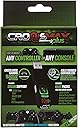
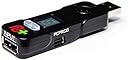
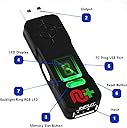
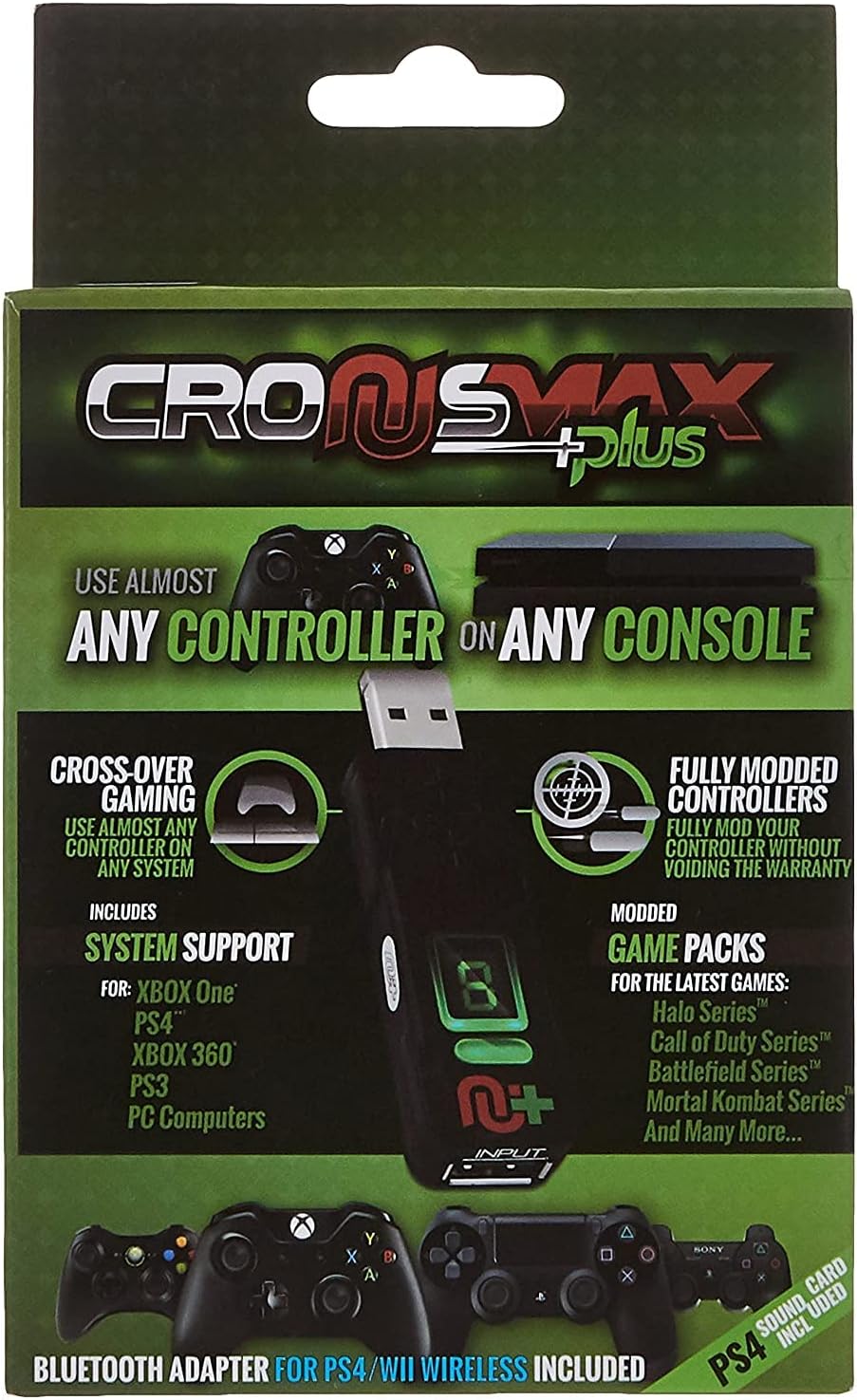
The CronusMax Plus 2017 with Add-On Pack is a versatile controller adapter that enables cross-platform compatibility across major consoles and PC. It offers zero input lag, customizable button remapping, and requires PC setup for updates. Ideal for gamers seeking seamless controller flexibility and precision control in one compact device.
| ASIN | B013E2KD5M |
| Brand | Cronusmax |
| Cable Type | WII |
| Colour | Black |
| Compatible Devices | Personal Computer |
| Compatible Phone Models | No Compatible Phone Models |
| Connector Gender | Male-to-Female |
| Connector Type | USB |
| Customer Package Type | Standard Packaging |
| Customer Reviews | 3.6 3.6 out of 5 stars (2,714) |
| Global Trade Identification Number | 00183654000883 |
| Indoor Outdoor Usage | Indoor |
| Item Shape | Round |
| Item Weight | 0.11 Kilograms |
| Manufacturer | cronusmax |
| Model Number | CronusMax Plus 2017 |
| Number of Items | 1 |
| Number of Pins | 4 |
| Other Special Features of the Product | Crossover capability with custom button configuration, No Lag instant controller input response |
| Recommended Uses For Product | cross-platform gaming, custom controller configuration |
| UPC | 183654000883 |
| Unit Count | 1.0 count |
W**S
It still works even though a new products is round the corner
Fantastic bit of kit, keep in mind it only works on a usb2.0, a usb3.0 uses too much power fir the device, I had to buy an adapter. Also it only works on windows if you have a Mac you will need to install windows via boot camp which can be consuming if you are not very good with computers.
B**D
Overpriced Dongle!!
Well I'll start by saying this..... I wish there were an option to put minus stars. If you want to be able to use any controller on your console or PC, Avoid this badly manufactured version as best you can. After approx 7-8 weeks the protruding part of the USB, is bent, the unit gets warm to the touch which has caused the "seal" to look as though it was applied on a rollercoaster. A far better version is available, more configuration, better support better interface and far better build quality. £60+ for a badly made USB dongle? What was I thinking. Stick with the TITAN TWO!
A**I
My PS3 and Xbox 360 wheel now works with my PS4
Been looking at these for ages and finally took the plunge. Didn’t let me down either. I’ve got a Fanatec Porsche GT2 wheel that’s for the PS3 and Xbox 360. Now working painlessly on the ps4. A great bit of kit so would recommend.
T**6
Good product but....
I brought this to use a Keyboard and mouse on the Xbox One. In my opinion you need to make sure you watch all the videos and read the instructions in detail before you start the installation and use of the device, it is not a quick and easy thing to do, having said that providing you follow the instructions to the letter you shouldn't have a problem. My setup initially worked fine but when I started to install my own game profile the device failed, it wouldn't connect to my Xbox One Elite controller, I reset the device and Hard reset my Xbox twice it was then I realised the device was getting very hot so I disconnected it and sent it back. Anyone who has anything to do with anything Electrical knows devices sometimes fail so I just put this down to that I was just unlucky. I will buy another one when I have a bit of time to spend setting it up as it seems to be a good device well for what I needed it for anyway, I didn't get a chance to connect any of my other controllers to my Xbox which was my intention. All in all a good product if you have a bit of patience and time I'd have given 5 stars if it hadn't broken.
J**Y
Great product but disappointed with overall performance
A great product and dose what it says and this makes life a lot easier but I found it kept getting warm and it would stop working halfway through a game, you would have to unplug then put it back a few times. I found if you use a fan on it then no problems but i should not have to use this fan. Next is on games, if you use a game like battlefield or any Call of duty then perfect but if it is like Destiny it becomes very limited in what you can use so make sure it suits your game.
T**M
NOT VERY GOOD AT ALL
Item wobbles and loosens any USB port it's plugged into, it disconnects all the time no matter what settings i change i loaded a game pack which starts another profile i dont want, jump shot turns on when it feels like and gets you killed, the worse thing about the product absolutely NO help on loading scripts which ALWAYS have errors i messaged the script author and the owners of the community very politely numerous times with no answer and a big jog on mate, im very computer literate i even fixed some errors in ppls scripts but when compiled an loaded nothing works with ZERO help from cronus so effectively stuck with one game pack for mw which the only thing i want working is recoil as all the others drop shot etc anyone can do without mods, all in all no help so will try fps dominator and see if there community is more user friendly or at the very lease answer ppl
R**C
Cracking piece of hardware, I've always struggled with bluetooth ...
Cracking piece of hardware, I've always struggled with bluetooth lag, when playing local multiplayer on my PS4, one controller is now wired into the Cronus, eliminating the lag completely. I have also used a basic script for my friend, to make the game easier for him, and therefore more enjoyable for both of us.
A**R
Avoid....it’s simply doesn’t work
It simply does not work in the slightest. You can not turn on any of the ‘mods’ during the game you end up just doing emoji’s during the match and getting killed. It really honestly is a con and just hangs on people like me that no matter how hard I try or long I play I just can’t get any better Honestly avoid this at all costs and save yourself the money. It genuinely really does not work at all
薬**吉
怪しいサイトであり現在ファーム等がDLできない。 改善されない限りこの商品を買うことはおすすめできない。
K**E
This wonderful little device has allowed me to use my very favorite Xbox One Elite controller on my new PS4 with nothing more than a $6 hub. I've also been able to dabble in programming the device and used it to great effect to make custom auto-fire routines that allowed me to zip through a dastardly section of the nifty game Hyper Light Drifter. Custom loads are available on the website that has a plethora of hardcore and not-so-much users writing custom button layouts for a multitude of current and older games on all new platforms. The system firmware is being constantly upgraded and refined to work on as many systems as possible with a minimum of fuss. Recently, the paddle options for the Xbox Elite controller have been added to the programming schemes and now they can all be set to pretty much whatever your heart desires. The UI on the Xbox One only allows remapping of face buttons to the paddles but with the CronusMax you can make them do any combination of button presses or macros. Extremely powerful device. The device also works in reverse, of course. You can just as easily plug a PS4 DS4 controller in to an Xbox One or like I'm also doing right now, use the Xbox Elite controller on a PS3. Ten banks of programs can be stored in individual slots that can be switched on the fly using a button the front of the device where an LED number shows up so you know what "patch" you're currently using. Patch "0" is the default setting that allows nearly any modern controller to work in any other game system with a handful of caveats. I use Patch "1" to remap the PS4 touchpad to the Menu button of the Elite since it automatically remaps the Share button there instead and I don't really care for that. Patch "2" is some autofire/aimbot programming for Star Wars Battlefront, "3" is a CoD III autofire/aimbot and "4" is a custom Hyper Light Drifter autodash that I self programmed. I can switch to any setting I want by just clicking the button. This. Thing. Is. Amazing.
F**I
conoscevo questa "chiavetta" e per esigenza l'ho comprata dovendo utilizzare controller xbox su ps4 ....funziona perfettamente ..installazione e' semplicissima ma bisogna possedere un pc per programmarla ...se si vuole sulla pagina ufficiale si possono installare degli script che trasformano il tuo semplice pad in un evoluto Razer con la possibilta' di avere autocorsa del pg , attenuazione del recoil(rinculo delle armi) aumentare il rateo di fuoco delle armi semi automatiche come pistole ,fucili,shotgun... ma automira o aimbot sono solo leggende ...quasi tutti i giochi hanno provveduto a evitare ,per fortuna, la possibilita di effettuare il pophot, cioe' l aggancio automatico del nemico con le armi semi automatiche (shotgun ad esempio) proprio per evitare che con l uso degli script inseriti in queste periferiche si avessero degli enormi vantaggi ... io consiglio la cronus a chi ha necessita' di usare pad diversi su consolle diverse o per chi vuole avere dei piccoli aiuti come autocorsa o minore recoil !!
H**I
This product is no linger support driving wheel such as g27, you have to buy another product…wast of money
S**F
Vorweg - das Einsatzgebiet des Cronusmax ist riesig, ich persönlich verwende ihn für einen ganz bestimmten Problemfall. Sony hat bei der Entwicklung der PS4 anscheinend die Daumenschrauben angezogen und verlangt bei unterstützter Hardware einen bestimmten Chip zur Authentifizierung. Dieser ist in älteren Controllern wie etwa den Lenkrädern G25 und G27 von Logitech nicht enthalten, somit werden diese von der PS4 schlicht und einfach nicht mehr erkannt, bzw. abgelehnt. Wenn man für solch ein Teil vor Jahren aber über 200,-€ auf den Tisch gelegt hat, möchte man ungern direkt wieder ein neues, teures Gerät anschaffen. Mein altes G25 funktioniert überdies noch tadellos und sieht fast neuwertig aus - also stellte sich mir die Frage, ob man die PS4 nicht doch dazu bringen kann, das Logitech G25 (gilt auch für das G27) irgendwie zu akzeptieren. Die Lösung ist der Cronusmax. Der Cronusmax ist eigentlich ein Allround-Adapter, der auch dazu dient, Playstation-Controller an einer XBox zu betreiben, Wii-Controller am PC usw. usw. Man kann sich das vorstellen wie einen Universalübersetzer, der die Kommunikationsprotokolle eines bestimmten Controllers in die vom Zielgerät erwarteten Protokolle übersetzen kann. Für das bei mir vorliegende Problem "altes Logitech-Lenkrad an PS4 betreiben" gibt es durchaus auch etwas günstigere Bastellösungen im Internet, die auch jeweils irgend eine Übersetzersoftware zwischen Lenkrad und PS4 schalten. Bei diesen Bastelllösungen läuft diese Software jedoch auf irgendeiner Art von Rechner. Im besten Fall ist das ein kleiner Raspberry Pi, im schlimmsten Fall ein Desktop-PC oder ein Notebook. Da ich eine möglichst kompakte Lösung suchte, kam mir der Cronusmax mit seinen Abmessungen wie ein etwas größerer USB-Stick gerade recht. Aber Vorsicht: EINFACH AUSPACKEN UND LOSLEGEN FUNKTIONIERT NICHT! Viele Leute sind leider sofort überfordert, wenn ein Gerät nicht von sich aus bereitwillig tut, was sie wollen (und das schlägt sich hier in den negativen Bewertungen nieder). Die Möglichkeiten des Cronusmax sind aber dermaßen umfangreich, dass man dem Gerät erst einmal sagen muss, wofür man es verwenden möchte. D.h. eine Basiskonfiguration ist auf jeden Fall nötig. Diese erfolgt über eine kostenlose Software am PC. Hilfen zu den verschiedenen Konfigurationsmöglichkeiten bietet der Hersteller auf seiner Webseite reichlich. Auch gibt es dort ein gutes Forum und man findet auf Youtube etliche Videos, die verschiedene Basiskonfigurationen des Cronusmax beschreiben. So habe ich beispielsweise die Firmware meines Cronusmax um ein minor-release gedowngraded, bevor ich den Lenkradmodus aktivieren konnte - war ein offizieller Tipp, falls der Lenkradmodus in der neusten Firmware nicht problemlos aktivierbar sei. In meinem Fall gibt es einen speziellen Betriebsmodus für Lenkräder in den der Cronusmax gebracht werden muss. Die Konfiguration war netto in vielleicht zwei Minuten abgeschlossen (brutto waren es wegen Recherche vielleicht 15 Minuten). Der Rest ist einfach, birgt aber noch einmal ein paar Stolperfallen. Man benötigt letztendlich neben dem Lenkrad und dem Cronusmax noch einen 4-fach USB-HUB und einen DualShock4 Controller der nicht aktiviert ist (also gerade nicht an de PS4 angemeldet). Man steckt das Lenkrad auf USB-Port 1 des Hubs, den DualShock4-Controller steckt man über ein Micro-USB-Kabel auf USB-Port 4. Den Hub selbst schließt man am Cronusmax an und diesen steckt man in die PS4. Die Authentifizierung holt sich die PS4 dann über den an Port 4 steckenden Controller und gleichzeitig gaukelt der Cronusmax der PS4 vor, das angeschlossene G25/G27 sei in Wirklichkeit ein G29. Das Lenkrad kalibriert sich und es kann losgehen. Beim Fahren mit Assetto Corsa ist mir keinerlei Zeitverzögerung aufgefallen. Es funktioniert einfach und der Spaß kann beginnen. Zu den Stolperfallen: Die Portbelegung bei USB-Hubs ist nicht einheitlich. Port 1 ist nicht immer der erste Port nach dem Anschlusskabel (just bei meinem Hub ist Port 1 ganz hinten und Port 4 ganz vorne). Der Hersteller von Cronusmax verlinkt ein kleines Tool mit dem man bequem die Ports des Hubs testen kann. Dies ist Fehlerquelle Nummer 1. Das Lenkrad MUSS auf Port 1, der DS4-Controller MUSS auf Port 4. Fehlerquelle Nummer 2: das Mikro-USB-Kabel zum Controller. Dies MUSS ein voll belegtes Kabel sein. Es gibt günstige Mikro-USB-Kabel, die sich lediglich zum Laden mobiler Endgeräte, nicht aber zur Datenübertragung eignen. Wenn man alles richtig an den Hub gesteckt hat, den Cronusmax an die PS4 anschließt und KEINE Authentifizierung erfolgt, liegt der Fehler mit an Sicherheit grenzender Wahrscheinlichkeit im verwendeten Mikro-USB-Kabel. FAZIT: Der Cronusmax ist für solch einen eng gefassten Verwendungszweck relativ teuer, dafür spart man sich aufwändige Bastellösungen mit mehr oder weniger sperriger Hardware und muss - wie in meinem Fall - eben nicht noch mal 200-300,- € für die Anschaffung eines neuen Lenkrads in die Hand nehmen. Auch sollte man sich bewusst sein, dass das Gerät konfiguriert und den Vorgaben entsprechend korrekt eingesetzt werden muss. Wenn man sich aber nicht davor scheut, einen Blick ins Manual und evtl auch mal in die FAQs oder das Hilfe-Forum zu werfen, funktioniert der Cronusmax tadellos.
Trustpilot
3 days ago
2 days ago