Buy anything from 5,000+ international stores. One checkout price. No surprise fees. Join 2M+ shoppers on Desertcart.
Desertcart purchases this item on your behalf and handles shipping, customs, and support to France.
🎬 Elevate your AV game—4K HDR meets legacy audio without compromise!
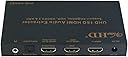
The ViewHD UHD 18G HDMI Audio Extractor/Splitter (Model VHD-UHAE2) is a cutting-edge HDMI 2.0b device designed to extract high-quality audio from 4K@60Hz HDR sources while simultaneously passing video to your display. It supports HDCP 2.2 and advanced audio formats including Dolby Digital Plus, DTS, Dolby Atmos, and more. With dual HDMI outputs—one for video and one dedicated for audio—it enables seamless integration with legacy AV receivers lacking HDMI 2.0 or HDCP 2.2 support, eliminating the need for costly upgrades. Additional outputs include Toslink optical and 3.5mm analog for versatile audio setups. Compact, reliable, and backed by lifetime technical support and a 1-year warranty, it’s ideal for professionals seeking premium AV performance with backward compatibility.
| ASIN | B0755TB82Q |
| Audio Output Mode | Stereo, Surround Sound, ARC Audio |
| Best Sellers Rank | #348,069 in Electronics ( See Top 100 in Electronics ) #169 in Audio Component Preamplifiers |
| Brand | ViewHD |
| Built-In Media | AC 100V-240V to DC 5V1A Power Adapter, User Manual |
| Cable Type | HDMI |
| Color | VHD-UHAE2 |
| Compatible Devices | Headphone, Television |
| Connector Type | HDMI |
| Connector Type Used on Cable | HDMI |
| Customer Reviews | 3.6 out of 5 stars 112 Reviews |
| Global Trade Identification Number | 00608819811451 |
| Manufacturer | ViewHD |
| Mfr Part Number | VHD-UHAE2 |
| Model Number | VHD-UHAE2 |
| Number of Ports | 3 |
| UPC | 608819811451 |
| Unit Count | 1 Count |
| Warranty Description | One year replacement warranty |
J**S
Solves Chromecast Ultra Dolby Digital Plus audio woes
I gotta say, I'm impressed! I bought this giving it a less than a 10% chance of actually doing what it said it would do. Boy was I surprised when it worked flawlessly out of the box. My equipment: Chromecast Ultra (CU) LG B6 65" OLED Denon AVR-X4000 Receiver The problem: For many sources (like Netflix, Google Play Movies, HBO Go, etc), the Chromecast Ultra defaults to a Dolby Digital Plus (DD+) audio stream. Like many TVs, the LG OLED can't pass DD+ over HDMI ARC. The TV tells the Chromecast that it can't handle DD+ and the Chromecast degrades the audio all the way down to Stereo (not even just regular 5.1 DD, but 2 channel stereo)! The receiver will pass 4k, so I could have plugged the CU into the Denon, but the Denon won't pass HDR video (HDR10, Dolby Vision), so I would get better audio, but degraded video, sigh.... The solution: This box (VHD-UHAE2). I did a lot of searching here and other sites for HDMI audio extractors, HDMI splitters with EDID management, etc. This appears to be the only box on the market with a reasonable price tag that will accomplish what I needed. I plugged the CU into the HDMI input, ran a cable from HDMI Out 1 on the box to the TV and a cable from HDMI Out 2 to the Denon. Bam, I have HDR video from the CU and DD+ to my receiver. All I did was set the EDID selector on the box to 7.1 and I was done. Testing was done streaming Wonder Woman in UHD via Vudu. Bonus - the wall wart to power this thing is actually really small. Think the form factor of a factory iPhone 6s charger, so it doesn't end up blocking multiple outlets when you plug it in.
A**A
ARC extraction works with major flaws
I bought this device (VHD-UHAE2) for the sole purpose of extracting ARC audio from the HDMI port of a new Sony TV, and feeding the audio into an older surround sound receiver with HDMI inputs but with no 4K video nor ARC support. This is the only product I've found that can provide HDMI ARC extraction and forwarding to a dedicated HDMI output for audio only. It's just the hardware I needed that should have been able to forward HDMI ARC dolby digital plus (DD+), from internal TV apps, to an external audio system. Well, it appears this device's ARC extraction function does not support DD+. Best result is just dolby digital (DD). After fiddling with Sony TV settings (Sony Bravia Sync (aka HDMI CEC) must be enabled, Bravia sync must discover this device, press the device's ARC button, set TV audio output to audio-system), I was able to get HDMI ARC audio extraction to work. However, the best audio over ARC is dolby digital. Test source was a Google chromecast that was feeding video and dolby digital plus audio to one of the TV's non-ARC HDMI ports. The TV down converted DD+ to DD for HDMI ARC, even though the TV supports DD+ over ARC. I believe this device didn't negotiate with the TV via HDMI CEC for HDMI ARC DD+ support. Changing the EDID settings on this device had no effect for HDMI ARC audio. I was still getting DD over ARC even with EDID setting as 2-CH. The EDID settings only seem to pertain to regular HDMI input audio extraction. The next issue I ran into is setting this device for ARC extraction mode is non-persistent. When powering off the TV, the device exits ARC mode after a few minutes, reverting to HDMI input audio extraction. When powering on the TV, the message "Audio system is unavailable. Switching audio to TV speakers." appears on the screen. The only way to get ARC working again is to press the device's ARC on/off button again. This is a major annoyance and flaw especially when this device will be in a non accessible location behind the TV or behind the AV receiver. Device's ARC mode completely blocks HDMI-in to HDMI-out1 passthrough. This limitation appears to be documented in passing in this listing's product images (the photos of troubleshooting instructions). Unfortunately, that means it's not possible to use this device to pass a HDMI source to TV and extract possibly unrelated audio returning from the TV. In other words, when using this device in ARC mode, its HDMI input port is completely useless. Some of my other review notes are: The device actually did work for DD+ audio extraction from its HDMI input port. Device's EDID setting persists even through power cycling the device. Discovered that holding the EDID button down for a few seconds resets the device. There's no apparent way to upgrade, fix, or patch, this device's firmware. Device operation was sometimes flaky. Loss or unrecognized HDMI-audio out sometimes occurred when the AV receiver switches between its inputs. Device was sometimes unresponsive to EDID button presses. Device reset sometimes needed to restore operation. I was unable to investigate these behaviors further. The documentation is incomplete. The enclosed paper instructions were not much more than connection diagrams and information shown in this product's sales description. The device's application/troubleshooting guide (as photos) is solely within this product's listing, which is an unusual and unexpected place to find product documentation. This product appears non-existent (as of this writing) at the u9ltd manufacturer site. Device's physical construction is excellent and is a solid metal box finished on all sides. There's no rubber feet/insulators though, so there's no physical protection for box bottom, or shelf, it's placed on. Overall, in my option, this device appears to be useful as a HDMI input audio extractor, but is not practical as a HDMI ARC audio extractor.
M**1
It doesnt work
It worked for a couple weeks. I was able to get dolby vision and dolby atmos. Then I started noticing thing. White little dots flickering on the tv screen during movies...and then eventually the picture turning on and off until finally I get no picture at all anymore. Tried new hdmi cables. Didn't work.
E**N
Why upgrade your amp, when you can use this device?
I recently upgraded my home entertainment center to support 4K HDR / HDCP 2.2 content. My previous setup only supported 4K, but no HDR, nor HDCP 2.2 (AMP did not supported it). So I upgraded my TV to OLED for awesome HDR, and had to upgrade AVR to support HDCP 2.2 (and later found out needed to support HDR as well even through it is passthrough). This worked great for about a month, but the new AVR decided that it did not want to output video anymore, so I had to go back to my old AVR during the long process of getting the new AVR warranty repaired. So I was back to square one of no HDR content (rec709 versus rec2020), or HDCP 2.2 content (Netflix from NVIDIA Shield) while repair was was being completed. Sure I could have used Netflix on the TV for 4K HDCP 2.2 content (then you have to add ARC and CEC back into the mix which does not work well for a multi input type environment). My NVIDIA Shield when playing 4K content that was rec2020 though an AVR that only supported rec709 the NVIDIA Shield would not convert the video colorspace to rec709, it pretty much only dropped bits and the output looked horrible. Long story... So I started searching for some other solution while AVR was out for warranty repair that gave me everything without a large expense. So I tried this HDMI Audio Extractor as an experiment. I did not have high hopes. Simple, HDMI in, ARC HDMI out to TV, Audio HDMI to old AVR, minor changes to my Logitech hub configuration to change the input on the TV. So now I am back to watching 4K HDR content, and copy protected HDCP 2.2 content. So easy. One extra bonus I was not expecting, my new AVR only supported 4K HDR content at 30Hz (before it decided not to work, still waiting on warranty repair), with this Audio Extractor in place, I get 4K HDR at 60Hz. So I may end up keeping this configuration, even though I paid way too much to support 4K HDR / HDCP 2.2 on new AVR, and just kept the old AVR around. The old AVR works fine now with this Audio Extractor in place. Update: Was 5 stars, but now it is 4. Over the last few weeks that I have been using this solution, I have had to reboot the device a few times. Seems it gets into a state where cannot recover. Before rebooting, I did unplug all devices and replug them back in, along with rebooting devices. Then I found the just rebooting the ViewHD made it come back.
K**E
(I don't want to invest in a new receiver yet because I'd like to wait for HDMI 2
This review is for the ViewHD UHD 18G HDMI Audio Extractor / Splitter (Model: UHD-UHAE2). This product's comments are combined with all sorts of other ViewHD products so that it is hard to determine what the review is about. This is exactly what I've been looking for. I have a several-years-old Onkyo receiver that doesn't support HDMI 2.0, with a new LG 4K OLED TV. I had no way to get a Shield TV's 4K signal in to the TV and also have full HD Audio to the receiver. (I don't want to invest in a new receiver yet because I'd like to wait for HDMI 2.1.) I was trying to put together a combination of HDMI splitter and audio extractor boxes when I finally found this. It works beautifully. It is exactly what I needed. Now, the Shield displays 4K (including HDR10) and the Onkyo gets the full HD Audio signal tested from Netflix (so Dolby Digital +) and from Kodi with local videos (so DTS-MA and Dolbu TrueHD). The Shield doesn't yet do Dolby Vision, so I haven't tested that. I haven't tried any other 4K sources. The product description says the device doesn't work with a PS4 Pro, with no explanation as to why. I tried to find more information on that, but couldn't. (I'd like to get a PS4 Pro if it would work.) There is currently no mention of this device on ViewHD's own web site. This listing on Amazon makes the product hard to find, and hard to review. For the seller's and manufacturer's sake, I hope they fix it.
L**N
4k 60hz 4:4:4 with 5.1 to audio receiver
I was having an issue with sending a signal from my computer to my TV through an audio receiver. The issue was that while the audio receiver would send a 4k 60hz signal through to the tv, it couldn't do this at chroma 4:4:4. Another issue was that when sending the signal through my defaulted native resolution showed up as being 1080p instead of the actual native res of 3840x2160. this caused issues in applications that were trying to scale. i could of course just plug it directly into the TV to solve this issue, but then i wouldn't be able to output the 5.1 sound from my receiver. This kind of problems is a hardware so not something that can really be fixed by any type of fiddling with settings or picking up some software fix to solve it. Searching over numerous ideas i ran across this audio extractor with an hdmi out. Honestly i wasn't expecting it to work, but it did have the neccessary output that i was looking for so i went for it. This thing works almost perfectly (see edit) sending the signal through it i am able to get the native res from my TV, add custom resolutions without issue, receive an accurate 4:4:4 signal, and all while outputting 5.1 channel sound to my stereo receiver. Set up was as simple as plugging everything in, selecting output 2 for the hdmi 720p black only Sound output and then turning on ARC. (Edit : arc was unnecessary) I'm really surprised by how well this works and if your looking for something for a similar purpose than i can't imagine it wouldn't work for you. I've only had this product set up for a few days so i can't speak to the longevity of it, but as long as it keeps working it is doing exactly what i need it to. EDIT: dropped to 3 stars due to a couple of issues. Sometimes on restarting my system the screen turns pink, unplugging/replugging fixes issue but it's a nuisance. Also when audio has valid hdmi signal but video doesn't there is audio popping/bad signal sent threw audio hdmi. These issues don't stop the product from working, but are annoying. I haven't been able to find another product that does what this does (mainly the hdmi audio out), so I'll be putting up with the annoyances for now. Honestly though, if these problems were fixed this would be a great product and if you don't mind dealing with them it does do what it's suppose to.
J**M
The EDID doesn’t get it done
I spent the past week testing three competing products, and I’m going to post this review under all three for the sake of anyone who’s looking for the same functionality I was. I just bought an Nvidia Shield because I read that it was one of the only set-top boxes that could pass Dolby TrueHD and DTS-MA uncompressed audio from applications like Plex to compatible receivers. I have a 2017 Vizio M75-E1 TV and an old Denon 3808CI AVR. The Vizio can handle 4K HDR, and the Denon can handle TrueHD and DTS-MA, so my hope was that the Shield would be able to send a 4K HDR signal to the TV and an uncompressed audio signal to the receiver. Unfortunately, the Denon can’t pass a 4K signal to the TV, the TV can’t pass uncompressed audio to the Denon, and the Shield only has one HDMI output, so I knew I’d need some sort of splitter. I found three promising options, all of which did a version of the same thing: Accept one HDMI input and send its signal to two devices. The tricky part is EDID emulation. I needed a splitter that would send the Shield an EDID that represented the best capabilities of both the TV and the receiver so that the Shield would send out the best possible picture and sound. Here were my three options, along with what I found: 1. ViewHD VHD-UHAE2: For about $60, this device seemed on paper to do exactly what I needed. The problem was that none of its EDID options could simultaneously represent the best of both my TV and my receiver. It left me with two options: Either send 4K, with no HDR, to my TV and get TrueHD and DTS-MA to my receiver; or send 4K HDR to my TV, but have to use the SPMC Plex app to decode TrueHD and DTS-MA into PCM5.1 to send to my receiver (please see every high-end audio forum ever for religious arguments about whether this represents a downgrade). So it basically worked, but required more care, feeding, and compromises than I was hoping for. 2. Egreat H10: At $120, this device costs about twice as much as the other two. It claims to take the best of each of the devices it’s connected to and use that to generate an optimum EDID, and in my case it did just that. It was literally plug-and-play. I plugged it in, and the Shield showed me the same resolution/color options I get when I plug it directly into my TV, and every video app I used automatically started sending my receiver the best audio stream available for every video. 3. Gofanco Prophecy: This device was a little different from the others, in that it‘s meant to send identical signals to two devices rather than split a signal into two audio and video parts, so I’m not exactly its normal target market. Still, it’s about the same price as the UHAE2 and it did a solid job. This device allows you to design your own EDID by selecting dip switches, but that part was easy for me as it defaults to its highest quality options. When I plugged it in, I got almost ideal resolution and color options (close enough that I wouldn’t have seen any difference in quality from what the TV is capable of), but Plex wasn’t sending uncompressed audio. The SPMC Plex app, however, was passing TrueHD and DTS-MA once I configured it a bit, so mission mostly accomplished. In the end, the two things I can say with certainty are that the UHAE2’s EDID capabilities were a disappointment for me, and that the Egreat did exactly what I wanted it to do with no hassle, albeit at a much higher price point. I’m tempted to keep the Gofanco and deal with the inconvenience of having to use the SPMC Plex app instead of the regular one to save the $60, but I’ll probably swallow the extra cost of the Egreat to have a solution that I don’t need to think about or work around. In case anyone has any devices in common with me, here are some traps I fell into along the way: 1. It had been years since I’d sent a still-encoded TrueHD stream to my Denon, and it had the strange effect of sending some channels to the wrong speakers, and dropping others altogether. I had never upgraded my Denon firmware in the almost decade I’ve owned it, so I plugged the Denon into the network and tried that, and luckily it solved the problem completely. 2. To get the Vizio to accept a 4K HDR input, I needed to know two things that I couldn’t find in the product manual: It can only accept 4K HDR over HDMI1, as that’s its only HDCP2.2 interface (the others are 1.4); and I needed to adjust the settings for HDMI1 to allow full color (why that wouldn’t be set by default I have no idea). The Shield would not give me the full range of color options until I got that right.
V**N
HDMI audio out didn't work
Did not work with my 1080i receiver. Plan was to use the HDMI audio only output to allow HDMI audio without downgrading the video. Unfortunately no matter the setting I get error 70-1-2 on my receiver. Optical works, but that would work with a device half the price.
Trustpilot
3 weeks ago
1 month ago