Buy anything from 5,000+ international stores. One checkout price. No surprise fees. Join 2M+ shoppers on Desertcart.
Desertcart purchases this item on your behalf and handles shipping, customs, and support to France.
๐ Elevate your 3D printing game with silent power and smart control!
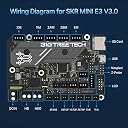
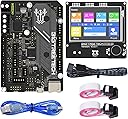
The BIGTREETECH SKR Mini E3 V3.0 combo set pairs a cutting-edge 32-bit STM32G0 MCU control board with a versatile TFT35 E3 V3.0.1 touchscreen display, designed specifically for Ender 3/5 printers. Featuring integrated TMC2209 silent stepper drivers, advanced heat dissipation via triple PWM fans, and smart features like filament runout detection and power-off resume, this plug-and-play upgrade delivers quieter, more reliable, and highly customizable 3D printing performance.


| ASIN | B09MYT45BQ |
| Brand | BIGTREETECH Direct |
| Brand Name | BIGTREETECH Direct |
| CPU Socket | LGA 1151 |
| Chipset Type | STM32 |
| Compatible Devices | Printer |
| Compatible Processors | STM32G0 series |
| Country of Origin | USA |
| Customer Reviews | 4.3 out of 5 stars 181 Reviews |
| DriveMemory Storage Capacity | 8 GB |
| Graphics Card Interface | Integrated |
| Item Dimensions L x W x H | 10.4L x 7W x 7H Centimeters |
| Main Power Connector Type | 24-Pin |
| Manufacturer | BIGTREETECH Direct |
| Manufacturer Part Number | 1060000518 |
| Memory Clock Speed | 12864 MHz |
| Memory Slots Available | 2 |
| Model Name | BIGTREETECH SKR MINI E3 V3.0+TFT35 E3 V3.0.1 |
| Model Number | SKR MINI E3 V3.0+TFT35 E3 V3.0.1 |
| Number Of Ports | 2 |
| Platform | Windows XP |
| Processor Socket | LGA 1151 |
| RAM Memory Technology | DDR4 |
| System Bus Standard Supported | SATA 3 |
| Total USB Ports | 2 |
| USB 2.0 | 2 |
D**E
.
Needs a bit more documentation on set up.
H**S
This works great with Sidewinder x1 but it only supports 2 wire endstops natively
I replaced my sky 1.4 Turbo board that was in my Sidewinder X1 after it had a short. This board was smaller and easier to use, while having a performance boost. While this board is perfect, it does not natively support the powered inductive or optical sensors used by some printers, such as the Sidewinder X1. I am sure a workaround is available by powering the endstops off a 5v supply, but it didn't work for me. HOWEVER, the board does support sensorless homing which required just 2 small changes in Marlin and works perfectly, so in a way, it was quicker to setup than using sensor endstops. I use to be against sensorless homing, as I thought it wouldn't be precise enough, but I was wrong, as my prints are just as good as with my inductive endstops, and I don't have to worry about an endstop failing. I do use a BLtouch for bed leveling though.
A**I
So quiet, and has accurate completion time
Bought this for my Ender 3 V2 with a 4.22 board. I was a little nervous installing it myself, but it ended up being much easier than I thought. I think the first board was defective (or maybe operator error) but they immediately sent a new board out and returning the other one was painless. Once I got the second one hooked up it worked just fine with the software. It's so quiet compared to the stock board. It loads quickly and I am super happy that the estimated completion time is way more accurate than the OEM board. It's been performing well with no hiccups after updating the build. It was plug and play, but I updated to to the most current version of Marlin. The only thing I didn't think about when I bought this board was adding wifi. If you are thinking about going that route, look up boards that already have it installed, so you don't need an extra component (unless you want it that way). I plan on going wifi soon for the convenience and so my 9 year old can start a print without having to be to close the the printer in case it's hot. So I will have to get a lil pi and program it accordingly with klipper.
W**I
Hard to setup
Like the touch screen but it was not very live adjusting friendly tried for hours to get my baby steps down to a point it would print. And never did get a print out of it. The mother board is hard to configure in marlin which was the only way I could use it because the stock firmware wants you to use the z stop and not the bltouch port but once I got that programed I never could get the hotend fan to work except with the stock firmware. The marlin terminal on the screen never worked when I would stop a print to do an adjustment the screen would sit on a screen saying system busy and never go back to a operating mode. Switched back to the creality 4.2.7 not as many options with it but at least I don't have to be a scientist to compile marlin for it. Well after some trial and error I got it working after using marlin it just takes time to get use to klipper and how to set it up. It works great live the board so I changed my review to 5 stars.
B**A
Included Screen Does Not Support Klipper
Great price, silent and excellent board, very easy to install, and semi decent support. However, the included screen should be noted does NOT work in touchscreen/pretty UI mode if you are running Klipper. It will not connect.
Trustpilot
1 month ago
2 months ago