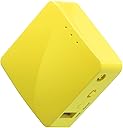
Desertcart purchases this item on your behalf and handles shipping, customs, and support to France.
🌍 Stay connected, stay secure—your pocket-sized digital fortress!
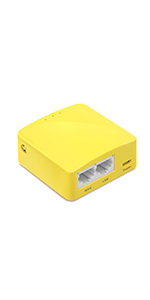
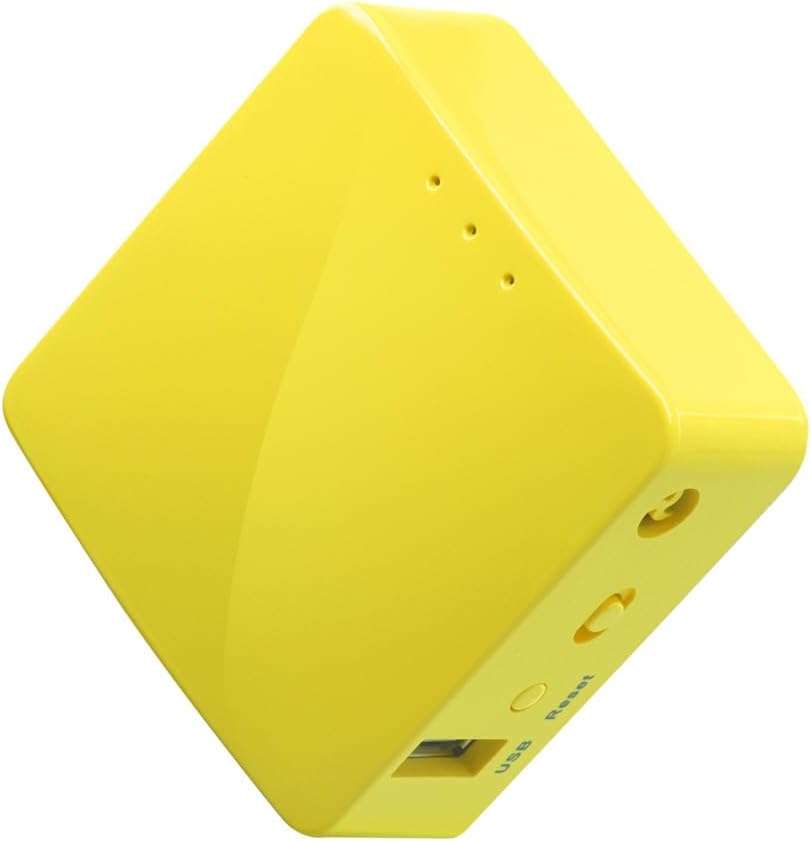
The GL.iNet GL-MT300N-V2 (Mango) is a compact, ultra-lightweight travel router offering 2.4GHz Wi-Fi at 300Mbps, dual Ethernet ports, and USB 2.0 connectivity. Pre-installed with OpenWrt and supporting OpenVPN and WireGuard, it transforms public networks into secure private Wi-Fi, ideal for professionals on the move seeking robust internet privacy and easy setup via an intuitive admin panel.


| Antenna Location | Business |
| Antenna Type | Internal |
| Asin | B073TSK26W |
| Best Sellers Rank | #620 in Computers & Accessories (See Top 100 in Computers & Accessories) #44 in Computer Routers |
| Brand | GL.iNet |
| Built In Media | GL-MT300N-V2 (Mango) mini router (2-year Warranty), USB cable, Ethernet cable, User Manual. |
| Color | Blue, Grey, Black |
| Compatible Devices | Personal Computer, Smartphone, Tablet, Gaming Console, Smart Television, Printer, Security Camera |
| Connectivity Protocol | Ethernet, Wi-Fi |
| Connectivity Technology | Ethernet, USB, Wi-Fi |
| Control Method | App |
| Controller Type | App Control |
| Coverage | Personal use and travel |
| Customer Reviews | 4.1 4.1 out of 5 stars (13,038) 4.1 out of 5 stars |
| Data Transfer Rate | 300 megabits_per_second |
| Eu Spare Part Availability Duration | 2 years |
| Frequency | 2.4 GHz |
| Frequency Band Class | Single-Band |
| Item Dimensions L X W X H | 2.28"L x 2.28"W x 0.98"H |
| Item Weight | 40 g |
| Lan Port Bandwidth | 100 megabits_per_second |
| Manufacturer | GL Technologies |
| Maximum Upstream Data Transfer Rate | 300 megabits_per_second |
| Mfr Part Number | GL-MT300N-V2_SML |
| Model Name | GL-MT300N-V2 |
| Model Number | GL-MT300N-V2 |
| Number Of Ports | 2 |
| Operating System | OpenWrt |
| Other Special Features Of The Product | Access Point Mode, Internet Security |
| Ram Memory Installed | 128 MB |
| Router Firewall Security Level | High |
| Router Network Type | multi-mode |
| Unit Count | 1 Count |
| Voltage | 5 volts |
| Warranty Description | 2 Years |
| Wi Fi Generation | Wi-Fi 4 |
| Wireless Compability | 802.11bgn |
User
Nice travel router
2025 Update: Took the rating from 3 stars to 5.First: Mainline OpenWRT now supports the device chipset which means I can use official downloads instead of ones made by the company that did not provide source code.Second: While the Ad-hoc/IBSS mode is not supported by the chipset, 802.11s mesh point mode *is* supported. This is a better long-term solution, and works great. I wanted to do B.A.T.M.A.N with some Pi Zero units (which can only do Ad-hoc, station, and AP modes), but that project fizzled out. Combining these with my home router also setup with 802.11s gave a very reliable mesh network (these provided extended wifi out on the patio).Original review:First, let me say that I did not purchase these (I bought two) to use in their intended purpose as a travel router. I was more interested in them as a cost-efficient learning platform for building a batman-adv mesh network.Unfortunately, the chipset in this little device is a MediaTek MT7628AN v1 which doesn't seem to have mainline OpenWRT support. The manufacturer does maintain several firmware images and an opkg repository, but I do not see any source code posted for their customized OpenWRT images (GPL violation?).The good:* Small and travel friendly.* Sufficient wifi signal* Easy to set up and use its basic functionality out of the box. Easily sets up as a wifi repeater.* Has a custom web UI that simplifies the most frequent, basic configurations. For more advanced options, LuCI is also available.The bad:* The wireless chipset doesn't support ad-hoc / IBSS mode which means they're useless as-intended for my batman-adv mesh project.* Can't even query the capabilities of the wireless chipset. "iw phy" returns nothing, and all of the radio interfaces seem to be "hardwired" into pre-defined modes (ra0 = iface used for AP mode, apcli0 = iface used in STA mode, wds0-3 for WDS).* I honestly don't trust this device not to send every secret that flows through it to Beijing, and the next thing I do will be a WireShark analysis. Assuming the silicon itself isn't compromised, I was hoping to simply reflash a vanilla OpenWRT image and build on that, but the architecture is not supported in mainline, and the chipset of the device was not published in the product description. Before giving up on these, I'm going to look into setting up a build environment for the chipset and compile my own image.* The OpenVPN client is garbage. It periodically disconnects and refuses to reconnect without several reboots. Clients lose internet access completely. Internet is otherwise solid with VPN disabled. Working on setting up WireGuard to see if it is any better. This is pretty much a core advertised feature of the product, so this is pretty unforgivable.* Chipset isn't supported in mainline OpenWRT. While the manufacturer's opkg repo does provide packages for that architecture, and that repo has so-far covered my needs, it makes me solely rely on the manufacturer. I suppose I could mirror their repo locally, but community support would be much preferred.* 3rd party OpenWRT packages are pretty much off the table. As with OpenWRT itself on this device, I'm looking into compiling the packages from source myself to bypass this limitation.
User
A tiny device that's easy to configure and use. Simple VPN setup with on/off toggle switch.
This is the best travel modem out there. It's tiny. It's light. It's full featured and incredibly configurable through a simple administrative panel that's easy and intuitive to use. It uses open source OpenWrt firmware but the Admin Panel tames all the complexity. It's just so darn useful. The main function is the repeater mode where you can login to a public Wi-Fi connection, and the device creates another Wi-Fi connection you or your entire party can login to. It's also easy to add a VPN (OpenVPN or Wireguard) to the connection and has a little toggle switch to enable and disable the VPN as you want. It can get Internet from any Wi-Fi source or through tethering from your smartphone or from a cellular data dongle if you have one of those. It also has an ethernet WAN port if your Internet connection is wired and an Internet LAN port if you want to connect your computer wired to the router. They thought of everything. The configuration panel makes all these various setups easy to select and configure. It's a really good device and so small and easy to travel with. Whatever your situation, this little device works and works well. It's 2 Ghz only but has 300 mbps throughput. No power supply is included, just the USB power cord and a short flat Ethernet cable are included. Since it supports OpenWrt, you can install custom firmware if you want and use this for something else. It has a built in system to install factory firmware from scratch if you have to. The GL.iNet people have done a great job with this little thing.
User
Updated - Works well once you get past setup (otherwise would be 5 star).
Update: I'm leaving this at 4 stars due to setup and restart issues but this device is definitely worthwhile owning. I used it on a month long cruise as a repeater for a single device captive login and after learning how to configure it, it was flawless in operation and permitted multiple devices to easily connect. The primary setup difficulties have to do with using an IPhone as the interface (I don't know if Android phones will experience the same issues). With the IPhone, I found it necessary to turn off the DNS attack protection feature. Then, when restarting the router using my IPhone, it was necessary to turn off my phone WiFi, turn it back on and select the router (enter router password if necessary) to get the captive (Cruise ship) login to pop up. Once the captive login credentials were entered, my other devices were able to connect to the router. Note - using my MacBookPro to connect, it wasn't necessary to turn off WiFi for the captive login to pop up automatically. I haven't tested using the MacBook with the device's DNS option in its default state though.(Original Review)Gave this only 4 stars because of setup issues. I initialized the GL-MT300N-V2-ed1 mini router per instructions and personalized the admin password and SSID. I set it up as a repeater for my 2.4G Xfinity home router, however the mini router kept saying “internet not connected”. I also set the “remember” button when I selected the Xfinity router. Thinking I might have done something wrong, I reset the mini router (reset button 10+ seconds) and reinitialized/set up the same way (did not need the defaults “goodlife” admin pw after first reset). I repeated the admin reinitialization and (repeater) wifi setup with the same negative internet warning. Also checked my Xfinity router admin page and saw that the mini router was connected but still not passing data. Tried moving away from Xfinity router, incase the Xfinity signal was swamping the mini router signal, without success. I then shut down the mini router for a while and after about 10 minutes, I powered the mini router up again. With my IPhone connected to the mini router SSID (cellular data off), I logged back into mini router admin using the previously personalized pw and was astonished to see it was connected to Xfinity router and passing data (the wireless led was blinking). I tried browsing several different sites and was initially rebuffed by an Xfinity “device paused” warning page. After several attempts accessing different sites, I tried ignoring the Xfinity warning and discovered that reloading immediately brought up the desired site. After that, I was able to power down (disconnect) and automatically reconnect to the remembered wifi connection on power up without any login password. Some other notes: online help pages mention a green power led and a red wireless connection led - however, all the leds are white. The power led comes on quickly once the mini router has power, but it takes about a minute for the wireless led to light up. Also, the slide switch next to the reset button is apparently a programmable function switch that by default has no function. I've only tested this with a 2.4G wifi signal but the online literature suggests that it is also capable of 5G with a different wireless channel selection. Overall, once I got past the initial hiccups, the mini router works like a charm and I’m looking forward to using it with multiple devices on an upcoming cruise (cruise wifi only permits a single device connection).
User
Swiss Army knife for networking
Update in Yellow. THis is one of the few 6 star items. It is my swiss army knife. The latest update (which says its beta) allows me to use my USB link, or connect to wifi, and add a VPN. The adblock package does need some help but I can connect in and use my own list.I had a hiccup, but I could easily reset and restore it. I will probably get the dual band next, but this is just so versatile. It has the simple front end, then the regular OpenWrt, but also you can ssh in and do more.One hiccup - I couldn't do individual hardware interfaces or tweak the wireless in the Luci screens, but that may be OpenWRT. The main system though did everything very smoothly.ORIGINALI have two of the blue routers, and the only visible difference is the internal micro SD card slot in them v.s.none here - it seems to have a 2nd serial port inside though.Mainly I use it for adblocking (search for "OpenWRT adblock"). and malware filtering using 9.9.9.9 as the default DNS. It helps having both a WAN and LAN hardwire port so you can filter across each side. And the wifi can have multiple instances so you can use it to filter or extend there too, provide wifi or connect to one, or both.Excellent value. The only thing most of these don't have is 5G, but I don't really need that and I wonder if the USB port.... You need a heftier power supply for some USB peripherals, but it works with my USB mifi as well, so I can use it to route that as well (I haven't quite tried to setup failover)But I can make it what I need it to be, and to add filtering for the non-computer types, this is an inexpensive solution.
User
Reliable mini router
USB tethering with Wifi adapter and TMobile 120gb/90day sim data plan. Connecting TV at vacation home in Europe with Ethernet. This thing is surprisingly very capable which helps in rural island. Will be on the lookout for 5G update.
User
Works as advertised!!
This travel router worked better than advertised. I can't imagine traveling any other way from now on it is amazing and I'm probably like the last person on Earth to find out about this thing. At home I set it up using my same router name and password then when I got to the hotel I plugged it in from the phone cord and all of my devices Linked UP. I didn't have to log into the hotel internet nothing and I was streaming on my laptop and my cell phone plus using email yeah just amazing if I had a third hand I'd have three thumbs up
User
Neat little gadget, aging hardware
I wanted to love the Mango because the concept and design are genuinely excellent. The bright mango color is fun, the unit is incredibly compact, and it disappears into a travel bag. For basic hotel/travel Wi-Fi use, it can get the job done.But in 2026 this thing is starting to feel dated.The biggest issue is performance. Speeds are noticeably slow, and even the admin UI feels sluggish. I also own the Slate series from GL.iNet, and the difference is night and day — the Slate feels polished and responsive, while the Mango often feels like it’s struggling just to load a settings page.I also experienced occasional random disconnects where Safari would suddenly say it couldn’t connect to the internet. Not constantly, but enough that it became annoying during travel. It almost feels like the device is sleeping or temporarily dropping connection management in the background.Another bizarre downside: micro-USB power in 2026. Not USB-C. Not even USB-C with fallback. Just straight-up old-school micro-USB with USB-A. For a travel device, that means carrying yet another cable type for no reason.That said, I don’t hate it. The portability is genuinely awesome, setup is relatively straightforward, and for very light travel use it still has value. But I definitely would not expect premium performance, and I probably wouldn’t bother trying to run anything heavier like OpenVPN on it today.
User
Super good home server extension
Love it. Use it to connect things to my home server from anywhere. So easy to use and setup the gui is super intuitive. It’s a great upgrade to any home server and and home servers enjoyer.
User
Pequeño pero maton
A la hora de montar redes seguras para trabajar o gestionar proyectos informáticos, este pequeño dispositivo es una auténtica maravilla. Cumple exactamente lo que promete ocupando un espacio mínimo.LO MEJOR:Tamaño: Es increíblemente compacto, hace honor a la frase "pequeño pero matón". Es perfecto para dejarlo en el escritorio o llevarlo de viaje.Instalación: Su configuración es súper sencilla e intuitiva. Enchufar, seguir un par de pasos básicos y listo.Rendimiento: Lo utilizo específicamente para proteger mi red WiFi a través de una VPN y el resultado es impecable. Funciona de perlas, sin cortes y manteniendo la conexión cifrada de forma transparente.VEREDICTO FINAL:Le doy 5 estrellas sin dudarlo. Si buscas una pieza de hardware práctica, barata y rápida de configurar para blindar tu red y mantener tu privacidad, es una compra totalmente recomendada que te facilita muchísimo la vida.
User
A small miracle. Easy to connect as OpenVPN client to NordVPN. Highly configurable. Robust
I am amazed and impressed by this one.Obvious use: when travelling, use it to provide WLAN over the available hotel Wifi connection or other not that trustworthy connections.Not that obvious but hugely useful:- When abroad. Securing your connection while working and making it appear as being in the country you want.- Making an account work as you would, bypassing region limitations (in combination with your VPNs features). Useful for streaming services with regional restrictions, sharing when not in the same "house", using a bank or country public service that has geo-limitations ...It is really easy to install and setup. It will ask for a new router password in the first setup. My advice: change the default Wifi SSID name and password, too and make the Wlan not public. No point to use a router for securing your life via VPN and leaving these as default.It works with NordVPN (just remember to use as username and password the SERVICE ones, as found in the NordVPN page).It is way better than using your own router's VPN client (in case it provides one), since there are cases where you want to avoid it. Example would be a company PC running company VPN. Then there is no reason to have this on top of the Router's VPN. In such a case, the company PC can go over the normal router internet connection, having the company VPN. But your home PC or smart TV could go over the GL.iNet Wlan, thus getting automatically anonymized and secured.It is also much better than installing VPN clients to each device. Too much of an effort to do and maintain up to current. Plus, there are some devices where there is not even a client for them. It will also help your devices not being overloaded with clients and operations, leaving this to the GL.iNet router.Obvious observation: this is the smallest family member. Its resources as as low as it can be. Meaning, if you want to have many devices coming out of this, as your central VPN, and you intend to watch a lot of streaming services, HD, 4k, if you have special needs that you need to configure, like special triggers of what to be done, when VPN is down, different subnets, special behaviors (even though you can do quite nice basic configurations with this small router), you should look for something more versatile and strong.Especially for NordVPN, you can download their own configuration files or upload and use yours.It is small, it is silent, it looks positively funny (yellow).To reset to factory defaults, just press the button for 10 sec. You can not have it simpler.Only one "negative" i found. It does not come with the power supply (USB charger). Not hard to find one these days, but I expected that there was one with it in the box.
User
Muito bom...
Recomendo uso para o PS2..
User
Great buy
This is very good, very small and works a dream.
User
Router nano, ma grande nelle prestazioni.
Ottimo. Ho provato a collegarlo al mio modem come router e funziona perfettamente. La connessione wifi è superveloce.Come è scritto, si può usare come ripetitore di WiFi o in altre modalità.È dotato di cavo lan e cavo alimentazione USB ma non di alimentatore. Si attacca ad un caricabatterie da cellulare o ad un PC o ad un power Bank. Le istruzioni per l'installazione sono in un foglietto ben fatto ma in inglese o cinese, ma è comunque facilissimo accenderlo, basta attaccarlo all'alimentazione.Sotto l'apparecchio sono stampate le credenziali per l'accesso.Appena entrato nella schermata di configurazione mi ha fatto mettere una password nuova per accedere come amministratore e mi ha fatto scegliere la lingua. Incredibile, c'è l'italiano ed è tradotto bene! Sono entrato nella scheda aggiornamento e si è aggiornato anche il firmware. Si può attivare l'aggiornamento automatico del programma di controllo e del firmware ad una certa ora della giorno. Ha anche la rete ospiti che si può facilmente configurare ed accendere e spegnere.Ha due prese che possono essere una wan (entra internet) e una LAN (esce internet) o entrambe LAN.Mi sembra facilissimo da configurare, ha anche il captive portal! Ha la possibilità di limitare la velocità di banda internet per alcuni utenti.Si può impostare un DDNS per manovrarlo da remoto. Ci sono un sacco di altre cose, come le regole di portforwarding.Ha diversi livelli di potenza.Si può inserire una chiavetta USB per condividere file.L'unica cosa che non ho trovato è il salvataggio su file delle impostazioni. Sarebbe cosa utile, sopratutto perché premendo il pulsante di reset per 10 secondi, ritorna alle impostazioni di fabbrica (provato).Assorbimento a 5V (con qualsiasi livello di potenza) tra 160 e 210 mAh. Facendo la media di 190mAh come si vede in foto, consuma poco meno di 1 wh. All'anno 8,3 kwh sono circa €1,6 di corrente.Insomma, incredibile. L'ho pagato €18,27 in offerta.AggiornamentoA qualche mese dall'acquisto continuo ad essere soddisfattissimo. Lo sto usando per creare una piccola rete fra due computer per giocare con mio figlio al vecchio Age of Empires. Dapprima l'abbiamo usato in WiFi, poi siamo passati alla modalità via cavo, settando la seconda porta da WAN a LAN e senza essere davvero connessi ad internet.
Trustpilot
3 weeks ago
5 days ago