Desertcart purchases this item on your behalf and handles shipping, customs, and support to France.
🕹️ Play sharp, stay protected—because your Switch deserves the best!
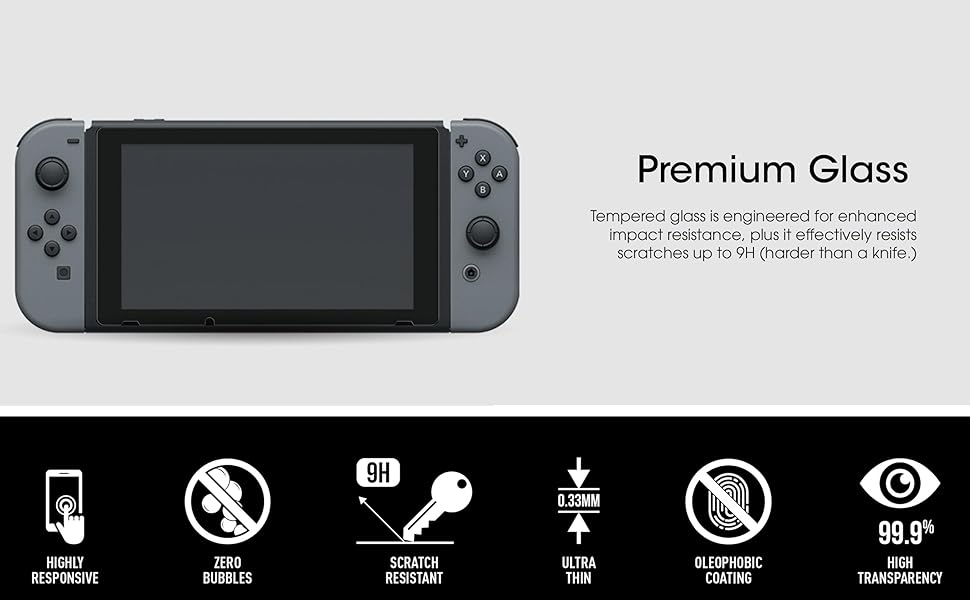
The amFilm Tempered Glass Screen Protector (2-Pack) is precision-engineered for the Nintendo Switch 2017 6.2" model, delivering ultra-clear 99.9% HD transparency and a robust 9H hardness rating to guard against scratches. At just 0.3mm thin, it maintains flawless touchscreen sensitivity while its oleophobic coating minimizes fingerprints. This pack includes two protectors plus all installation essentials, ensuring your gaming device stays pristine and responsive.


| ASIN | B01N3ASPNV |
| Best Sellers Rank | #1,542 in Video Games ( See Top 100 in Video Games ) #8 in Nintendo Switch Screen Protectors |
| Brand | amFilm |
| Brand Name | amFilm |
| Clarity | 99.9 |
| Color | Clear |
| Compatible Devices | Video Game |
| Compatible Phone Models | Nintendo Switch 6.2" 2017 |
| Customer Package Type | FFP |
| Customer Reviews | 4.8 out of 5 stars 112,240 Reviews |
| Finish Type | Glossy |
| Included Components | 2 Screen Protectors |
| Item Dimensions L x W | 8.58"L x 2.54"W |
| Item Hardness | 9H |
| Item Weight | 90 g |
| Manufacturer | TechMatte |
| Material | Tempered Glass |
| Model Name | FBA_Nintendo Switch 2017 |
| Model Number | NIN-SWTCH-GLSX2 |
| Number of Items | 2 |
| Part Number | FBA_Nintendo Switch 2017 |
| Product Dimensions | 8.58"L x 2.54"W |
| Screen Size | 6.2 inches |
| Screen Surface Description | Glossy |
| Special Features | 9 H Surface Hardness, Anti-Fingerprint, Scratch Resistant |
| UPC | 769560820137 810357023627 |
| Unit Count | 2 Count |
| Warranty Description | 2 Year Manufacturer |
| Water Resistance Level | Waterproof |
B**O
the screen protector is great. If you've ever put a tempered glass protector ...
Long story short, the screen protector is great. If you've ever put a tempered glass protector on anything, you know what to expect, and this one works as well as any high quality protector for any other device. It is also as simply to apply, if you can follow the directions and make sure you're doing it with clean hands and a clean work surface. I had a couple little bubbles when I put it on, but I was able to easily work them out, and actually one worked itself out in about an hour before I even noticed. The screen looks perfect, and like the protector is almost a part of the system. I actually prefer the look and feel of the switch with this protector on. It looks like a much more premium product, in my opinion. Also, the switch fits very nicely in the dock with the protector on, not too tight, not too loose. Just snug enough to feel like it was really meant to be in there. The switch by itself felt too loose and flopped around way more than I liked before. and no, my dock never scratches my screen, with or without the protector. I've had this on my switch for a couple weeks now, and with a quick wipe, it looks as perfect as the day I installed it. It's still fully adhered in all places, there are no bubbles, i mean it's just really doing its job. I haven't seen any issue that other reviewers may have experienced. I can't imagine how long it'll be until I need a new protector, and this one comes with an extra, which is really cool. And at the price, if I ever went through these two, I'll have no problem ordering another set. If you need to protect your switch, I don't know what else they could do to make a better protector than this, so just get it, all right?
J**N
Easy to install, fit perfectly, tricks included in review
I bought this protective glass for my Switch. I liked that it was a two pack, because I could practice with my brother's system before attempting on mine. It installed perfectly. I did take a few extra steps I'd learned from other sources. I shut myself up in the bathroom, opened the shower curtain and ran hot water till it felt muggy. This supposedly grabs any dust that may settle on your already cleaned screen. I also washed my hands to remove excess oils. I left the screen protector in it's foam sleeve till I was ready for it, because I'd have to align it with the film on and if dust got on it, it would transfer to the screen. I'd read reports of the microfiber cleaning cloth shedding, so used one of my own. I used their wet wipe to break down the oil he'd left on the screen. The recommend to wipe in circles. I did this over the whole screen and then wiped up the excess in straight lines. I dried with the microfiber. I did this twice and hit the one or two spots that were totally clean. I didn't use their drying cloth for the same fear of shedding. Once my screen was perfectly clean, I removed the protector from it's foam sleeve and lined it up. There are two simple ways of determining orientation. One is that the "Step 1" tab is clearly one side and it allows you to remove the protective film from the screen protector. The other way is that there are (3) asymmetrical notches to align with the bottom of the switch screen. Here is the second way I deviated from the instructions. I used the tape hinge method. I used masking tape I had on hand, but I think painters tape would have been better. Don't use duct tape as I think it would be hard to remove and leave a residue. I put a strip top and bottom, approximately 1.5" wide and 4" long. You have to put them on the right side, because you'll need to remove the protective film starting from the left. Have the tape on the screen protector, but not on the system. Align the protector to the best of your ability and then, while holding it in place with your left hand, use your right to press the tap onto the system itself and make sure it's firmly attached to the system and the protector. I used a thumbnail to make sure it was pressed down well into the corner formed by the protector and system. Once this is done, lift the left edge of the protector, being careful not to touch the clean screen. Grab the "Step 1" tab and peel it away gently. Again, don't touch the backside of the protector once the screen is removed. Once the rear film is removed, you can set it down on the system. The tape on the right hinges and insures that it falls back and is perfectly aligned as you had it before, preventing you from having to realign once it's in place, which wouldn't be easy to do. I simply set it down and it started sealing under it's own weight. You could see the air getting pushed out from right to left. It was quite satisfying. Unfortunately, there was a slight bubble left at the top left of the screen. The included bubble remover is a cheap piece of cardboard. I used it, but a credit card would work just as well. It scratch the front film, but that's what it's there for. I got the bubble completely removed and then peeled off the front film to reveal a perfectly attached screen protector. I'll have to try to remember to update this after constant use. I read that on some of the tighter docks, the width of the screen protector can cause it to rub. I've also read that because it's glass instead of film, it can cause a slight issue with touch sensitivity. I noticed no issue with light transmission through it, which was a main selling point. I really like this protector so far, I'll try to remember to update after some time and use have passed. It was easy to install and fit perfectly.
A**Y
Requires Patience & A Suitable Environment, But Otherwise Great
This was my first, second, and third attempt to install a screen protector. The first two were absolute failures due to user error on my part, but I learned and researched and am happy to say that the third time's a charm and I'm here to share what I learned so nobody else has to make the silly mistakes I did. Also, I'm here to praise this company for being amazing, because they went above and beyond with their warranty process and allowed me to have a second kit free when - by my own environmental issue - the initial kit was destroyed. I haven't received that replacement kit yet (though it has shipped), and I went ahead and purchased another so I could protect my Switch from being scratched further by its dock. Why not reward the company for being so generous in the process? It's an affordable purchase! Now that I have all those things out of the way, here comes the useful part of this review. This product will apply without any issues - in fact, I had zero bubbles on the third install - if you take care to do it properly. I only just now finished the third installation and intend to leave my Switch undocked and unplayed for several hours so as not to disrupt the adhesive's curing process; this is not a step in the instructions but rather a precaution. I will update this review in the future to state whether I experienced any issues caused by dock heat. If the review has been live for over a week and still has no update, assume that there were no issues with 'melting' adhesive or heat bubbles under the glass. Right now, though? It looks pristine - almost as if the glass is part of the Switch itself. The glass does attract fingerprints more noticeably than the plastic and has slightly more resistance to finger drag, but it also wipes clean easier (I can even get rid of the fingerprints with a swipe from the side of my hand) and is roughly as resistant to dragging as my Galaxy Note 9's screen (to which I have not applied a protector). The built-in plastic screen is just smoother than glass, is the best I can figure. But it's also much more easily scratched by the dock, so I consider this a fair trade off. As for installation, I cannot stress this enough: read the instructions, watch the instructional videos, and then prepare a very clean environment. If you have a pet which sheds, as I do, evict them from the area until you're done. All it takes is one stray hair to ruin everything. Trust me: I learned this the hard way. Also make sure you turn off all fans in the area, so no dust particles or other debris (such as the aforementioned pet hair) can get onto the surface of your Switch or the adhesive side of the protector. I also suggest turning the protector the right way and peeling off the adhesive cover from the bottom, so that it isn't facing up and therefore is less likely to pick up any dust/hair/etc. in the process. For my successful install, I steamed up my bathroom beforehand then let it sit for about fifteen minutes before going inside. Condensation no longer existed on the mirror, as I didn't want to get the internals of my Switch damp, but the room was still warm and humid. I was then very careful to keep my pets away and to make sure my clothes were free of any pet hair before proceeding to install according to the instructions. (Remember NOT to use the dust-removal stickers on the Nintendo Switch. This is written in some instruction books and on the stickers themselves. Heed the warning. I did, so I don't know exactly what would happen, but suffice it to say I'm not stupid enough to test it and find out.) I couldn't be happier, both with the results so far and with the company who were incredibly generous to send me a replacement kit when the installation problems were 100% user error. I'm also pleased with how easy a damaged protector is to remove. It does leave a bit of a residue, but a Huggies baby wipe (wrung out in the sink first to remove excess moisture) and a microfiber cloth easily removed that and returned my Switch's screen to normal while I awaited another set of protectors. It's probably not the best idea to use a baby wipe, if I'm being honest, but it worked for me. Replicate at your own risk, or more preferably go get a proper screen wipe that says it's safe for plastic screens. I just used what I had on hand. While I'm not about to do any drop/impact tests, I can say that the protectors I removed due to pet hair sticking to them were impossible to break even though I tried out of curiosity. I didn't throw them on the ground or anything, as I wouldn't want shards to get in my pet's paws or my feet if it shattered, but I can say that applying pressure just with hands is not enough to break the protector so it seems reasonably strong.
C**)
BEST purchase for Switch besides BOTW
I want to make sure I take the time to give amFilm credit for their excellent product. I was anti-screen protector for years, to me they were hard to put on and looked and felt bad. amFilm's tempered glass screen protector is amazing. Pros: + No bubbles + No "melting" + No shifting + It's completely 100% clear with no dimming or distortion + Easy to apply (compared to other screen protectors) + Instructions and included kit made this a breeze to prep and install + Extremely durable, shatterproof + Fits when docked + Smooth iPhone 7 like screen Cons: I don't have any, I suppose I wish I had more things to buy amFilm tempered glass screen protectors for. After this I did buy one for my iPhone 5s. TIPS: Install in the bathroom, run the shower on hot for ten minutes or so then shut off when the bathroom is steamy. The moist air will keep any dust in the room down to the floor and not in the air. After prepping the surface with their kit, put the screen protector exactly the way you want it, put the temporary hinge adhesives in place. Hinge it open. Wipe the screen one last time to make sure there isnt any new dust, dead skin from your body, hair and quickly remove the adhesive backing and close the protector onto the screen. Use the included white square to moosh out any bubbles. After it is applied, remove the external backing paper. Some people in comments here have claimed that these screen protectors bubble. This is not true unless you make a mistake. If you leave moisture on the screen before applying, that moisture will create bubbles as the system warms. Simply DRY the screen well with the included cloth. Also, I did not put it in the dock for 24 hours after applying. This will allow time for the adhesive to cure. If you dock it too soon the heat and pressure may affect the adhesive. In my case, after using it for hours daily docked and in handheld, the screen protector is still perfect. No bubbles, no shifting, no "melting" found in other screen protectors (like HORI). Please buy this to protect your console, you wont regret it.
A**R
The easiest application I've ever done!
After getting my Switch, I knew I had to get a screen protector after hearing about how just putting it in the docking station could scratch the screen. I took a chance on this one since it had so many good reviews and I've gotta say, this was the most painless application of a screen protector I've ever had. With the instructions being so easy to follow, I had this done in maybe five minutes or so. What made it so easy was the two holding tabs on the protector's top film; placing it evenly was so ridiculously easy because of those. After placing it down and pressing it as per the instructions, all I had was two big-ish air bubbles. With a little perseverance, I managed to get them out, no air bubbles left on my screen. The only downside is the piece they give you to push the air bubbles out. It was basically a piece of cardboard, and after pushing at those couple of air bubbles I mentioned for a little bit it started to fold and crease. Don't even bother with it and just use an old gift card or something like that. Other than that, it's awesome this far. It takes up a bit more space in the dock, but it isn't a tight fit by any means, and it keeps the Switch from moving around in there a bit more which is nice. The only reason I gave it 4 stars is because of the little cardboard thing and because I have yet to see if it'll protect the screen of my Switch; however I don't ever plan on dropping it as I'm very careful with my electronics; if I do, this review will be updated. The price is worth the piece of mind you have after putting it on. Totally, totally recommend! More of like 4.5 stars 🙂
T**E
Solid Protection — Even From Itself!
So I'd gotten these since they happened to have the overall best reviews. Hoping that these were actually good I figured that the price wasn't worse than I'd pay for a few coffees or maybe a meal out; I mean I wasn't doing either since this was at the start of sheltering in place and going out for food was the furthest thing away from my mind. Since it came with 2 that was even better since I needed both for the two Switches that we had just gotten. So I installed both according to the instructions and honestly it was probably the easiest screen protector installation that I've had (I'm used to the plastic film kind that require the use of a card and some patience to remove the bubbles). To be honest I think that I spent more time making sure that the screen was dust-free and checking to make sure that the protector's positioning was good before installing the protector than actually putting the protector onto the screen. Perfect fit, no bubbles, and nearly indistinguishable from the screen itself. So there it sat on the screens of the Switches for a year and a half. Then, one morning I tried brushing off a hair that wasn't a hair. A small, partial crack had formed in the protector that soon propagated across the protector and then another came up from the bottom to meet it. I'm not sure what caused these cracks, but the system has had a few minor bumps (none to the screen directly) and perhaps the shock from those bumps was enough to cause cumulative strain and eventually spontaneous fracture (something that tempered glass is occasionally known to do). I was a little disappointed, but it gave me 18 months of solid performance through games with touch screen controls, a few bumps, and the Switch's chassis likely lightly flexing as the buttons were frantically hit while in handheld mode—I'm not rough on my stuff, but the Switch would generally come with me from room-to-room and sometimes accompany me to doctors appointments. Furthermore, even with the hairline cracks the screen protector was still nearly invisible (when viewed directly; from the side it looked moderately horrifying if you didn't know that the crack was in a screen protector) and didn't seem to expose any sharp edges along the cracks. Of course I figured best not to push my luck with shattered pieces of glass and so I ordered a replacement. I was wholly expecting to have a difficult time removing the 3 large pieces—and one small piece—that the previous screen protector had broken into. Turns out that I was wrong. Apparently the adhesive layer of the glass is more than adhesive. In fact it appears to be a thin layer of plastic strong enough to holds the broken pieces together when carefully peeling it off of the screen! So the screen protector not only protects the screen from normal hazards, but it also protects the screen from broken pieces of the screen protector! It's not just tempered glass it's actually somewhat laminated—like how most windshields now have a film of plastic on the inside to keep the shards from flying free. Honestly this is better than I expected.
B**R
Great clarity, helpful installation features, and precise design
amFilm must be a well-known brand for glass screen protectors for a reason: very clear and hardly noticeable, maximizes screen coverage, and clever installation features help out a lot. While I haven't tested the resilience (and hopefully never do) of it to protect my Switch's screen during impact/possible deep scratches, I trust that the 9H hardness rating and quality of the tempering of the glass is actually there from a company as reputable as amFilm. After doing a lot of research, I went with amFilm because they have a lot of very positive praise across many different internet reviews and was the most readily available. While I can only trust and take many other people's word for it (for now) in the durability and protective quality of this 9H rated tempered glass, I can say that the clarity of it is extremely pleasing, the on-screen coverage is as much as possible, the cut-outs for the Switch's screen features (speakers & camera) are precise, and everything contained and designed for installation is an attempt to make it as easy as possible for the installer. Not only are there easy-enough instructions included with the package, and the screen protectors themselves have handy tabs on the side to give something to hold onto when lowering the glass onto the Switch's LCD screen, but an installation video is also available to watch (in the featured picture gallery of this item on this very Amazon page) that I highly recommend watching before installing yourself. It, and many others, are also available on any other internet video streaming service. Luckily this specific item from amFilm contains x2 screen protectors and x2 wet/dry wipes for installation because I, unfortunately, messed up on the first one (check and then check again that all dust and hair is off of the screen before installation!) I very successfully installed the second, although I had a few air bubbles give me some trouble (they were also present on the first attempt, too) near the top and bottom mid portions of the screen. I'm going to mark these up as installer error, though, because I know how challenging these things are to install unless you've done quite a lot of them. PROS: 9H hardness rating and tempered glass for maximum protection in just 0.33in thickness Great clarity and screen coverage (hardly noticeable done right) Precise cutouts Installation instructions, tools, and design is there to make it as easy as possible Provided installation video for this specific amFilm screen protector (look in gallery on this very Amazon page of this item) CONS: The contained squeegee to squeeze out air bubbles is just a stiff fibrous material (cardboard?) that ended up getting a little roughed up during my installation. I am not very proficient at installing screen protectors, though, so it could just be a novice mistake. I'm pleased that I went with the amFilm screen protector to put on my Switch. From what I can tell, there is no compromise in quality.
K**P
Great Bubble Free Installation
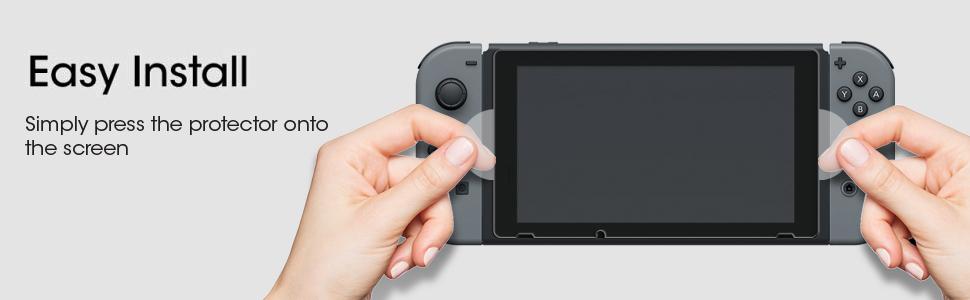
Great product. My Switch came with a plastic screen protector that had a bunch of bubbles with a careful install, maybe because I didn't use the "shower trick" when I installed it. After I installed that one on Xmas eve, I knew I was going to have to replace it immediately. I ordered this on Dec 24, it arrived on Dec 27, impressive with Xmas day in the mix and the fact I ordered it at like 11PM as I was wrapping presents. The package itself has 2 of everything you need to install this properly, including a convenient link to a video for the install. Pretty straightforward. Clean the screen wet, clean it dry, align and lay the protector, squeegee out the bubbles. Others have said this and I'll say it too, the trick to installing these protectors is to do it in a bathroom where you've steamed it up from hot water from the shower. This knocks all the dust out of the air, and ensures a dust free install. Don't use the biggest bathroom in your house, smaller is better. Don't open anything until you are ready to go. I ran the shower for 5-10 minutes until the mirror was foggy, and kept it running during the install. Then I went in with the switch and the install stuff (wipes, squeegee and protector all still in the original packaging). I put the tablet on the lid of the toilet and the install stuff on the sink next to me, then sat on the toilet lid backwards so I had a mini work space set up. Wipe wet, wipe dry. When wiping dry, I had to do multiple passes to get all the streaks off, alternating horizontal and vertical. Then I opened the protector, peeled off the "step 1" side, aligned it at the bottom and carefully laid it down. The switch had a little fog on the screen, this is not an issue. Once laid into place, the protector starts adhering itself somewhat, and just like the instructions say, just press the middle and move your finger around, and 90% of the protector adhered. Got the squeegee out and pushed it around a little, 99% was adhered with only some of the edge not fully stuck. Pressed the edge down with my finger by sliding around the edge and boom, 100%, no bubbles, clean install. The manufacturer offers a warranty for life, just register at their website. I also have a second protector that I hope to never use, but nice to have it on hand. 5/5, best choice out there if all you want is a glass protector. Touch sensitivity doesn't appear affected, and you can barely tell there's anything on the screen. Docks without issue in both the Nintendo and third party docks.
D**R
Makkelijk te installeren!
Na talloze andere screen protectors te hebben geprobeerd, kwam ik deze tegen op Amazon. En ik ben blij dat ik deze heb gesteld! Zeer makkelijk aan te brengen en zonder bubbels. Ze hebben een handige video waarin ze uitleggen hoe het moet. Het glas is harstikke helder en ziet er goed uit op de Switch. Zeker een aanrader!
N**O
Tut was sie soll mit super Preis/Leistung
Schon bei der Anschaffung der Switch war mir klar, dass ich eine extra Schutzfolie anbringen würde. Dadurch, dass ich regelmäßig den Handheld/Dock-Modus der Switch wechsle, könnte es sonst zu schnell passieren, dass ich mir eine Katsche ins Display schlage (wenn man danach googled findet man einige Erfahrungsberichte hierzu). Ich hatte schon ein bisschen Bammel vor dem Anbringen der Folie, da das Display der Switch ja doch ein gutes Stück größer als von einem Smartphone ist und auch hier schon das saubere Anbringen der Folie ein Kampf ist. Was mir nicht bewusst war: Hier handelt es sich nicht um eine klassische Folie, sondern tatsächlich um sehr dünnes Glas. Mit der mitgelieferten Anleitung und den Reinigungstüchern war die Anbringung so verhältnismäßig leicht, da sich das Glas nicht so stark wölbt wie eine Folie. Natürlich muss man schon ein wenig aufpassen und gründlich arbeiten - ich habe unterstützend den "Badezimmer-Trick" angewendet, da bei höherer Luftfeuchtigkeit nicht so viel Staub herumschwirrt. Also einfach kurz das heiße Wasser aufdrehen, bis eine gewisse Luftfeuchtigkeit im Raum ist. Mit dem ersten Versuch war ich nicht ganz zufrieden (dabei sah das eigentlich auch schon gut aus - manchmal bin ich ein Perfektionist), daher habe ich einfach die zweite mitgelieferte Scheibe für einen zweiten Versuch genutzt. Und die sitzt jetzt perfekt! Tipp: Mit dem mitgelieferten Schaber lassen sich kleine Luftbläschen einfach herausdrücken. Das tut man am besten, bevor man die dünne Folie über dem eigentlichen Schutzglas abzieht, da man sich so auch die letzte Möglichkeit nimmt, versehentlich schon zu Beginn einen Kratzer in das Glas zu hacken. ;) Zur eigentlichen Glasfolie nach der Anbringung: Man sieht sie nur, wenn man genau hinschaut und die leichte Erhebung am Rand sieht. Die Touch-Funktion ist gar nicht beeinträchtigt. Bisher gab es zum Glück "noch keinen "Härtetest", aber ich gehe davon aus, dass sie einfacher Kratzer problemlos abfängt. Von den ganzen "für nur 29 Euro mehr inkl. Schutzfolie"-Angeboten bei Kauf der Switch kann ich nur abraten. Hier kriegt man zwei Folien wesentlich günstiger und die Anbringung ist auch nicht kompliziert.
S**E
Good
Sticks well. No bubbles. Doesn't hinder touch screen.
P**E
Agréablement surpris
Avec l'arrivée dans mon foyer d'une Switch, j'ai immédiatement voulu protéger son écran. En effet, j'avais lu des articles invoquant des défauts de série qui amenaient des rayures et autres problèmes, aussi me suis-je tout de suite mis en recherche d'une protection même si je ne suis pas fan de ce genre de produit. J'ai déjà eu l'occasion d'acheter des protections pour différents écrans par le passé, notamment pour téléphone portable. A chaque fois j'avais des bulles sous l'écran de protection après la dépose, des micropoussières ou d'autres cochoncetés qui venaient me rappeler à chaque instant que j'avais posé une protection sur mes écrans. C'est pour celà que je voyais ce genre de produit comme une nécessité mais également comme une contrainte. Je n'envisageais rien de plus lorsque j'ai passé la commande de ce kit de protection pour écran. Eh bah j'étais loin de me rendre compte que j'avais acheté une perle ! En effet, la pose est simple, les écrans sont niquels, je n'ai pas une bulle ni une poussière suite à l'installation ; c'est bien simple: je ne me rends même pas compte que j'ai mis une protection d'écran sur ma Switch. Cela va faire plusieurs semaines que j'ai installé le produit et à ce jour je n'ai aucune rayure. Je ne sais pas dire si c'est parce qu'elle protège bien l'écran ou parce qu'elle n'a pas été sollicitée, mais pour l'heure je ne me prononce pas sur la protection. Je recommande néanmoins pour la simplicité d'utilisation, la mise en place et le guide présent dans le kit.
F**9
Vetro Temperato - Utilissimo e consigliato per Nintendo Switch
Personalmente, quando vado alla ricerca di questo tipo di prodotti, mi ritrovo sempre con tantissimi dubbi; anche dopo aver osservato moltissimi prodotti e aver letto moltissime recensioni, la situazione, molte volte, non cambia. Spero che la mia recensione possa aiutarvi a scegliere. Chi possiede una Nintendo Switch saprà, per averlo letto o per sentito dire, che il touchscreen è di plastica, piuttosto morbida, quindi incline ad una bella raccolta di righe, anche per i più attenti! Premettendo questo, viene naturale andare alla ricerca di una protezione per il nostro schermo, al fine di proteggerlo e goderci la nostra console il più a lungo possibile. Il prodotto in questione include all' interno del suo pack tutto quello che serve per l' applicazione: - 2 Schermi in vetro temperato; - 1 salvietta umida e una salvietta asciutta, rispettivamente per pulire e asciugare lo schermo prima dell'applicazione del vetro temperato; - 1 panno in microfibra; - Adesivi per la rimozione della polvere; - Istruzioni, in inglese, ma ci sono le vignette ;). Io le ho installate su due switch, e devo dire di non aver avuto problemi su nessuna delle due. L' installazione è stata semplice grazie alle due ali laterali che aiutano il posizionamento del vetro. Non sono rimaste bolle e nessuna imperfezione. Altra cosa che vorrei sottolineare è che il vetro è di dimensioni perfette! Se posizionato bene, sembrerà quasi uscita di fabbrica così! Davvero eccezionale. Conseguentemente non provoca nessun disturbo nell' inserimento della Switch nel Dock di ricarica. Il rapporto Qualità/Prezzo è straordinario. Ho pagato 8,99€ per due vetri temperati con tutto quello che serve per l'applicazione. Insomma, valutando quella che è stata la mia esperienza non posso che consigliarvi di acquistarla senza perplessità!
Trustpilot
2 weeks ago
2 weeks ago