

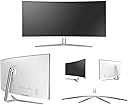
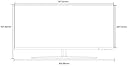

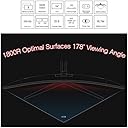
M340CLZ 34 Inch Curved 3440x1440 100HZ AMD Sync Gaming Monitor
Product ID: 36779381
Details
- BrandMicroboard
- ResolutionQHD Ultra Wide
- Response Time8 Milliseconds
- Screen Size34 Inches
- Screen Surface DescriptionGlossy
Review: Amazing monitor with amazing specs for a very good price for what you get! - Thanks for Linus Tech Tips for reviewing this monitor before purchase. I upgraded to this from an old Dell 3007WFP. The reason why was because I was tired of relying on AMD drivers to try to push multiple monitors for gaming accurately. I love widescreen gaming and wasnt going to go to anything smaller than my 30". The colors are vibrant, the panel is amazing. No dead pixels on arrival and the leg was easy to put together. Is this monitor for photoshop, art etc - No, but I dont do those things. Could the OSD controls be in a more optimal place - Yes, but I was able to quickly figure it out My biggest complaint is actually in the VESA mount. It is a 75x75, which is a standard side, however the housing of the LCD recesses the mounting point about 3/4" inward and most vesa mounts have a little extra metal around the mounting holes. If you get this monitor, you will need to find a mount that has the holes at the very very end of the metal otherwise it will not fit in the area. This monitor is low so you will need either a monitor stand/shelf or a properly sized vesa mount. I really love this monitor, and besides the few quirks that I had other solutions to, I am very happy with my new LCD! Review: TL;DR: Awesome monitor with garbage freesync - This monitor required a lot a decient amount of color adjustment to get a beautiful image out of it, but it was worth it. The only resolutions you will use are 3440x1440 @ 100hz and 2560x1080 @ 144hz. From my experience once you use this thing at 3440x1440p you will never use the other resolutions. I highlight recromend you get the ultrawide scaling extension on chrome. It will auto stretch videos that are not in 21:9 and get rid of the black bars from 16:9 content. There are many games that don't support 21:9 but the steam community usually has a fix. I used this monitor with a GTX 1080 and it runs most games close to max settings but then I really wanted to try out the freesync... This is where this monitor loses a star. I purchased a Vega 64 and with this monitor it has a horrible freesync flicker when there is a lot of white on the screen i.e using a browser. This issue occurs in games too, but it is as common. When you do run into the flickering it is absolutely horrible and you have to turn it off. It is the worst on YouTube videos. Some users claim this is a Vega specific issue, but looking into it further it seems it may be the freesync module in the monitor. Freesync can easily be turned off by using alt+R with the new crimson software wich is much easier than navigating through the horrible menue in the monitor to turn it off. When the freesync isn't flickering it's a game changer for sure. I highly recromend the monitor for it's price and performance.
| ASIN | B01M5DVR94 |
| Adaptive Sync | FreeSync |
| Additional Features | Curved |
| Brand | Microboard |
| Connectivity Technology | HDMI, DisplayPort |
| Customer Reviews | 4.2 out of 5 stars 39 Reviews |
| Display Technology | VA |
| Display Type | LCD |
| Hardware Connectivity | DisplayPort, HDMI |
| Has Color Screen | No |
| Item Weight | 1.4 Pounds |
| Manufacturer | Microboard |
| Model Number | 124255 |
| Mounting Type | Wall Mount |
| Native Resolution | 3440x1440 |
| Refresh Rate | 100 Hz |
| Resolution | QHD Ultra Wide 1440p |
| Response Time | 8 Milliseconds |
| Screen Finish | Glossy |
| Screen Size | 34 Inches |
| Screen Surface Description | Glossy |
| Specific Uses For Product | Gaming |
| UPC | 889028053850 725638388619 |
| Viewing Angle | 178 Degrees |
S**E
Amazing monitor with amazing specs for a very good price for what you get!
Thanks for Linus Tech Tips for reviewing this monitor before purchase. I upgraded to this from an old Dell 3007WFP. The reason why was because I was tired of relying on AMD drivers to try to push multiple monitors for gaming accurately. I love widescreen gaming and wasnt going to go to anything smaller than my 30". The colors are vibrant, the panel is amazing. No dead pixels on arrival and the leg was easy to put together. Is this monitor for photoshop, art etc - No, but I dont do those things. Could the OSD controls be in a more optimal place - Yes, but I was able to quickly figure it out My biggest complaint is actually in the VESA mount. It is a 75x75, which is a standard side, however the housing of the LCD recesses the mounting point about 3/4" inward and most vesa mounts have a little extra metal around the mounting holes. If you get this monitor, you will need to find a mount that has the holes at the very very end of the metal otherwise it will not fit in the area. This monitor is low so you will need either a monitor stand/shelf or a properly sized vesa mount. I really love this monitor, and besides the few quirks that I had other solutions to, I am very happy with my new LCD!
B**N
TL;DR: Awesome monitor with garbage freesync
This monitor required a lot a decient amount of color adjustment to get a beautiful image out of it, but it was worth it. The only resolutions you will use are 3440x1440 @ 100hz and 2560x1080 @ 144hz. From my experience once you use this thing at 3440x1440p you will never use the other resolutions. I highlight recromend you get the ultrawide scaling extension on chrome. It will auto stretch videos that are not in 21:9 and get rid of the black bars from 16:9 content. There are many games that don't support 21:9 but the steam community usually has a fix. I used this monitor with a GTX 1080 and it runs most games close to max settings but then I really wanted to try out the freesync... This is where this monitor loses a star. I purchased a Vega 64 and with this monitor it has a horrible freesync flicker when there is a lot of white on the screen i.e using a browser. This issue occurs in games too, but it is as common. When you do run into the flickering it is absolutely horrible and you have to turn it off. It is the worst on YouTube videos. Some users claim this is a Vega specific issue, but looking into it further it seems it may be the freesync module in the monitor. Freesync can easily be turned off by using alt+R with the new crimson software wich is much easier than navigating through the horrible menue in the monitor to turn it off. When the freesync isn't flickering it's a game changer for sure. I highly recromend the monitor for it's price and performance.
A**V
Great Buy!
Fantastic Monitor! A couple things to note... Mine came with a Korean style power cord! Luckily, power input is the normal power supply style, so I had a bunch of spare cords laying around. If I didn't, I wouldn't have been able to use this monitor without going to a store for a power cord. EDIT: Ignore the above, but you have to look carefully in the box, there was an adapter OUTSIDE of the retail monitor box floating around in the cardboard box! As others have stated, the menu on the monitor defaults to Korean, but with alittle fiddling (and I think there's a YouTube video) you can figure out how to switch it to English. Other than those two insignificant things, this monitor is better than I expected. I was actually able to overclock the refresh rate on the panel at 3440x1440 to 120 Hz stable! I haven't even tried lower resolutions... Anyway, great buy! Definitely the best upgrade to my computer in a long time.
J**R
Great picture, awesome for gaming...not sure about the quality tho...
I have used this monitor for a little over a week now. I will say it takes a bit to get used to a curved screen, but the added screen real estate is awesome. After just a few days of use, the blue power button no longer lights up. Makes me wonder just how long the rest of the monitor will last. I would also like to point out that the bottom of the screen gets extremely hot to the touch. The rest of the monitor is cool to touch, but the bottom is really, really hot. Might be that they have the backlight LEDs down there, not sure. I guess we'll see how long this one lasts. My previous monitors have outlasted the systems they were hooked up to and then some. I expect more than a couple years out of these monitors...
J**S
Strait BUDDA BABY!!!
I was close to buying the Preadator 34 inch, then i came across this little baby. I've had this monitor for almost a month now and it is the BEST UPGRADE (from a 29 Inch Ultrawide ASUS monitor i got about 4 years ago). I The Perfect size, and i saved about $600.00 off the Predator Price. I seen the 38 Inch ultra wide, but it's WAY TO BIG to sit close to. The 38 Inch is $1500.00. I would buy it before i'd buy the 34 inch Predator. Let me tell you though. I've Never felt so into a Game before. 144HZ at 1080p or 100Hz at 3440 x1440. I will never need another monitor again.! (I Hope)...... If it doesn't blow up or something crazy, I'll be strait for years to come. Saves a tone of money and gets you the best BANG FOR YOUR BUCK and Pulls you into what ever your doing like never before! I didn't know the Curve would be SOOOOOOOO Serious!!! Just a BAAAAAAAAAAD Mutha...... A must have for movie buffs and Hardcore gamers. The Curved screen makes you feel like your IN whatever your doing. Nothing like looking at a flat monitor. Believe me when i tell you....... S*&% just got REAL! LETS GO..........
D**D
Loved this monitor, BUT.......
I WAS pretty stoked on this monitor. At the time of purchase there weren't any other options with the features this has and at the price it's at. Only 2 years later, this monitor is slowly falling apart. As you can see from the photo I uploaded, the bottom portion of the monitor is all glitched out. This is certainly the monitors issue, because when I hook up a different monitor, the issue is not present. It was a good price, but obviously comes with a risk. I guess that's what I get for buying a Korean monitor. (the other 2 photos are from when the monitor was working great playing Far Cry 5)
N**2
)
This monitor in my opinion is amazing. The colors look good to me(a layperson), and the short game on LoL i played went good and nothing looked odd. My particular monitor didn't come with an adapter for the Korean power cable, but the monitor can take any computer or monitor cable so i had spares to plug it in with. Make sure to watch a video on how to turn the menu to English, because thats a lot less pain than trying to figure it out yourself. All in all, its a good monitor.
B**M
Atrocious support, defective units 2, possibly lost money on protection plan.
The first unit I received had a jammed back plate release button so the stand could not be secured to the display. I then contacted Spicy Bomb and they did a RMA. I contacted them and told them I was not interested in a refund but wanted a replacement as I love the specs of this monitor. The second unit arrived and to my horror there was a dead pixel smack in the middle of my youtube search bar as well as a back light artifact leaving a grey triangular area off center right of the middle of the screen. I contacted Spicy Bomb again and asked for yet another replacement. They agreed spewing hollow reassurances. Four or five days later I checked my messages and Spicy Bomb sent me a message stating they had refunded my money. There was no discussion, there was no message asking me. I had just spoke with them asking for a replacement once more. Well, that's wonderful. What do I do with the protection plan I had purchased? This company will not check units for defects. They will not ensure you get a quality unit. It's luck of the draw and if you return enough displays they will sever themselves from responsibility without consideration of your protection plan costs. Hopefully 2 days past my refund expiration Square Trade will take pity on me. Not impressed, atrocious treatment. I'm not a nit picky person. Just get me a display without major defects or several moderate ones that grouped together is an issue. Not tough... was for them. My advice would be to take a good look at the Viotek gn34c 34 inch 1440p 100hz 4ms (my research indicated) display that has the same panel and is priced 100.00 lower than this. Save money, time, avoid inept apathetic service.
Trustpilot
1 month ago
5 days ago